Connecting Threads (Social Posting)
The threads Integration brings Meta’s text-focused social platform directly into the Social Planner, expanding your multichannel publishing capabilities. Whether you’re managing a brand or a growing community, this guide will walk you through connecting your Threads account and understanding media requirements. By authenticating with your Instagram credentials, you can create, schedule, and track Threads posts alongside your other social media content—all from a single, unified calendar.
Key Benefits of Threads Integration
- Automated Content Scheduling: Leverage tools like Review Flow, RSS Auto-Posting, and Category Queues to automate your Threads publishing and keep your calendar full.
- Bulk Content Management: Use Advanced CSV Upload to create and schedule hundreds of posts at once, with support for mapped hashtags, categories, and first comments.
- Consistent Brand Presence: Maintain a regular posting cadence by scheduling ahead and recycling evergreen content for sustained engagement.
How to Connect Threads with Social Planner
Follow these steps to connect your Threads account:
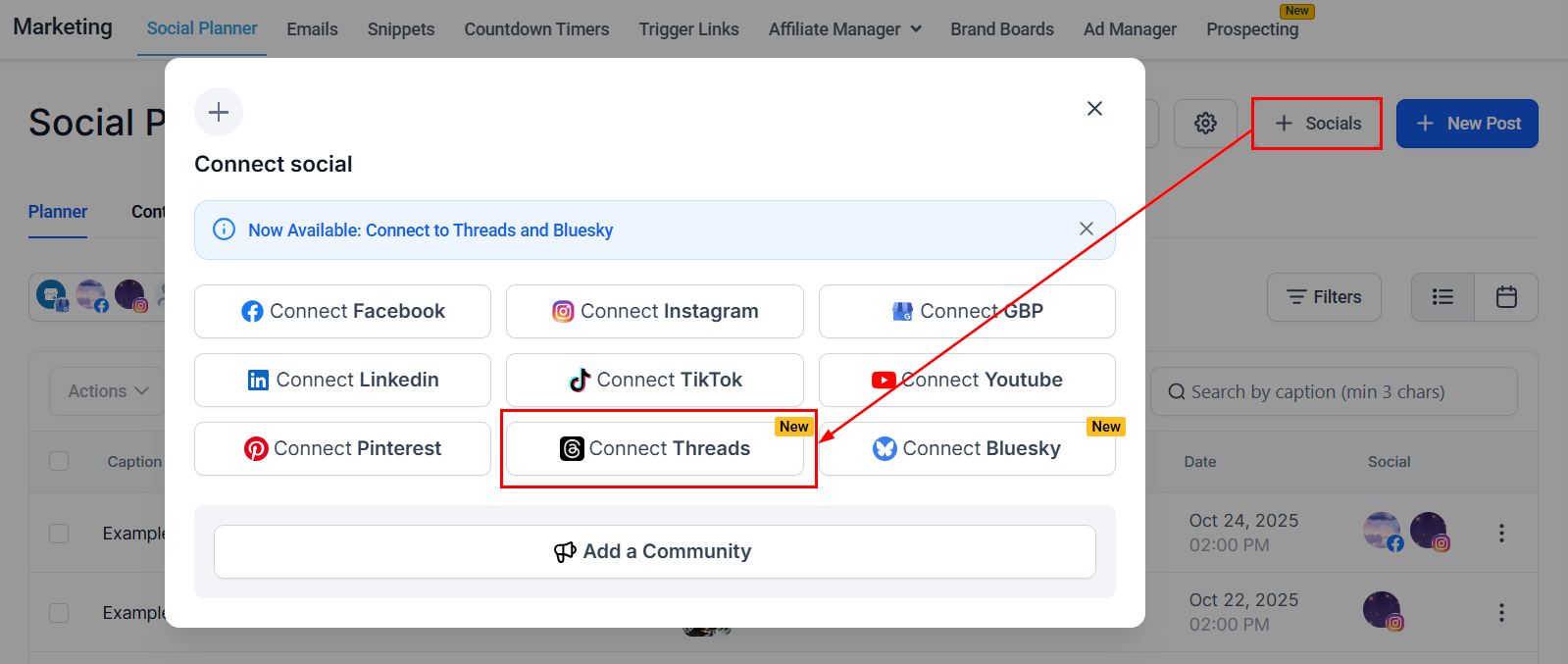
From your account dashboard, navigate to the Marketing tab and select Social Planner. Click the + Socials button, then choose Connect Threads from the available options.
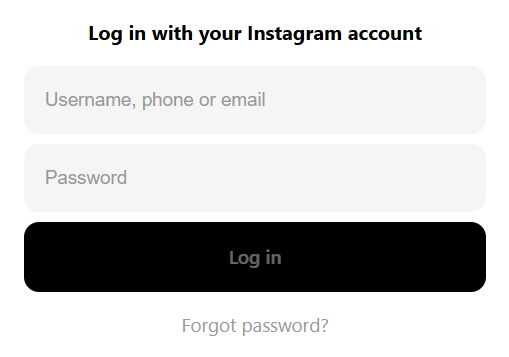
Log in using your Instagram credentials and authorize access.
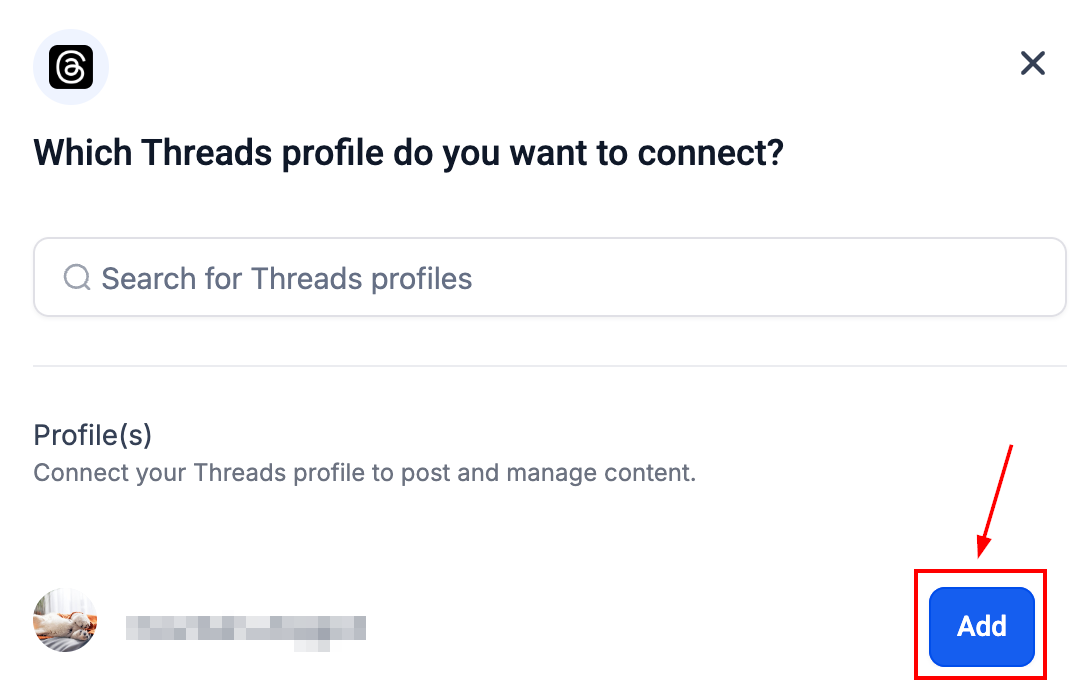
Click Add next to the Threads profile you wish to connect.
📌Note: Your Threads account must be linked to your Instagram profile, as authentication is managed via Instagram.
Once connected, your Threads account will appear in the All Accounts dropdown within Social Planner.
With Threads Integration in the Social Planner, you can efficiently manage your presence on Threads, right alongside your other social channels. From scheduling and automation to bulk uploads and streamlined workflows, this integration helps you stay organized, reduce manual work, and maintain consistent engagement with your audience.
Threads Publishing Specifications
Category | Images | Video |
|---|---|---|
File Types | JPEG, PNG | MP4, MOV |
Max File Size | 8 MB per image | 1 GB per video |
Max Uploads | Up to 20 images | Up to 20 videos (can be mixed with images) |
Resolution | Min 320px, Max 1440px | Valid width up to 1920px |
Aspect Ratio | 0.01:1 to 10:1 | 0.01:1 to 10:1 |
Duration | – | Up to 5 minutes |
Frame Rate | – | 23–60 FPS |
Codecs | – | H.264 or HEVC (video), AAC (audio) |
Notes | – | Custom thumbnails are not supported |
Frequently Asked Questions
Q: Does my Threads account need to be public?
- Yes. Only public Threads accounts are eligible for publishing through Social Planner.
Q: Why can’t I add a location to my Threads post?
- Location tagging is currently not supported by the Threads API.
Q: Are analytics or comment management available for Threads in Social Planner?
- Not at this time. Statistics and comment moderation for Threads are not yet supported.
Q: Can I edit or delete a Threads post from Social Planner?
- Editing is not supported. To delete a post, use the native Threads app.
Not a Funnelbud customer yet?
Try our all-in-one CRM for sales and marketing — free for 7 days, no commitment.