Add To Workflow Action
Through the Add to Workflow action, users can add a contact to another workflow from their current workflow. This workflow action is useful for adding a contact to another workflow once they’ve reached a certain step in the current workflow, allowing for seamless movement.
Start by adding a suitable Trigger to the Workflow, click the “+” icon to search, and add the “Add To Workflow” action.
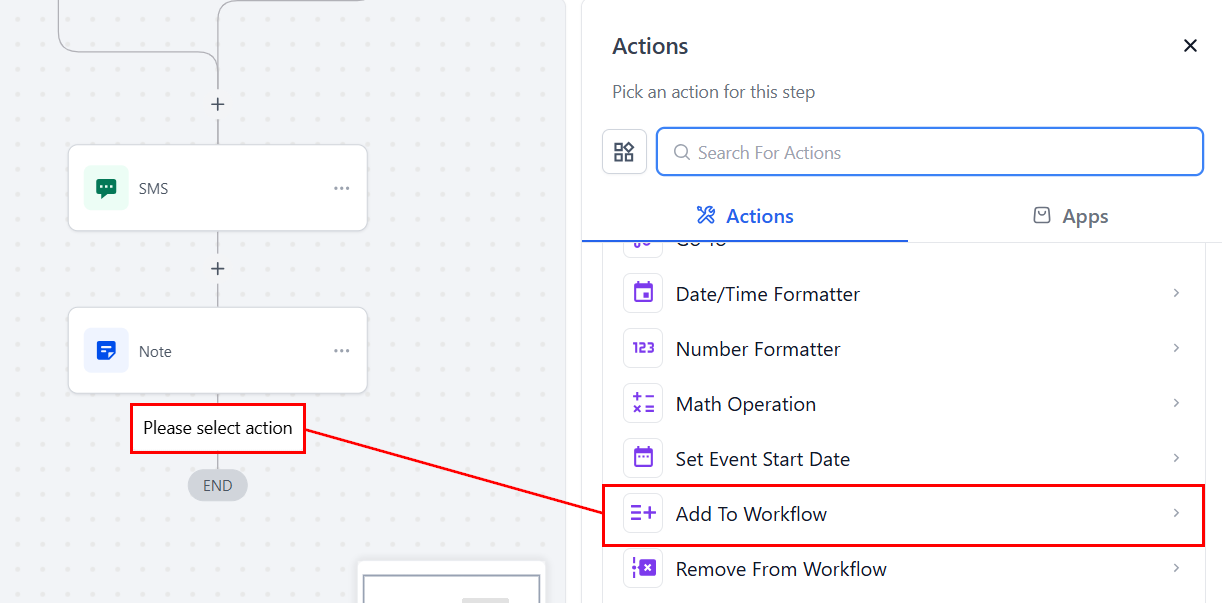
Select a Workflow
In the Add To workflow action, simply select the appropriate workflow where you want to add the contact.
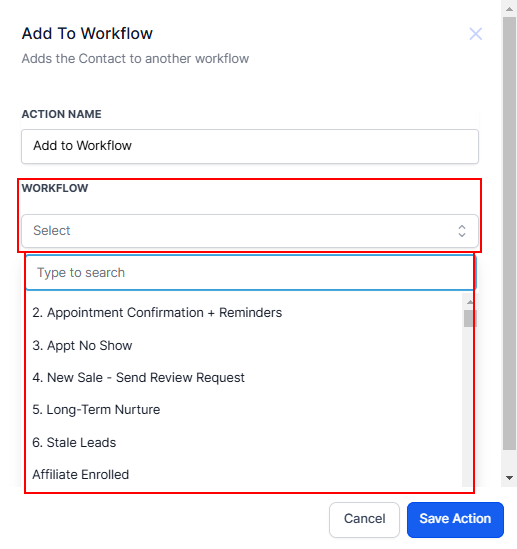
📌NOTE: This can be any workflow, and users can even duplicate this step to add the contact to multiple workflows.
Pass Input Trigger Parameters
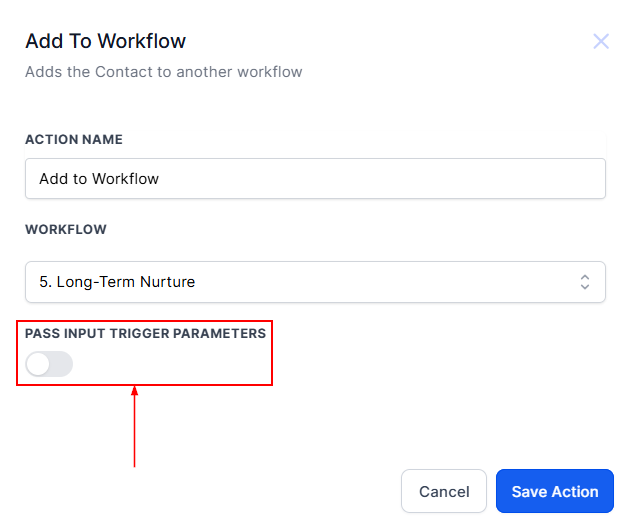
This option allows you to toggle the input trigger parameters based on your workflow requirements.
- When toggled on, the parameters from the initial trigger will be passed to the new workflow, ensuring continuity and allowing the next workflow to use the same input data.
- When toggled off, no parameters from the trigger will be transferred, creating a clean slate for the new workflow. Select the appropriate setting based on whether you need to retain trigger data or start fresh.
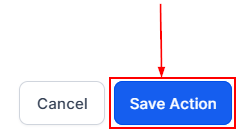
Click the Save Action button to save and continue.
The Add to Workflow action ensures easy transitions between workflows, improving efficiency and maintaining continuity. Whether you’re passing trigger parameters or starting fresh, this feature offers flexibility to meet your needs.
Not a Funnelbud customer yet?
Try our all-in-one CRM for sales and marketing — free for 7 days, no commitment.