Gmail 2-way Sync
The two-way sync feature for Gmail allows users to seamlessly integrate their Gmail account with the CRM, enabling automatic synchronization of emails between the two platforms. This integration is established when the first email is sent from the CRM, ensuring all subsequent emails in the thread are synced across both platforms.
Key Features of Gmail Two-Way Sync
- Seamless Integration: Connect your personal Gmail accounts to the CRM, enabling the synchronization of outgoing and incoming emails.
- Enhanced Email Tracking: Use your Gmail account to send, receive, and track emails directly within the CRM.
- User-Level Setting: This feature is configured at the user level and does not affect other users in the account.
Steps to Connect
Navigate to Account Settings
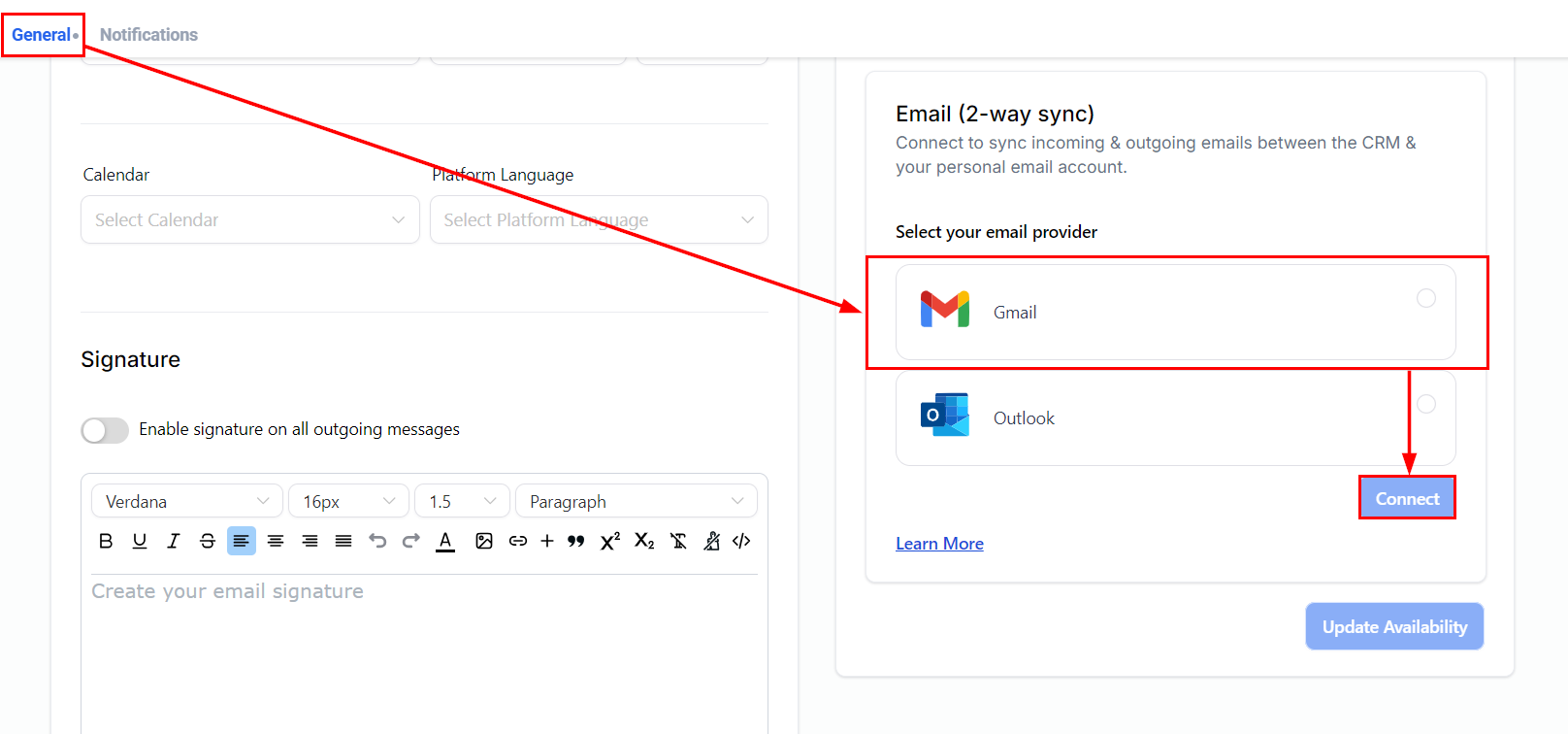
From the My Profile tab within your account settings, go to the General tab and scroll down to the Email (2-way sync) section. Select “Gmail Two-Way Sync” and click “Connect.”
Choose an Account
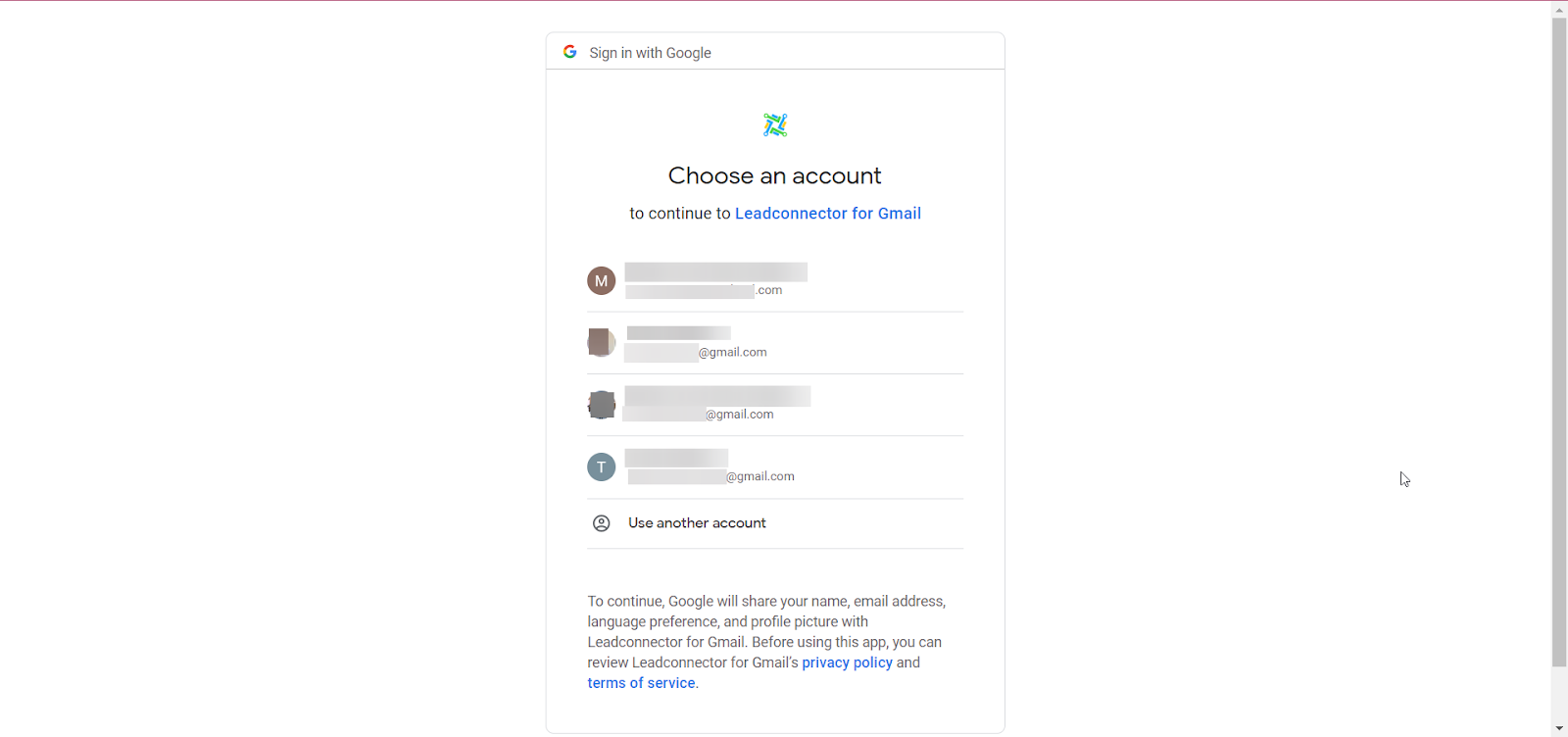
You will be prompted to choose an available Gmail account or connect a new one. Enter the credentials for the Gmail account you wish to connect.
Allow Permissions
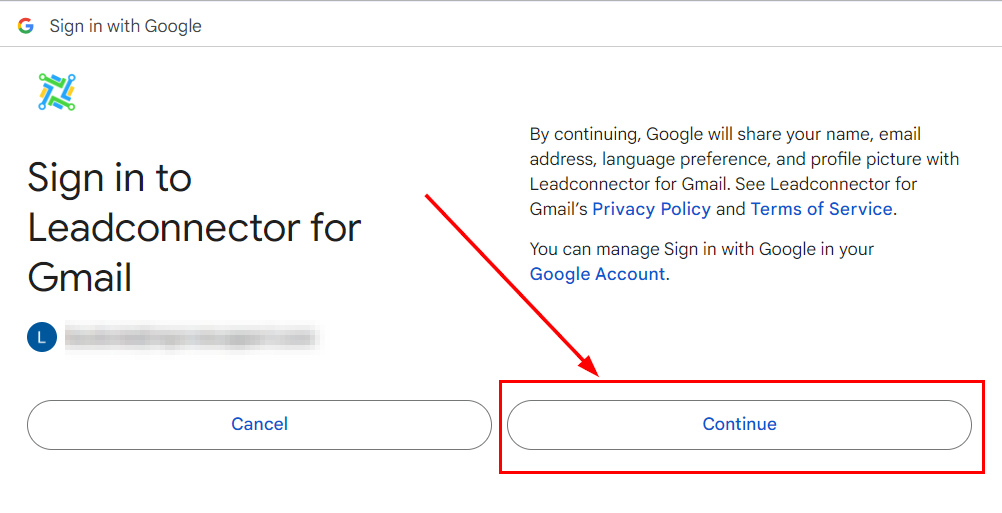
You will be asked to grant LeadConnector permission to access your Gmail account. Ensure you have read through the permissions, then click “Continue.”
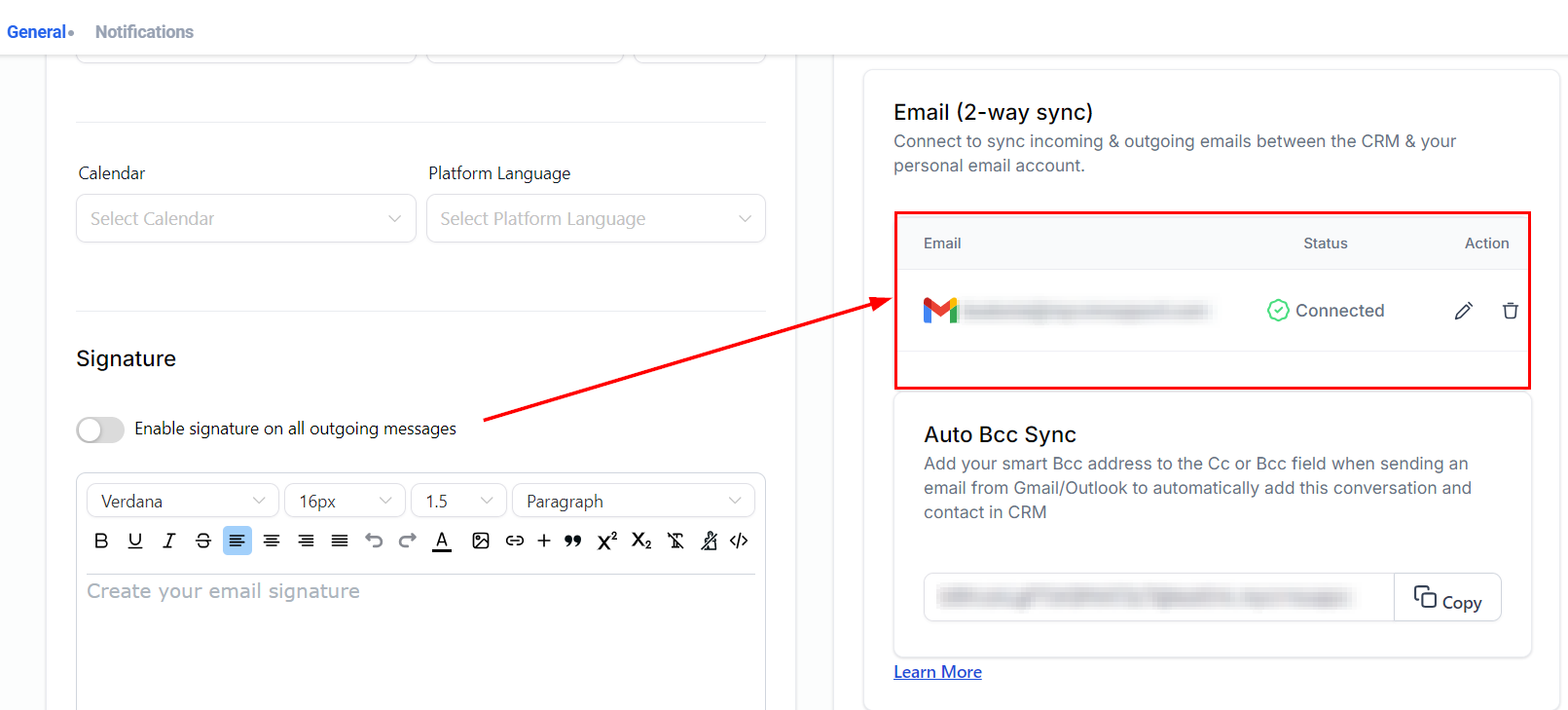
Once confirmed, your Gmail account will be listed in the Email Two-Way Sync tab.
Initiating Sync
To establish the sync, send an email to a contact from the CRM. The first outbound email must be initiated from the CRM to enable synchronization.
📌Note: The supported attachment size limit for Gmail Two-Way Sync is 25 MB.
The sent email will show up in the sent inbox of the integrated Gmail account.
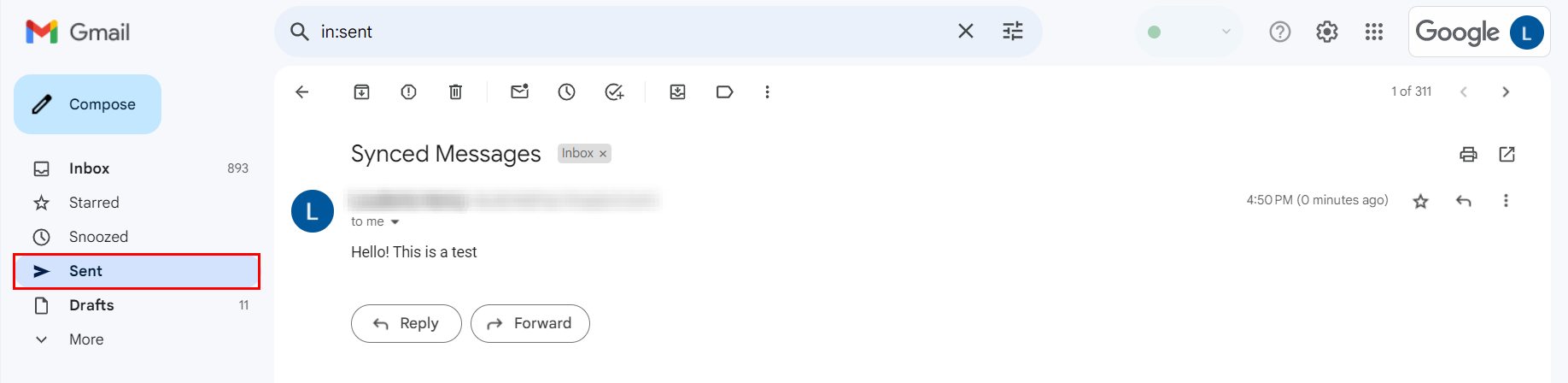
Subsequent emails in the thread will automatically sync between the CRM and your Gmail account.
Other functionalities
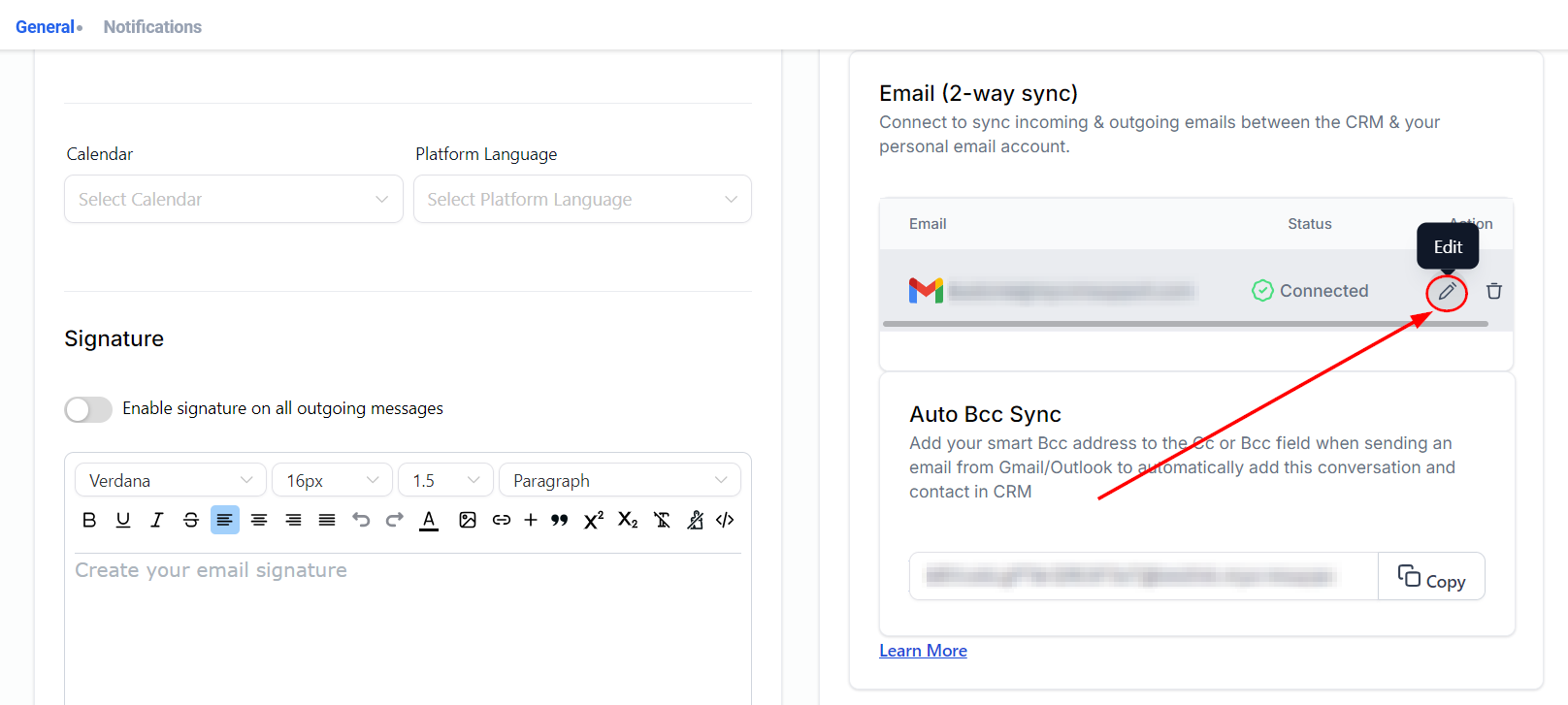
- Replacing the Email Chosen for Sync: You can change the connected email ID without disconnecting the previous one. New outbound emails from the CRM will sync with the newly added email address, while messages in the same thread from the previous email ID will stop syncing.
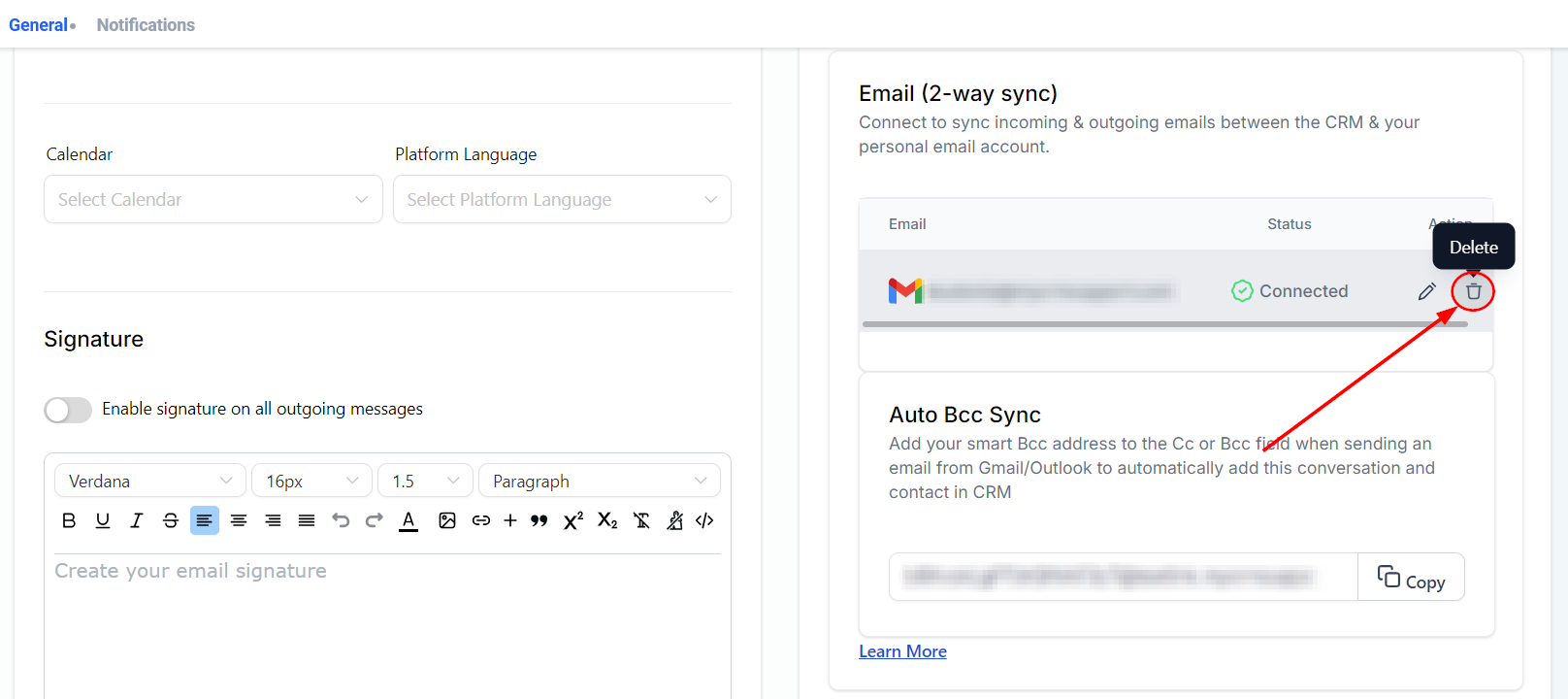
- Disconnect Email: Disconnecting your Gmail account will stop email synchronization between the CRM and Gmail. Post-disconnect, emails will no longer sync between the two platforms.
Two-Way Sync with Different Email Types
- Individual Emails: The Gmail ID connected will be used as the sender domain.
- Bulk Emails: If the user’s email ID is entered in the “From Field” (after setting up the 2-way sync), it will be used as the sender domain. If left blank, the account provider will be used.
- Workflow & Automation: Emails will continue to be sent from sub-account level providers.
By following the outlined steps, users can effortlessly connect and manage their Gmail accounts within the CRM, leveraging the full benefits of this integration.
Frequently Asked Questions
Q: Can I use multiple Gmail accounts with the CRM?
- Yes, you can connect multiple Gmail accounts, but each account will need to be connected and managed individually.
Q: Can I connect multiple Gmail accounts for 2-way sync?
- No. Each user can connect only one Gmail account for two-way sync. If you need to change the connected account, you can use the Edit Email functionality to switch to a different Gmail account.
Q: How do I verify if the sync is working?
- Check the sent items in your Gmail account. Emails sent from the CRM should appear in the Gmail sent folder.
Q: What happens if I disconnect my Gmail account?
- Email synchronization will stop immediately, and emails will no longer sync between the CRM and Gmail.
Q: Will my email settings affect other users in the account?
- No, the Gmail two-way sync feature is a user-level setting and does not impact other users within the same account.
Q: Can I track emails sent from my Gmail account in the CRM?
- Yes, all emails sent from your connected Gmail account will be tracked and reflected in the CRM, ensuring seamless communication management.
Troubleshooting Tips
Issue: Emails not syncing.
- Solution: Ensure the initial email was sent from the CRM and check for any permission issues in the Gmail account settings.
Issue: Unable to connect Gmail account.
- Solution: Verify that you are using the correct credentials and that the Gmail account has the necessary permissions enabled.
Issue: Attachments exceeding size limit.
- Solution: Ensure attachments are within the 25 MB size limit for Gmail Two-Way Sync.
Not a Funnelbud customer yet?
Try our all-in-one CRM for sales and marketing — free for 7 days, no commitment.