How to View Call Status
Tracking and checking the Call Status gives you insights into the success of your power dialer and manual calls. The call status is used in workflow triggers and automation, providing an interaction point with customers. So let’s check how to view the Call Status.
Inside the Conversations section, open the contact’s chat and click the three dots next to the call to open their details.
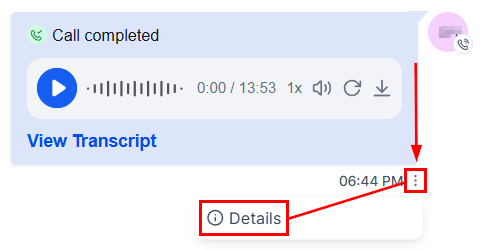
Call Status
There are a few call statuses that can be applied to the call; let’s check them.
Call Answered
When the call is answered, you can see some extra details depending on how these will be separated:
- By an Internal User: This will show the user name of the person who responded.
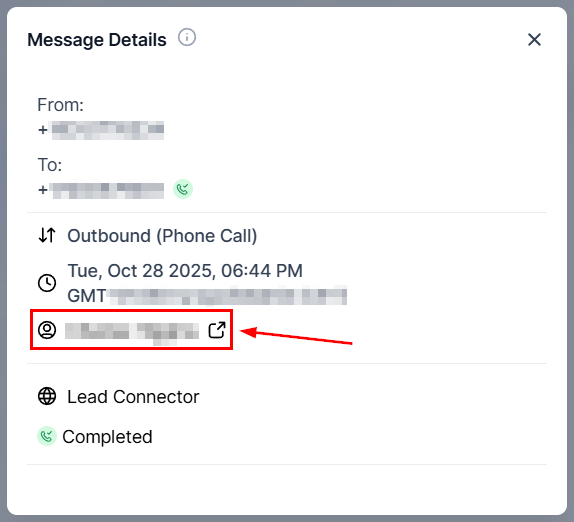
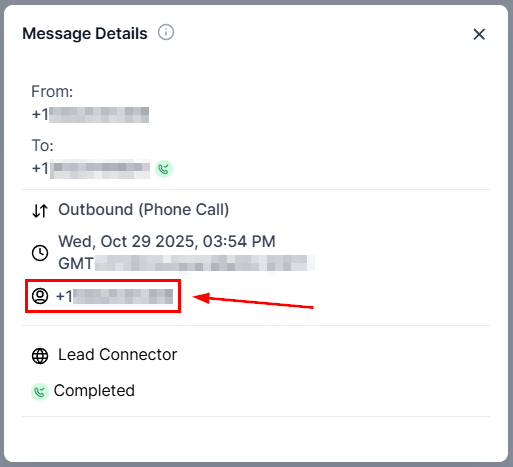
- By a Forwarded Phone Number: This will show the phone number to which the call was forwarded.
Call Unanswered
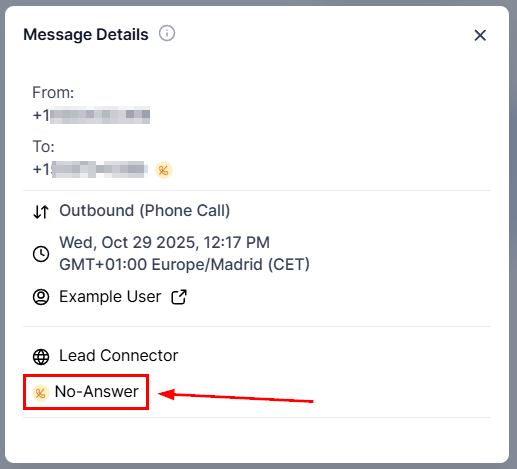
When a call goes unanswered there will be three outcomes that can be applied to the call, these will be:
- No-Answer: This will be the default state applied to unanswered calls.
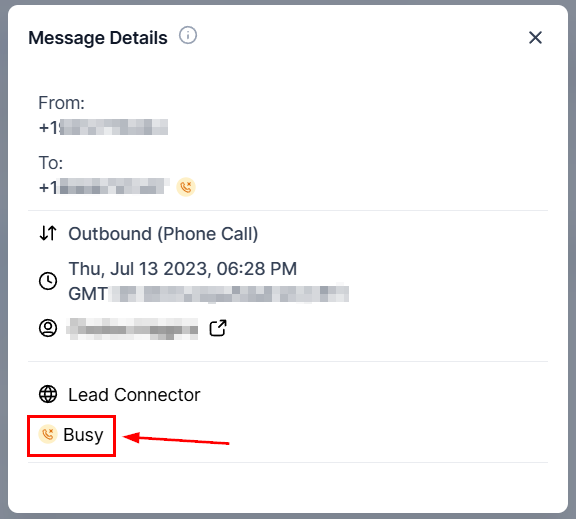
- Busy: Used for when the line is busy.
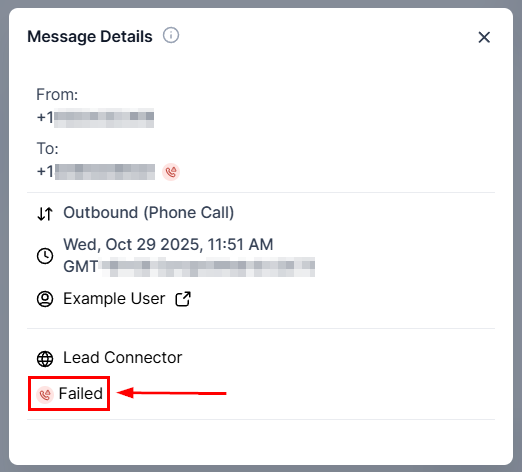
- Failed: Used for when the call failed to connect.
And there you have it! You can easily check the call status of your customer interactions, letting you verify and quantify the success of your calls.
Not a Funnelbud customer yet?
Try our all-in-one CRM for sales and marketing — free for 7 days, no commitment.