How to Use Funnel Agent in Ask AI
The Funnel Creation Agent is an advanced AI assistant within Ask AI that enables users to create fully customized, high-converting funnels effortlessly. By leveraging smart automation, pre-built templates, and AI-guided setup, the Funnel Agent streamlines the funnel-building experience so you can focus on driving results rather than managing technical details.
Key Benefits of the Funnel Creation Agent
- Rapid Funnel Generation: Quickly generate funnels by simply asking Ask AI to “Generate me a funnel.”
- Pre-Built Templates: Access a library of ready-to-use templates designed for common marketing goals.
- Brand Personalization: Instantly apply your brand’s color palette and generate on-brand content using your configured Brand Voice.
- Native Integrations: Seamlessly connect calendars, static forms, and the Reviews API for an integrated funnel experience.
How to Use the Funnel Creation Agent in Ask AI
Launch the Funnel Generator
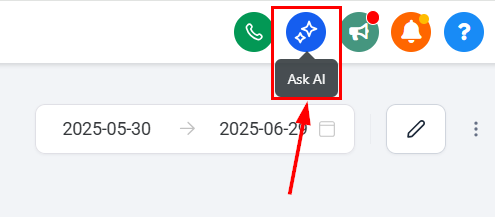
Switch to the desired sub-account and click the Ask AI button in the top-right navigation bar.
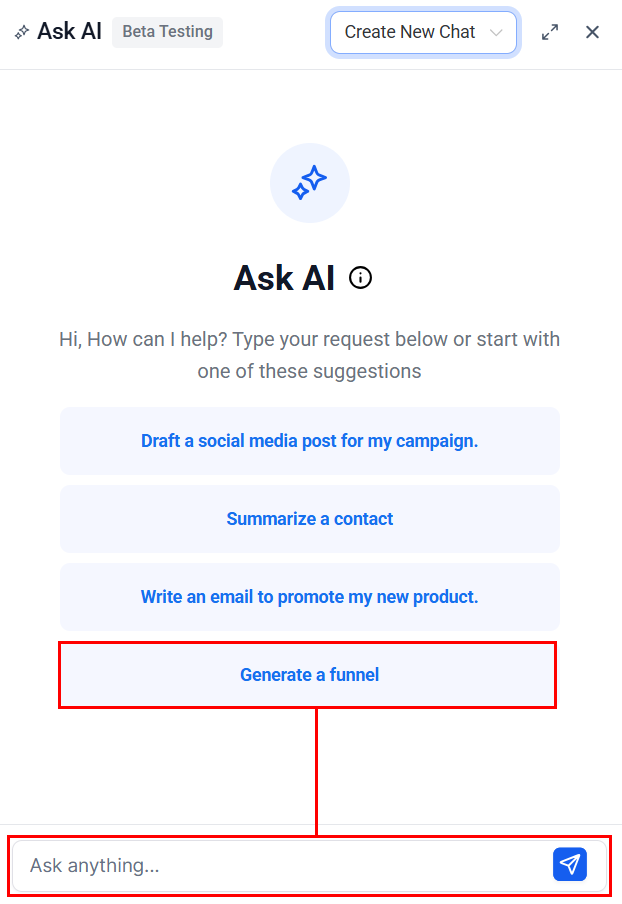
Select Generate Funnel or type “Generate a funnel” into the Ask Anything input box.
Select Your Funnel Type
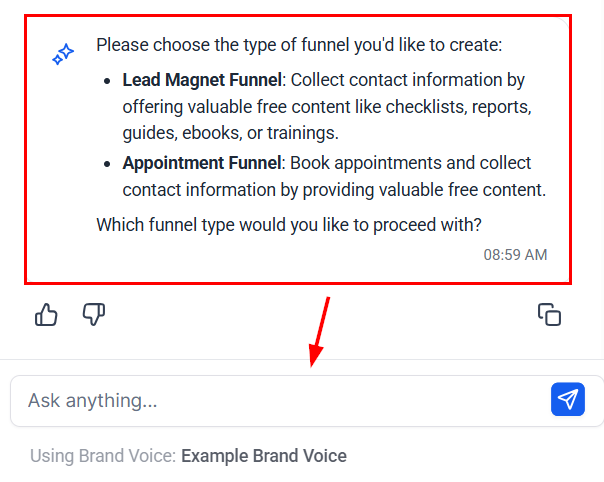
Choose from the available funnel types: Lead Magnet Funnel or Appointment Funnel.
Complete Smart Q&A
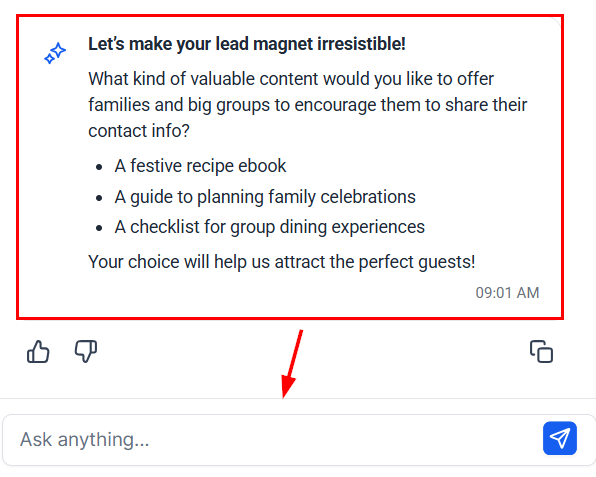
Answer guided, context-aware questions provided by Ask AI to tailor the funnel to your needs.
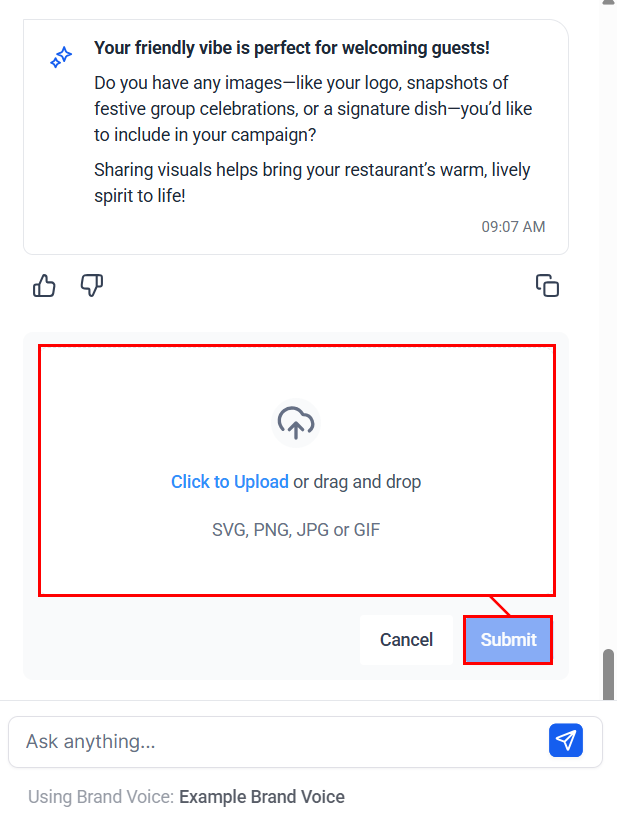
Upload Brand Assets
After answering all relevant questions, you can upload images, logos, and other assets. If connected, your Google Business Profile images will auto-populate for easy selection.
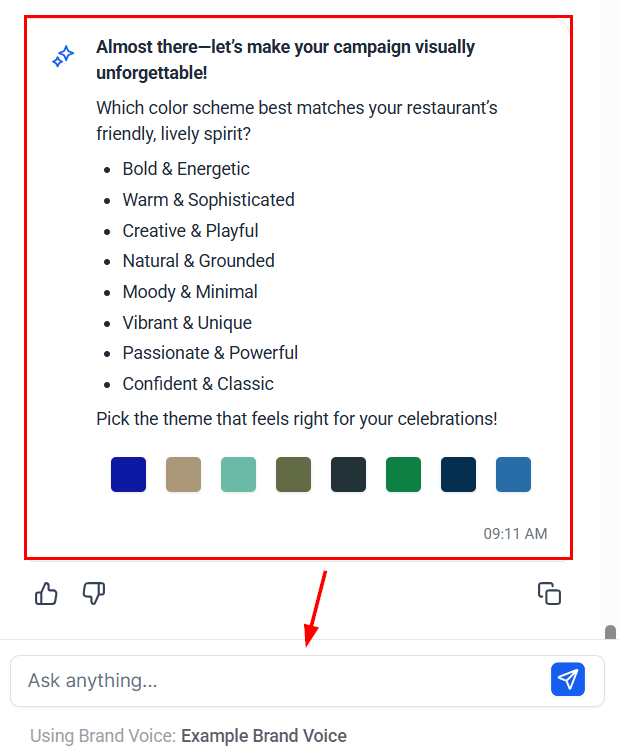
Personalize Your Funnel
Select your brand’s color theme. If your Brand Voice is configured, Ask AI will generate consistent, on-brand content automatically.
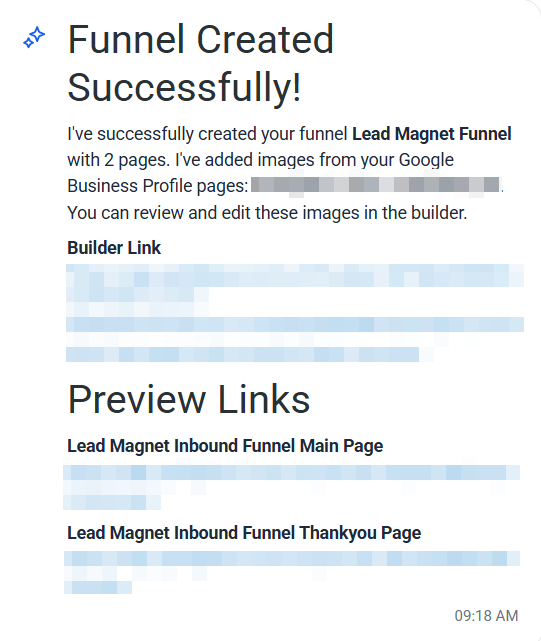
Review and Access Your Funnel
Ask AI will then generate your funnel based on your responses and you will receive a builder link for direct funnel editing and preview links for each funnel page.
Whether you’re launching a lead magnet, booking appointments, or scaling multiple brands, the Funnel Agent equips you with the speed, flexibility, and customization needed to create high-converting funnels with ease. Start building smarter, faster, and more effectively today.
Frequently Asked Questions
Q: Can I customize the funnel after it’s generated?
- Yes, you can fully edit and fine-tune your funnel using the provided Builder Link.
Q: What if I don’t have a Google Business Profile connected?
- You can manually upload your own images during the funnel setup process.
Q: How many templates are available?
- Currently, two core templates are offered, with additional templates coming soon.
Q: How does the AI use my Brand Voice?
- If you have a Brand Voice profile set up, the AI will automatically generate content that matches your brand’s style and tone.
Q: Can I use the Funnel Agent for multiple businesses?
- Yes, you can generate funnels for multiple brands or business profiles.
Not a Funnelbud customer yet?
Try our all-in-one CRM for sales and marketing — free for 7 days, no commitment.