Customer Replied Trigger
The “customer replied” workflow trigger runs when an incoming message is received from a contact. This trigger can be used to build automation that performs actions based on customers replying from a specific communication channel, such as SMS or Email.
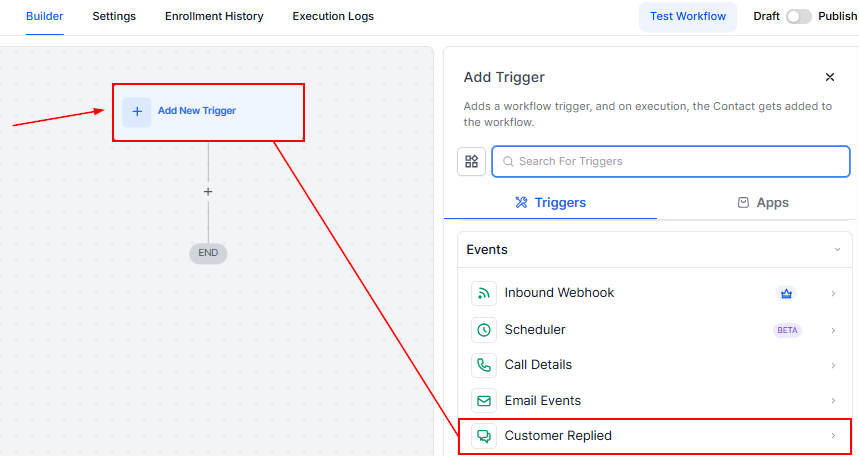
In a new workflow, add the “Customer Replied” Trigger.
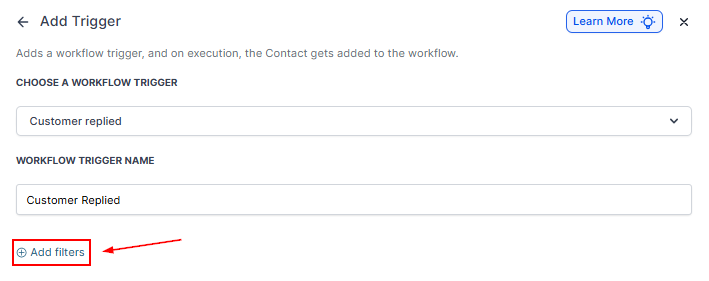
Adding Filters
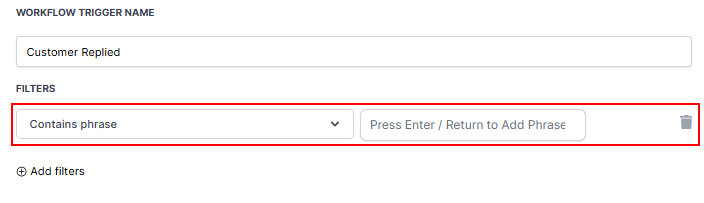
Contain Phrase
If you only want this workflow to trigger when a specific phrase is used by your customer or lead, you can add that phrase into the “contains phrase” filter. The workflow will trigger as long as the message contains this phrase, regardless of the other words.
Press the “Enter” key to add multiple phrases.
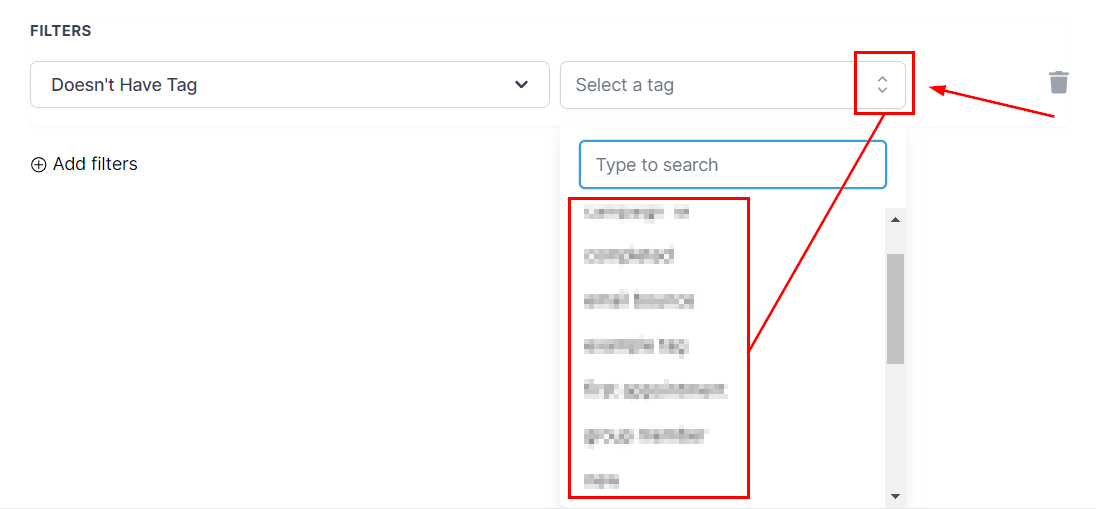
Doesn’t Have Tag
By selecting this filter, you can decide to trigger this workflow when a customer replies and does not have the selected tag associated with their contact records.
Exact Match Phrase
By clicking on the “Exact Match phrase,” you can restrict the trigger action to an exact word or phrase.

For Example, your Exact Match Phrase is “Yes.” If a contact types anything besides “Yes”, the workflow will not be triggered.
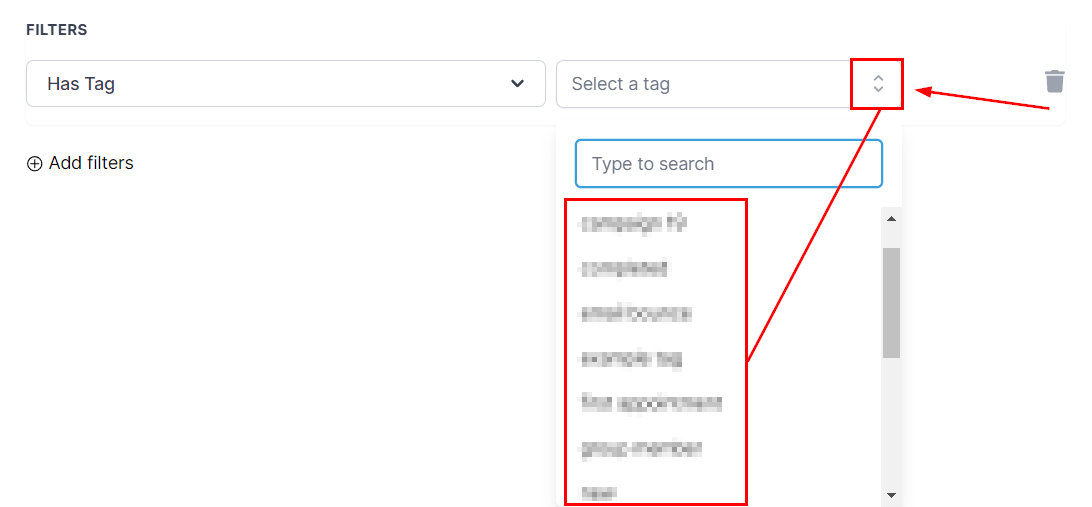
Has Tag
Select a tag from the CRM. When a tag is allocated to the contact’s workflow, the workflow will only be triggered based on the specific tag.
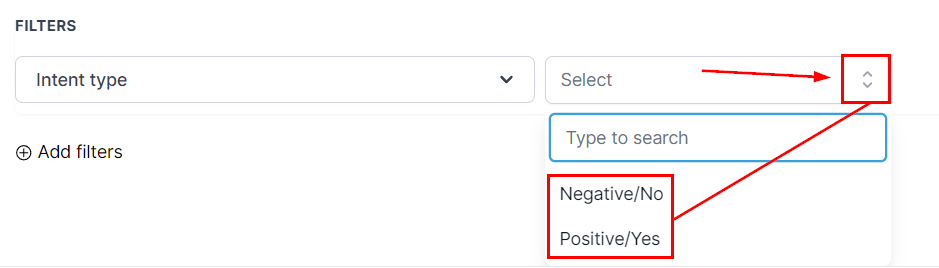
Intent Type
For “Intent Type,” the system tries to understand the contact response, whether it is positive or negative, then uses this automation as a reply to the contact’s response.
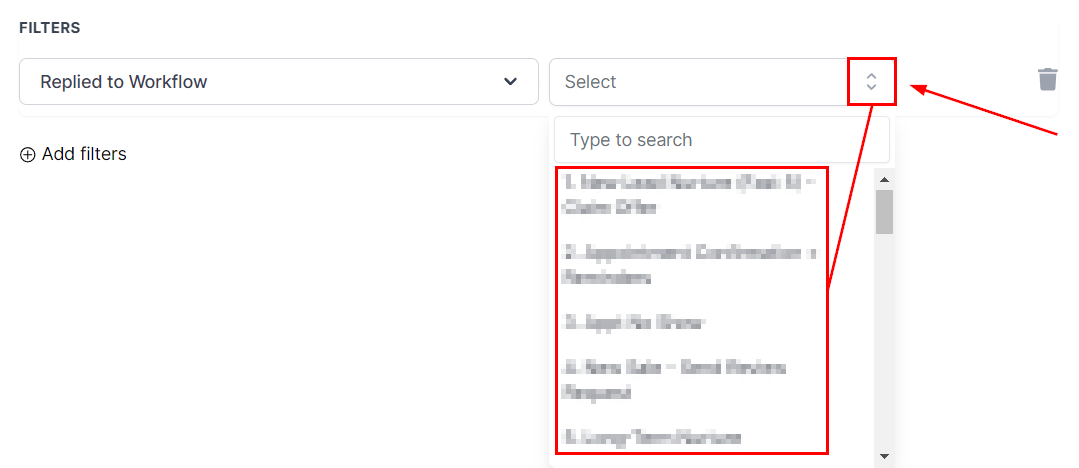
Replied To Workflow
By selecting this filter, you can choose the workflow from which you are looking for a reply.
Reply Channel
This filter makes it easy to trigger workflows based on the channel where the reply originated, such as SMS, email, call, WhatsApp, Chat Widget, Live Chat, GMB Messaging, Facebook Messenger, or Instagram DM.
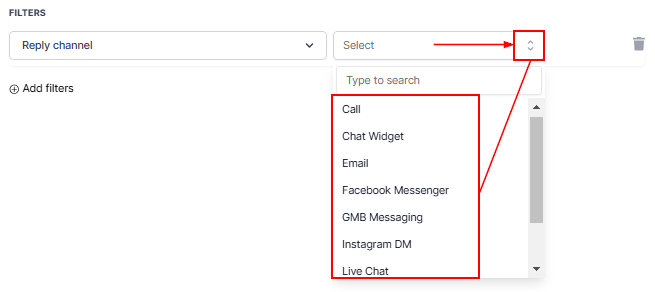
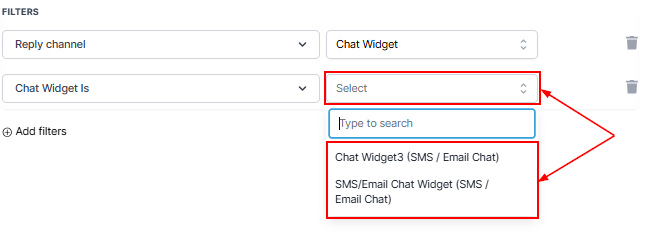
If the Reply Channel is set to Chat Widget or Live Chat, you will need to include two filters to specify the exact Chat Widget or Live Chat that should trigger the reply.
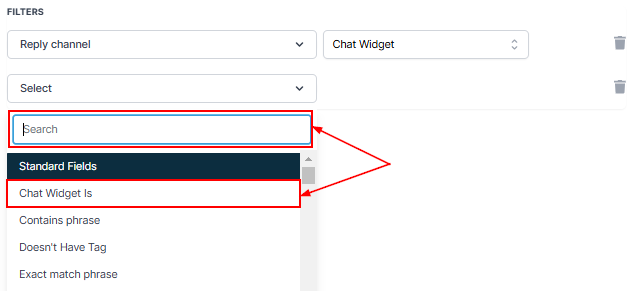
Select your preferred Chat Widget.
The “Customer Replied” trigger isn’t just about automating responses; it’s about building smarter, more intentional workflows that adapt to how your customers communicate. With filters like Reply Channel, Intent Type, and Exact Match Phrase, you can make your automation as simple or sophisticated as you need.
Not a Funnelbud customer yet?
Try our all-in-one CRM for sales and marketing — free for 7 days, no commitment.