How to Create an Opportunity Smart List
Organizing opportunities effectively is key to staying on top of your pipeline. Opportunity Smart Lists help you create reusable views so you can quickly find, sort, and manage deals without starting from scratch each time. With the right setup, your team can work more efficiently and maintain consistent views across different workflows. Let’s get into how you can set one up.
Getting Started
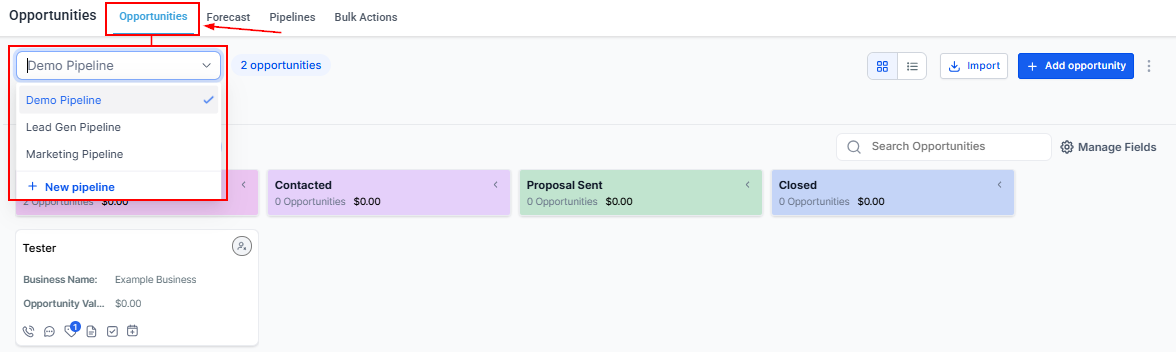
Begin by navigating to the Opportunities section and opening the pipeline you want to work in.
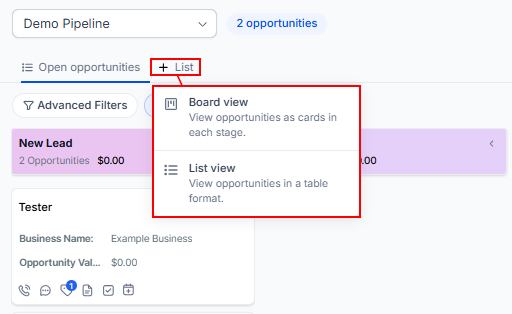
Once inside, click on “+ List” to create a new Smart List, then choose between a List view or a Board view depending on how you prefer to visualize your data.
Apply Filters
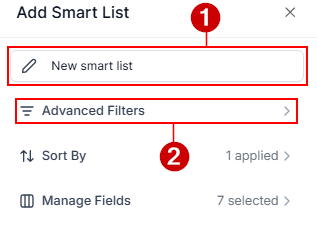
Assign a name to the smart list (1), then use Advanced Filters to define which opportunities should appear in your Smart List (2).
Filters help narrow down results based on specific criteria such as owner, stage, value, or activity.
For example, you might filter for:
- Opportunities assigned to a specific team member
- Deals in a particular stage
- High-value opportunities
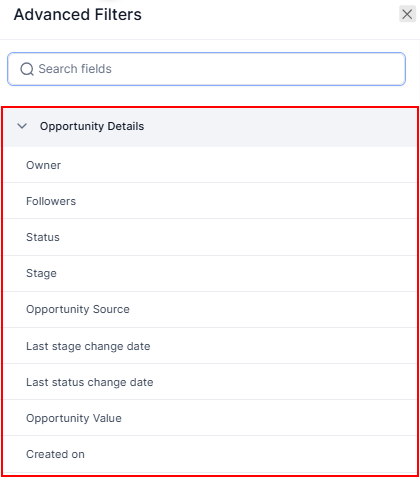
This ensures your Smart List only displays the most relevant data.
Set Sorting Preferences
Sorting determines how opportunities are displayed when the Smart List is opened.
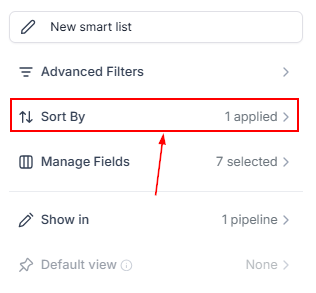
You can sort by fields such as most recently updated or highest value, or other available options.
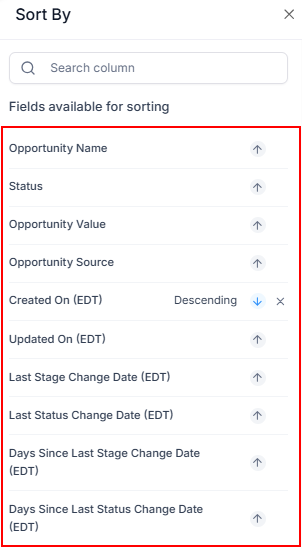
Choosing the right sort order helps you prioritize tasks and focus on what matters most.
Customize Visible Fields
Use Manage Fields to select which details are shown in your Smart List.
- In List view, this controls the columns displayed in the table
- In Board view, it helps maintain the layout and structure of your cards
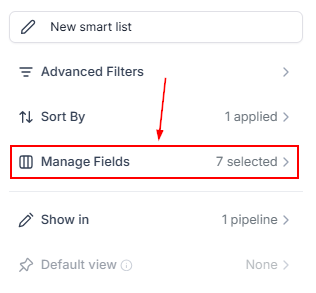
Customizing fields allows you to highlight the most important information for your workflow.
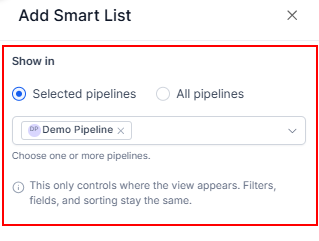
Choose Where the Smart List Appears
Decide where your Smart List should be accessible:
- All pipelines: Use this if the view applies broadly across all workflows
- Selected pipelines: Use this if the view is specific to certain teams or processes
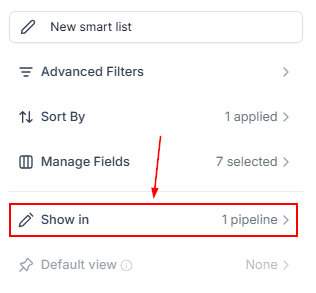
This keeps your workspace organized and prevents unnecessary clutter.
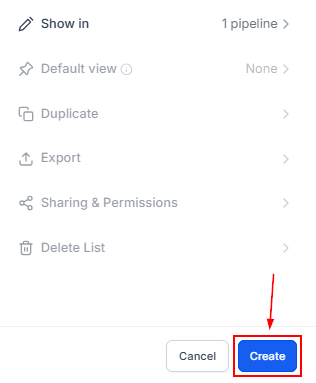
Save Your Smart List
Save your Smart List to make it available for use.
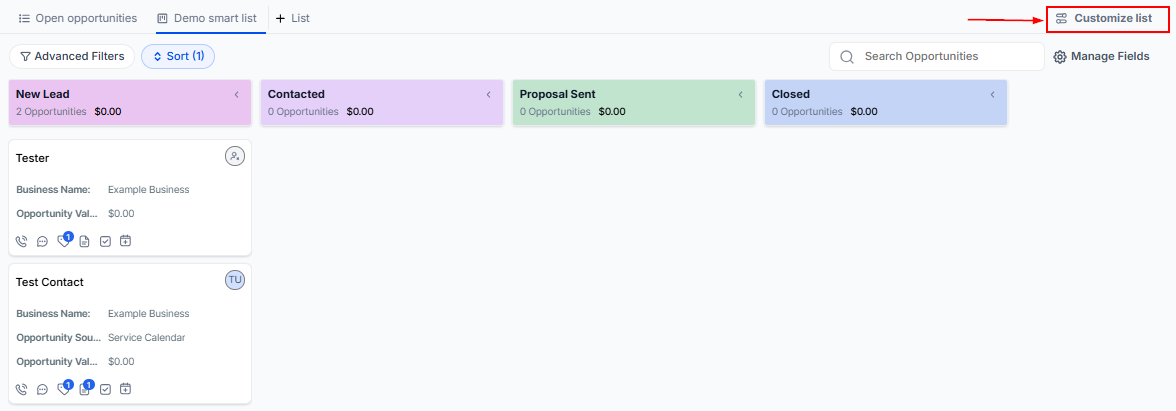
Customize Additional Settings
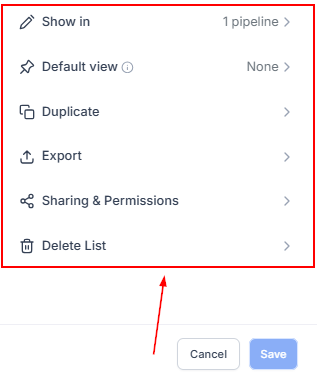
After saving, open Customize List to access more options:
- Set as Default View: Choose whether this Smart List should be the default for all pipelines or specific ones
- Duplicate: Create a copy of the Smart List without rebuilding it
- Export: Download the filtered data as a CSV file
- Sharing & Permissions: Control who can view or edit the Smart List, or share it via a direct link
- Delete List: Remove the Smart List without affecting the underlying data
These options help you manage and reuse your Smart Lists more effectively.
Setting up Opportunity Smart Lists allows you to create structured, reusable views that simplify how you manage deals. By applying the right filters, sorting, and customization, you can keep your pipeline organized and ensure your team always has quick access to the most relevant information.
Not a Funnelbud customer yet?
Try our all-in-one CRM for sales and marketing — free for 7 days, no commitment.