Conversations Overview
In this section, you can effectively manage and stay connected with leads, clients, and prospects through messages and emails. This feature enables you to monitor all inbound and outbound communication, including calls, texts, and emails. For businesses with social media integrations, such as Facebook, WhatsApp, or Google My Business, this platform consolidates your communications into a single interface.
✍️Note: Access to certain components may vary based on user permissions.
Create a New Message
Reach out to existing contacts or leads by sending a new message, whether it be through SMS, email, or other integrated messaging channels. This is useful for following up, sending reminders, or initiating new discussions.
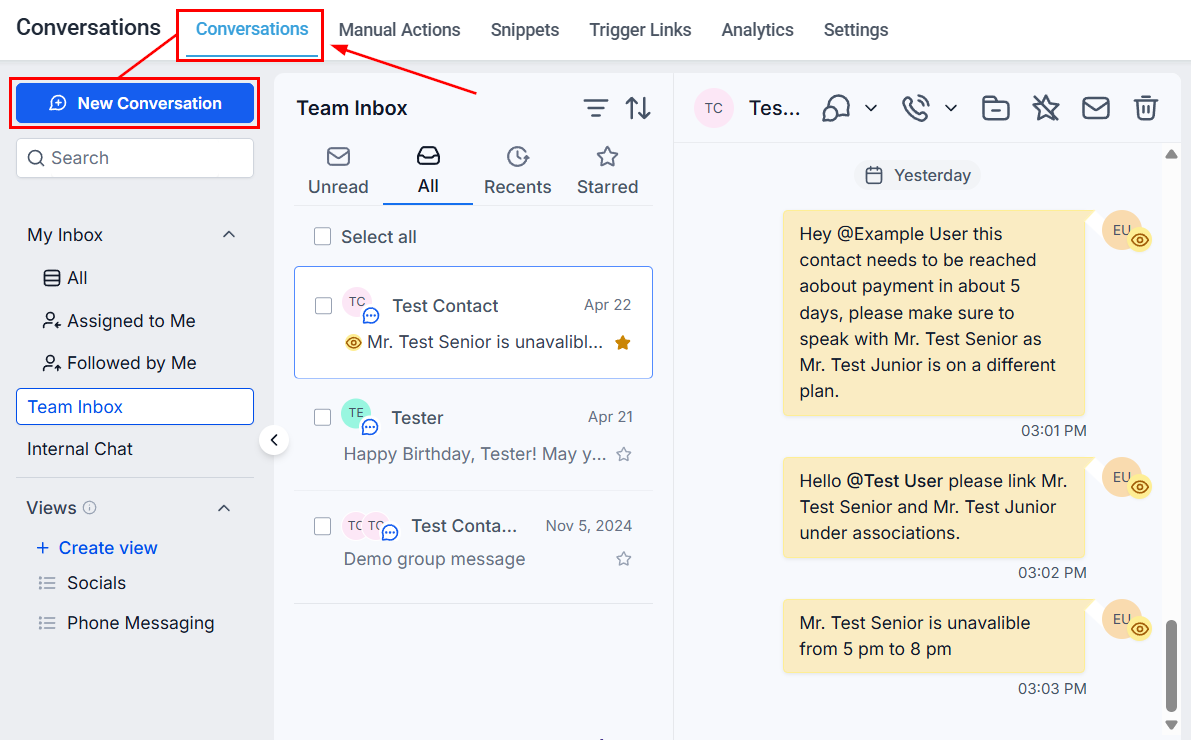
Search Bar
Utilize the Search Bar to quickly locate conversations by entering their name or an identifier such as their email address or phone number.
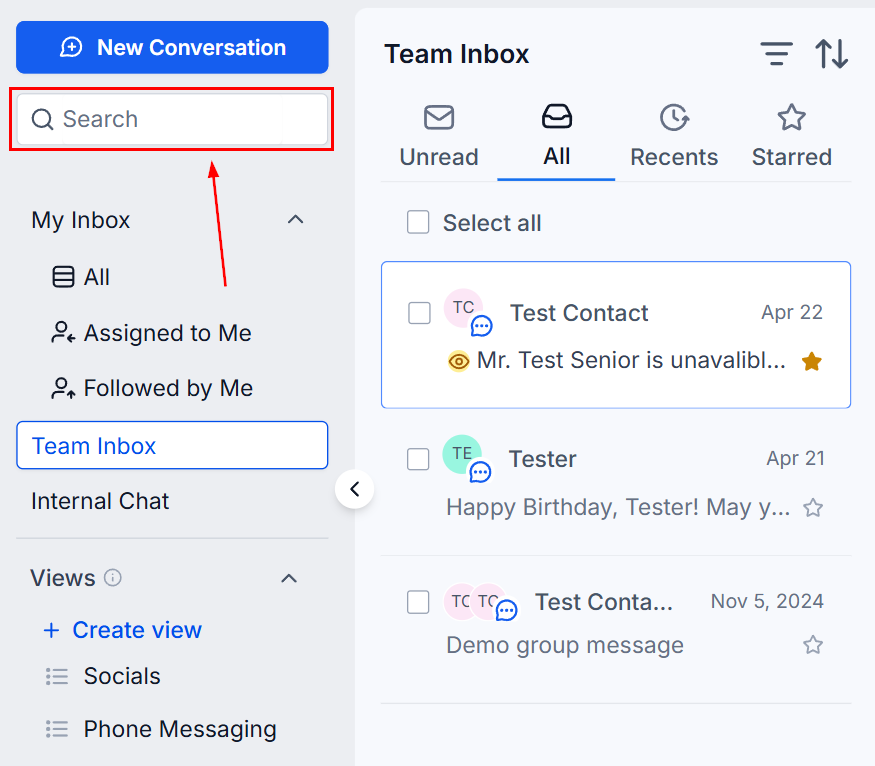
Bulk Actions
Click the top box to select all conversations or select individual chats by clicking the associated box. This allows you to apply actions such as marking messages as read/unread, deleting conversations, or starring/unstarring messages in one go.
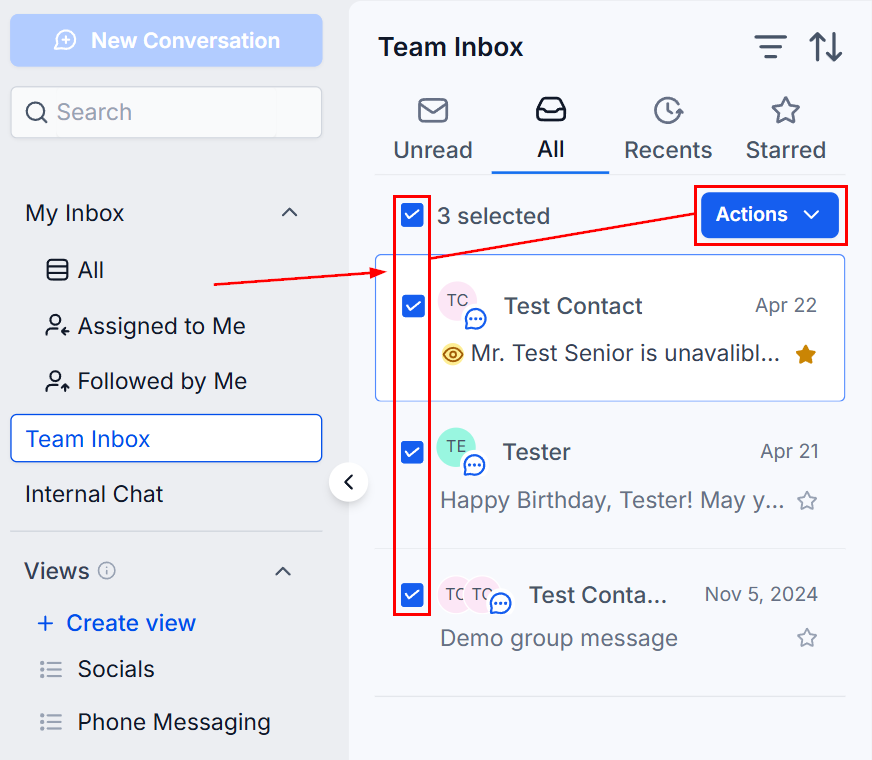
Filters
Apply a quick filter to tailor your view according to your current needs or priorities, making it easier to manage and respond to different types of conversations efficiently.
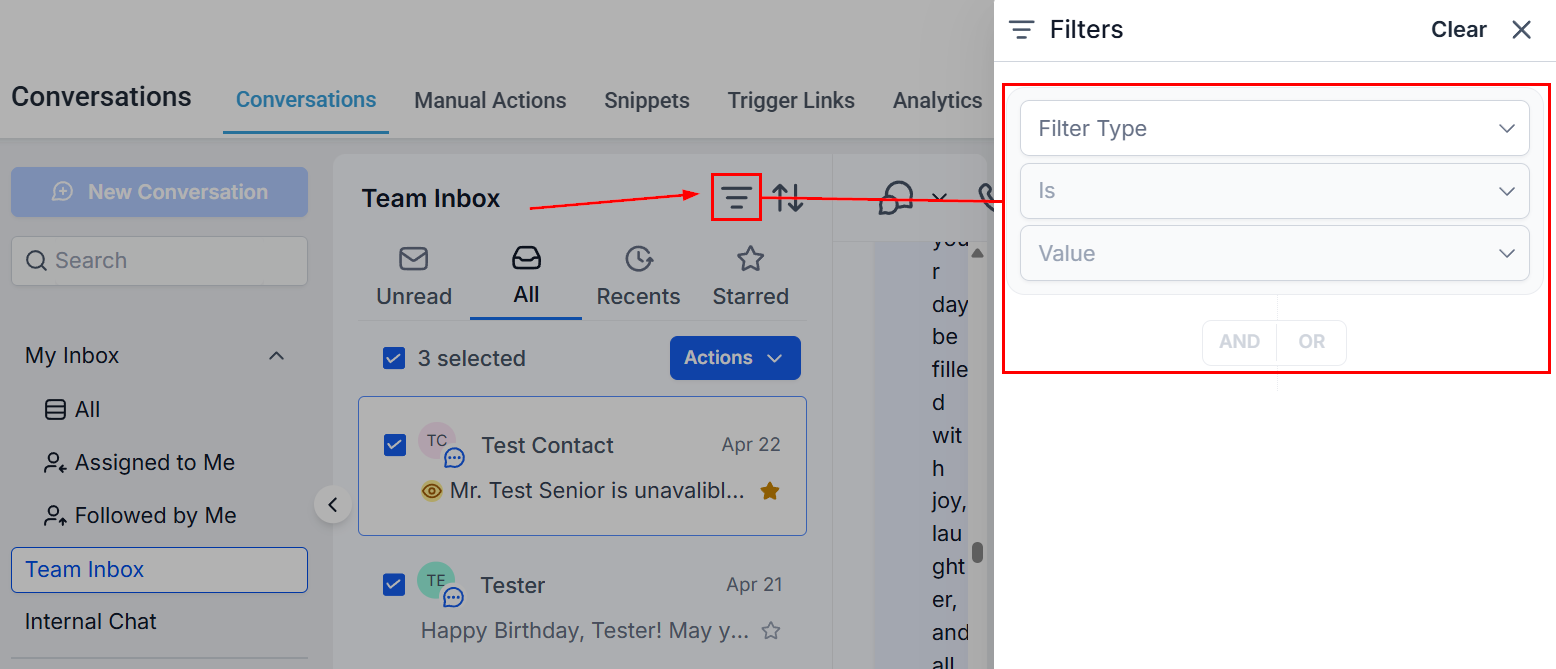
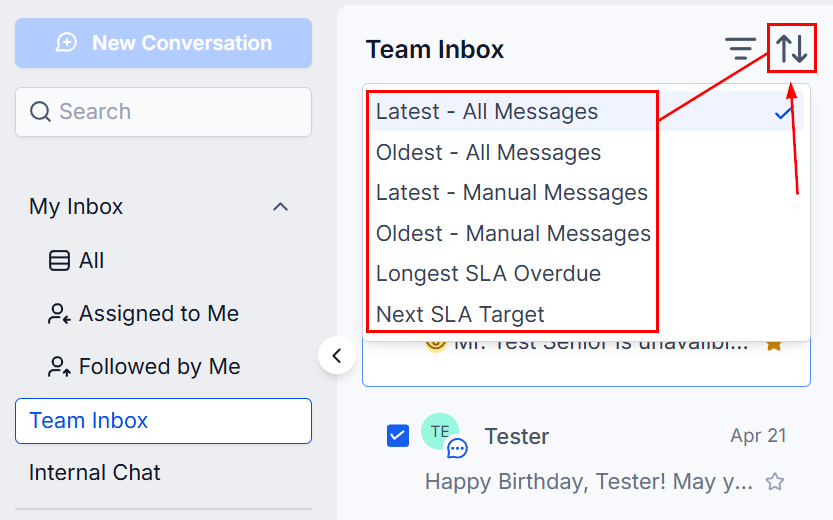
Sorting
You can customize how your conversations are displayed by using the sort feature.
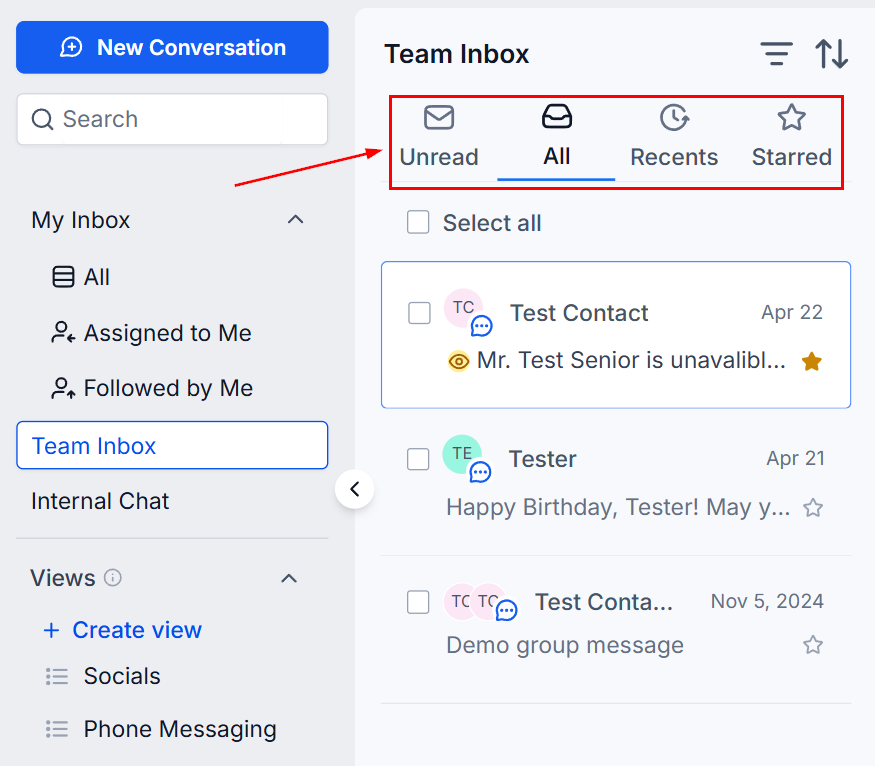
Conversation Type
Choose your preferred view for conversations by selecting from available filters such as Unread, Recent, Starred, or All Conversations. These filters can be applied to both the Team Inbox and your Personal Inbox for a more tailored messaging experience.
- Unread Tab: Displays incoming and marked unread messages that require attention.
- Recent Tab: Shows recent interactions to ensure timely follow-up.
- Starred Tab: Access conversations marked as important.
- All Tab: Provides a comprehensive list of all conversations. Scroll through or use the search bar to find specific interactions.
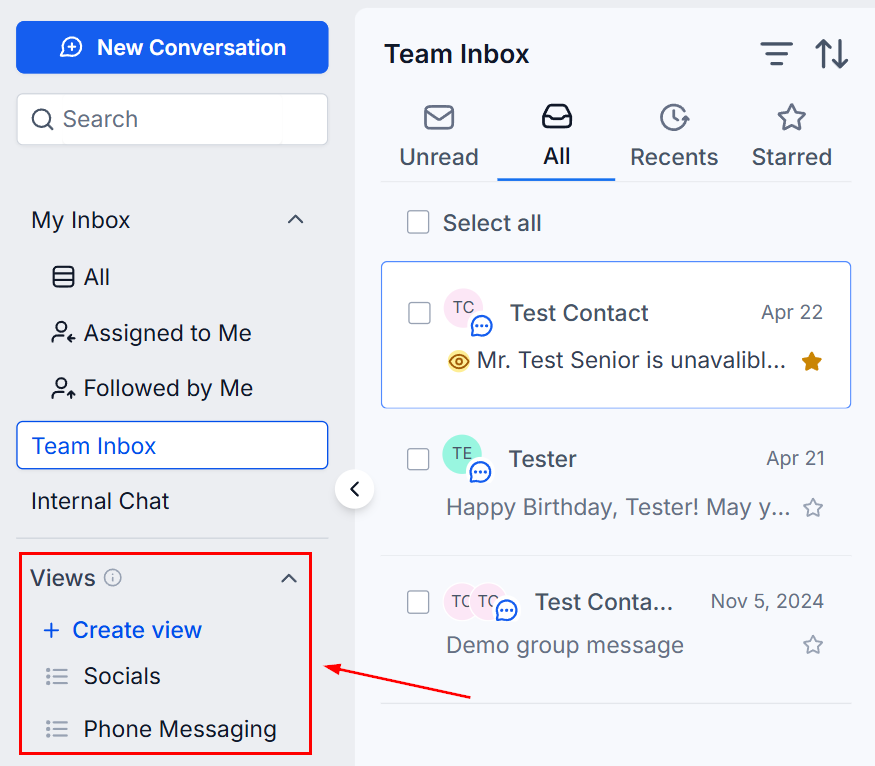
Views
Create views to save your most frequently used conversation filters as reusable views, allowing you to switch focus instantly without rebuilding criteria each time. By default, views are private and visible only to the user who created them; however, administrators can share views with other users from the view menu, ensuring more efficient conversation management.
Conversation Header
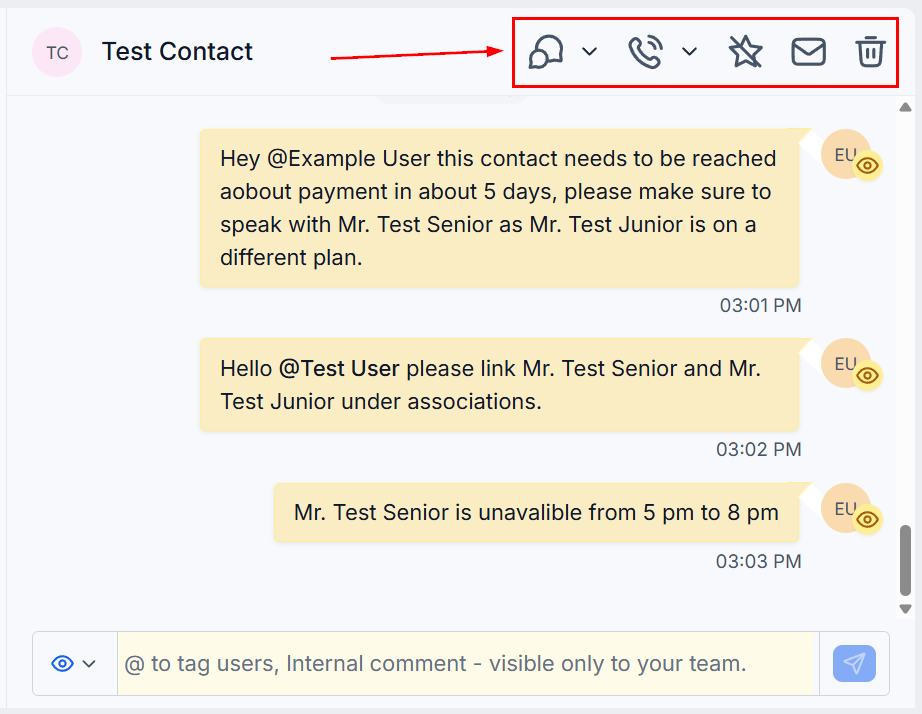
The Conversation Header provides an overview of your current interaction. It includes:
- Conversation Filters: Apply filters to see conversation activity that meets certain criteria.
- Call: Quickly dial the contact by clicking this icon.
- Archive/ Unarchive: Manage your conversations by moving inactive chats out of the main view and restoring them when needed.
- Add to Favorites/Remove from Favorites: Click the Mark as Starred button to highlight important conversations. Click again to unstar the contact.
- Mark as Read/Unread: Use the Mark as Read button to indicate that a conversation has been reviewed. Click again to mark it as unread, allowing you to track conversations for follow-up.
- Delete: Remove unnecessary conversations by clicking the delete button. Note that this action is permanent and cannot be undone.
Conversation Log
The Conversation Log presents a detailed history of exchanges with a specific contact. Messages are organized by date and timestamped for easy reference.
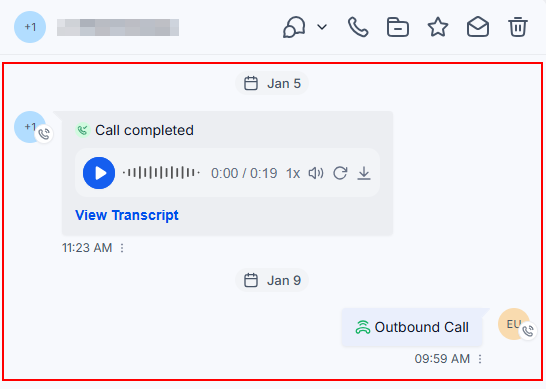
The Conversations tab provides a centralized hub for managing all your communications across email, text, phone, and integrated social platforms. With tools for filtering, organizing, and taking action on conversations, it ensures efficient and consistent engagement with leads, clients, and prospects.
Not a Funnelbud customer yet?
Try our all-in-one CRM for sales and marketing — free for 7 days, no commitment.