How to Access Form and Survey Files From Contacts
Efficiently managing and accessing images and files is vital for the success of various business processes. By centralizing these assets within your contact management system, you can improve organization, streamline workflows, and foster better collaboration among team members. Whether it’s reviewing customer feedback, planning events, or onboarding employees, having quick, easy access to essential files ensures your business operations run at their best.
Why Image & File Access Matters to Your Business
- Enhanced Efficiency: Accessing uploaded files directly within the contact area saves valuable time and streamlines your workflow.
- Improved Organization: Keeps your documents and images well-organized, ensuring that essential files are easily accessible when needed.
- Enhanced Collaboration: By centralizing document and image access, team members can collaborate more effectively, improving project outcomes and task execution.
How to Use Image & File Access for Forms & Surveys
Accessing Uploaded Files
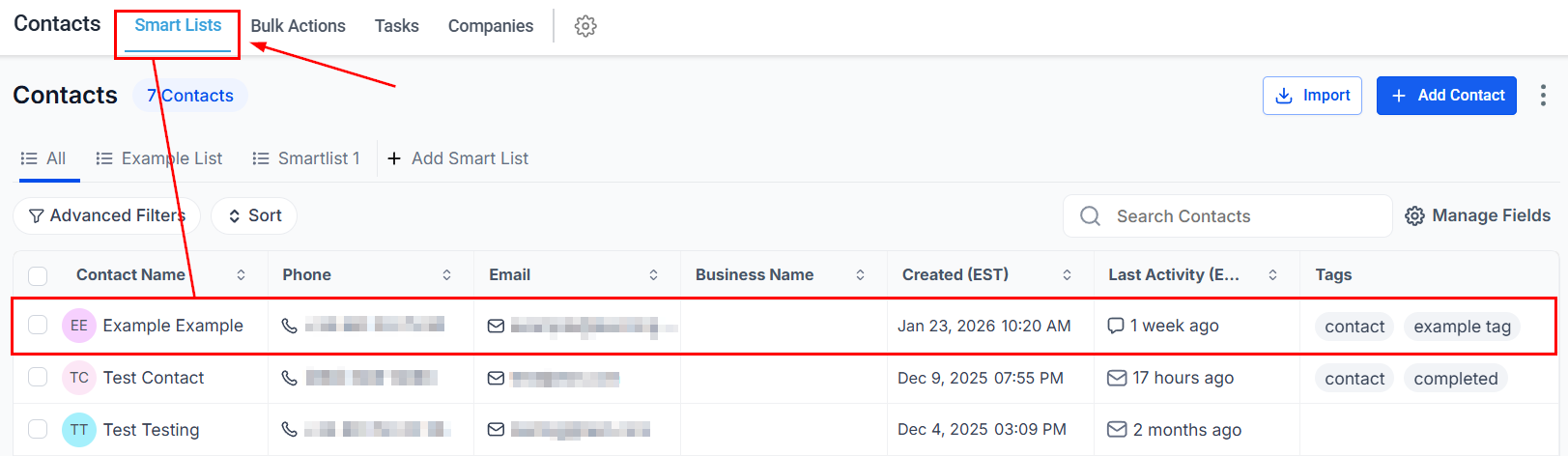
To view a contact’s files, first navigate to the Customers tab from the left navigation menu. Then, select “Smart List” from the upper navigation menu and choose the specific contact whose files you wish to access.
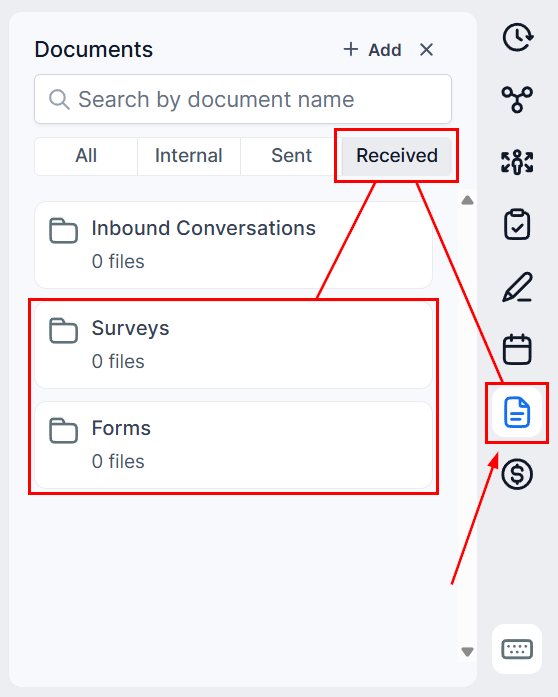
Click on the “Document” icon, then select “Received” from the right-hand panel. Choose either “Form” or “Survey” depending on your needs.
Viewing Submitted Images & Files
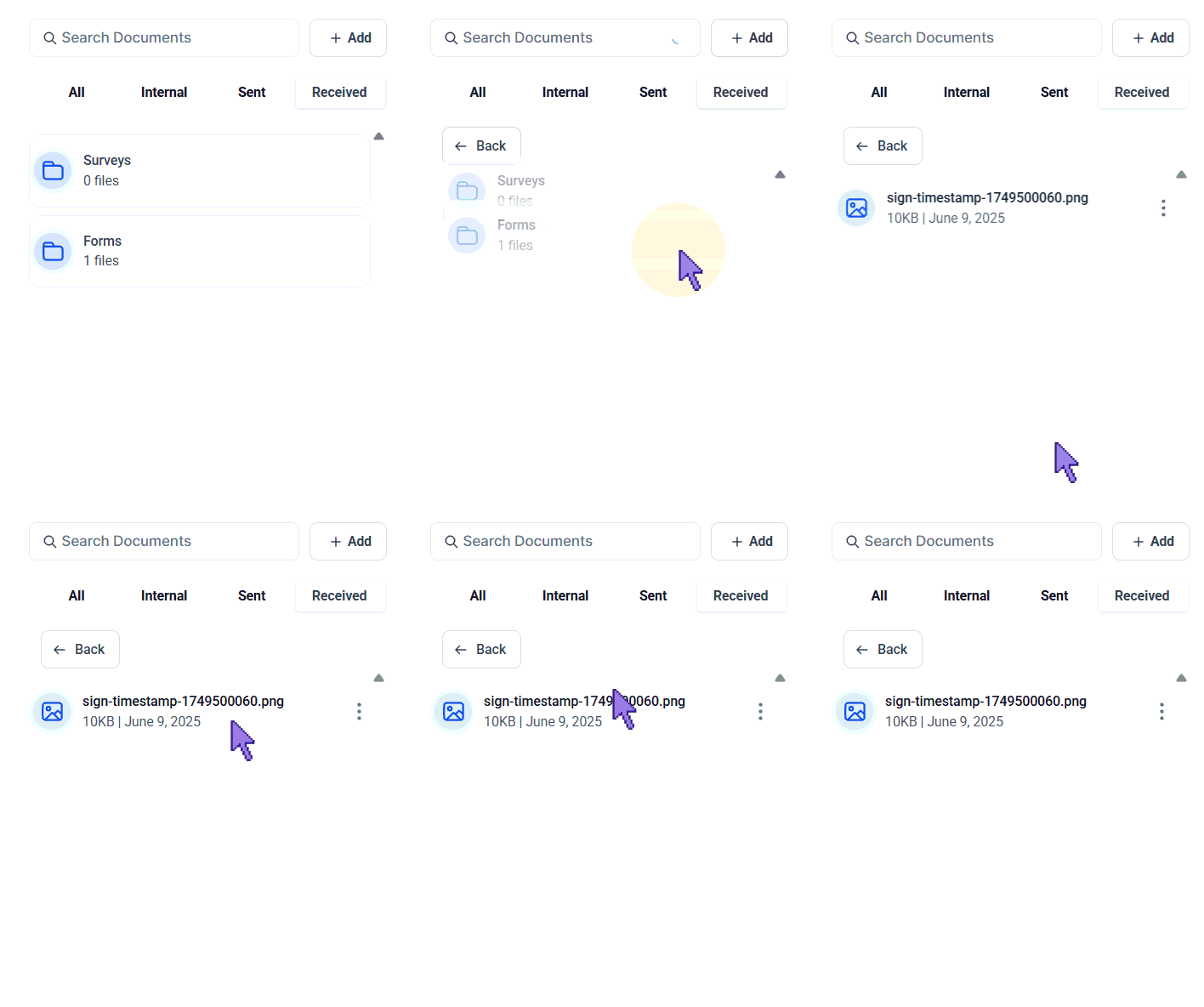
In the Form/Survey section, you will find all submitted images and files. This centralized location serves as a unified repository for all uploads from Forms and Surveys.
By following the outlined steps and best practices, you ensure that all relevant documents are easily accessible, well-organized, and ready for collaboration.
Practical Examples and Use Cases
- Event Planning: Collect and access images of venues, catering options, and decorations submitted by clients through surveys.
- Customer Feedback: Easily review customer-submitted images related to product feedback or service issues.
- Employee Onboarding: Streamline the collection and review of necessary documents and images from new hires.
Troubleshooting Tips
- Missing Files: If you cannot find an uploaded file, ensure that the form or survey was fully submitted and that the file upload was successful.
- Access Issues: Verify that you have the necessary permissions to view files and images. Contact your CRM administrator if access issues persist.
Frequently Asked Questions
Q: Can I download the uploaded files?
- Yes, files can be downloaded for offline access or further processing.
Q: Are there file size or format restrictions?
- Yes, there may be restrictions on the size and format of files that can be uploaded. Refer to the form or survey section for detailed information.
Not a Funnelbud customer yet?
Try our all-in-one CRM for sales and marketing — free for 7 days, no commitment.