How to Create a New Blog Post
Creating and managing blog posts is an integral part of maintaining an engaging and informative website. This guide will walk you through the process of creating new blog posts, detailing each step from start to finish. Additionally, we will cover frequently asked questions and provide troubleshooting tips to ensure a smooth experience.
Creating a New Blog Post
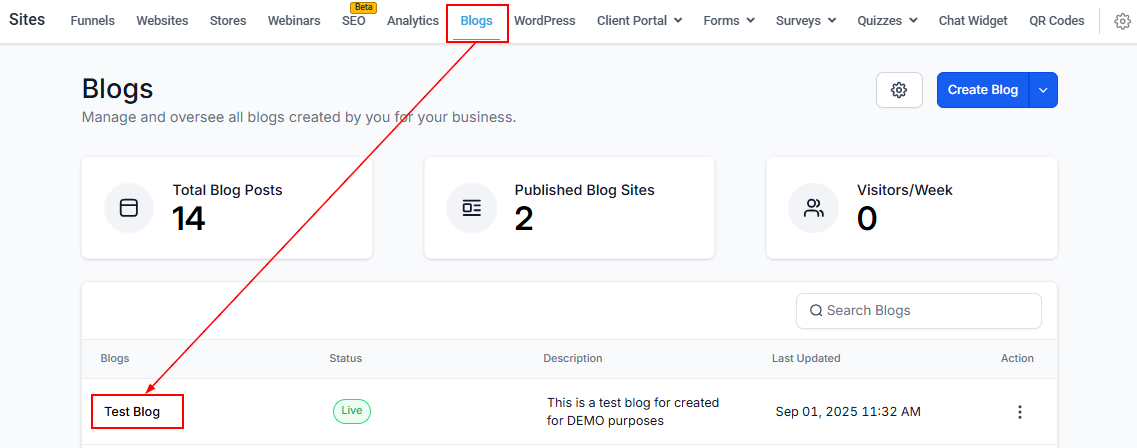
To start creating a new blog post, navigate to the Sites section of your account and click on the Blogs tab in the navigation bar. You will be presented with a list of the blog sites you have created. Select the blog site to which you wish to add the post, or create a new blog site.
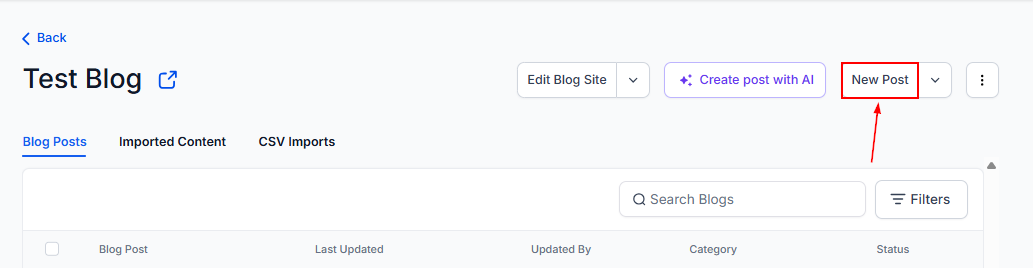
Next, click on the New Post option to begin crafting your post from scratch.
Adding Content to Your Blog Post
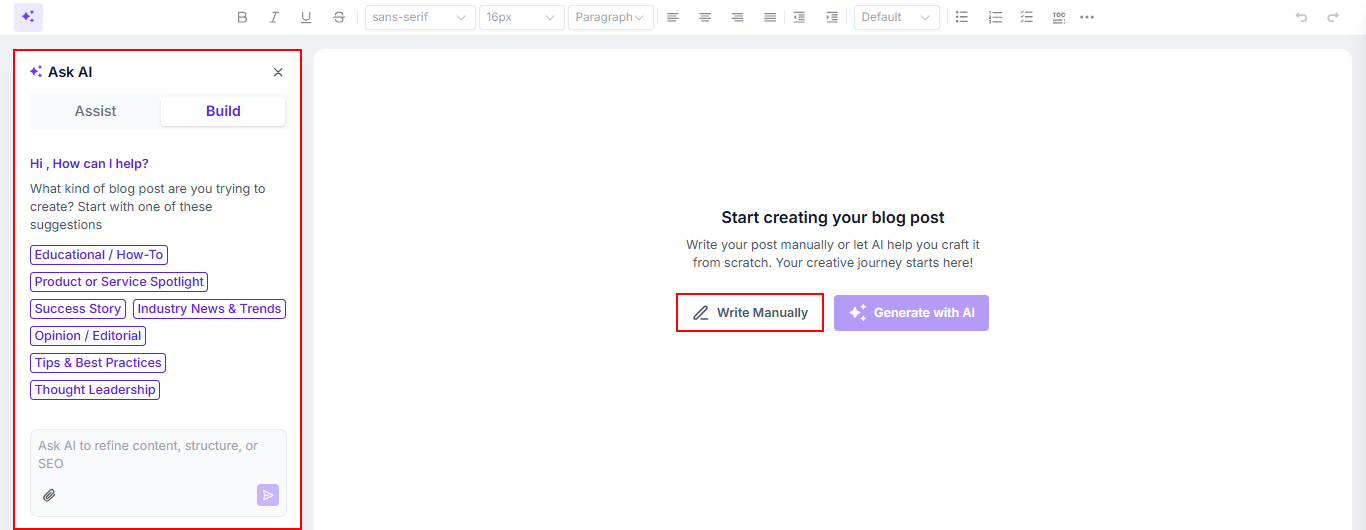
Once you have done so, choose between writing the post manually or creating it using AI. In this guide, we will compose the post manually.
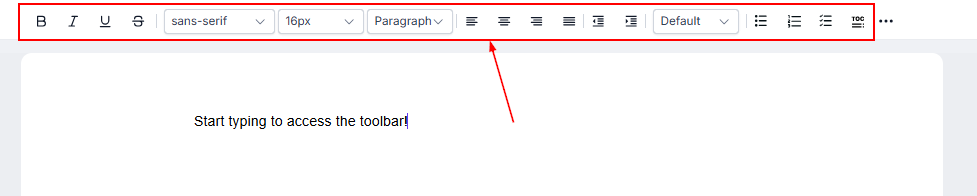
You may then begin typing the content of your blog in the designated text field. Enhance user engagement by utilizing the following features:
- Text Formatting: Use bold, italics, underline, strikethrough, font styles, and size options.
- Spacing and Alignment: Adjust left, center, right, justified, indent, or outdent spacing.
- Lists: Add numbered lists, bulleted lists, or to-do lists.
- Text and Background Color: Highlight text and background.
- Media Insertion: Insert hyperlinks, images, audio, or video from the Media Library or YouTube.
- Additional Elements: Include quotes, emojis, dividers, and custom code.
- Content AI: Utilize AI to craft an engaging outline, introduction, and sections.
- Format Clearing: Clear the format of a specific section or the entire blog.
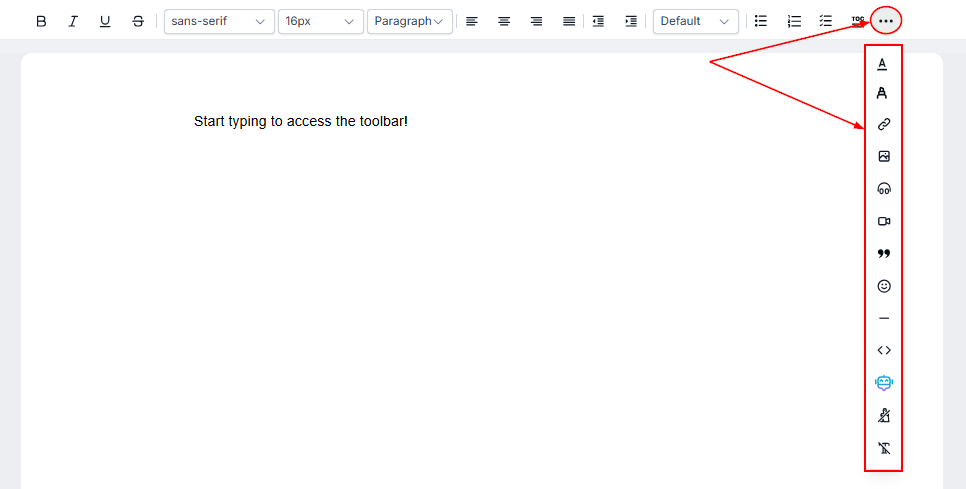
- Undo/Redo: Easily reverse or reapply changes.

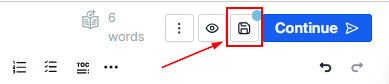
When you are satisfied with your blog’s content and design, save the blog to preserve your work.
Action Menu Options
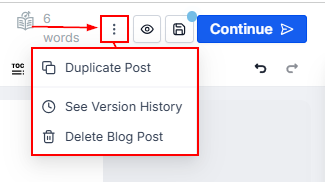
To further manage your post, you can use the following options:
- Duplicate Post: Click this button to duplicate the blog post.
- See Version History: View previously saved versions of your article.
- Delete Blog Post: Permanently remove the article by clicking the Delete button.
Preview The Post
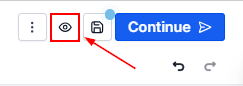
Preview your post by clicking the eye icon. This will auto-save your blog and load it in a new tab with full rendering support.
Publishing or Scheduling Posts
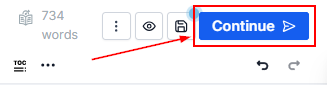
With all your configurations intact, proceed to publish or schedule your post by clicking the “Continue” button.
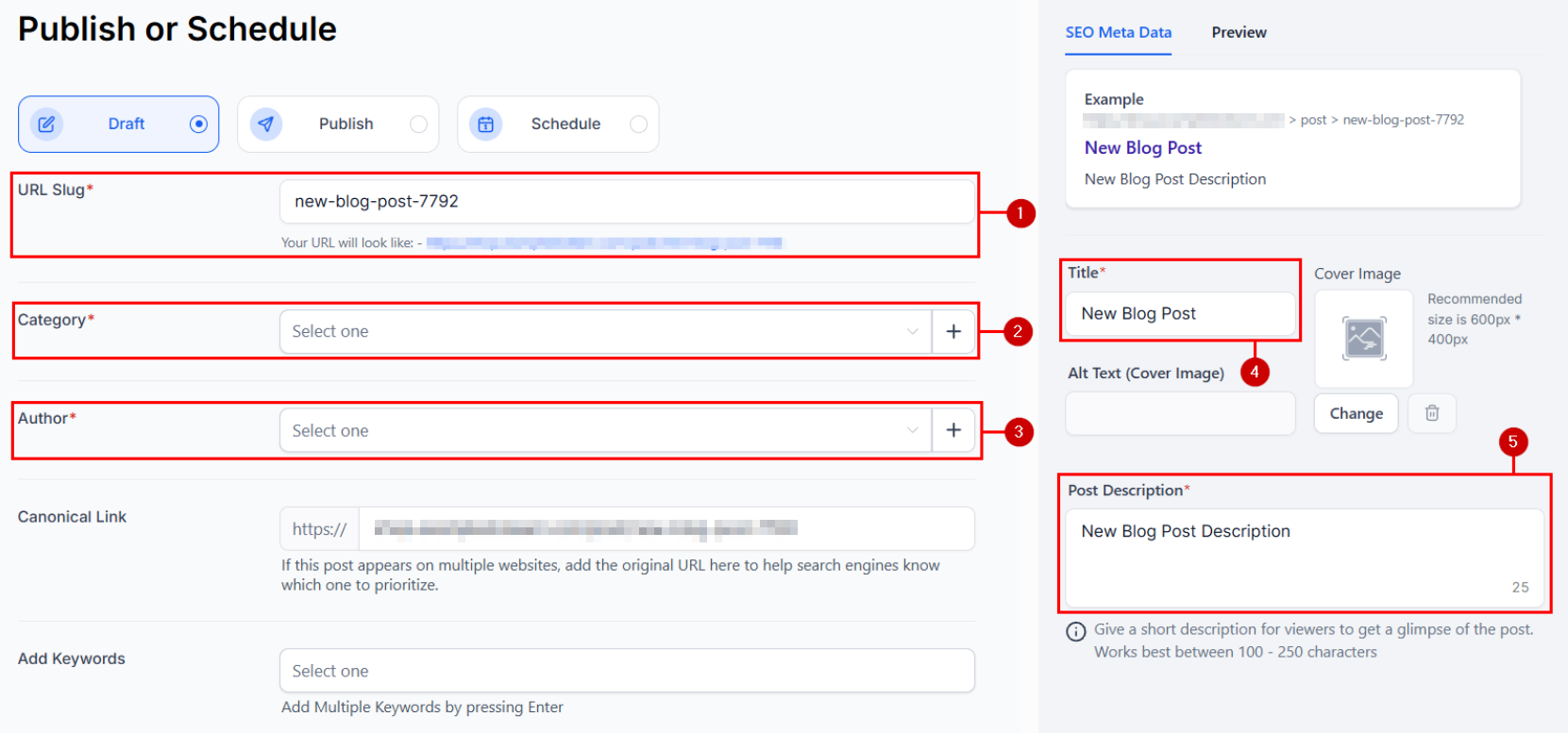
In this section, you will be required to enter the URL Slug (1), Category (2), Author (3), Title (4), and Post Description (5).
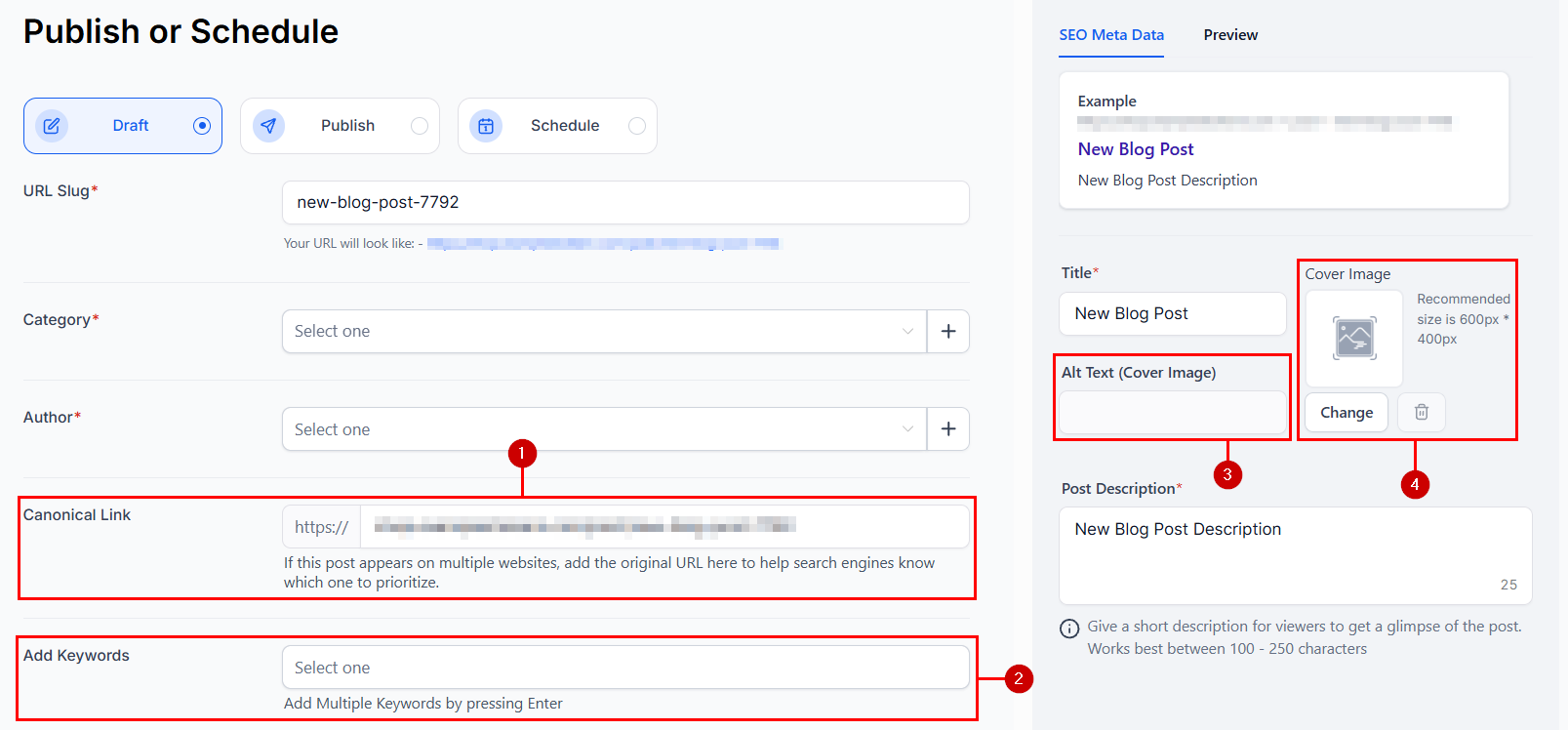
Additionally, you can enter a canonical link (1), keywords (2), or set post identifiers, including a cover image (3), and alt text for the cover image (4).
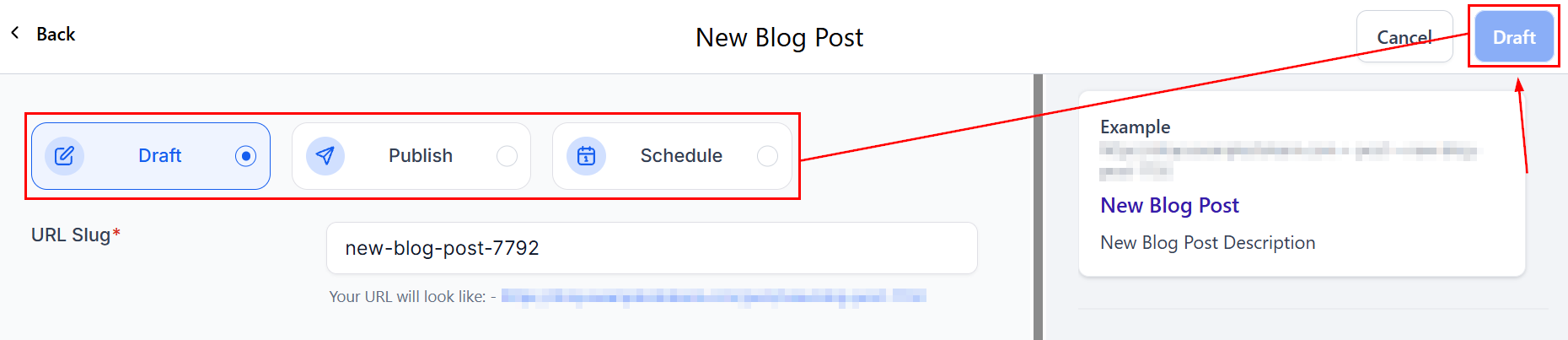
Once these settings are configured, click Draft/Save to either save your post as a draft, schedule it for future publication, or publish it immediately.
Now you know how to create a blog post! Check out the other articles in this section to learn more about the Blogs feature.
Frequently Asked Questions
Q: Can I schedule blog posts for future publication?
- Yes, you can schedule posts to be published at a later date by setting the desired publish date and time in the post settings.
Q: How do I optimize my blog posts for SEO?
- Use relevant keywords in the title, meta description, and throughout the content. Add alt text for images and ensure your blog post is well-structured with headers and sub-headers.
Troubleshooting Tips
Formatting Issues
- If you encounter formatting problems, use the format-clearing option to reset specific sections or the entire blog.
Image Upload Errors
- Ensure your images meet the recommended size (600px x 400px) and supported file size (up to 10MB).
Preview Discrepancies
- If the preview does not reflect recent changes, save the article again and refresh the preview.
Not a Funnelbud customer yet?
Try our all-in-one CRM for sales and marketing — free for 7 days, no commitment.