Automating Phone Connections Between Team Members And Leads
Automating phone connections is a game-changer for businesses looking to engage with leads promptly. With a well-structured workflow, you can ensure seamless communication that saves time and boosts efficiency. This guide walks you through the process of setting up automated call connections within your CRM.
Opt-In Form Submission
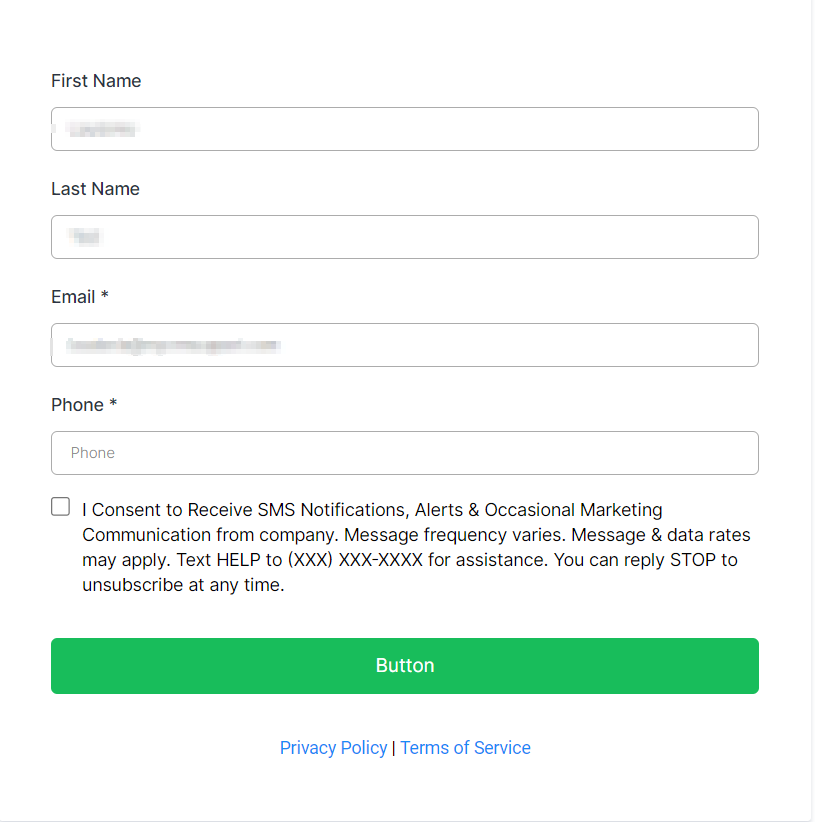
Create an opt-in form in the Form Builder that potential leads fill out, providing their name, email, and phone number.
Triggering the Workflow
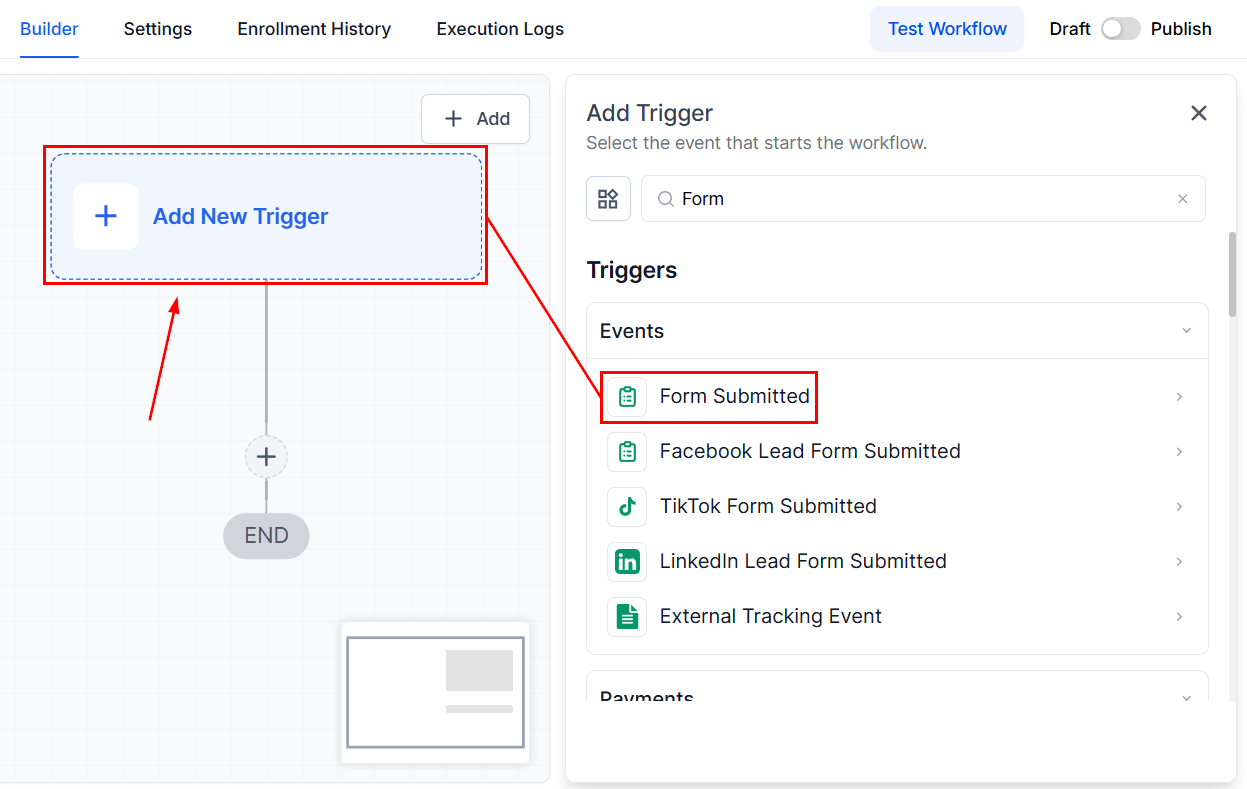
Add the Form Submitted trigger to the workflow, which activates when the form is filled out by the client.
Setting Up the Call Action
Next, you’ll set up the Call Action, a key part of this automation. Here’s how to configure it effectively:
Call Step Configuration
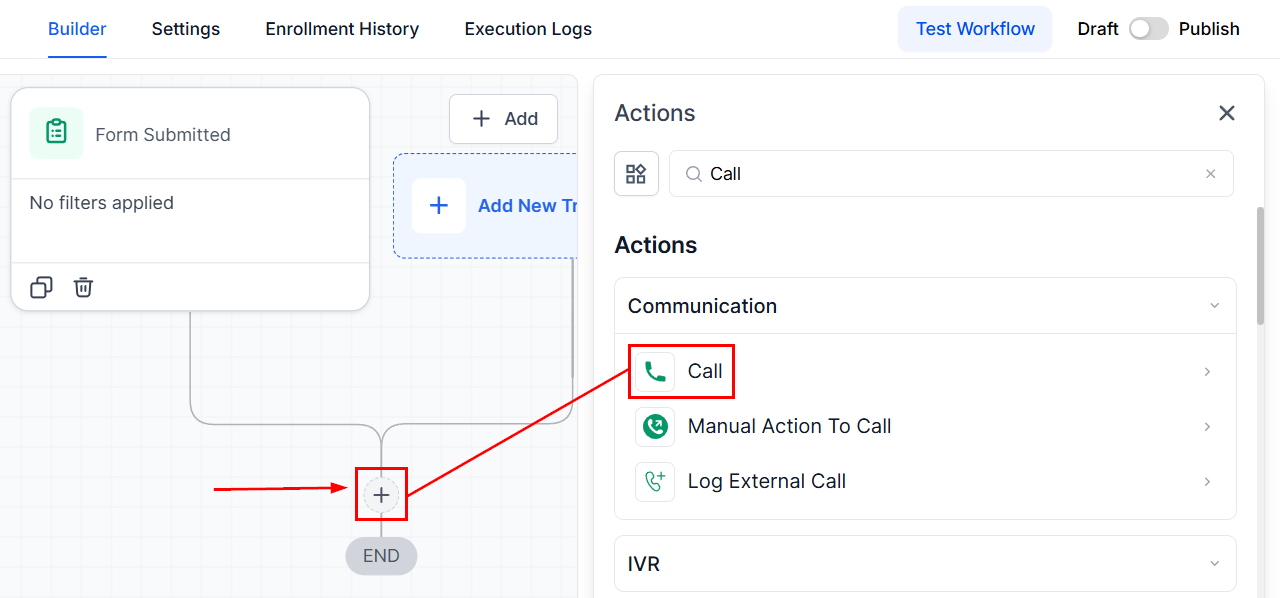
Add the Call Action step and specify the parameters for the phone call.
Whisper Message
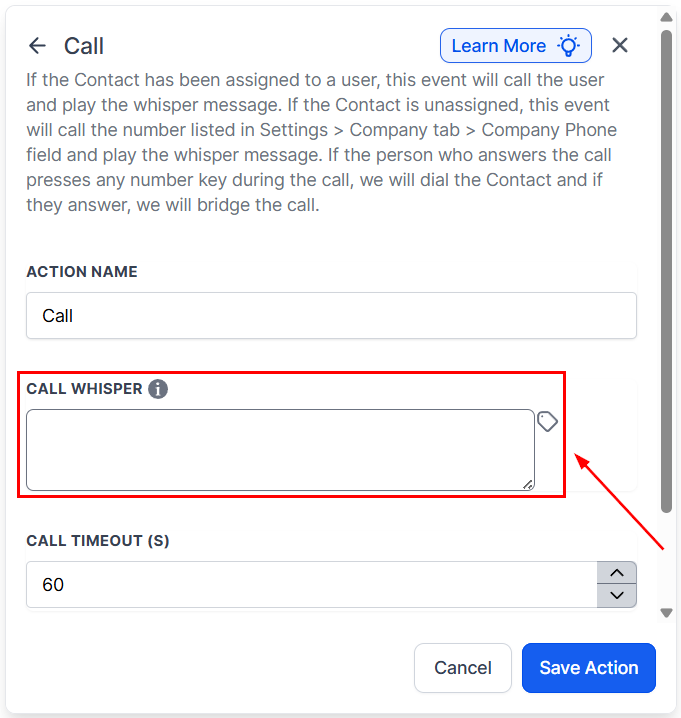
Input a whisper message for your team members. This message helps provide context before the call connects.
Acceptance Prompt
Configure the system to require team members to press a specific number to accept the call. This ensures intentional acceptance.
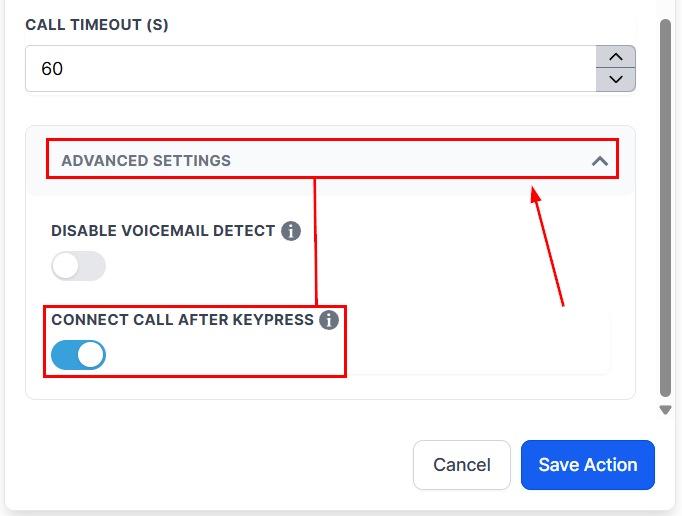
Connecting Both Parties
Once the call is accepted, the CRM automatically dials the lead’s number, connecting your team with the potential customer.
Practical Example
To illustrate, let’s consider a scenario:
- The workflow initiates a call to your team member.
- The team member hears a whisper message detailing the lead’s source.
- They press the designated number to accept the call.
- The CRM calls the lead and connects them directly with your team, creating an efficient and timely interaction.
Automating call connections simplifies lead engagement and ensures no opportunity slips through the cracks. By setting up workflows with clear steps and actionable features like whisper messages and acceptance prompts, your team can focus on what matters most—building meaningful connections with potential customers.
Troubleshooting Tips
- Spam Risk Notification: If calls are being flagged as potential spam, consider using a more recognizable phone number or informing leads ahead of time about the call they should expect.
- Call Acceptance Issues: Ensure the acceptance prompt is clear and that your team member knows which number to press to accept the call.
FAQs
Q: Can I customize the whisper message?
- Yes, the whisper message is fully customizable to fit your or your team member’s preferences.
Q: What happens if the lead doesn’t answer?
- You can configure the workflow to attempt the call again after a specified time or to leave a voicemail.
Not a Funnelbud customer yet?
Try our all-in-one CRM for sales and marketing — free for 7 days, no commitment.