Recurring Appointments in Calendars on the Mobile App
Managing recurring meetings on the go has never been easier. With Recurring Appointments on the mobile app, you can schedule an entire series of sessions in just a few taps—no computer required. Whether you’re coordinating client check-ins, team trainings, or annual reviews, recurring scheduling ensures consistency, efficiency, and complete control over your calendar.
What Are Recurring Appointments?
Recurring Appointments allow you to create one appointment that automatically repeats based on rules you define—daily, weekly, monthly, or custom. This feature helps you streamline planning and ensures important sessions stay on schedule.
You can choose between two recurrence types on the mobile Schedule Appointment screen:
- Standard Recurrence – Follows your calendar’s preset rules and checks availability for each occurrence. Choose this option when preventing scheduling conflicts is a priority.
- Custom Recurrence – Allows you to create rules that ignore availability and bypass preset calendar logic. Because availability is ignored, overlapping appointments are possible. Use this option when flexibility outweighs scheduling restrictions.
How to Set Up Recurring Appointments
Follow these steps to create a recurring appointment on iOS or Android:
Select Schedule Appointment
Tap the ➕ icon at the bottom of the Appointments screen.
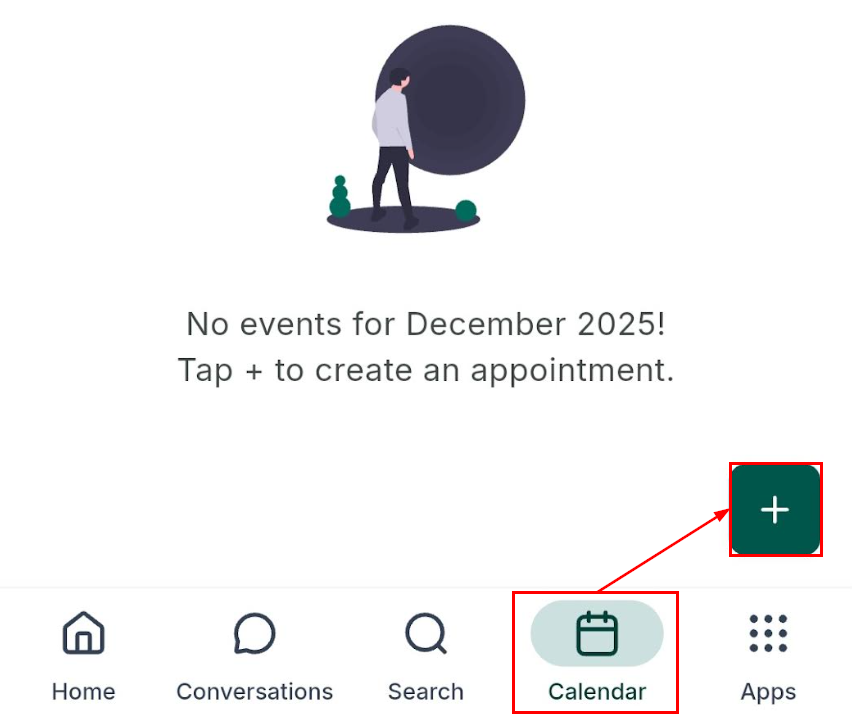
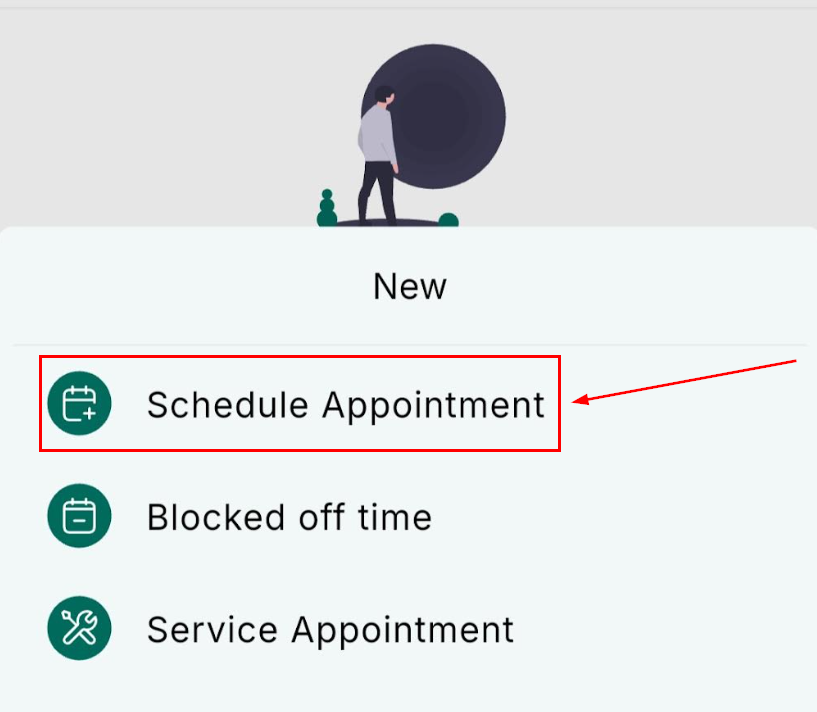
Then, choose Schedule Appointment.
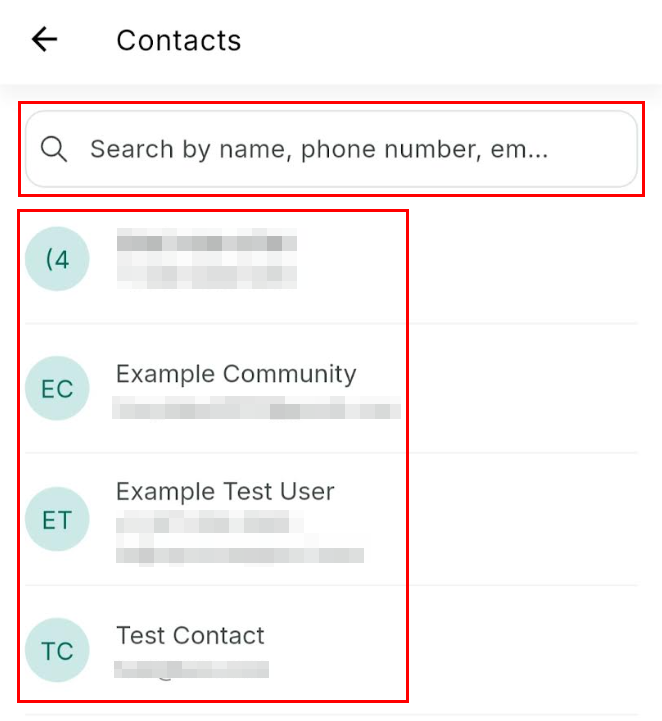
Choose the Contact
Next, select the contact the appointment is to be booked for. Use the search bar to locate them easily.
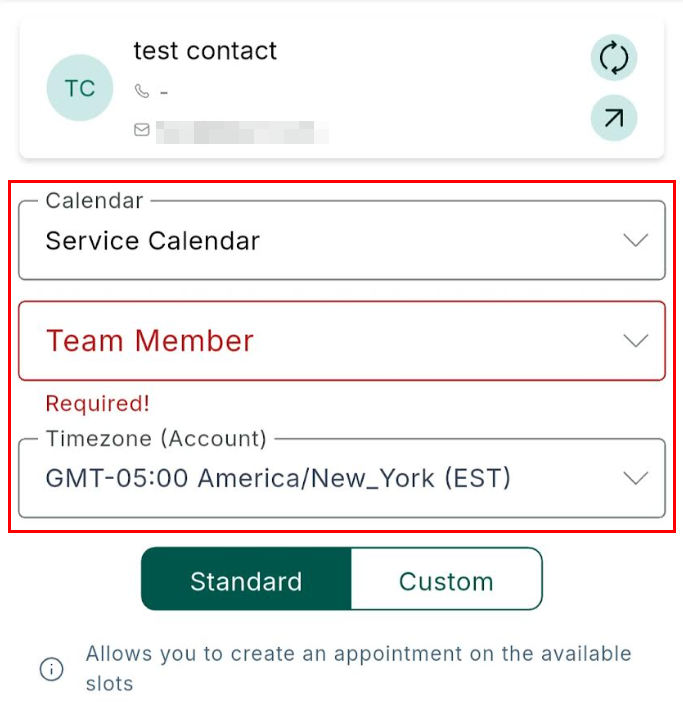
Set Up the Appointment
You will then be prompted to select the calendar where the appointment should appear. Each calendar includes its own availability rules, duration, and assigned users.
Once you have done so, choose the staff member who should host the appointment and ensure the timezone is correct.
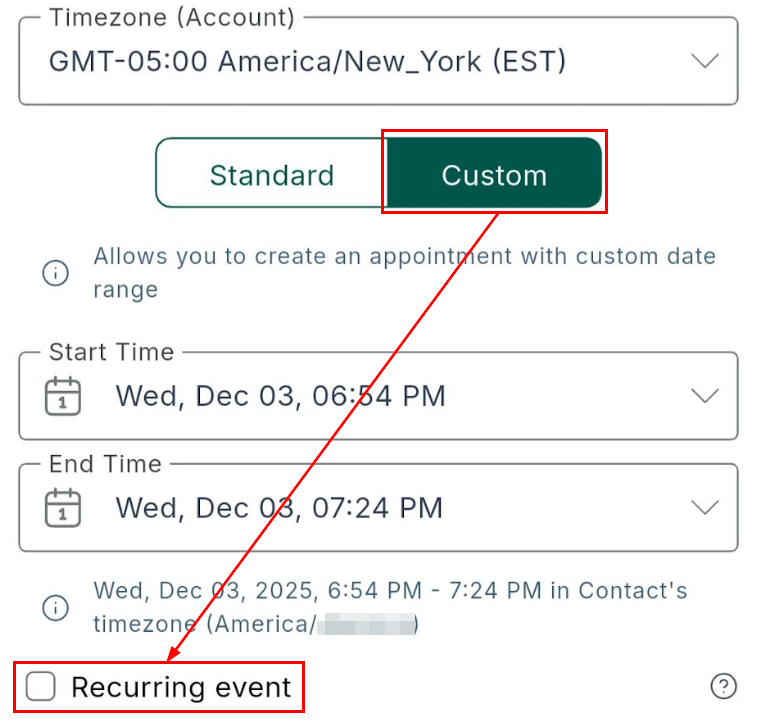
Next, enable the Recurring event option.
Select Your Recurrence Type
Choose Standard Recurrence to respect availability, buffers, and working hours, or Custom Recurrence to define your own pattern without availability checks.
Standard Recurrences are best for routine client sessions, weekly check-ins, or recurring meetings that must follow your established availability and business hours, while Custom Recurrences are better suited for Ad-hoc programs, internal training, special campaigns, or scenarios that fall outside normal business hours.
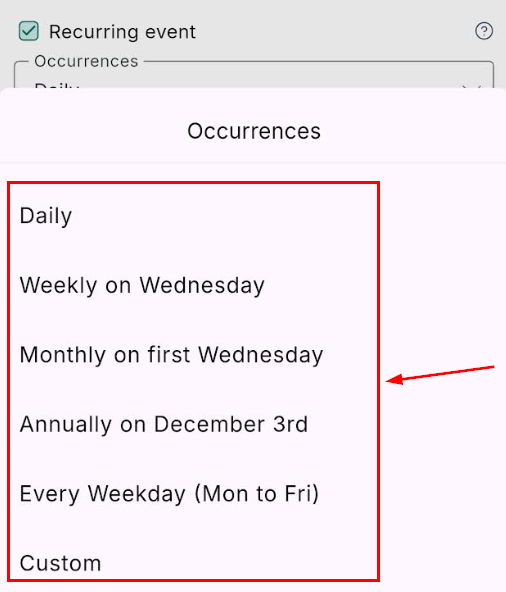
Set Your Recurrence Pattern and Save
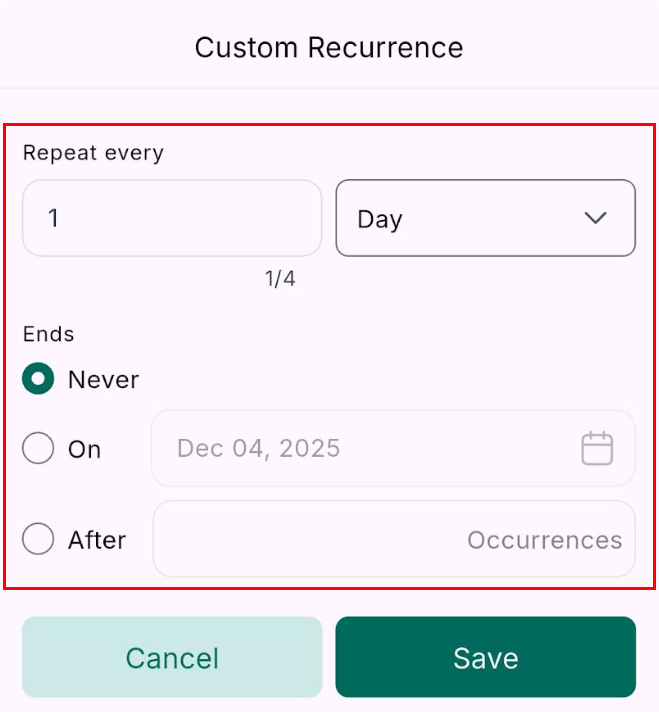
Choose how often the appointment should repeat and specify when the series ends. Once you are satisfied, tap Save to finalize the series. A single meeting link will apply to all occurrences.
Recurring Appointments provide a flexible way to manage ongoing meetings directly from your mobile device. Whether you need simple weekly sessions or complex multi-month schedules, the mobile app gives you the tools to stay organized, maintain consistency, and save valuable time—anywhere, anytime.
Frequently Asked Questions
Q: Does Custom Recurrence respect my availability?
- No. Custom rules ignore availability and may create overlapping bookings.
Q: What app version supports Recurring Appointments?
- Mobile app version v3.108.x or later.
Q: Can I edit a single appointment in a series?
- Yes. You can edit or cancel any individual appointment without affecting the rest.
Q: Is there a limit to how many times a series can repeat?
- Standard calendars support up to 24 repeats. Custom recurrence can exceed this when “No end date” is selected.
Q: Can I collect payments when scheduling on mobile?
- Not at this time. Payment collection is only supported through the web booking widget.
Not a Funnelbud customer yet?
Try our all-in-one CRM for sales and marketing — free for 7 days, no commitment.