Social Planner on the Mobile App
The Social Planner for mobile is a robust tool for managing and publishing posts directly from your device. With its easy integration across multiple social media platforms, it allows you to stay consistent and organized, ensuring a strong social media presence.
📌 NOTE: Access to the Social Planner may depend on your user permissions.
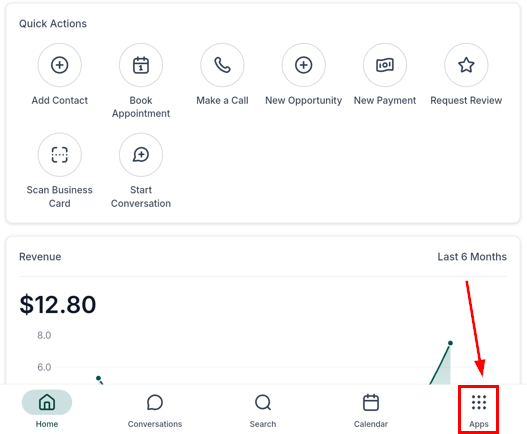
First, open the mobile app and log in with your account credentials. From the main dashboard, access the apps section.
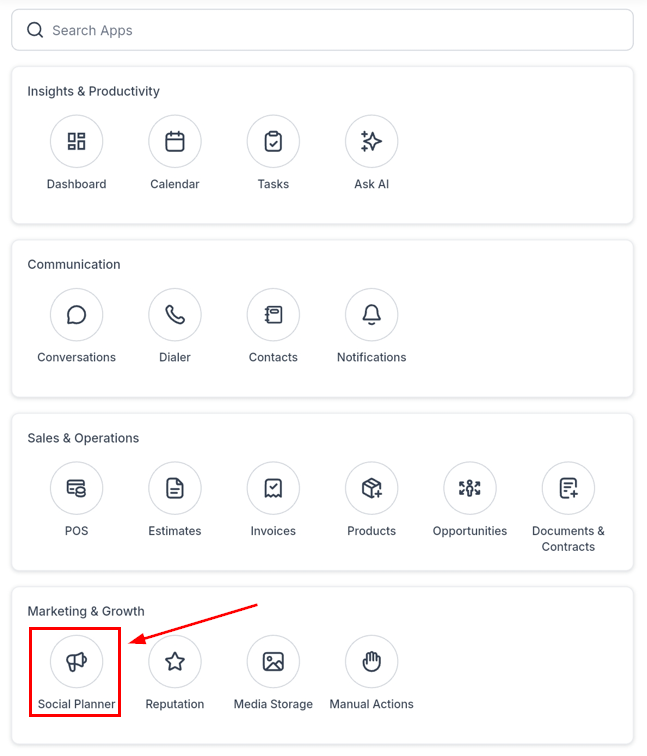
Select the Social Planner option.
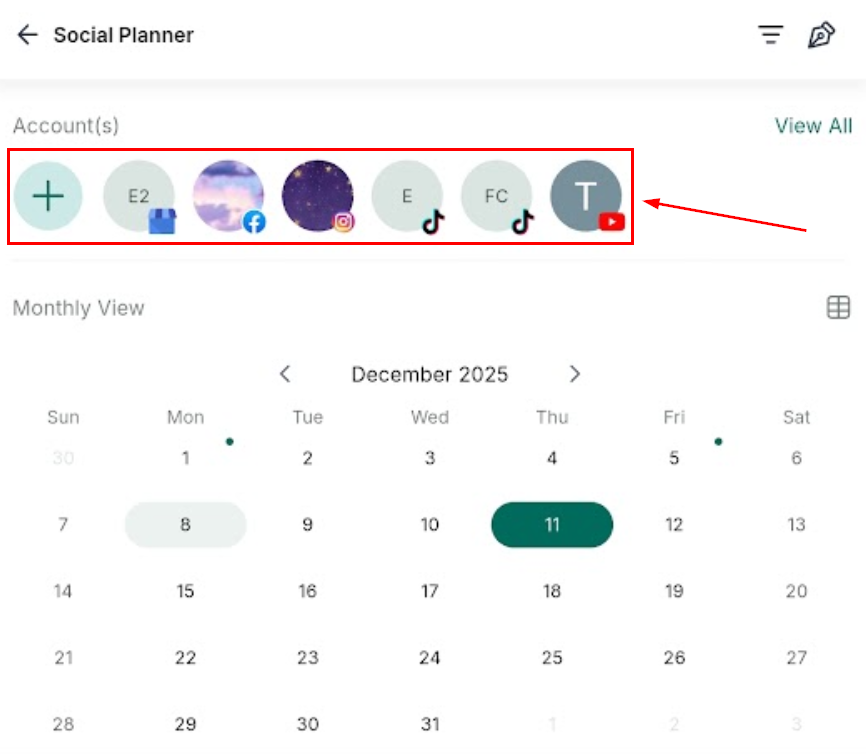
Once inside, manage your connected accounts or link new ones as needed.
Social Planner Views
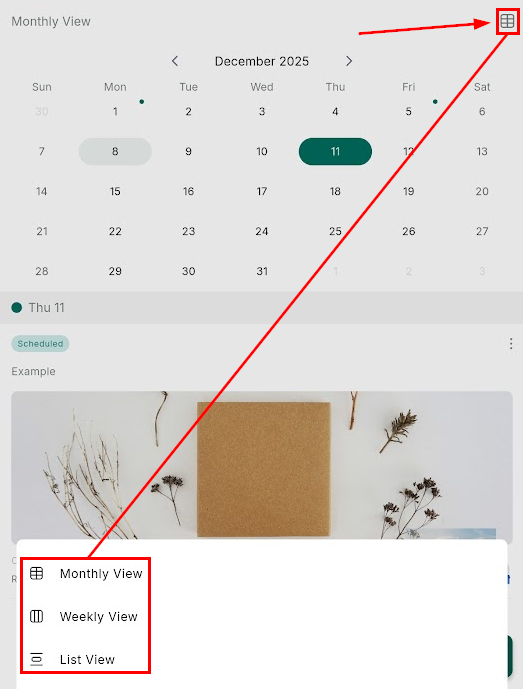
The Planner offers three viewing options to help you organize your content:
- Monthly View: See a high-level overview of your posts for the month.
- Weekly View: Focus on a week at a time for detailed planning.
- List View: Review all scheduled, published, or draft posts in one convenient list.
Each view displays key details, including:
- Caption: The text added to your post.
- Media: A preview of the attached images or videos.
- Post Status: Whether the post is scheduled, published, or in draft.
- Type: The type and source of the post.
- Date: When the post is scheduled to go live.
- Social: The platforms where the post will be published.
Post Builder
Start creating content by tapping on the floating “+” button at the bottom right of the page.
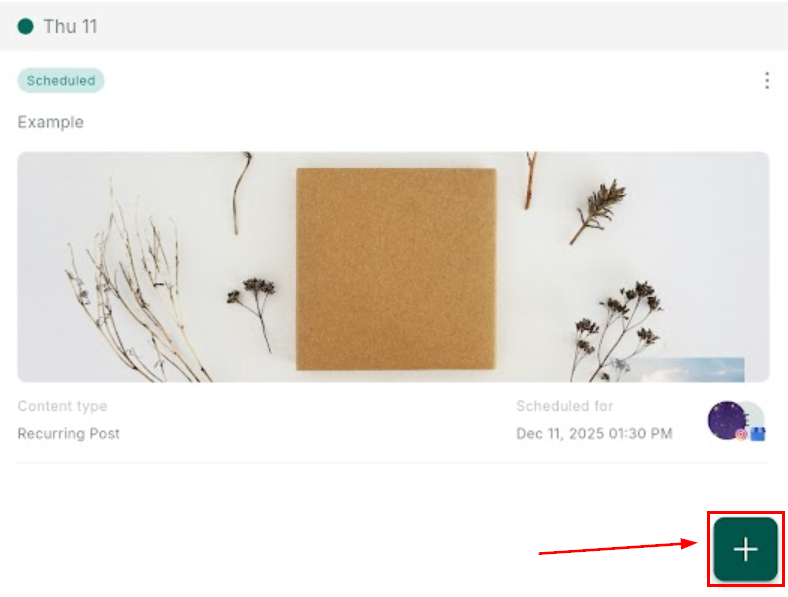
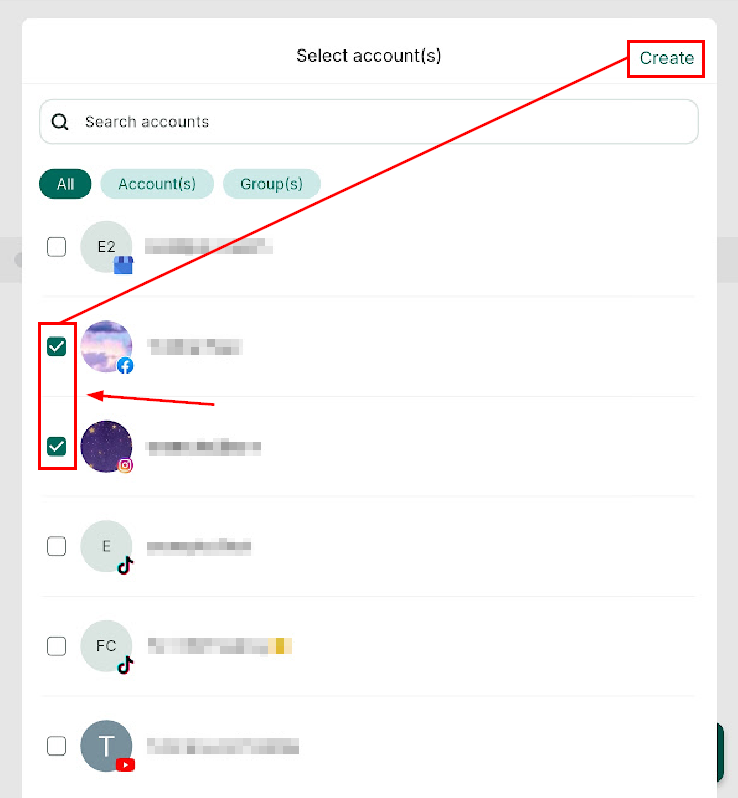
Select the relevant accounts, and click Create to begin customizing your post.
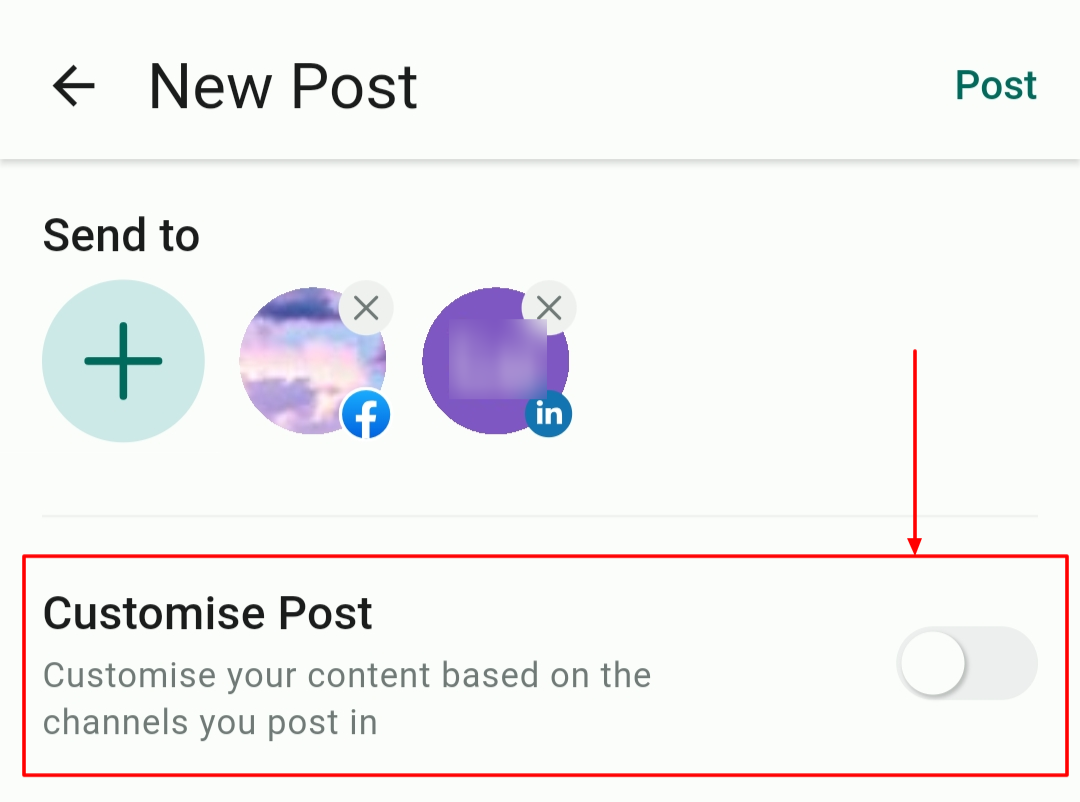
With channel-specific options, such as choosing between feed posts and reels for Facebook, toggle on “Customise Post” to optimize for each platform.
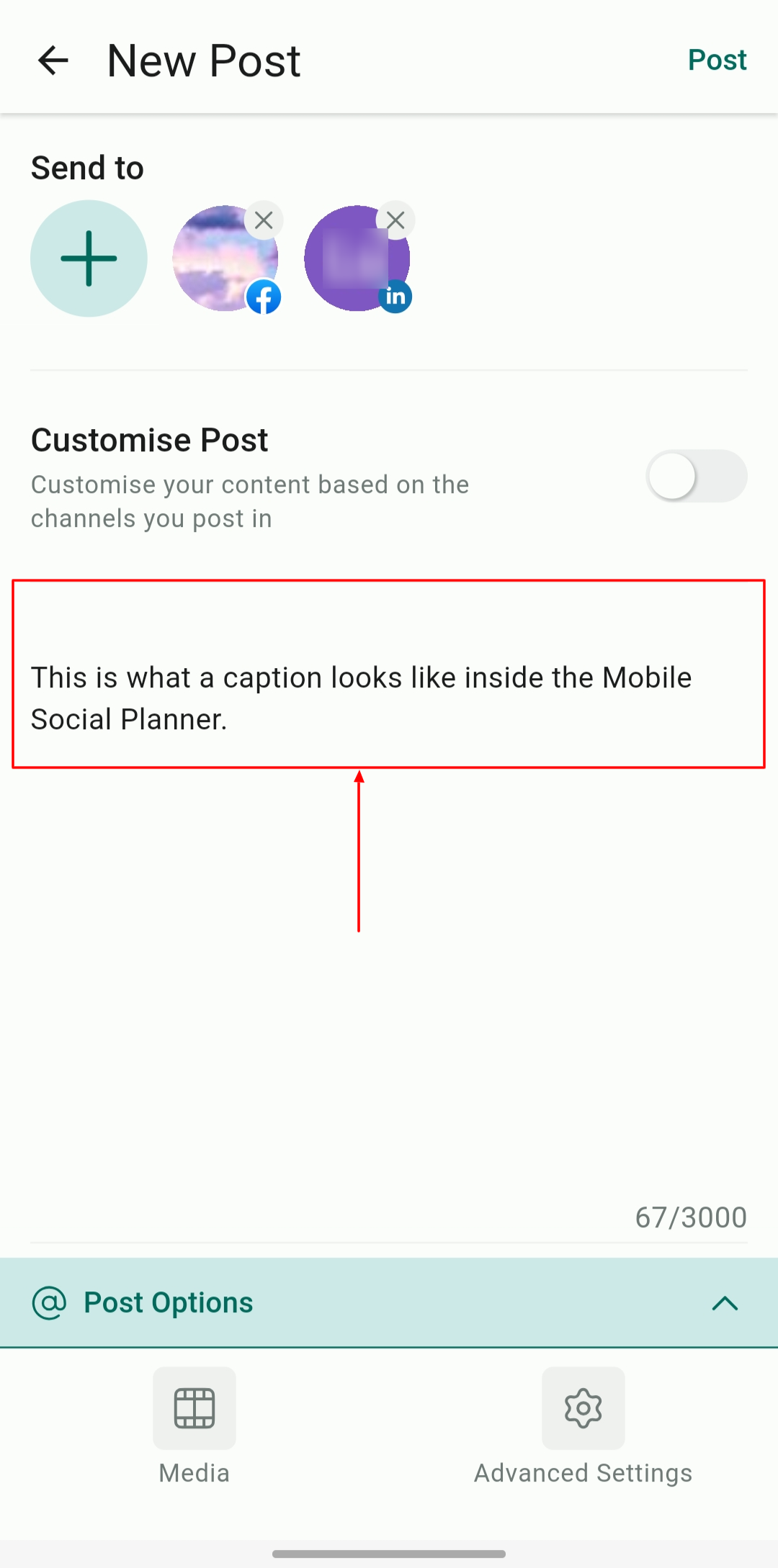
In the blank canvas, you can add text, photos, videos, and files to your post.
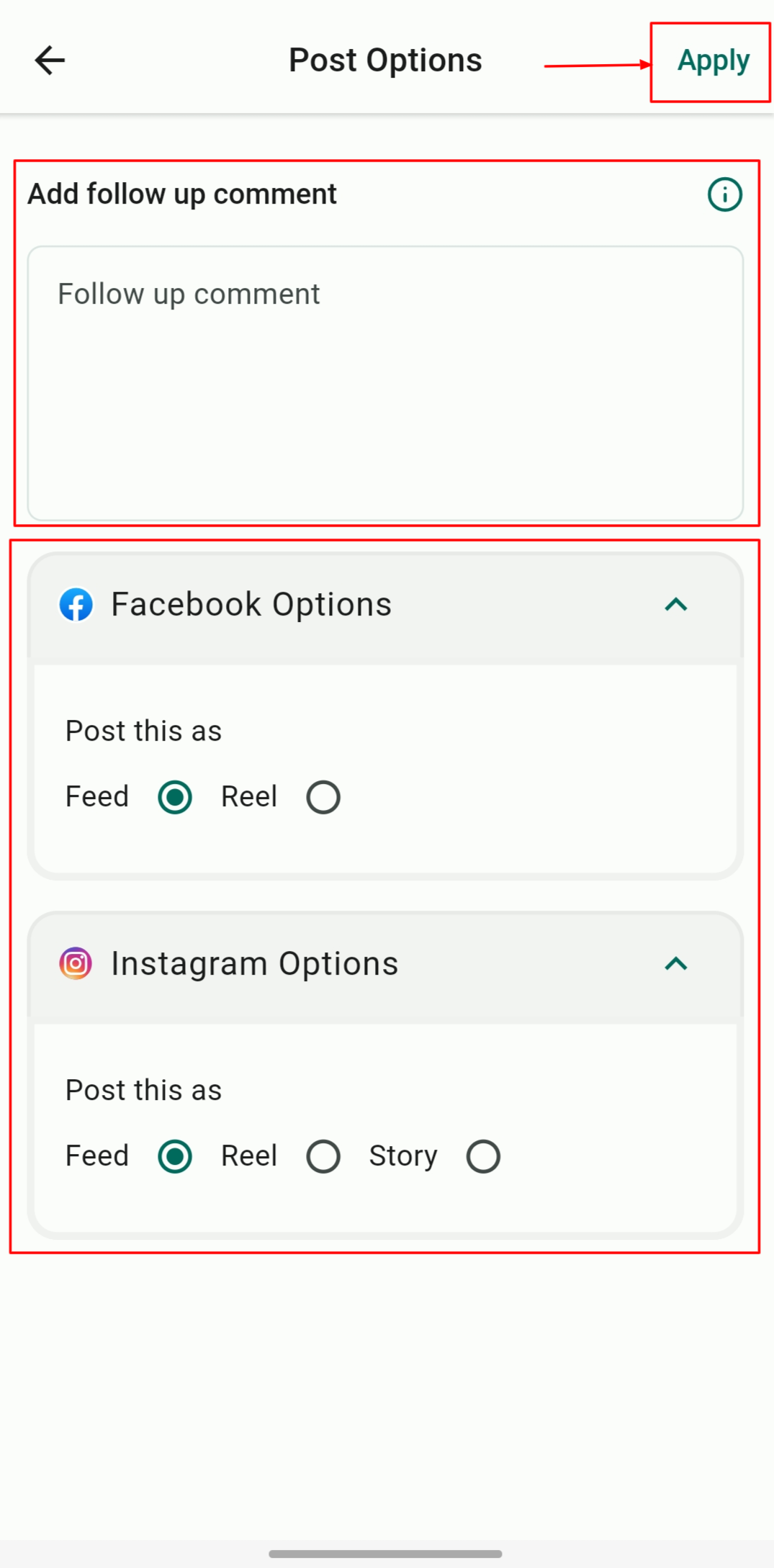
On the “Post Option” page, you can add a follow-up comment and choose how you want each post to appear on social media. Click on Apply to continue.
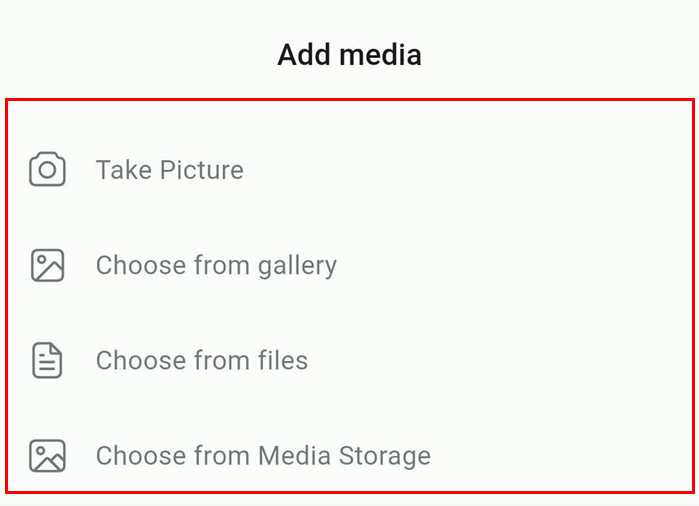
Click on the Media option to add files to your posts directly from your device using the camera, gallery, or files app, or select an image from the Media Storage.
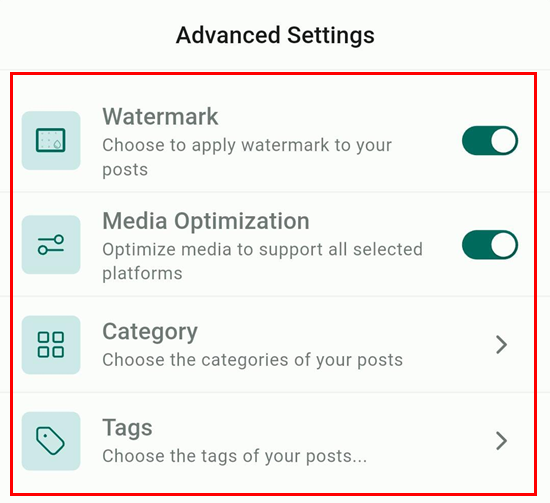
Click on Advanced Settings to apply your watermark and optimize media to meet the exact specs of each platform. You can also assign categories and tags within this window.
Post Scheduling Options
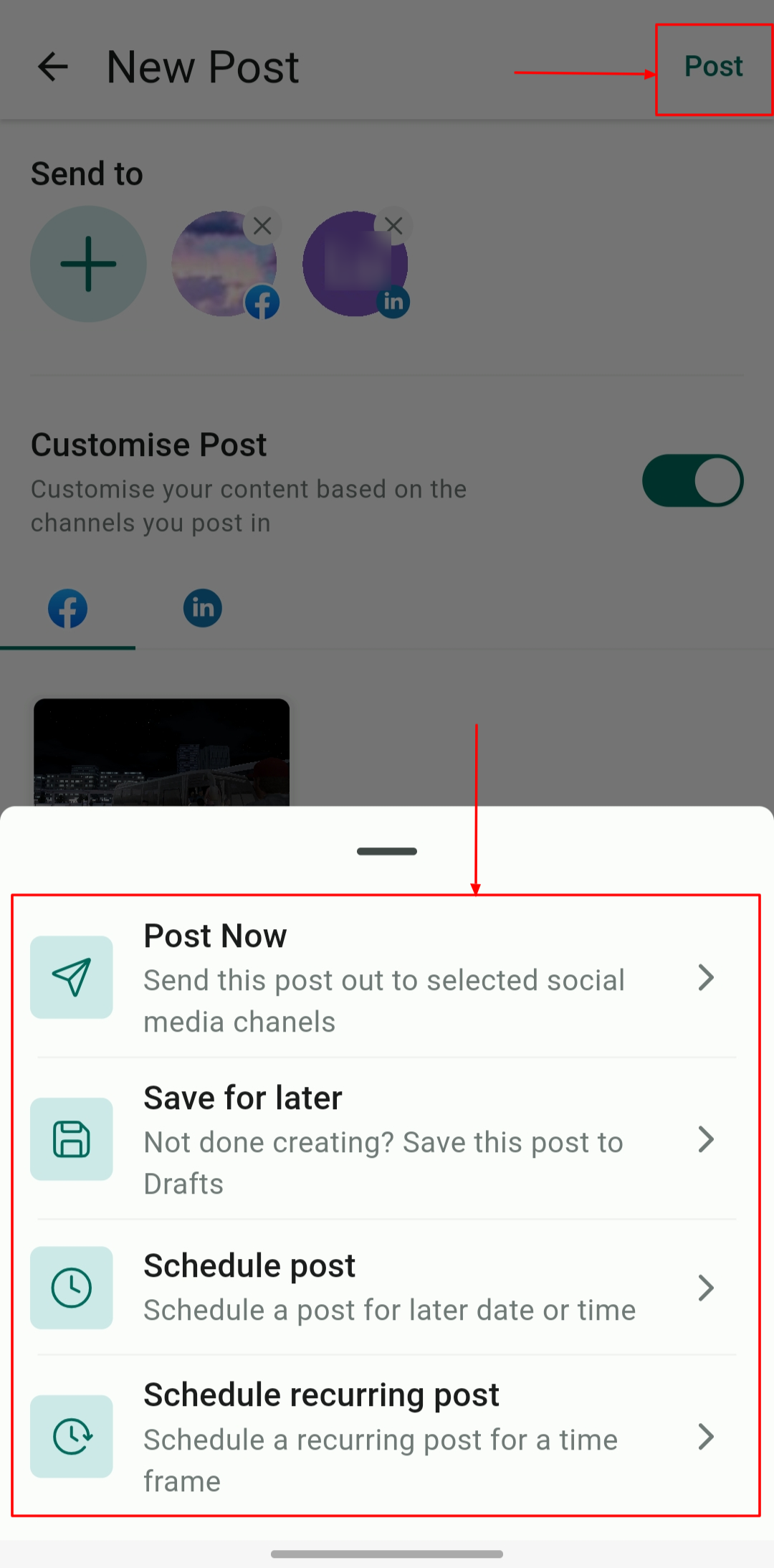
Once you are satisfied with your social media post, click on Post. The Social Planner allows for several scheduling and publishing options:
- Post Now: Post to selected accounts instantly.
- Save for later: Save your work-in-progress to edit and publish later.
- Schedule Post: Set a specific date and time for your post to go live.
- Schedule recurring posts: Schedule posts to repeat at defined intervals, such as weekly or monthly.
Redirect to Published Posts
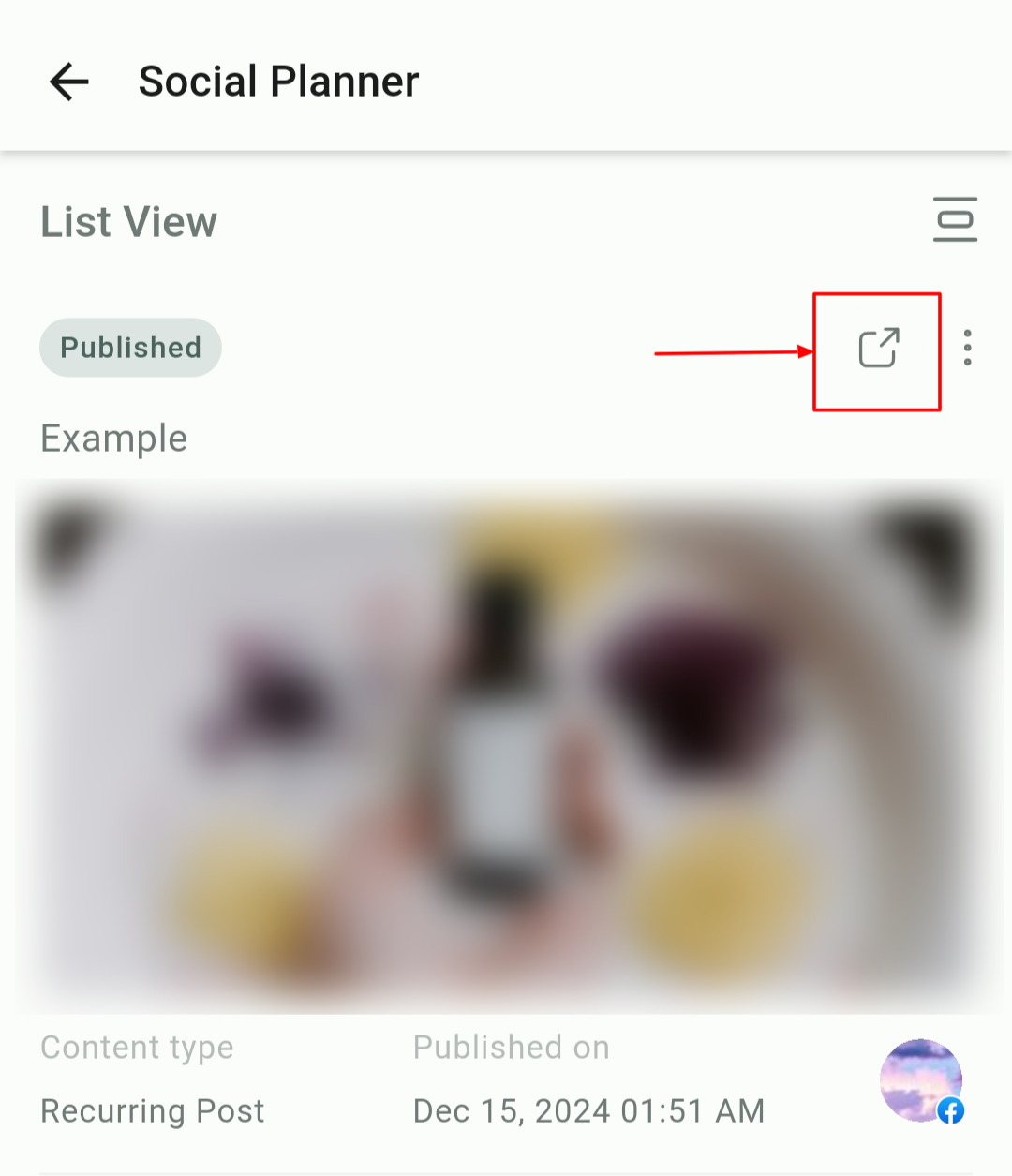
Once a post is published, tap the redirect icon on the postcard to open and view the post on its respective platform.
The Social Planner on mobile makes it convenient to manage your social media strategy on the go. With its advanced features and device-specific capabilities, such as direct media uploads and customizable options, it empowers you to maintain a polished and consistent presence across platforms effortlessly.
Not a Funnelbud customer yet?
Try our all-in-one CRM for sales and marketing — free for 7 days, no commitment.