How to Manage Purchases on GoKollab
Keeping track of your communities, courses, and payments is important, especially if you use GoKollab regularly. Instead of searching through different areas of the platform, GoKollab provides a feature called Manage Purchases that brings all your purchase-related information together in one place.
This guide explains what Manage Purchases is, its benefits, how to access it, and answers common questions.
What is Manage Purchases?
Manage Purchases is a section in GoKollab that allows users to view and manage:
- Communities they have joined
- Courses they have enrolled in or purchased
- Payment and billing history
It provides a simple way to see all your account activity related to memberships, learning content, and payments from one centralized location.
📌Note: Manage Purchases is designed for users and learners who want to review their own account information. It is not the same as GoKollab Studio. GoKollab Studio is used by creators and business owners to manage their communities and courses.
How to Access Manage Purchases
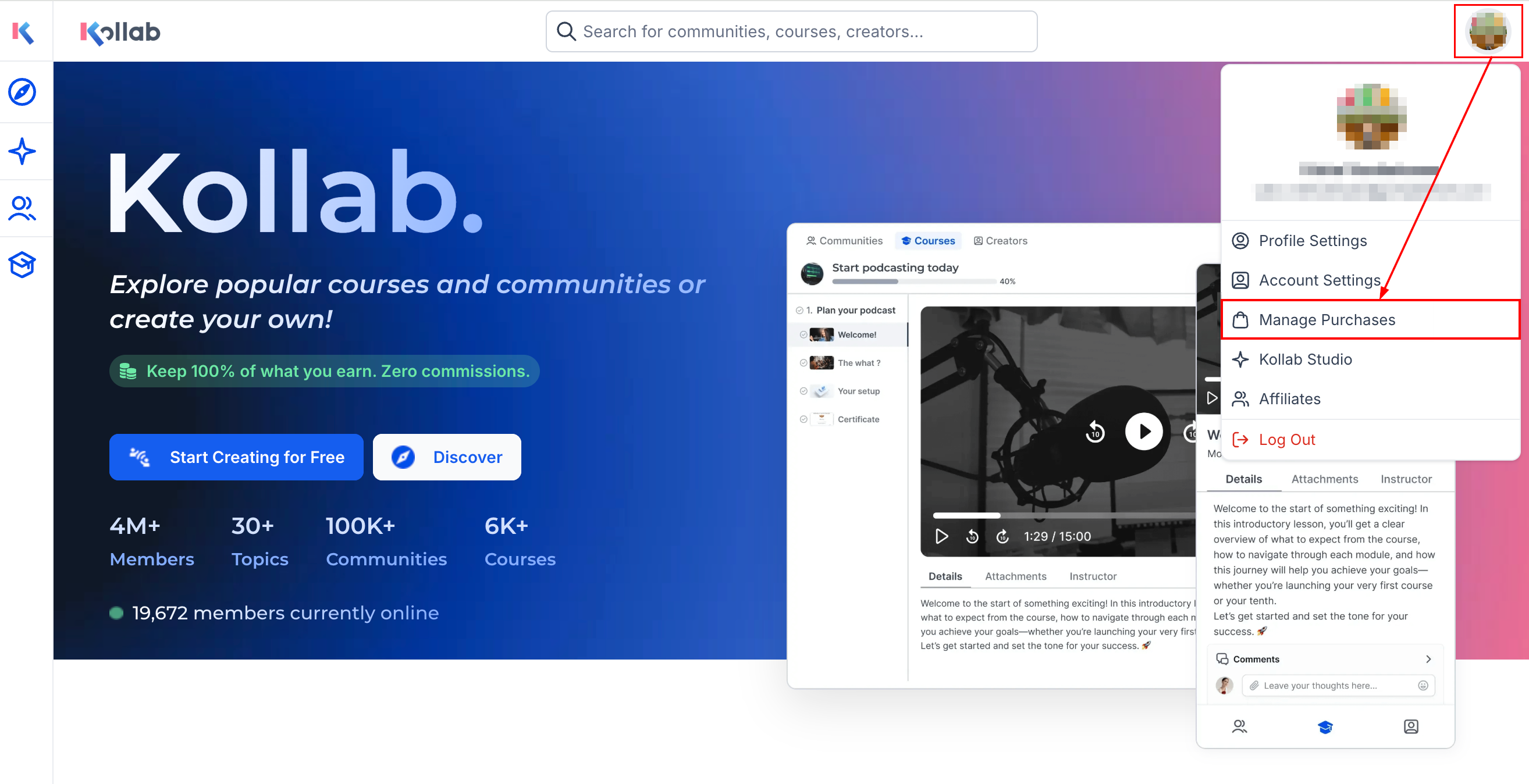
Go to the GoKollab homepage and select Manage Purchases within your profile dropdown.
Use the available tabs to view:
- Communities: The Communities tab displays all communities connected to your account, including both free and paid memberships.
- Courses: The Courses tab shows courses you have purchased or enrolled in, making it easier to access your learning materials.
- Payment History: The Payment History tab allows you to view previous payments, check transaction details, see payment methods used, and download available invoices.
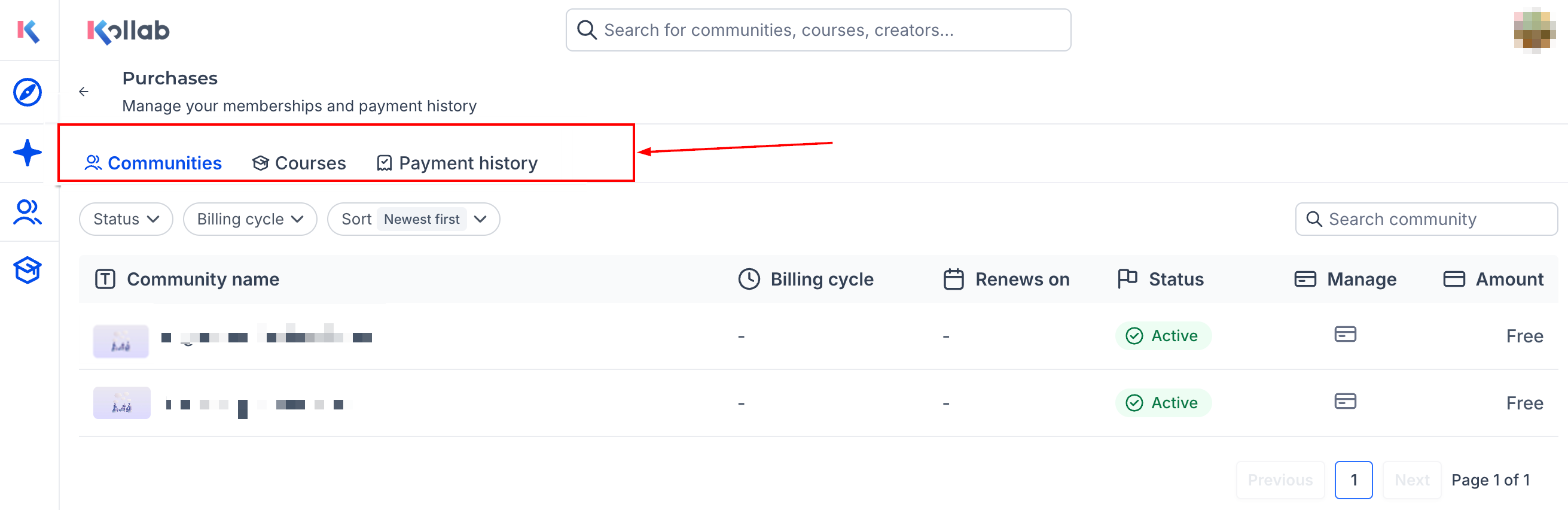
You can switch between these tabs to review your account information whenever needed.
Manage Purchases provides GoKollab users with a simple, organized way to track their communities, courses, and payment history. By bringing all purchase-related information into one convenient location, it helps users stay informed about their memberships, access learning content more easily, and review past transactions with confidence.
Frequently Asked Questions
Is Manage Purchases the same as GoKollab Studio?
- No. Manage Purchases is for users who want to view their memberships, courses, and payment history. GoKollab Studio is for creators who manage their own communities and courses.
Can I download invoices?
- Yes. If invoices are available, they can be downloaded from the Payment History tab.
Why do I see a payment method listed in my payment history?
- The payment history includes the payment method used for each transaction so you can easily review past purchases.
What should I do if a course or community is missing?
- First, make sure you are logged in with the same account that was used to purchase or enroll in the item. If it still does not appear, contact the business or community owner for assistance.
Not a Funnelbud customer yet?
Try our all-in-one CRM for sales and marketing — free for 7 days, no commitment.