How to Use Brand Boards in Funnels & Websites
Brand Boards simplify the process of maintaining consistent brand guidelines across your funnels and websites. This guide will walk you through effectively using Brand Boards to manage and apply your brand’s colors.
Why Use Brand Boards in Funnels and Websites?
- Save Time: Eliminate the hassle of searching for the right color or recalling HEX codes. Brand Boards optimize your workflow.
- Manage Default and Custom Colors: Seamlessly manage both default and custom colors, ensuring quick edits and consistent branding.
- Eye Dropper Tool: Leverage the eye dropper tool to select colors directly from your design with precision.
How to Use Brand Boards
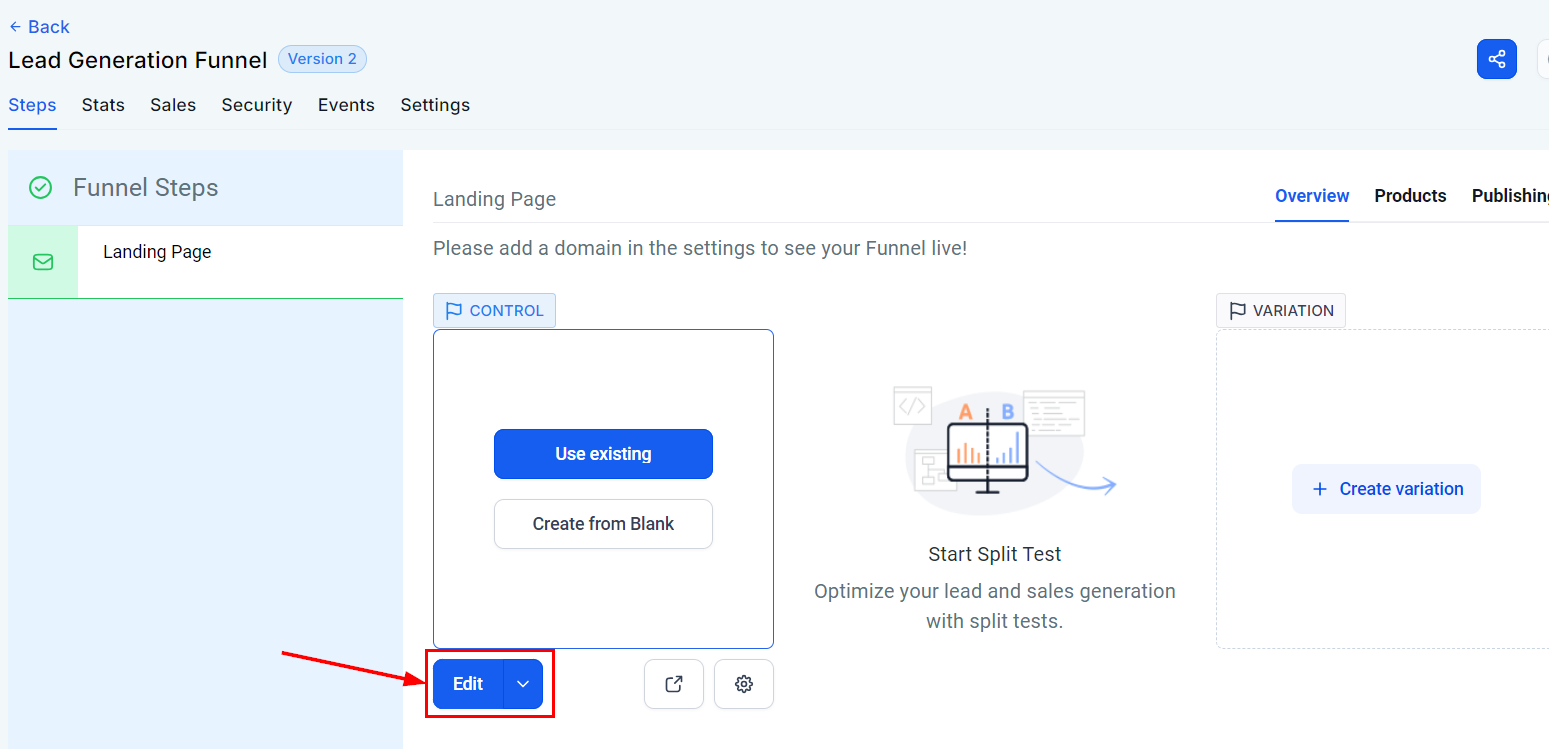
Open the Funnel or Website Builder
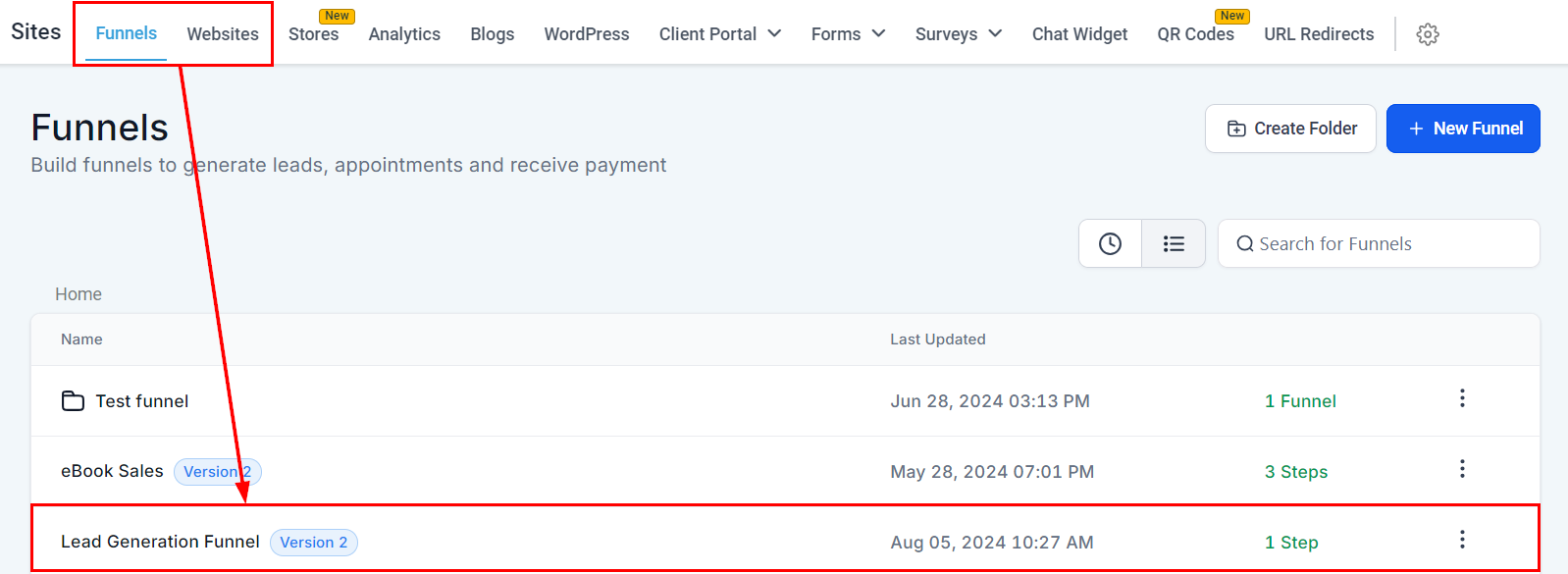
Access the funnel or website builder within your platform under the “Sites” section.
Accessing the Color Palette
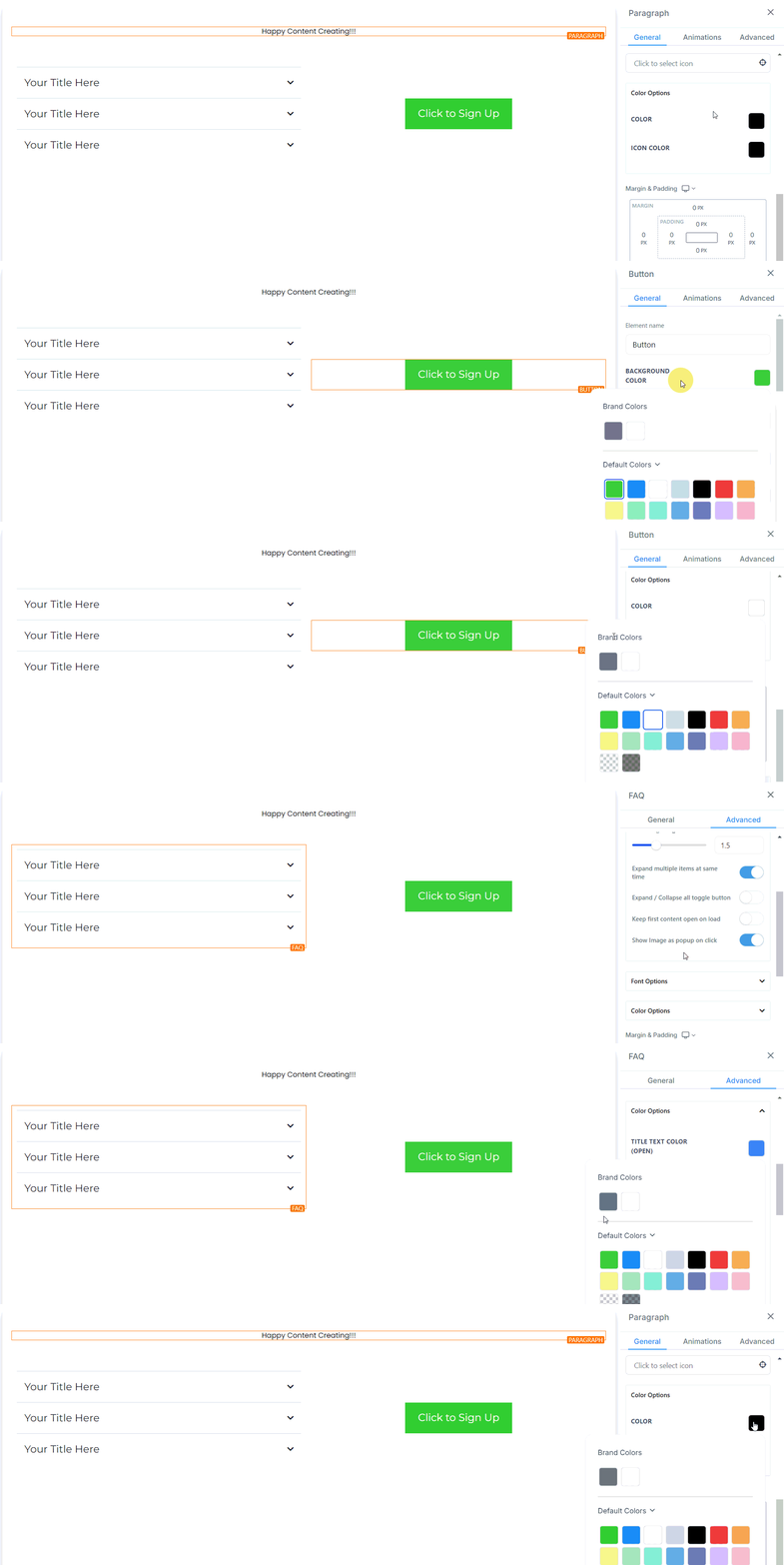
When editing text or accessing the right sidebar, select the color options from the inline toolbar. Apply your chosen color effortlessly by using the available Brand Colors.
Furthermore, the unified color palette will appear, featuring sections for Default Colors and Custom Colors.
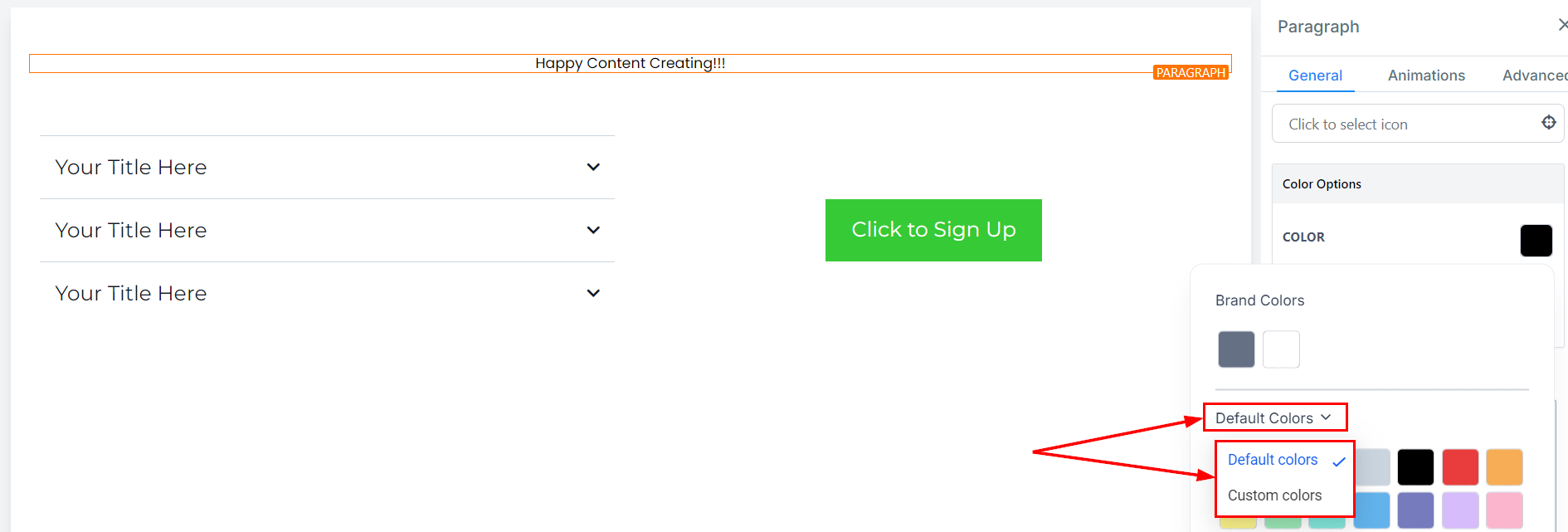
Managing Custom Colors
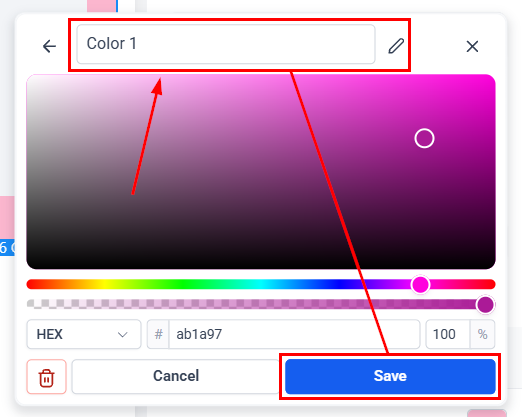
Navigate to the Custom Colors section within the color palette. To add, edit, or delete a custom color, open the color picker UI from the Custom Colors section. Use the color selector or input specific HEX codes to refine your choices.
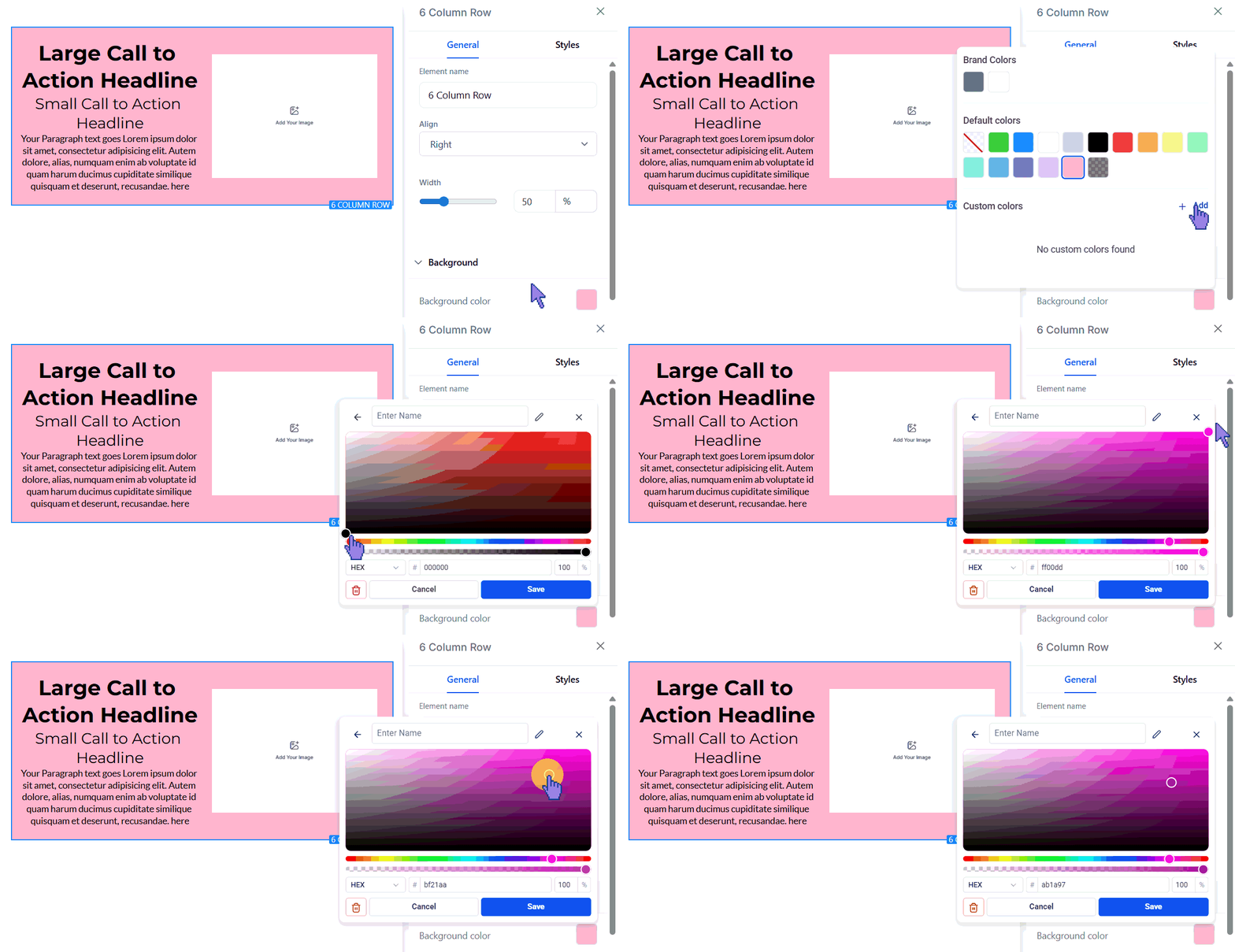
Enter a name for your color for easy access, then click Save.
With Brand Boards, maintaining your brand’s visual identity is easier than ever. Enjoy a more efficient workflow and effortlessly uphold consistency across your funnels and websites.
Tips for Effective Use
- Consistency: Apply Brand Colors consistently across all elements to ensure a cohesive brand experience.
- Easy Updates: Changes to Custom Colors automatically apply to all elements using that color, saving time and effort.
Not a Funnelbud customer yet?
Try our all-in-one CRM for sales and marketing — free for 7 days, no commitment.