How to create a list of contacts from an import
To create a list of contacts from an import, do the following steps:
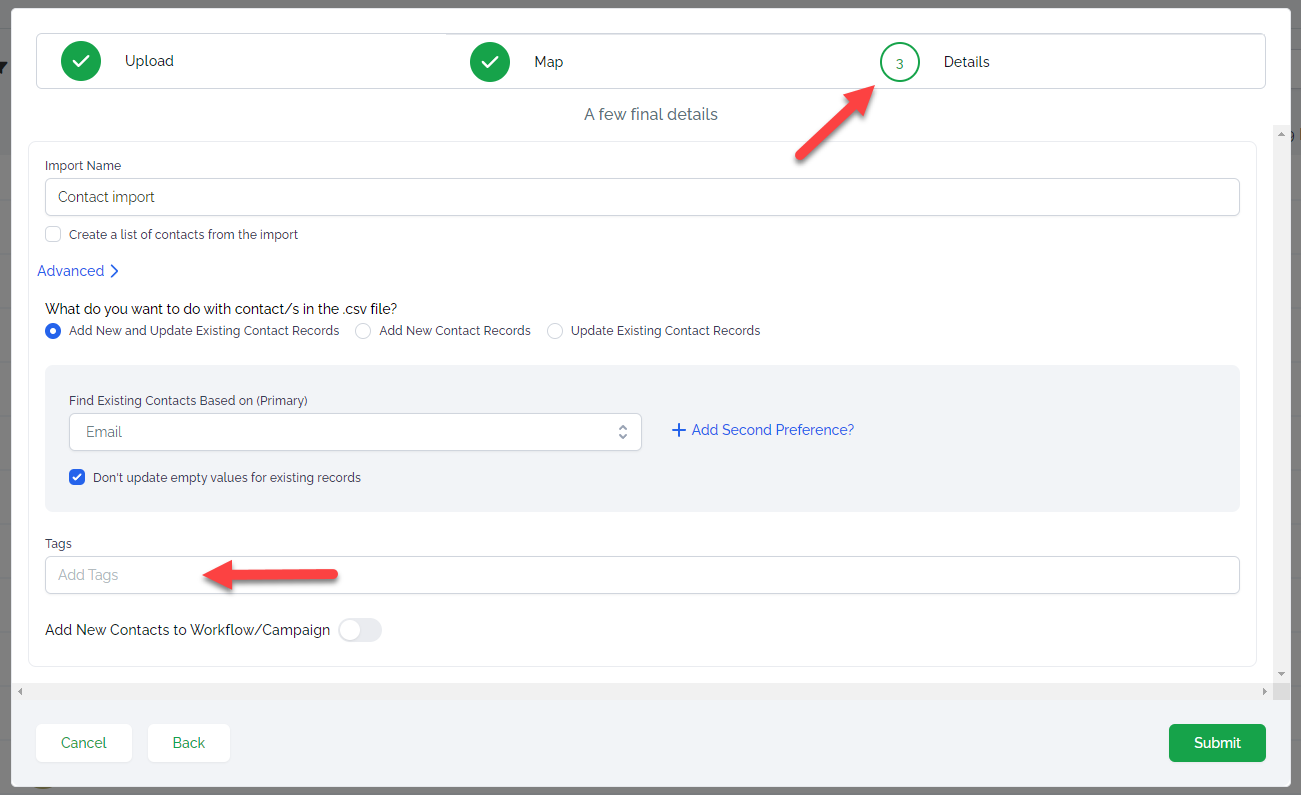
1. During import, when you reached the 3rd step Details, open Advanced settings and add a tag in the Tags field
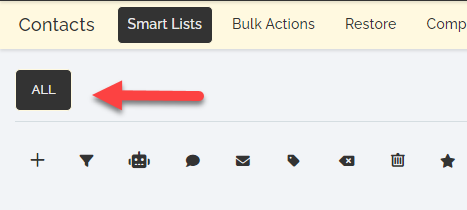
2. Once contact import is done, go to ALL list
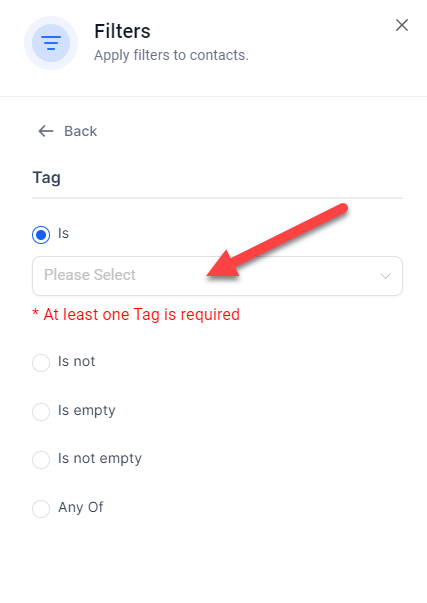
3. Open Filters, click Tag and select the tag you added as a filter
4. Click Apply, then Save as smart list
-----
Can I tick the “Create a list of contacts from the import” checkbox to create a list during import?
Ticking this checkbox will create a list but only new contacts will be added to the list. If you imported contacts that are already in the system, they will not be added to the list.
Not a Funnelbud customer yet?
Try our all-in-one CRM for sales and marketing — free for 7 days, no commitment.