Record Payments for Invoices on the Mobile App
Collecting and recording payments is an equally important and exciting part of doing business. Sometimes you will find yourself on the road, and a customer wants to do business with you, or an old associate who wants to pay their dues. With the help of your Mobile App, you can do so for any invoice you may have.
📌Note: Depending on your permission level, you may not have access to all features.
Collecting Payment
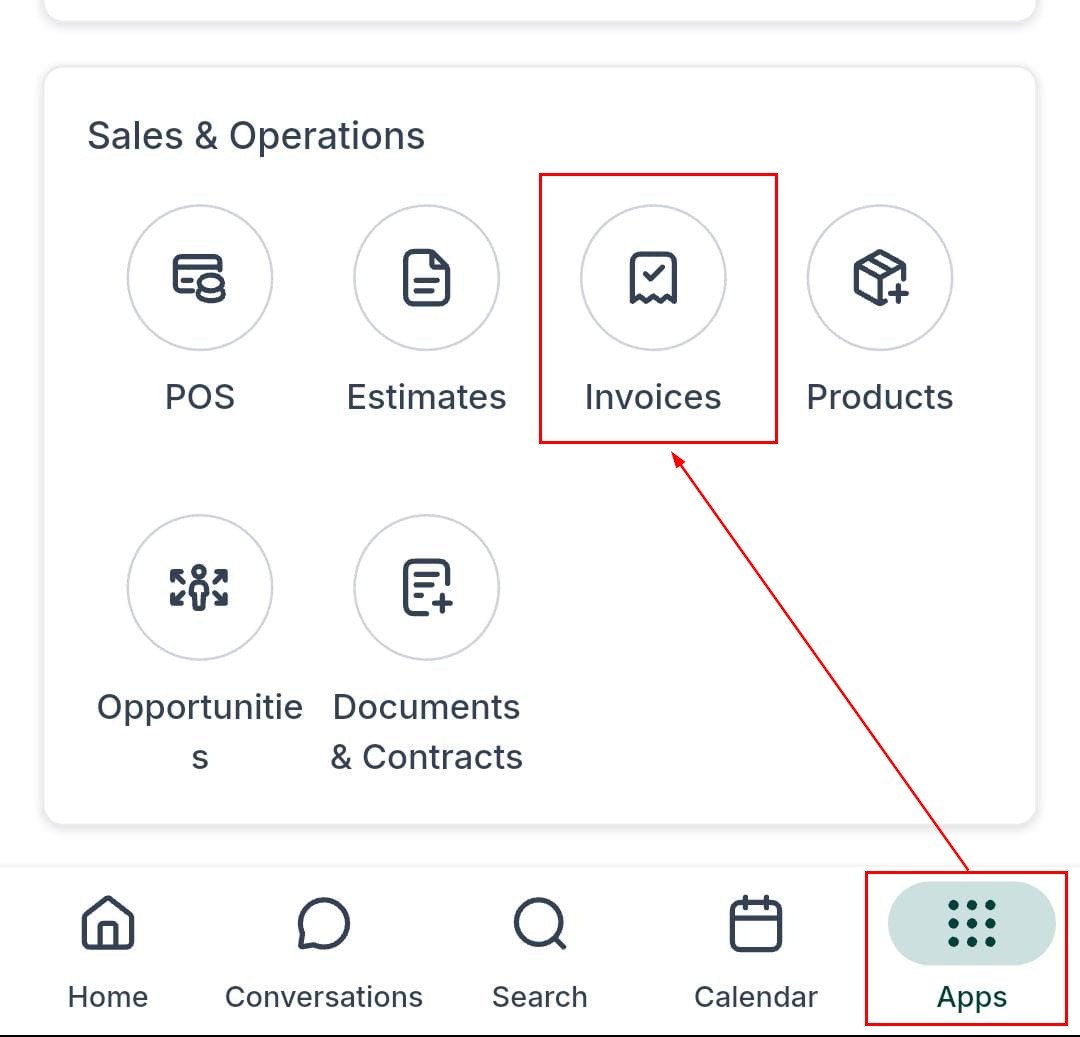
Inside your mobile app, head over to the Invoice section by clicking the apps menu, then selecting the Invoices option.
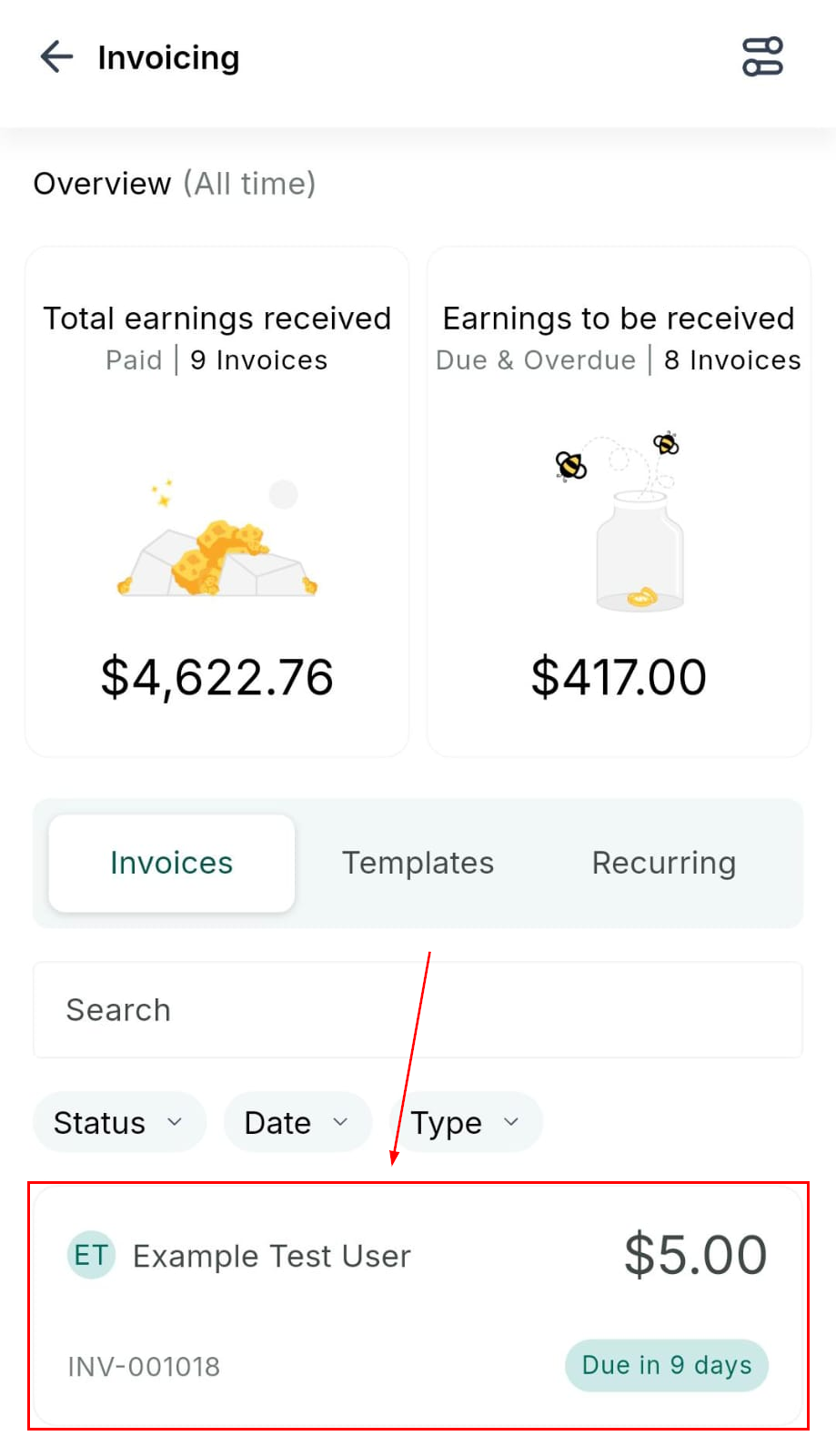
Long-press on the desired invoice to record payment.
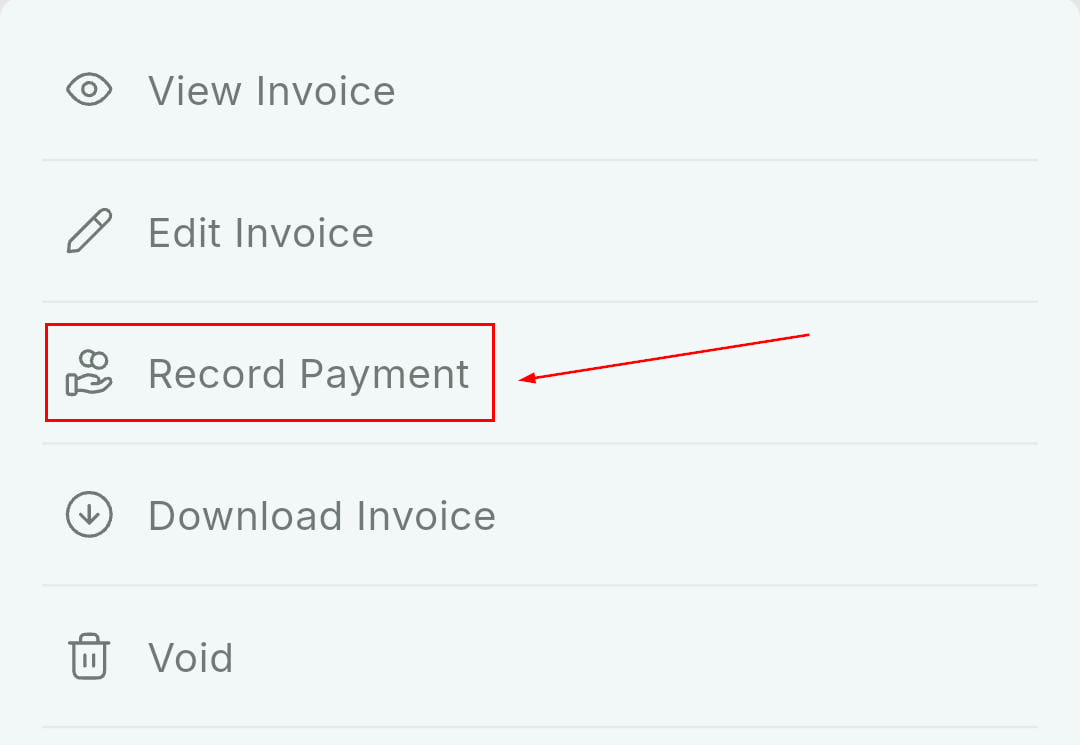
From the available options, click Record Payment to load the available payment instruments.
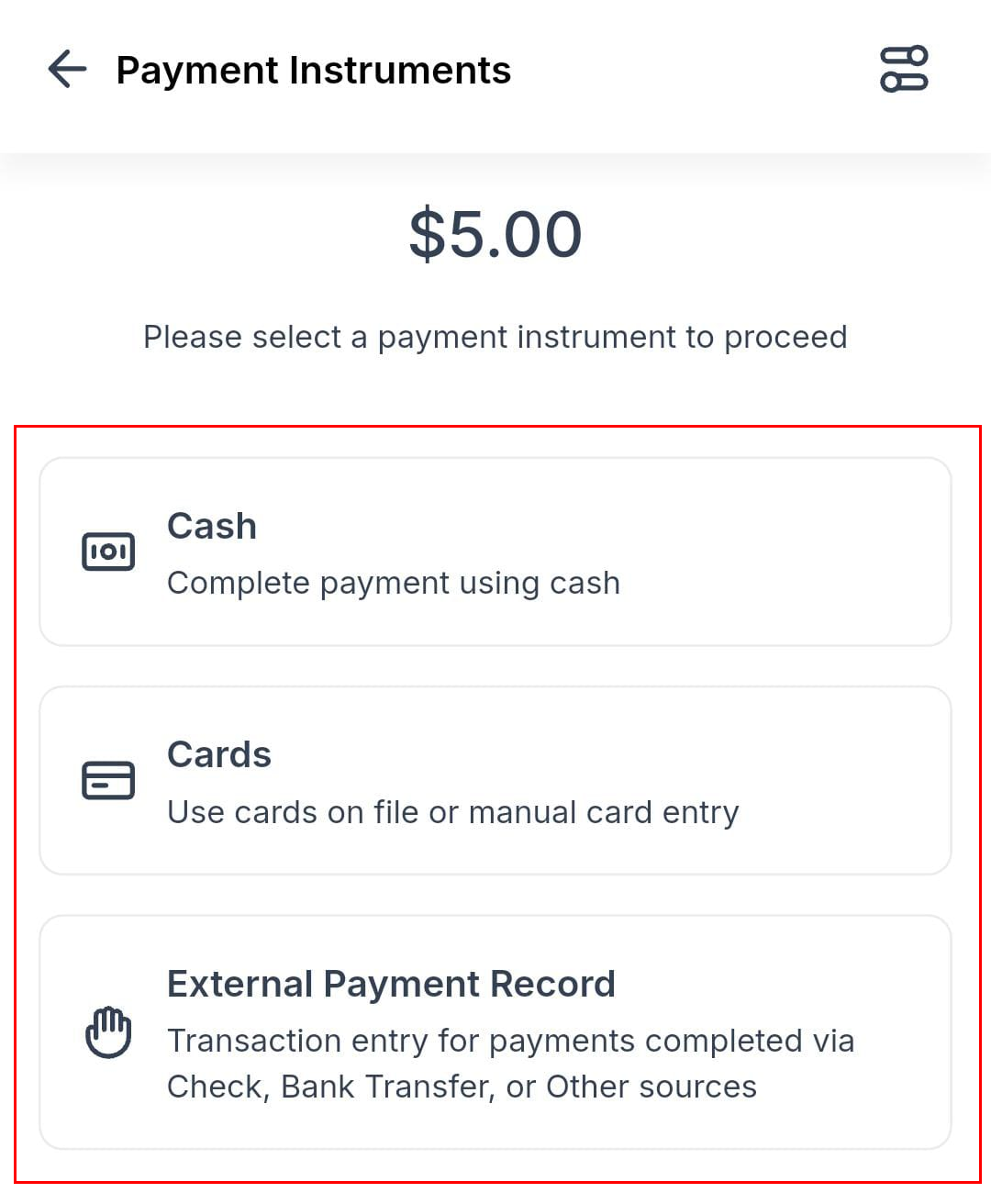
Here, you can choose between cash, cards (new or saved), or manual entry (for checks, bank transfers, and other external payments).
Accept payment via your chosen payment method, and you’re done! Now you can accept payment for invoices wherever and whenever you need to.
Not a Funnelbud customer yet?
Try our all-in-one CRM for sales and marketing — free for 7 days, no commitment.