How To Create an Invoice Automatically After a Document/Contract is Signed
An invoice is automatically created when a potential lead signs a Document or Contract. This invoice copies the proposal’s line items, taxes, and discounts.
Using the View Invoice option in the Finalized List view, you can now easily check the invoice, make changes if needed, and send it to the client for payment. If there are no product line items, no invoice will be made. If there are multiple product lists, a combined invoice will show all the line items and discounts.
Automatic Invoice Creation
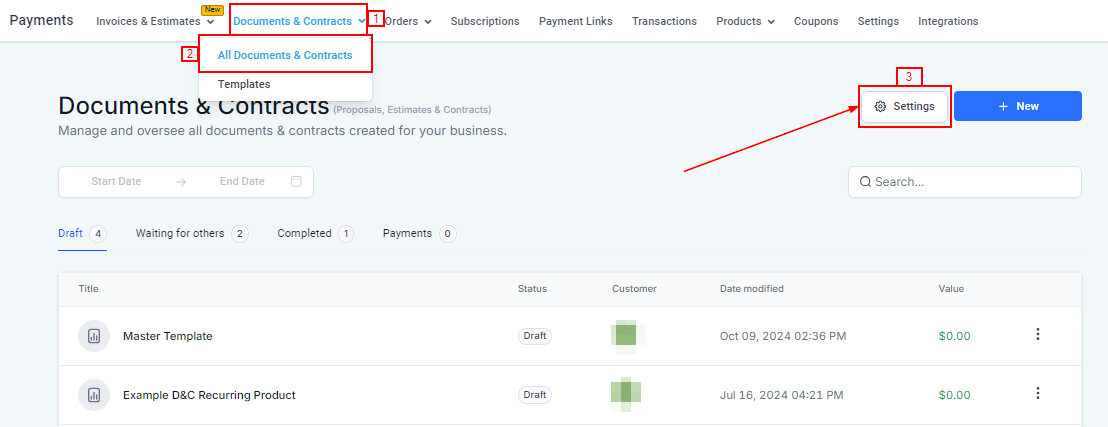
To get started, navigate to Settings under the Document & Contract > All Documents & Contracts Section in the Payment category.
Product Invoicing
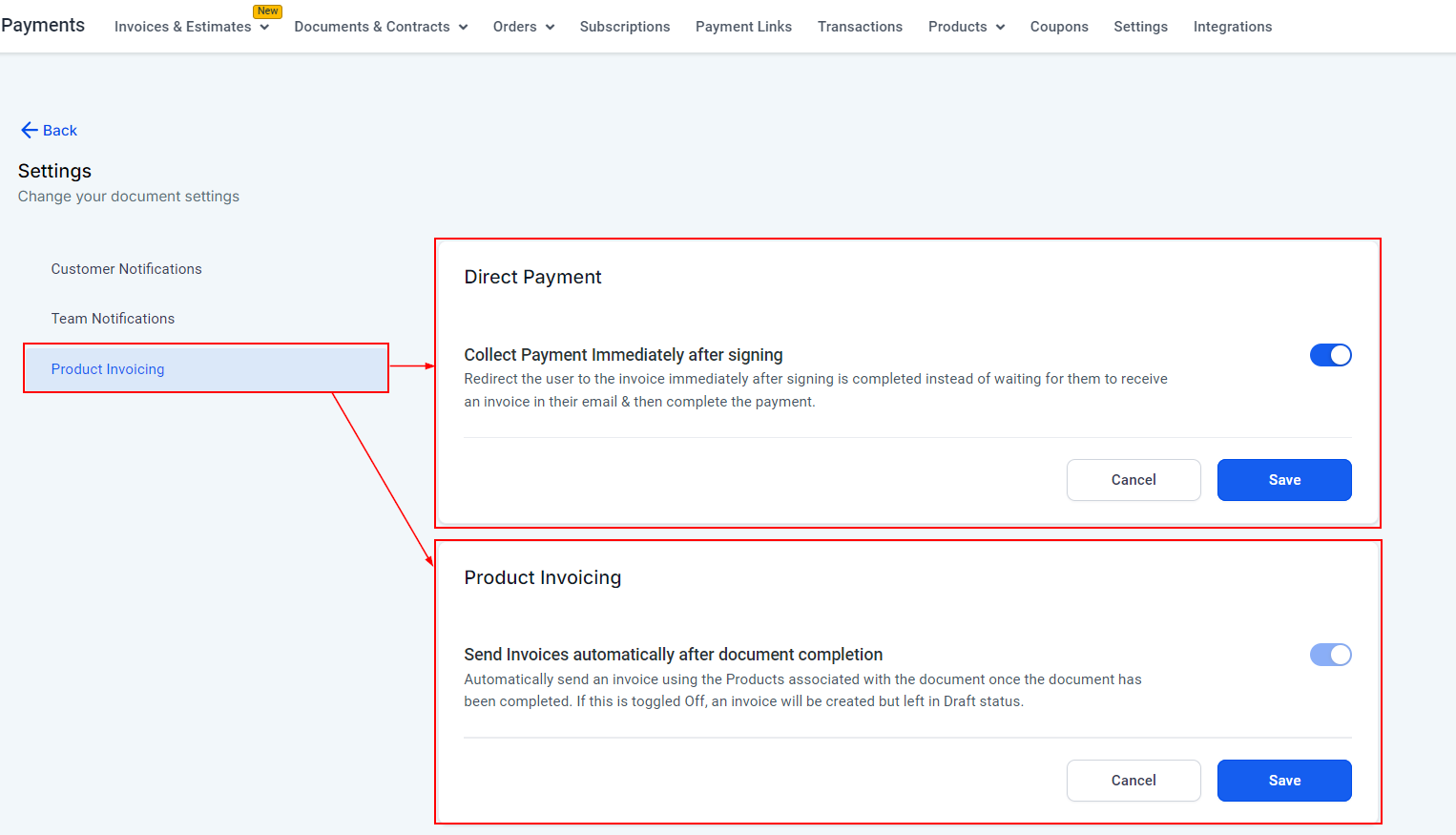
- Direct Payment: When Toggled On users are redirected to the invoice immediately after signing a document or contract. This will reduce the wait time for them to receive an invoice in their email & then complete the payment.
- Product Invoicing: This option determines whether invoices tied to products in the document are sent automatically. When Toggled On, the system will automatically generate and send the invoice after the document is completed. If off, the invoice will still be created, but it will be saved as a draft, giving you the option to review or manually send it later. This offers more control over the invoicing process.
Not a Funnelbud customer yet?
Try our all-in-one CRM for sales and marketing — free for 7 days, no commitment.