How to Create a Workflow for the Prospecting Widget
When a new Prospect is generated, multiple workflows can be triggered automatically. These may include welcome emails, automated lead assignment to your opportunities or pipelines, and more. This ensures that every prospect is immediately engaged and seamlessly integrated into your sales process without manual intervention.
How It Works
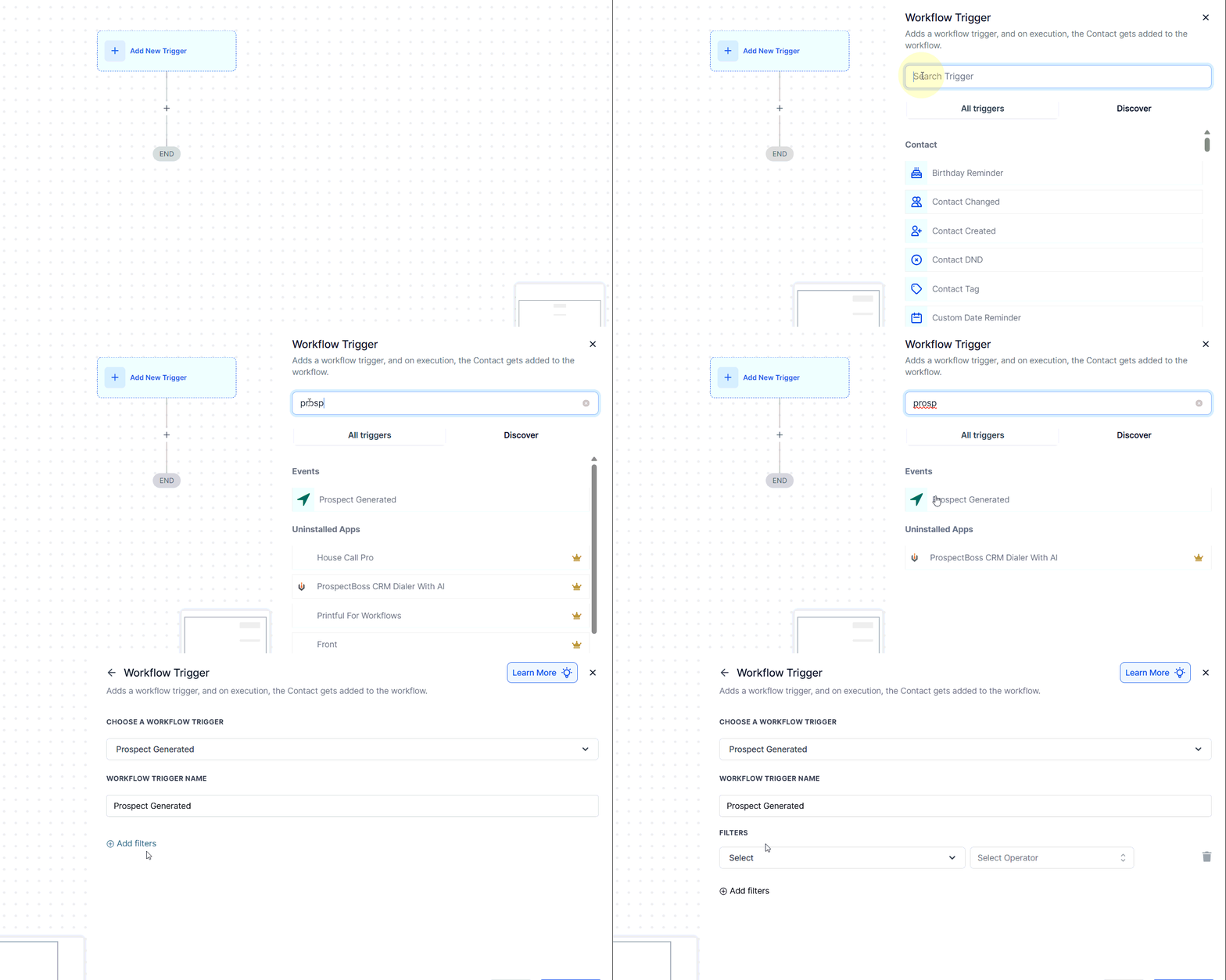
Begin by adding the Prospect Generated trigger to your workflow.
You can choose to capture leads from a variety of sources, including AI-based prospecting, in-app engagement, and embedded Prospecting Widgets.
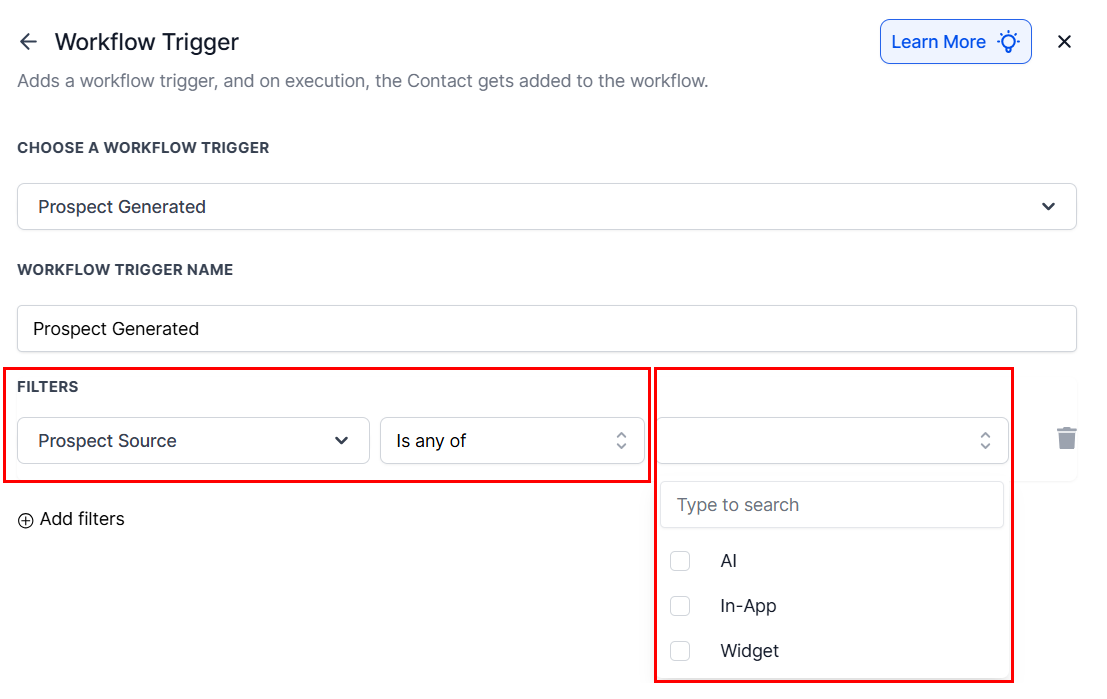
This flexibility allows your team to leverage different channels to attract and convert leads more efficiently.
Send Branded Prospecting Audit Reports
Deliver value right from the start by sending detailed Prospecting Audit Reports to your clients via email. These reports help establish credibility and showcase insights into a prospect’s digital presence or business needs.
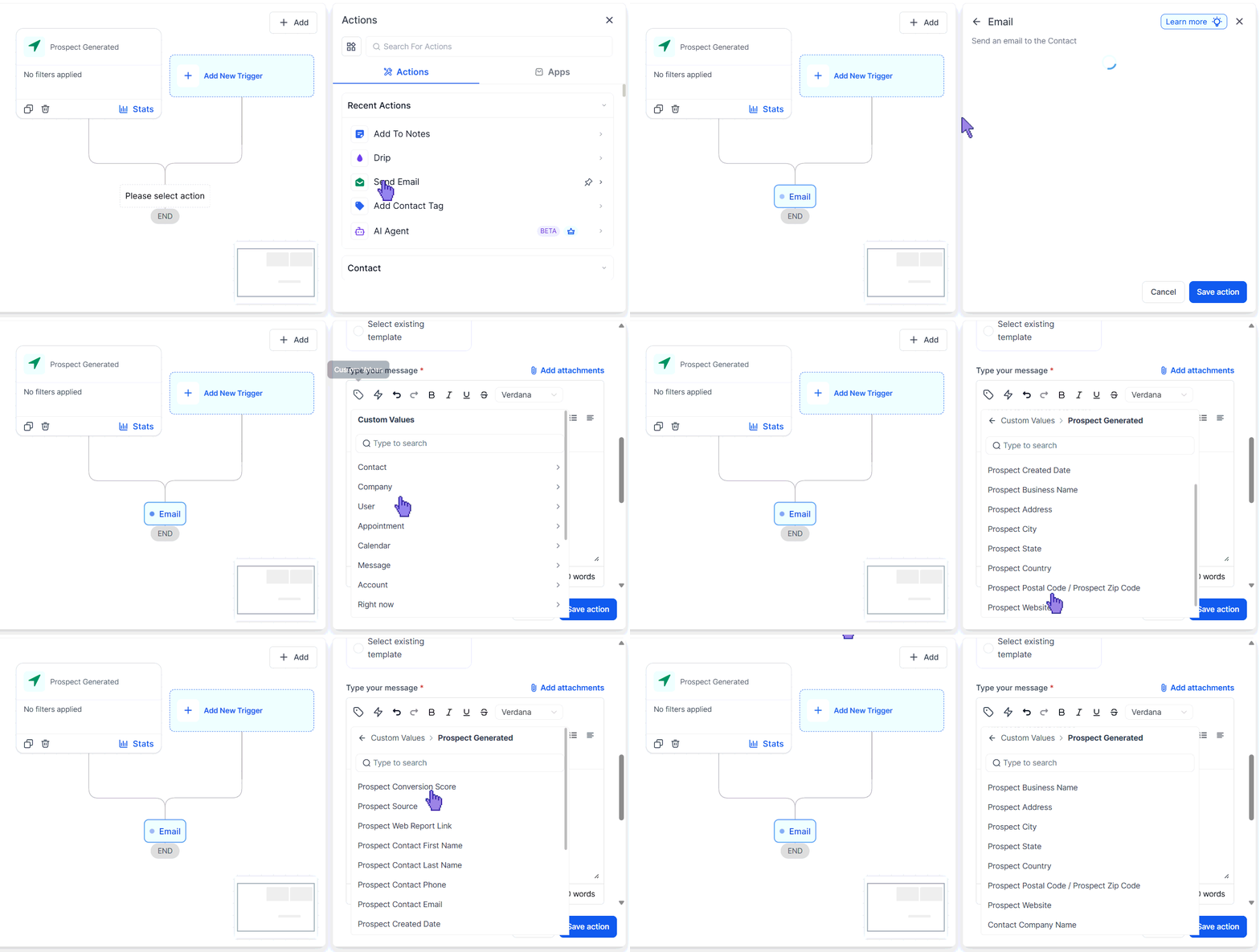
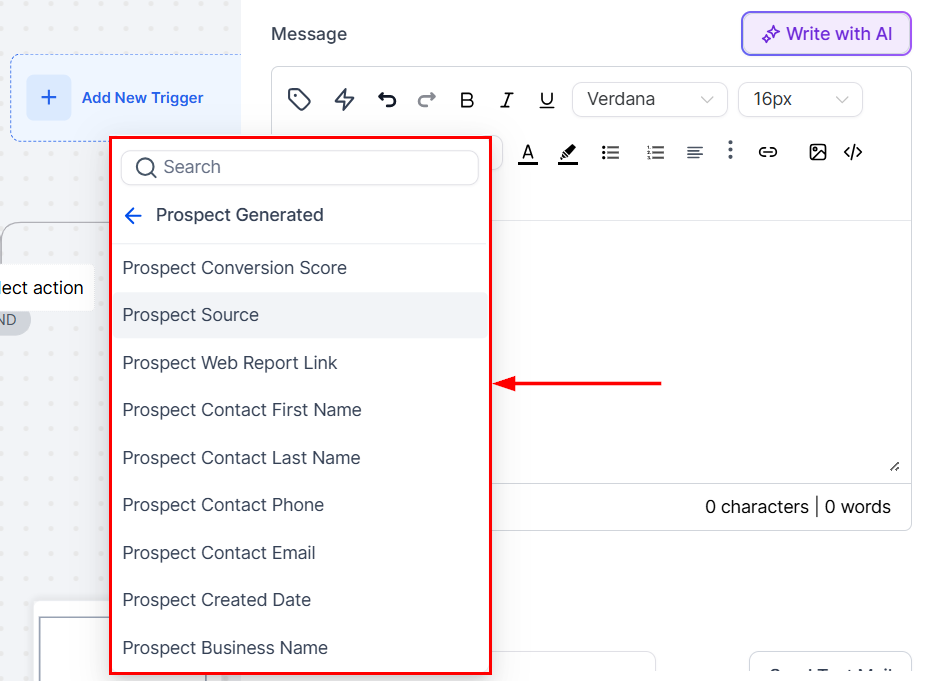
Use other Prospect-related custom values to improve the chances of engagement and stand out from generic outreach attempts.
Create Opportunities
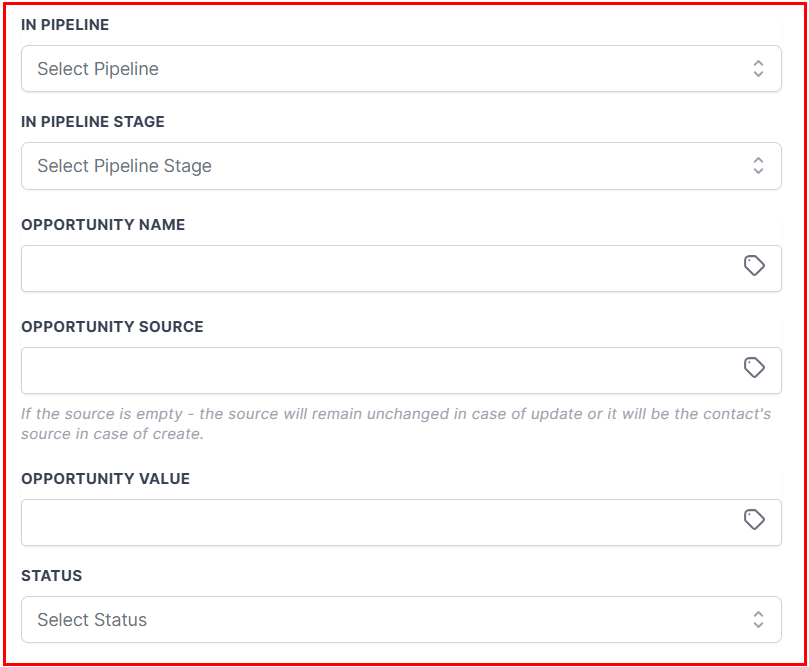
Once a prospect enters the system, you can automatically create an Opportunity in your pipeline. This enables teams to track, qualify, and manage leads without missing a beat.
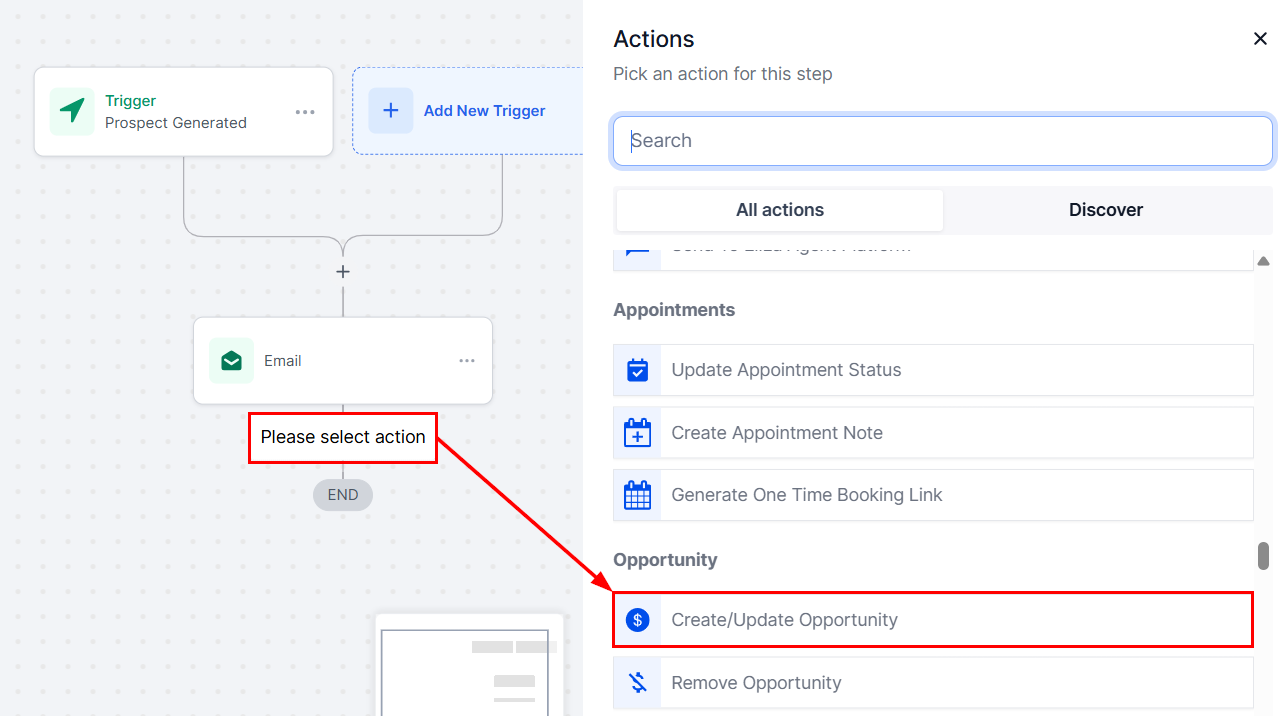
Opportunities can be assigned to specific stages, or pipelines, based on the prospect source or attributes, helping teams prioritize leads and drive conversions more effectively.
By combining automated workflows with dynamic prospecting and personalized reporting, the Prospecting tool empowers teams to work smarter, respond faster, and close more deals.
Not a Funnelbud customer yet?
Try our all-in-one CRM for sales and marketing — free for 7 days, no commitment.