How to Use Locale-Based Currency Formatting in Stores
When selling to a global audience, how prices are displayed can make a big difference. Locale-based currency formatting helps ensure that every visitor sees prices in a format that feels familiar and easy to understand. This creates a smoother shopping experience and reduces confusion during browsing and checkout.
What is Locale-Based Currency Formatting?
Locale-based currency formatting automatically adjusts how prices appear based on a visitor’s region and the page language. Instead of showing standard numeric values, prices follow local conventions such as:
- Thousand separators
- Decimal formats
- Currency symbol placement
This helps visitors quickly understand pricing without needing to interpret unfamiliar formats.
How to Set Up Locale-Based Currency Formatting
Setting up this feature is simple and ensures your store is ready for a global audience:
To get started, go to your store’s settings.
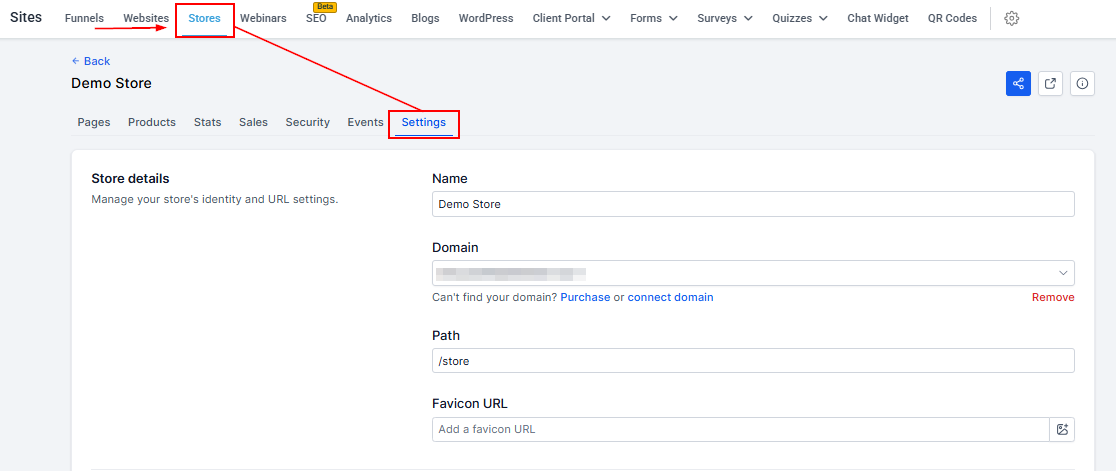
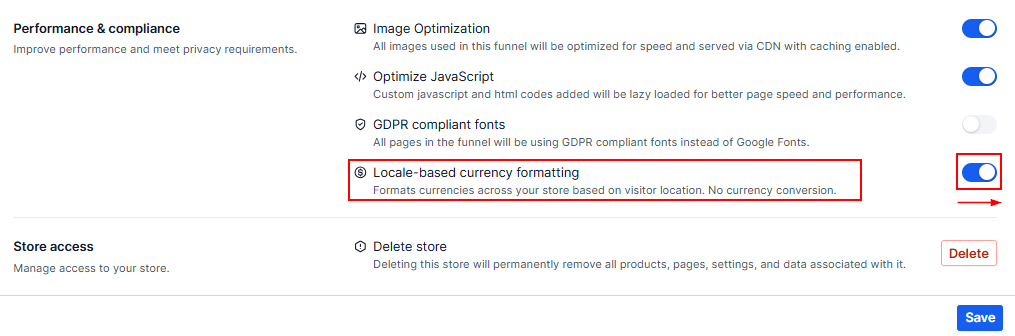
Locate the Locale-Based Currency Formatting option in the performance & compliance section. Turn the feature on and save your changes.
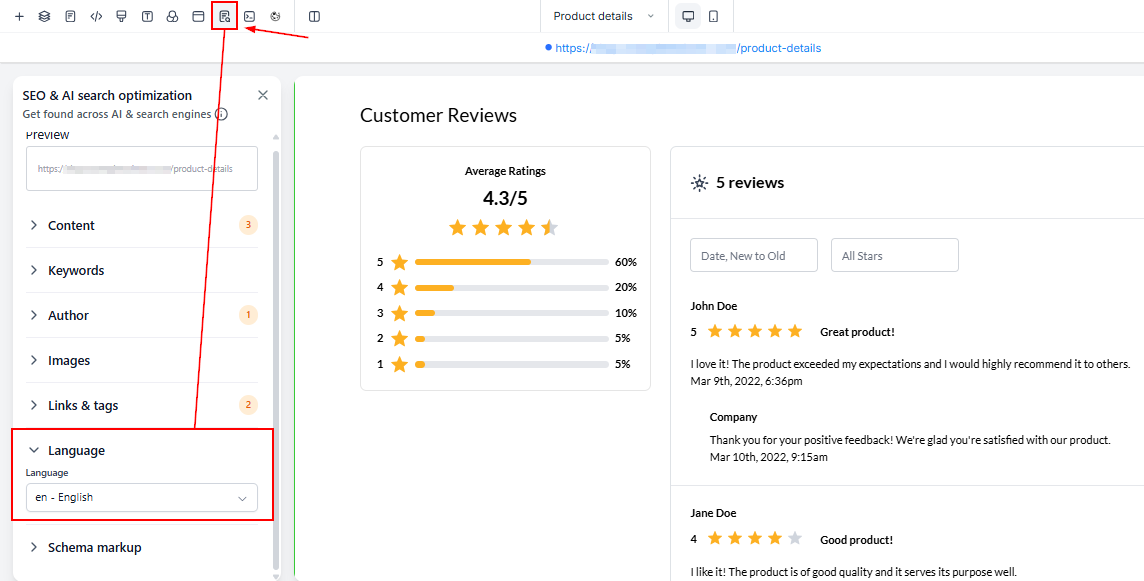
Next, update your page language by opening your store in the builder, then going to the SEO and language settings. Select the correct page language, and save and publish your changes.
How Locale Detection Works
The system determines the correct format using a combination of signals:
- Page language: The selected language sets the base formatting style
- Visitor location: The system refines formatting based on where the user is located
- Fallback behavior: If no data is available, formatting defaults to standard US style
It is important to note that this feature only changes how prices look, not the actual currency value.
Where Formatting is Applied
Locale-based formatting is applied across all key areas of your store to ensure consistency:
- Product listing pages
- Product detail pages
- Cart
- Checkout
- All price displays
This ensures a seamless experience from browsing to purchase.
Locale-based currency formatting helps create a more user-friendly and professional shopping experience for customers around the world. By displaying prices in familiar formats, you can improve clarity, build trust, and make your store more accessible to a global audience without additional complexity.
Frequently Asked Questions
Does this feature convert currencies?
- No, it only changes how prices are displayed.
Why do prices look different for different users?
- Because formatting adjusts based on location and language.
What happens if no location is detected?
- The system uses a default format.
Do I need separate stores for different regions?
- No, one store can support multiple regions using this feature.
Where do I set the page language?
- In your builder’s SEO and language settings.
Not a Funnelbud customer yet?
Try our all-in-one CRM for sales and marketing — free for 7 days, no commitment.