Lesson Completed Trigger
The Lesson Completed trigger initiates a workflow when a contact completes a specific lesson in a course. This is especially useful for tracking granular progress, delivering timely follow-ups, and driving personalized engagement. With optional filters, this trigger ensures workflows are activated only when designated lessons are completed.
Key Benefits of Using the Trigger
- Personalized Engagement: Send targeted recommendations, encouragement, or next steps based on lesson-level progress.
- Real-Time Progress Tracking: No need to wait for full course or category completion—engage learners the moment they finish key lessons.
- Improved Retention: Keep learners motivated with milestone-based rewards or check-ins.
- Flexible Filters: Target specific lessons within specific courses to fine-tune automation logic.
Configuring the Trigger
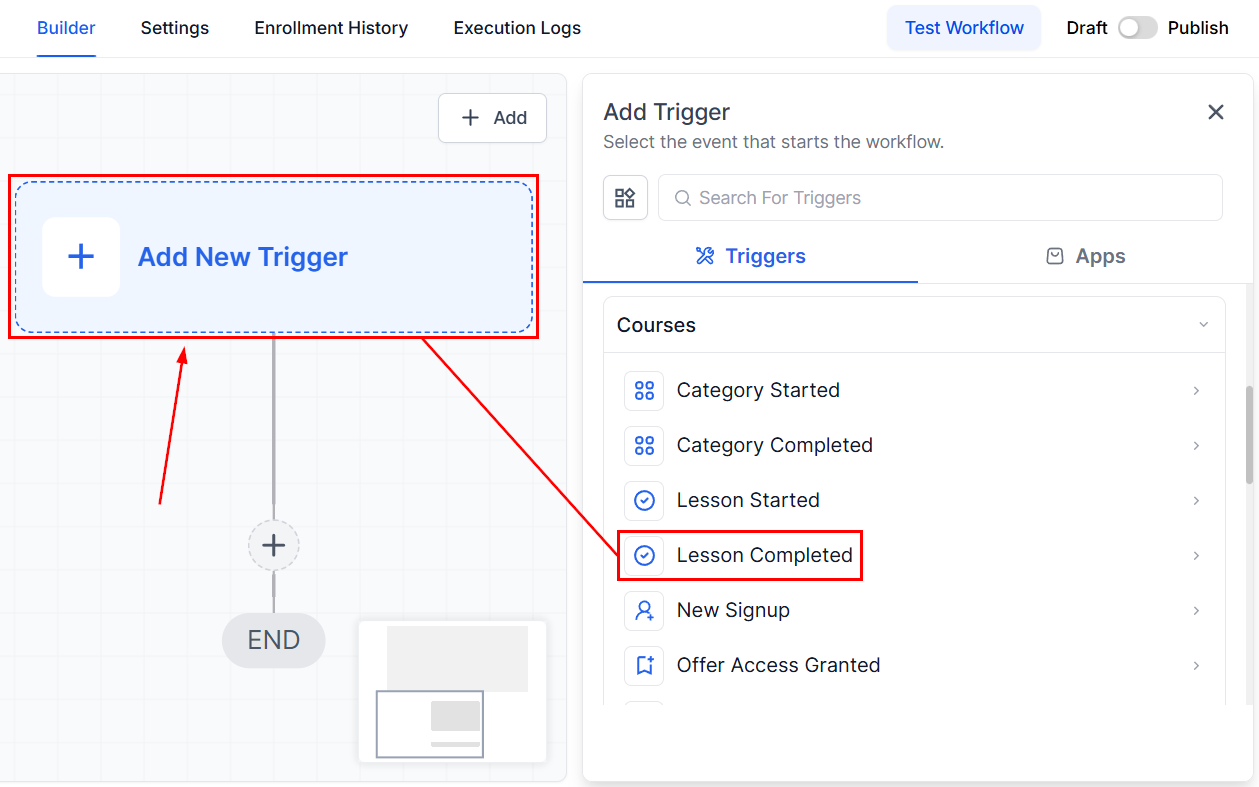
Navigate to your workflow and select Lesson Completed from the list of available triggers.
Name Your Trigger
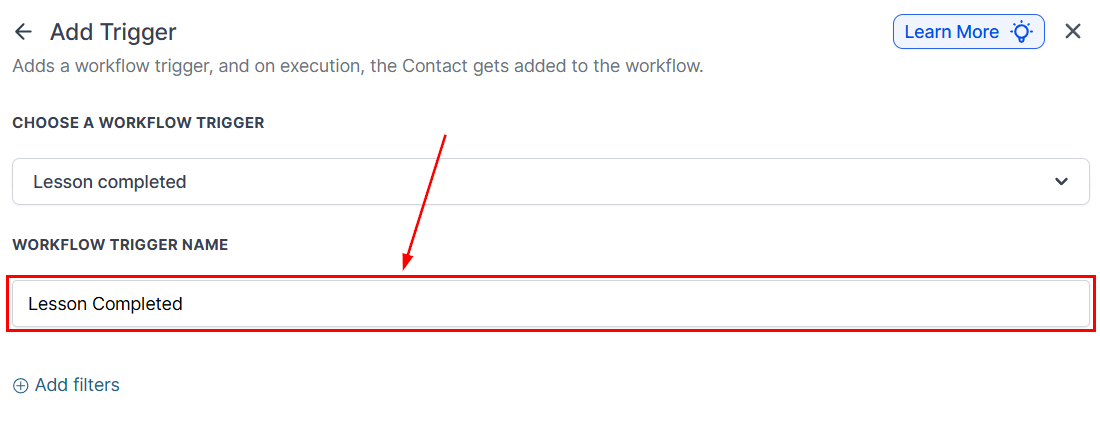
Use a clear, descriptive name that captures the essence of your workflow.
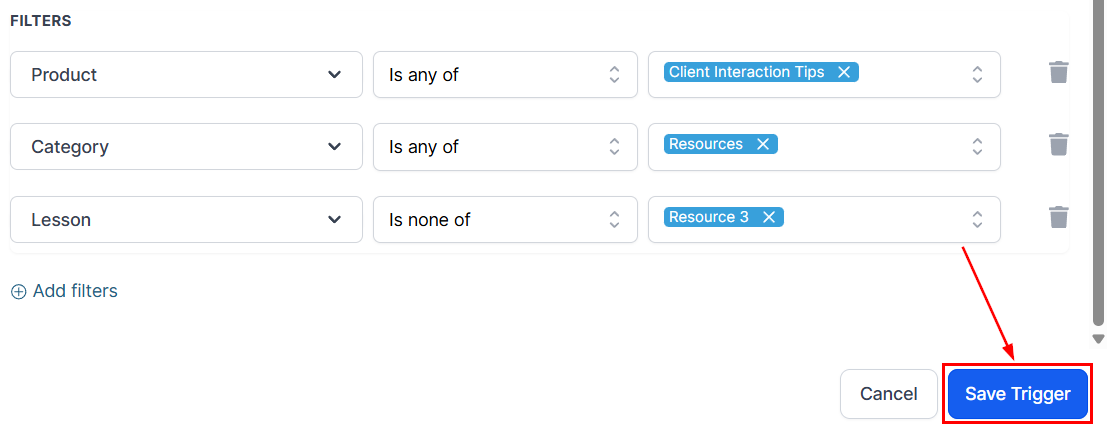
Set Up Filters
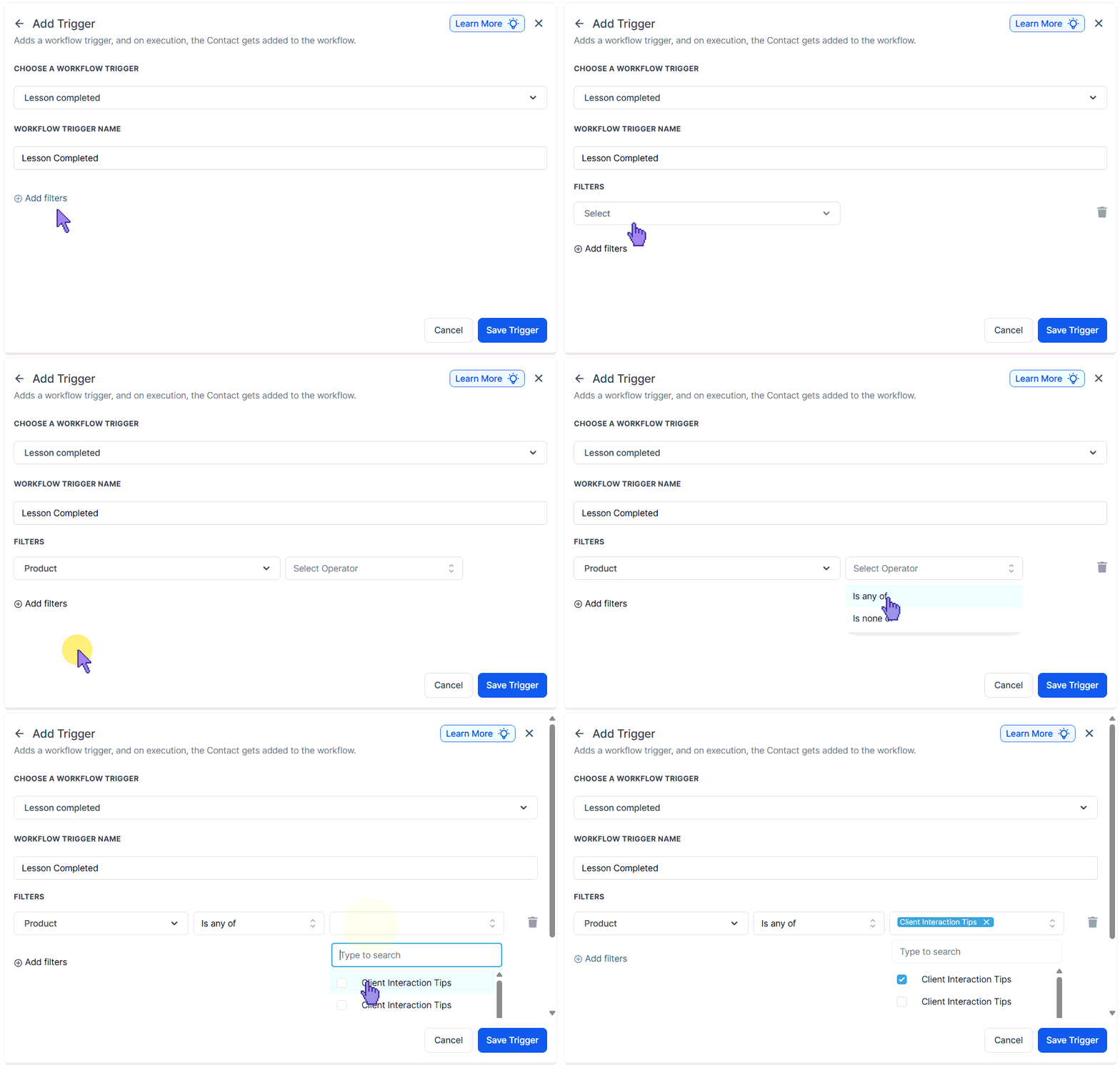
Refine the trigger by selecting specific products to monitor for completion. You can choose to include or exclude products using the “is any of” or “is none of” filters, respectively.
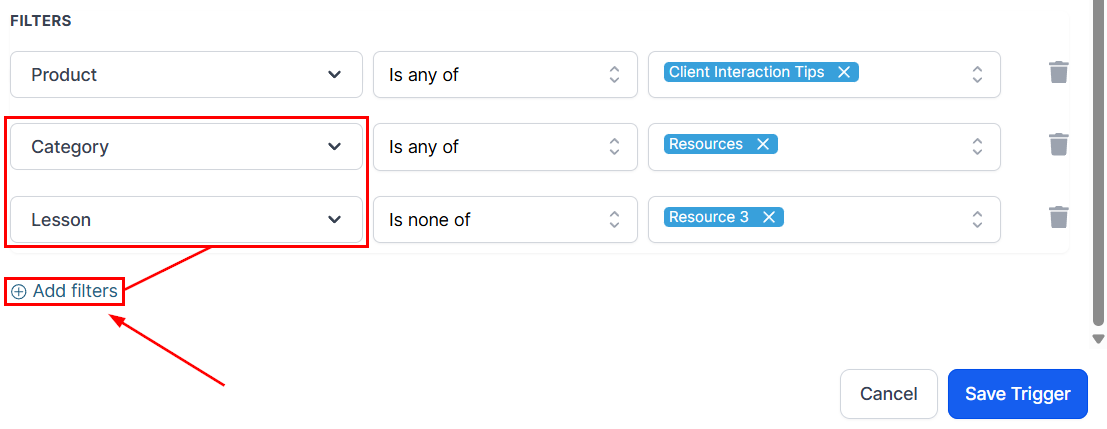
Repeat these steps for the Category and lesson filters to restrict when the workflow will be activated.
Save the Trigger
Review and confirm your setup, then save the trigger.
Finally, test the workflow to ensure it behaves as expected, then activate the workflow so it begins running once the lesson completion criteria are met.
Whether you’re looking to boost engagement, improve learning outcomes, or streamline your post-lesson actions, this trigger offers the flexibility and precision you need. By leveraging its full potential—and combining it with strategic filters and workflow actions—you can deliver meaningful experiences that keep your audience motivated and progressive.
Frequently Asked Questions
Q: Can this trigger be used for multiple lessons in one course?
- Yes. You can create separate triggers for each lesson or use filters to target specific lessons individually.
Q: Will it trigger again if a user retakes the same lesson?
- Yes, the workflow will trigger each time the lesson completion conditions are met.
Q: Can I target lessons across multiple courses?
- Yes, you can set filters to monitor specific lessons in different courses for greater flexibility.
Not a Funnelbud customer yet?
Try our all-in-one CRM for sales and marketing — free for 7 days, no commitment.