Company Bulk Action
Managing contacts across multiple companies can be time-consuming, but the Company Bulk Action streamlines this process by allowing you to add, update, or remove contacts in just a few clicks. Designed for efficiency and accuracy, this feature helps you maintain organized records and strengthen your engagement with clients. In this guide, we’ll walk you through each step to make the most of this powerful tool.
How It Works
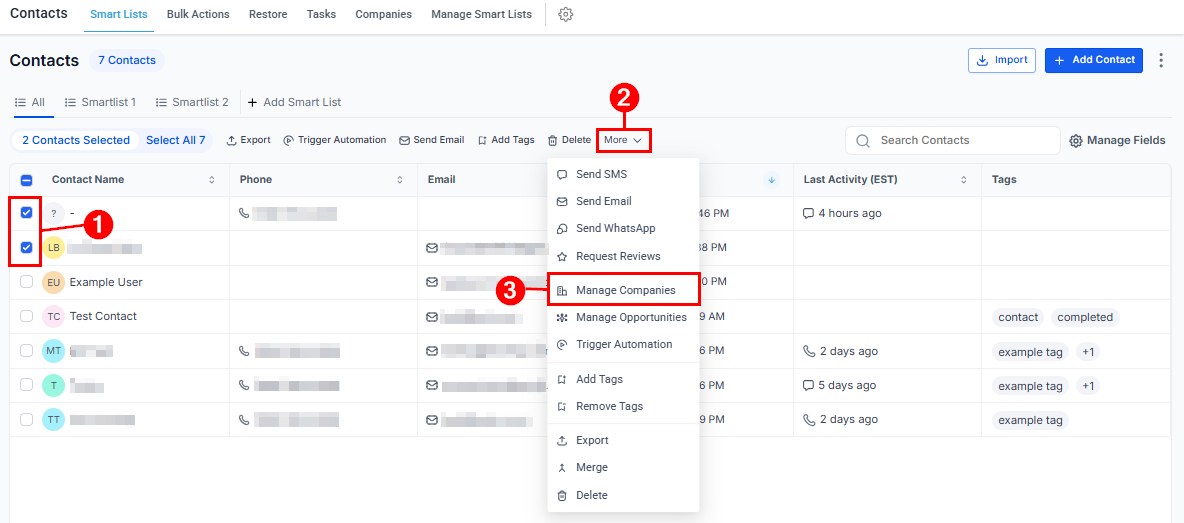
Navigate to the Smart Lists page within your dashboard and select the contacts you wish to manage. Then, open the More dropdown menu and choose the Manage Opportunities option.
Input Details and Submit
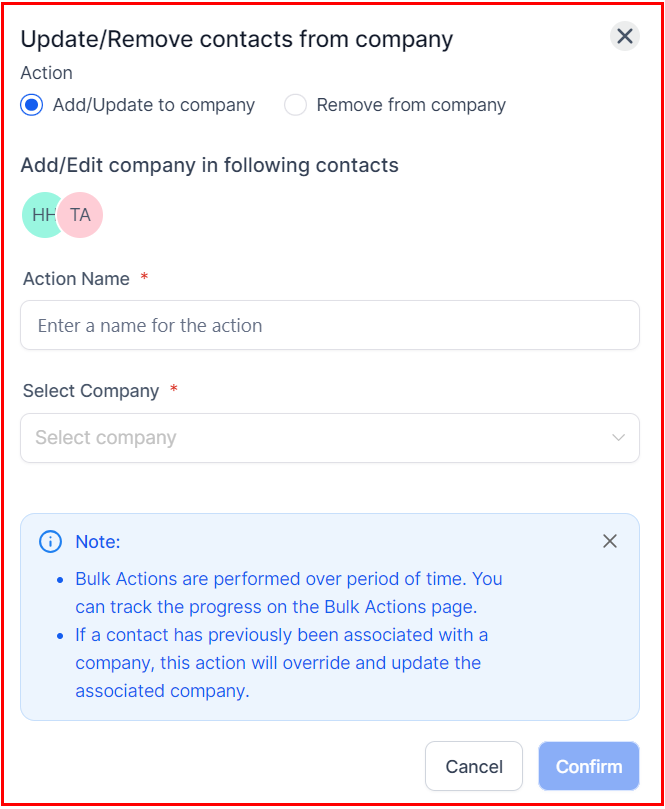
Choose whether to add or update a company record, or to remove the selected contacts from the associated companies. Next, provide a name for the action and select the appropriate company if you are adding one. Once all required fields are completed, click Confirm to finalize the process.
Check the Stats
Review the action’s outcome under Contacts > Bulk Actions.
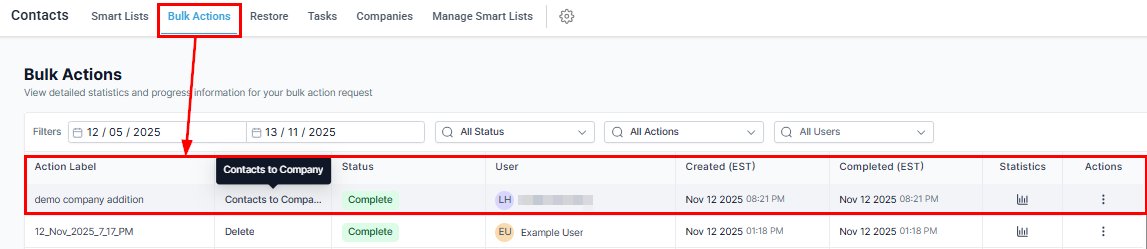
By leveraging the Company Bulk Action, you can efficiently manage your contacts while keeping your company records up to date. After completing your actions, don’t forget to review the results under Contacts > Bulk Actions to ensure everything is accurately applied. With this functionality, maintaining organized, actionable data has never been easier.
For more information on Companies, please refer to the Companies Overview article!
Not a Funnelbud customer yet?
Try our all-in-one CRM for sales and marketing — free for 7 days, no commitment.