How to Integrate Google
The integration between your Google accounts and CRM opens up a whole world of opportunities. With a single login, you will have access to Google Workspace (Gmail SMTP) and Google Drive, as well as the data in both Google Ads and Google Analytics. Conveniently manage different aspects of these products with ease in one place.
Sign in to Google
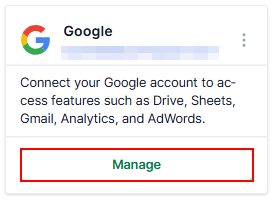
To begin connecting your Google account, navigate to the Integrations section within your account settings. Next, click on the ‘Connect’ button within the Google tile.
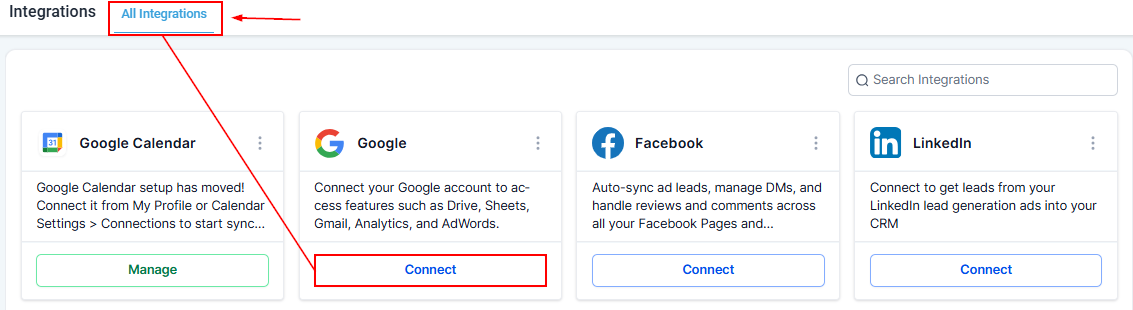
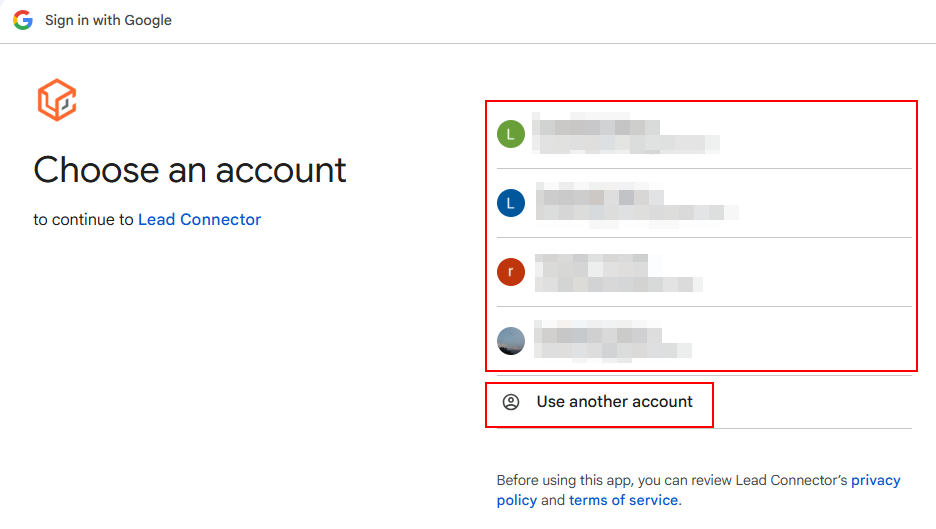
Upon doing so, you will be required to choose the account you wish to integrate or enter the email and password after clicking the “Use another account” option.
Follow the prompts and review the permissions to get connected.
Once your credentials have been authenticated, you will be redirected back to the CRM, where your connected account will now be visible.
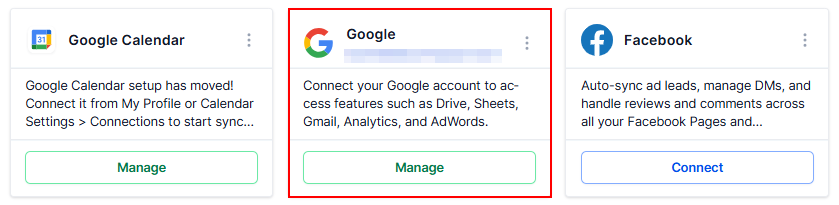
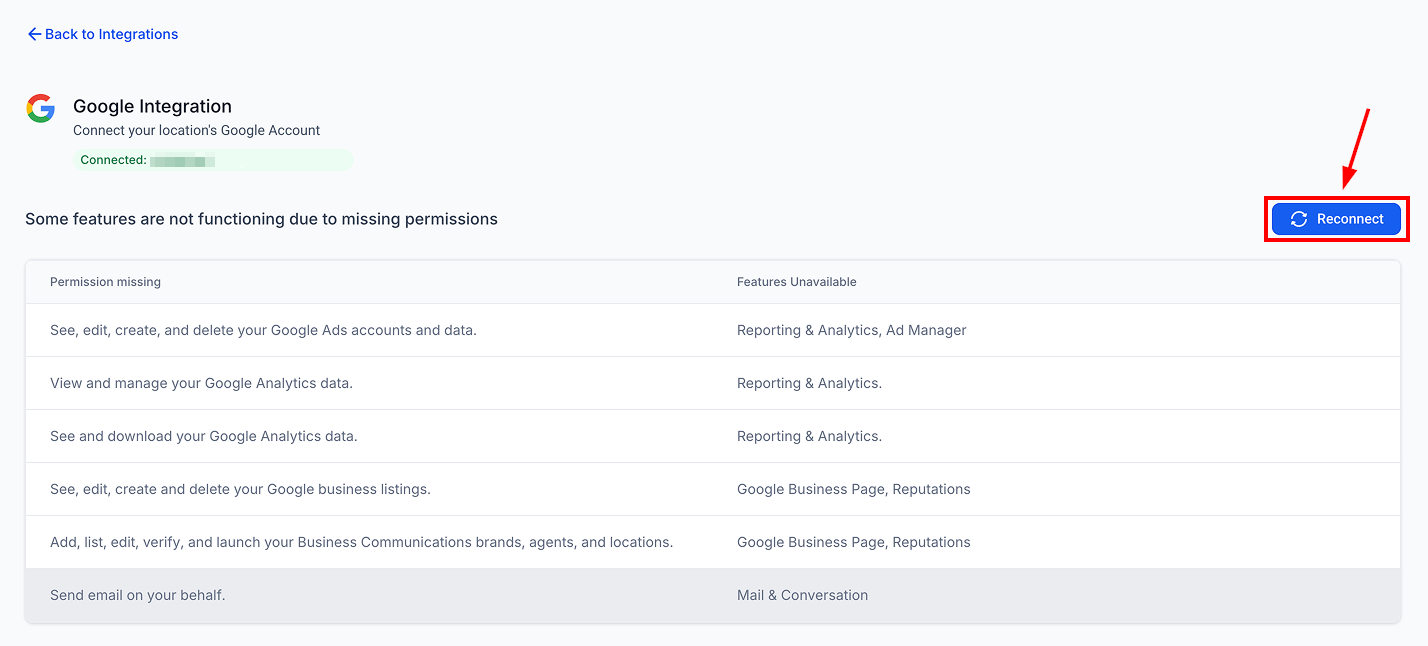
If any required permissions are missing, a warning badge will be displayed on the Google integration card.
Click the message to review the missing scopes and affected features, then click Reconnect.
Managing Your Integration
Click the Manage button to access various features for your account.
Adding Multiple Accounts
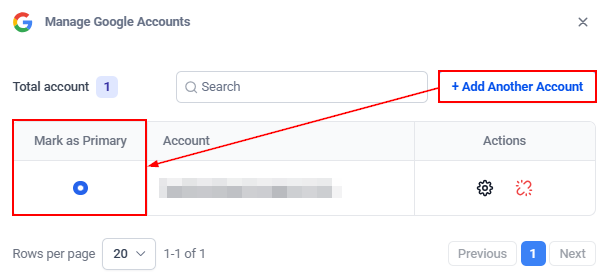
Click the “Add Another Account” button to integrate multiple Google accounts. Once you have done so, choose which account should be primary using the radio-select button.
Disconnecting Google
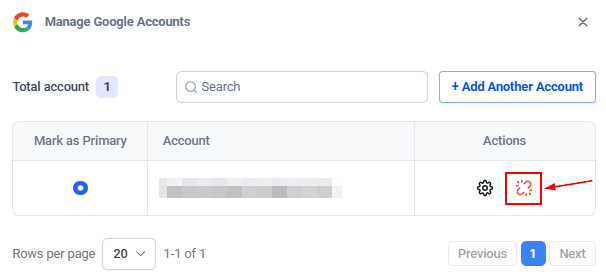
To disconnect your account, click the “de-link” icon and follow the prompts to confirm the disconnection. This process will sever the link between your account and the integrated service, ensuring that no further data or interactions occur between them.
Selecting Analytics account
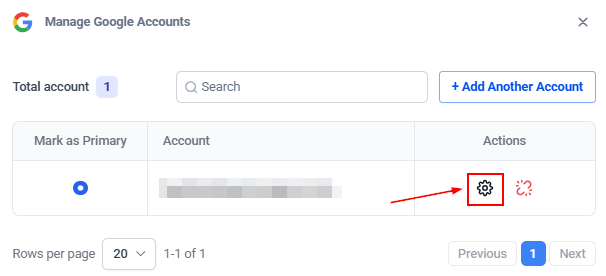
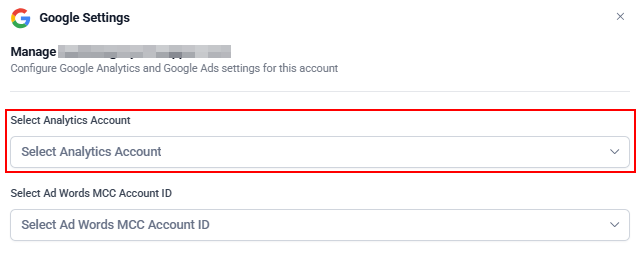
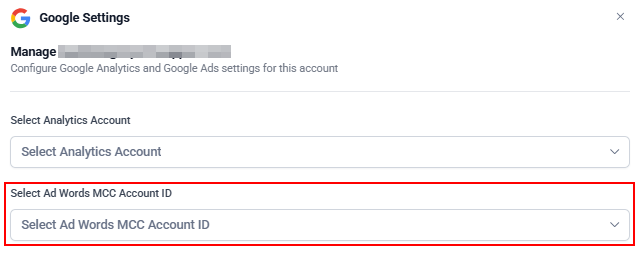
Click the gear icon to select your Analytics and MCC account.
Next, select the Analytics account from the dropdown.
Selecting MCC Account
Then, select your AdWords MCC Account ID from the dropdown menu and verify that it corresponds to the correct Google Ads account by checking the customer ID menu within Google Ads.
By connecting services such as Google Workspace, Google Drive, Google Ads, and Google Analytics, you consolidate various functions into a single platform, enhancing efficiency and accessibility.
Not a Funnelbud customer yet?
Try our all-in-one CRM for sales and marketing — free for 7 days, no commitment.