Conversation AI Agents Overview
Effectively managing AI agents is essential for maintaining seamless workflows and achieving consistent results. With a user-friendly interface and a range of actions available directly from the menu, managing agents has never been simpler. From creating new agents to duplicating or setting a primary agent, these tools empower you to handle tasks with ease and efficiency.
You can access this tab in the AI Agents section of your account.
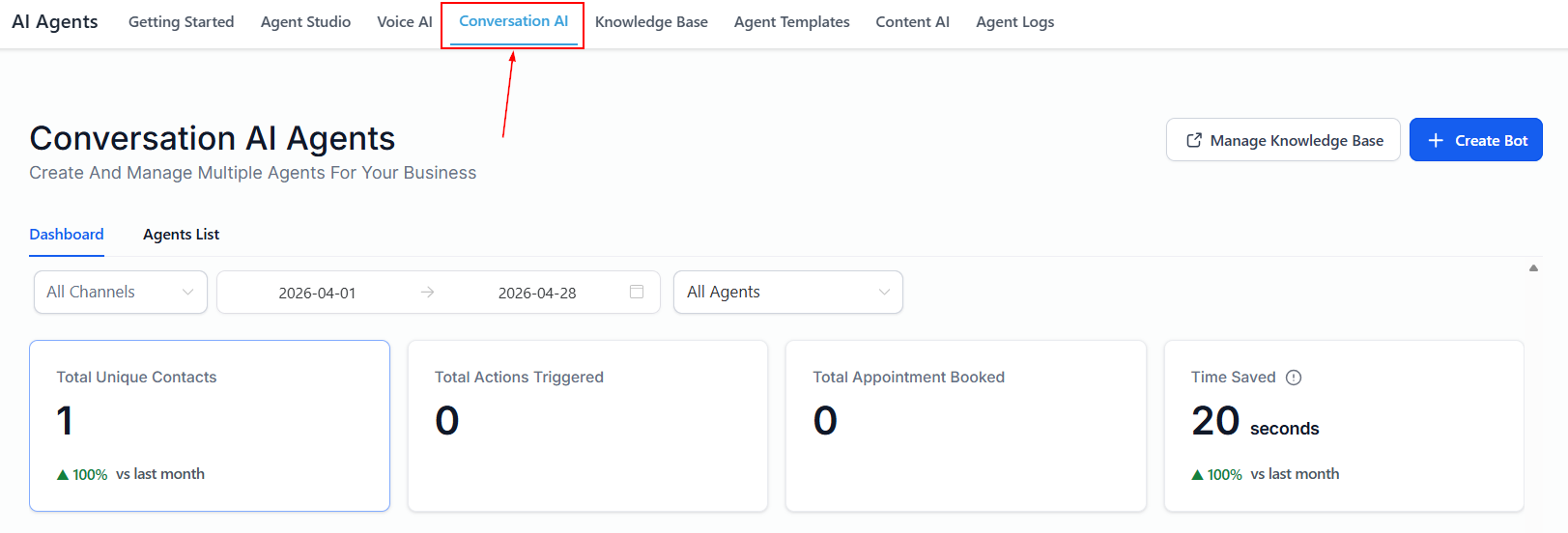
Create AI agent
Begin by setting up a new AI agent tailored to your specific business needs by clicking the “+Create agent” button.
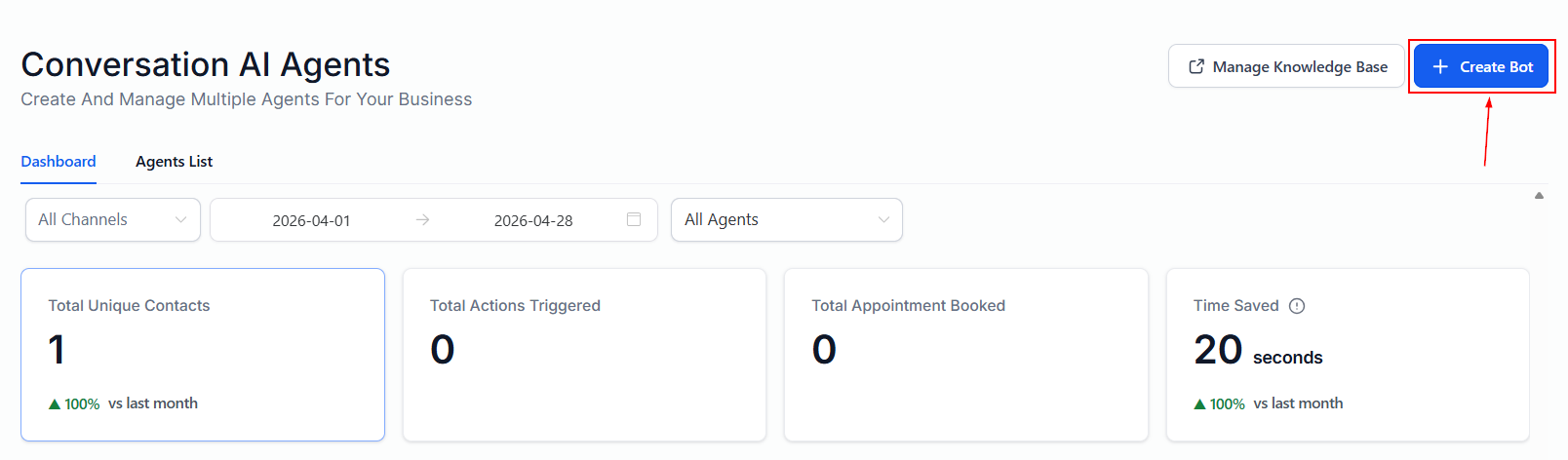
Dashboard
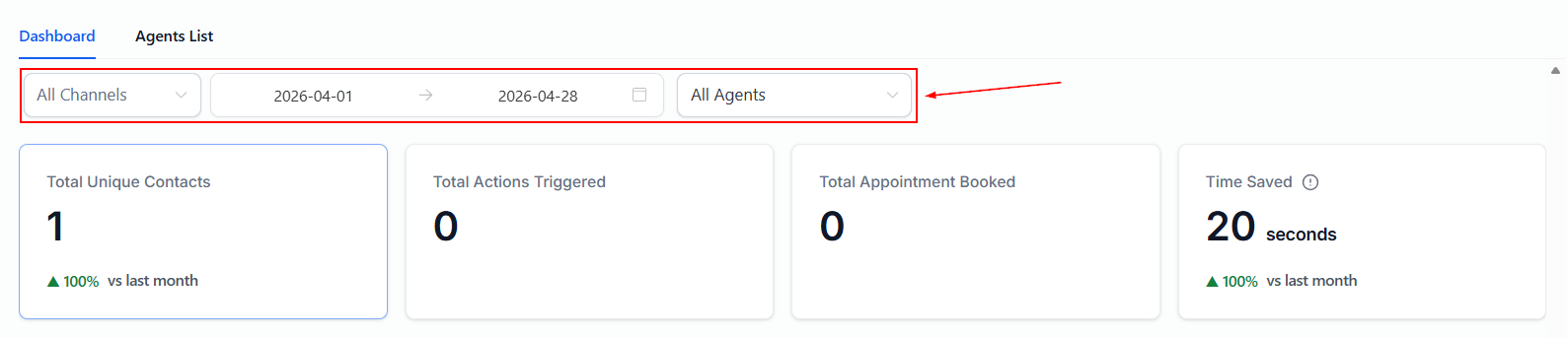
Filters
After your bot is activated, you can view metrics by channel, date, or the specific agent by applying the desired filters at the top of the dashboard.
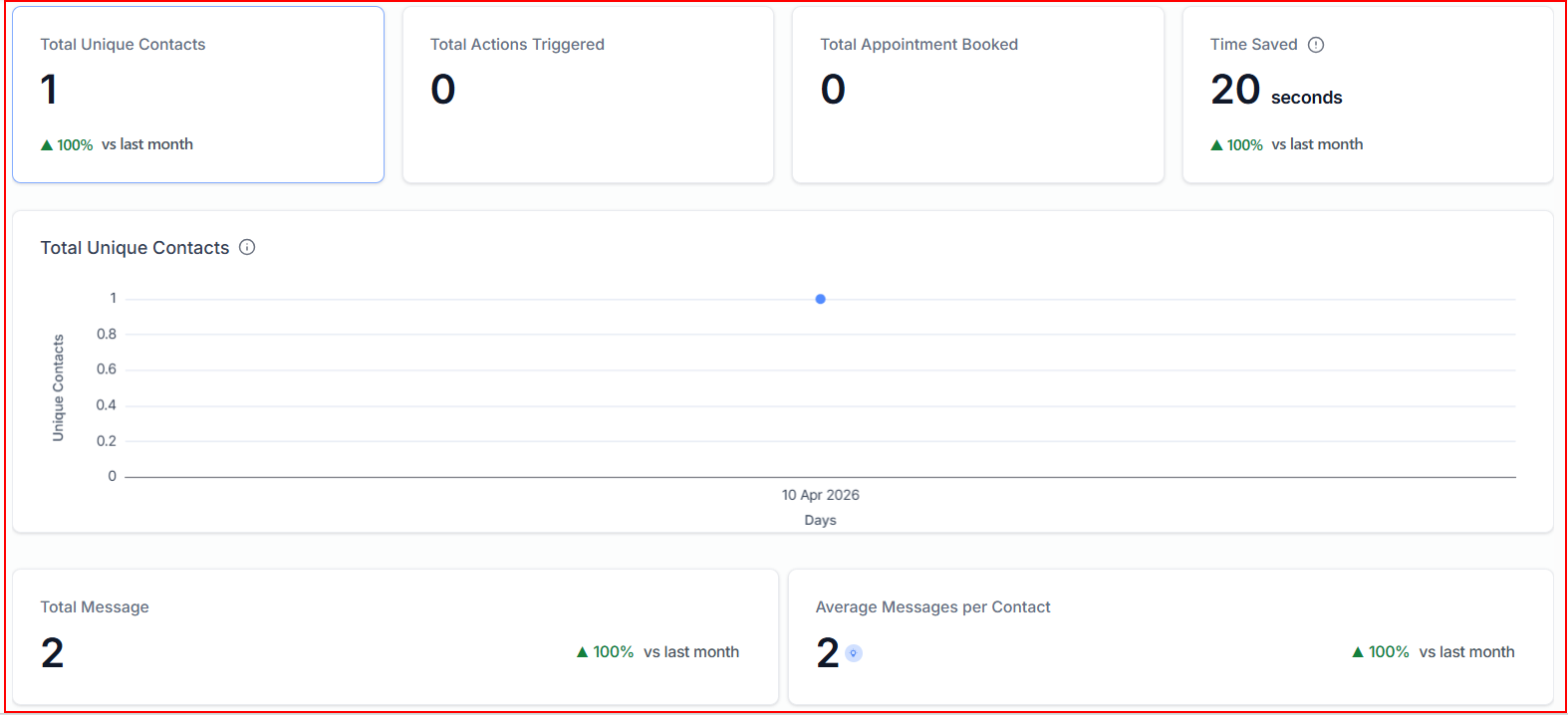
Dashboard Metrics
- Total Unique Contacts: Displays the number of distinct individuals who have interacted with the system within the selected time period.
- Total Actions Triggered: Shows how many automated actions were executed based on user interactions.
- Total Appointments Booked: Indicates how many appointments were successfully scheduled through the conversation system.
- Time Saved: Estimates the amount of time saved through automation instead of manual responses.
- Total Unique Contacts (Graph): A visual representation of unique contacts over time.
- Total Messages: Displays the total number of messages exchanged between users and the system.
- Average Messages per Contact: Calculates the average number of messages sent per unique contact.
Total Conversations Table
- Contact Name: Displays the name of the contact involved in the conversation. If the contact has been removed, it will be marked as deleted.
- Channel Name: Indicates the platform or communication channel where the conversation took place (e.g., Instagram, SMS, email, etc.).
- Agent Name: Shows which agent handled the interaction.
- Last Message Date & Time: Displays the most recent timestamp of activity in the conversation, helping track when the last interaction occurred.
- Actions: Provides available actions for each conversation, such as viewing a summary or accessing additional details about the interaction.
- Select Contact: A dropdown filter that allows you to search for and view conversations associated with a specific contact.

Agents List
Search Agent
Locate any agent quickly using the search feature. Simply type the agent’s name into the search bar, and the system will display the relevant results.
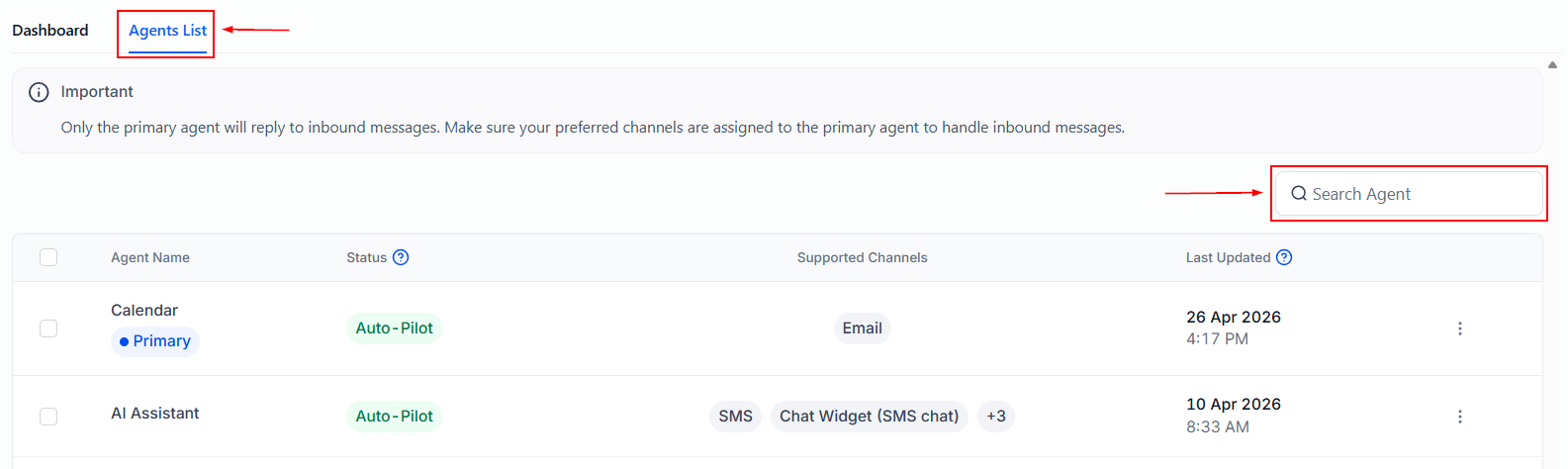
AI Agent Table
The AI Agent Table provides a clear overview of your agents, displaying key details to help you monitor and manage them efficiently:
- Agent Name: Easily identify each agent by its assigned name.
- Status: Check whether an agent is active, inactive, or in setup mode.
- Supported Channels: View the channels the agent is integrated with, such as chat, email, or voice.
- Last Updated: Keep track of when the agent was last modified to ensure it’s running with the latest updates.

Action Menu
The agent menu offers several actions to help you efficiently manage your agents without unnecessary navigation. These options include:
- Edit: Use the Edit option to update or modify an agent’s configuration as needed.
- Duplicate Bot: When managing multiple agents, the ability to duplicate them saves time and effort. The duplicated agent will inherit the following settings: Agent Mode set to Off, an Agent Name prefixed with “Copy - [Original agent Name]”, and a complete replication of Business Name, Goals, Prompt, Channels, Settings, and Custom Actions from the original agent.
- Open in a new tab: Quickly open an agent in a new browser tab to work on it without disrupting your current view.
- Set as Primary: The new Set as Primary button enables users to designate an agent as primary directly from the agent list view page, maintaining consistency with the existing Set as Primary flow.
- Delete: Easily remove any agent you no longer require.
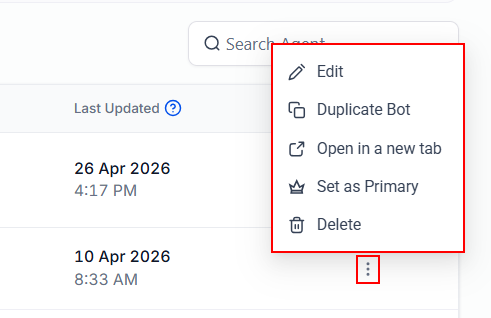
Managing AI agents has been simplified with tools that prioritize efficiency and ease of use. Whether creating, editing, or duplicating agents, these features are designed to save time and reduce complexity.
Not a Funnelbud customer yet?
Try our all-in-one CRM for sales and marketing — free for 7 days, no commitment.