Payment Receipts
Automatic Receipts make it effortless for businesses to send receipts to customers when they make purchases through order forms. This feature covers various types of purchases, including primary, bump, and upsell orders on both 1-step and 2-step order forms. It also works for subscriptions, payments for calendar appointments, and invoice payments. By automating the receipt process, we aim to simplify your workflow and improve the overall customer experience.
Delivery of Receipts
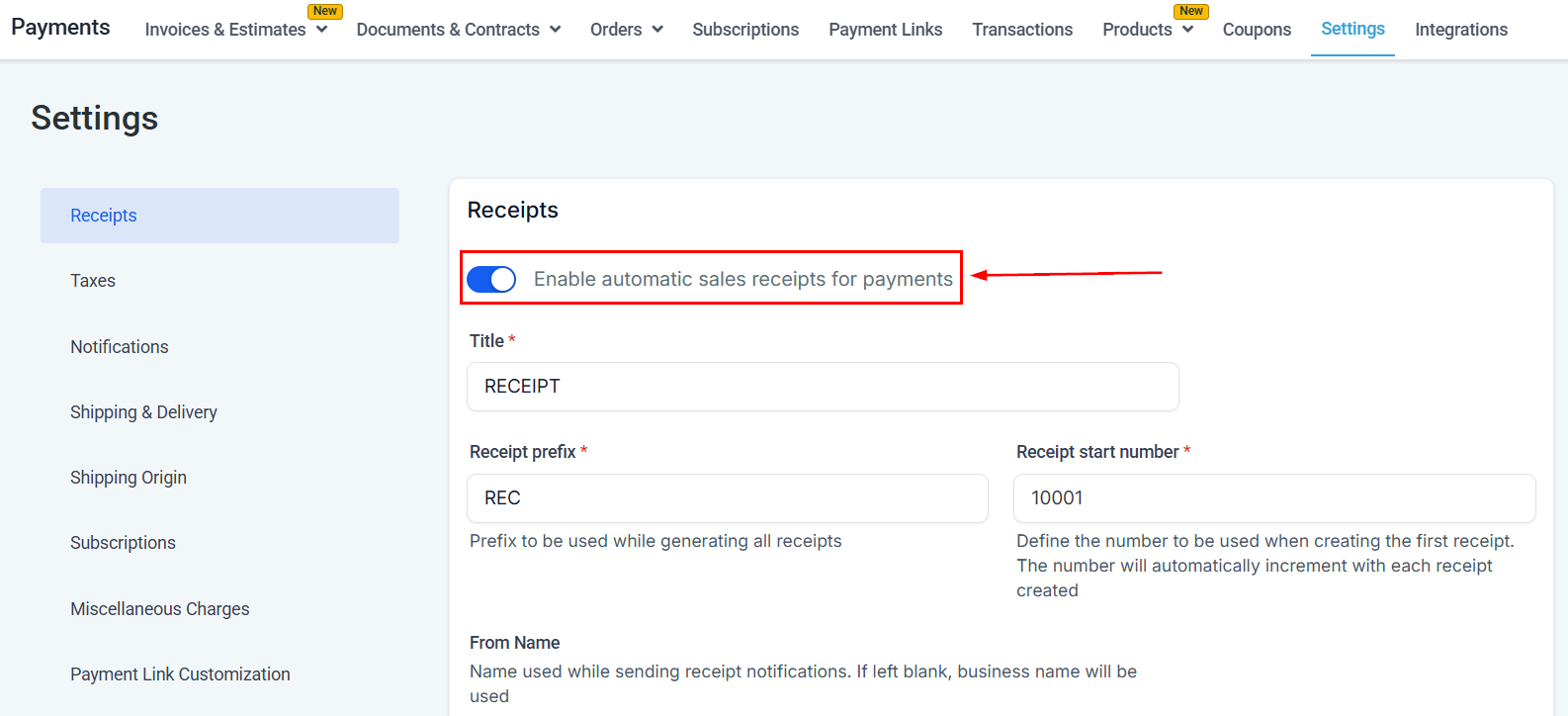
Automatic Receipts ensure a seamless delivery process. Receipts will be sent as downloadable PDF files attached to an email directly to the customer’s email address. This convenient delivery method allows customers to easily access and save their receipts for future reference. First, navigate to the Payments section of your account, then head to Settings. Next, toggle on the “Enable Automatic Sales Receipts for Payments” feature.
Customizing Your Sales Receipts
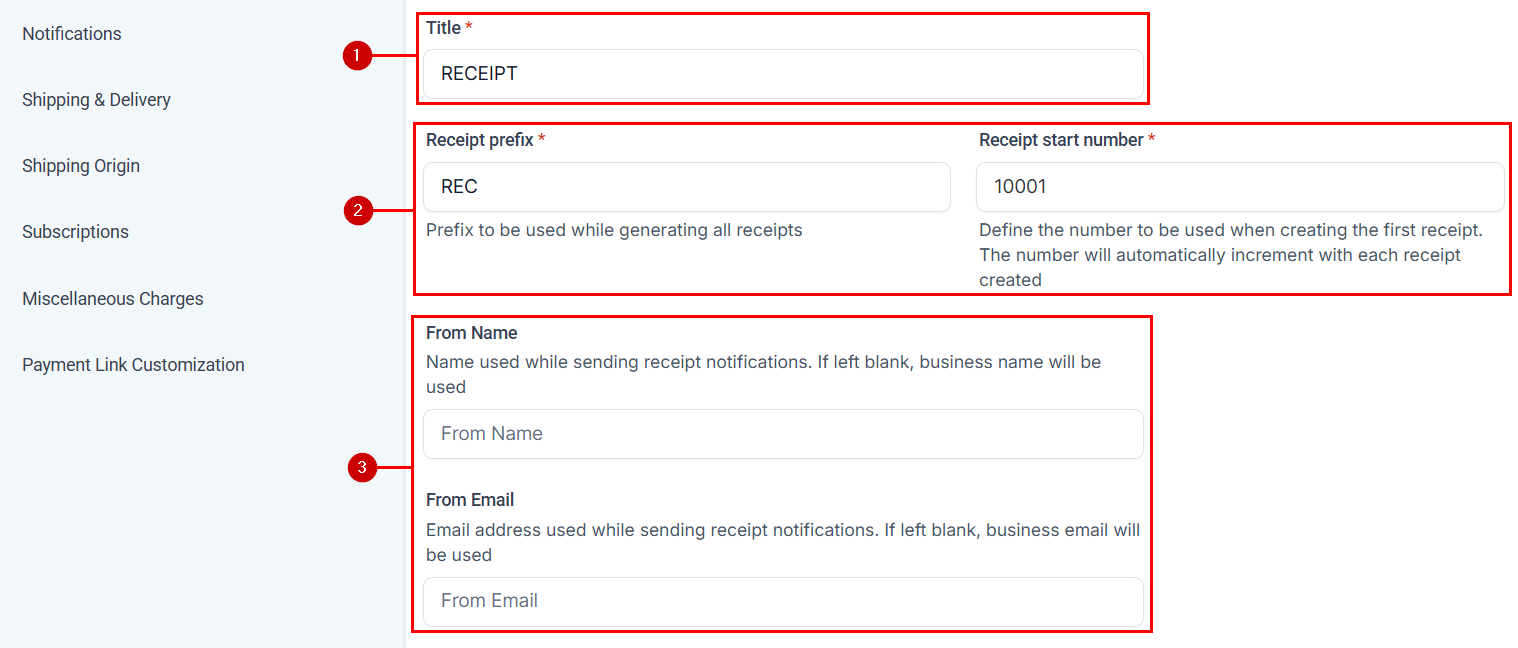
- Custom Title: You can customize the title of your receipt to add a personal touch that aligns with your brand.
- Receipt Prefix and Start Numbers: To keep your records in order, you have the option to assign a prefix and initial number to your receipts. This makes it easier to track and manage transactions.
- From Name and From Email: Add a from name and email to help recipients identify the source of the receipt.
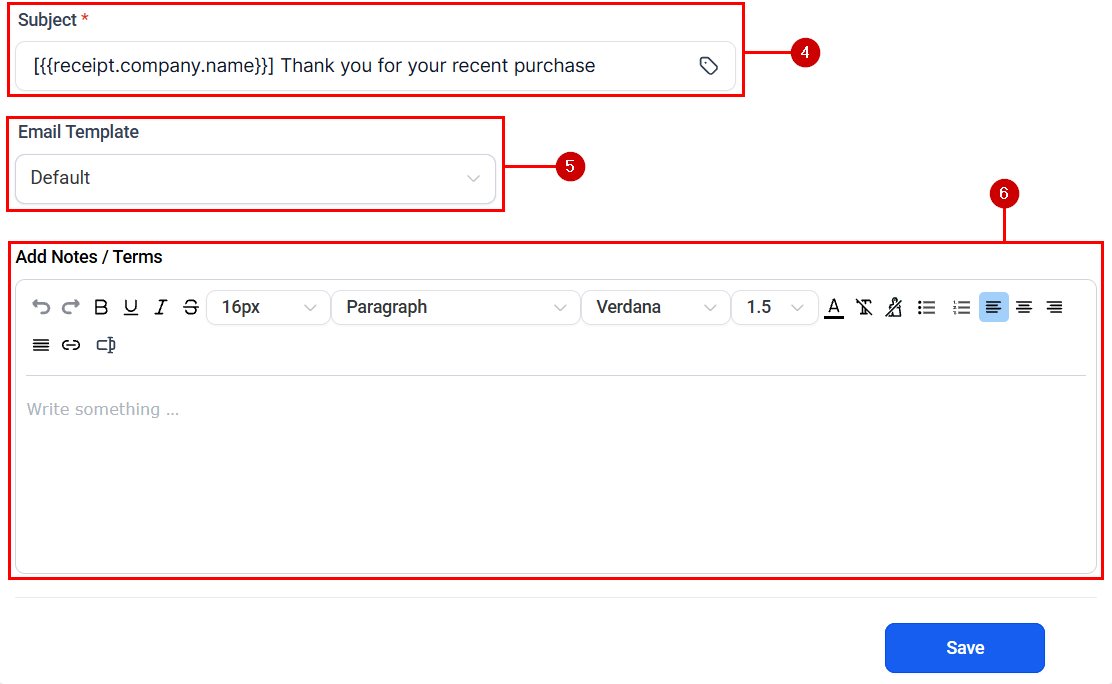
4. Subject: Create a captivating subject line using custom values for enhanced personalization. This will empower business owners to have more control over how receipts are sent out.
5. Email Template: Customizing the email templates for sending customer receipts lets you reflect your brand’s identity. With this feature, you can design and adjust the content of the email according to your preference, creating a professional and consistent experience that your customers will appreciate.
6. Notes / Terms: Provide clear information about payment terms, add personalized notes or messages, and include specific payment instructions or important reminders in receipt terms and notes.
Leveraging Custom Templates
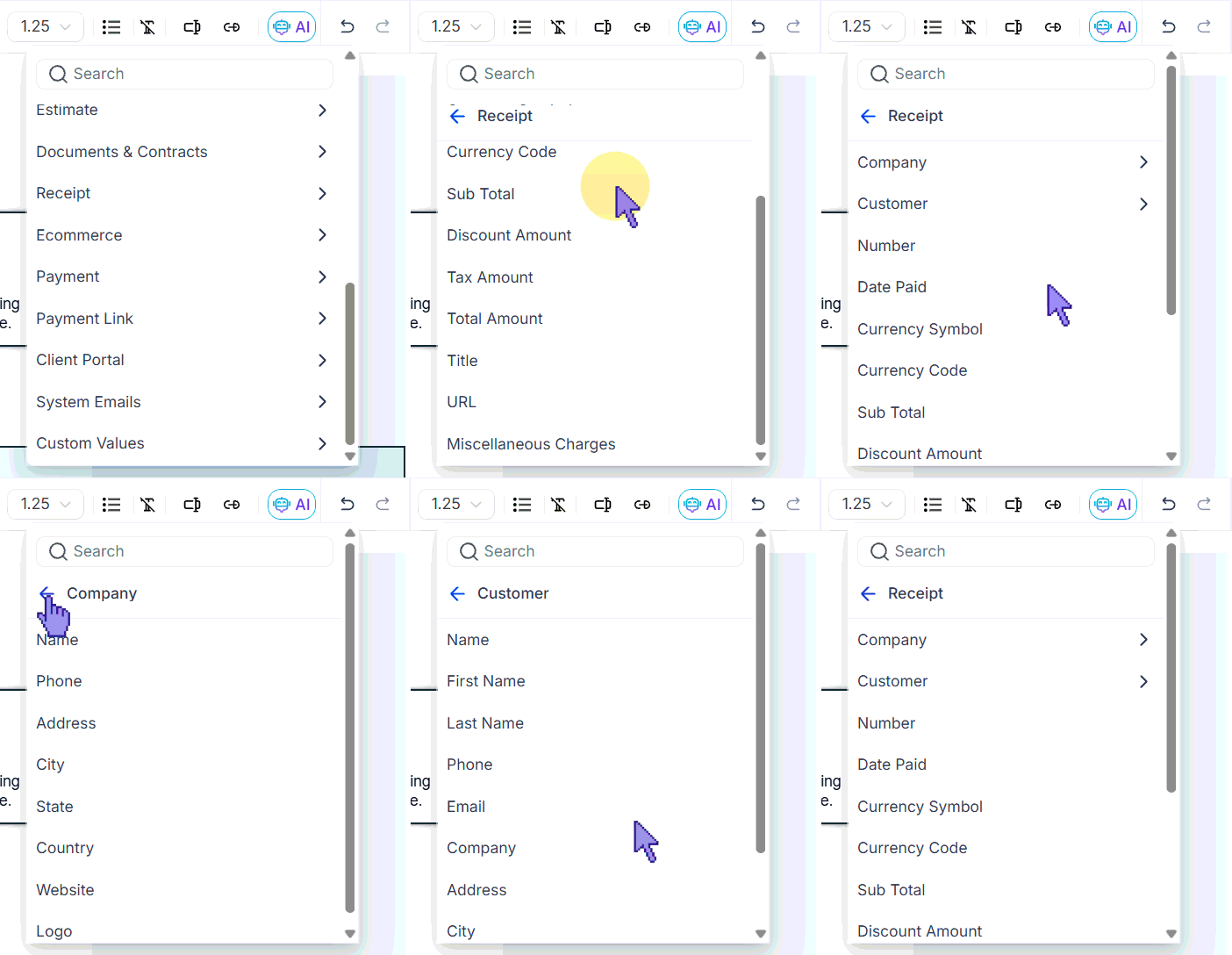
You can create personalized and branded templates with receipts using custom values available within our email builder. This allows you to craft visually appealing and professional receipts that align with your business’s unique style.
Enabling Sales Receipts simplifies the way businesses confirm transactions and provides a seamless experience for customers. Customization options empower you to maintain your brand’s identity while ensuring efficient delivery to customers. This feature is designed to enhance customer satisfaction, making it a valuable addition to your business toolkit.
Frequently Asked Questions (FAQs)
Q: How do I enable Automatic Receipts for my business?
- Enabling Automatic Receipts is simple. Access the Settings page under the Payments menu, navigate to the Receipts section, and turn the toggle on to enable automatic receipts.
Q: Can I customize the content of the receipts?
- The content of the receipts is automatically generated based on the transaction details, along with coupon discount, if applicable. However, you can customize the title, receipt numbers, and email template to add your personal touch.
Q: Will the successful invoice payment notifications still go to my customers even if I enable sales receipts?
- No, if automatic sales receipts are turned on, customers would be receiving the template used for sending receipts, and the option to set a template for invoice payment success notifications would not be available. We recommend using the sales receipts for invoice payment notifications.
Q: Can I change the start number after creating a few receipts?
- Users can increase the start number at any point in time; however, the receipt start number cannot be decreased once a receipt has been generated in the system. No number can be used twice to generate a receipt.
Not a Funnelbud customer yet?
Try our all-in-one CRM for sales and marketing — free for 7 days, no commitment.