Messaging Error Trigger
The “Messaging Error – SMS” trigger is a powerful automation tool that enables you to initiate workflows in response to failed SMS delivery attempts. When an SMS message cannot be delivered, the system generates a specific error code indicating the reason for failure, ranging from invalid numbers to carrier issues or blocked content. Read on to learn more about this trigger and the steps to add it to your workflow.
Implementing the Messaging Error Trigger
To add this trigger to your workflows, go to the Automation > Workflows tab. From there, either choose an existing workflow or create a new one.
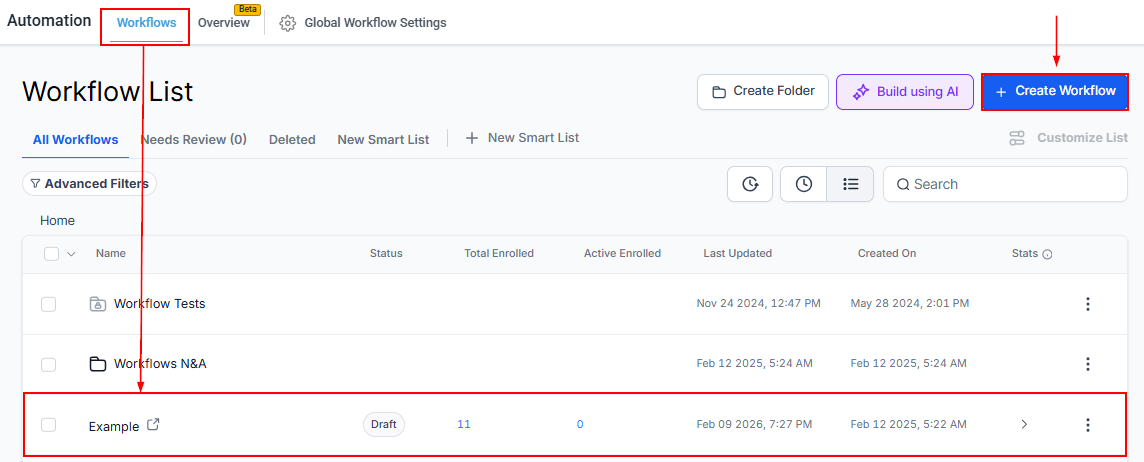
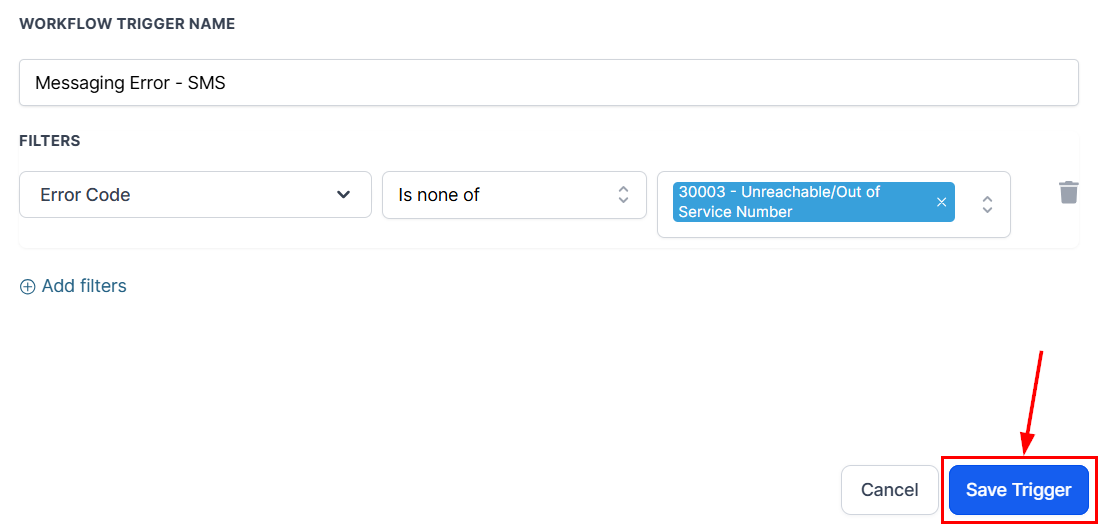
Next, click the “Add New Trigger” button and search and select “Messaging Error - SMS” as the trigger event.
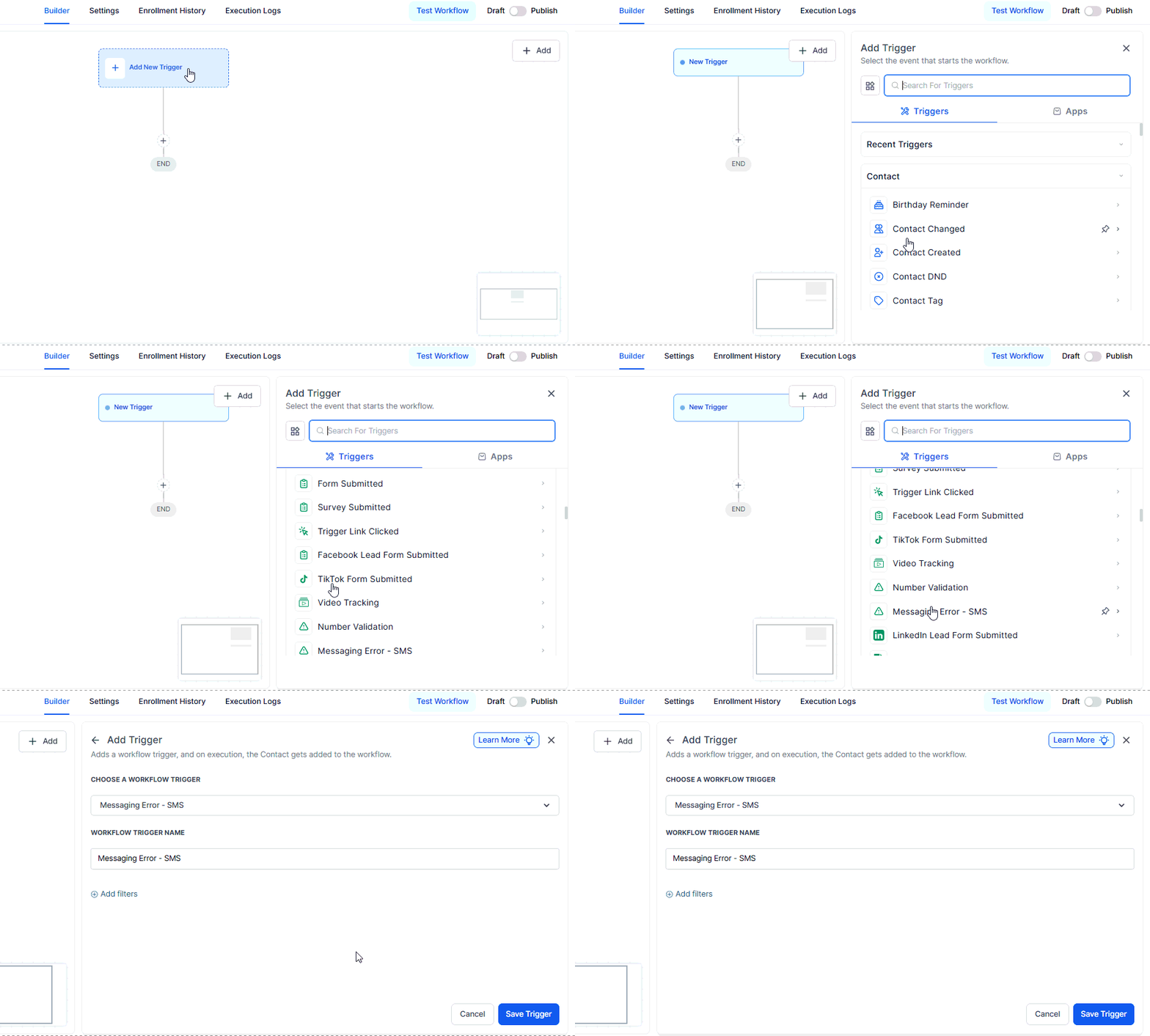
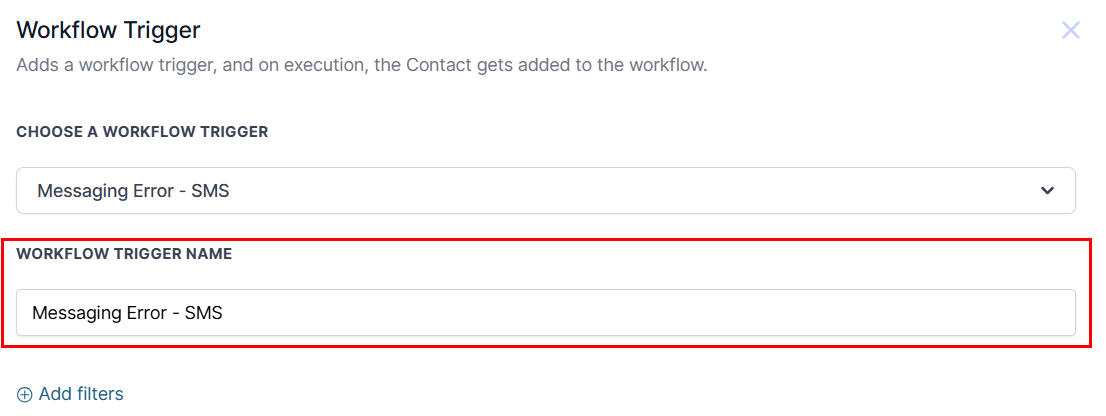
Assign a clear and descriptive name to the trigger to ensure easy identification within your workflow.
Add filters to refine the trigger by specifying particular error codes. This allows you to target and respond only to relevant messaging failures, ensuring that your workflow is activated under the appropriate conditions.
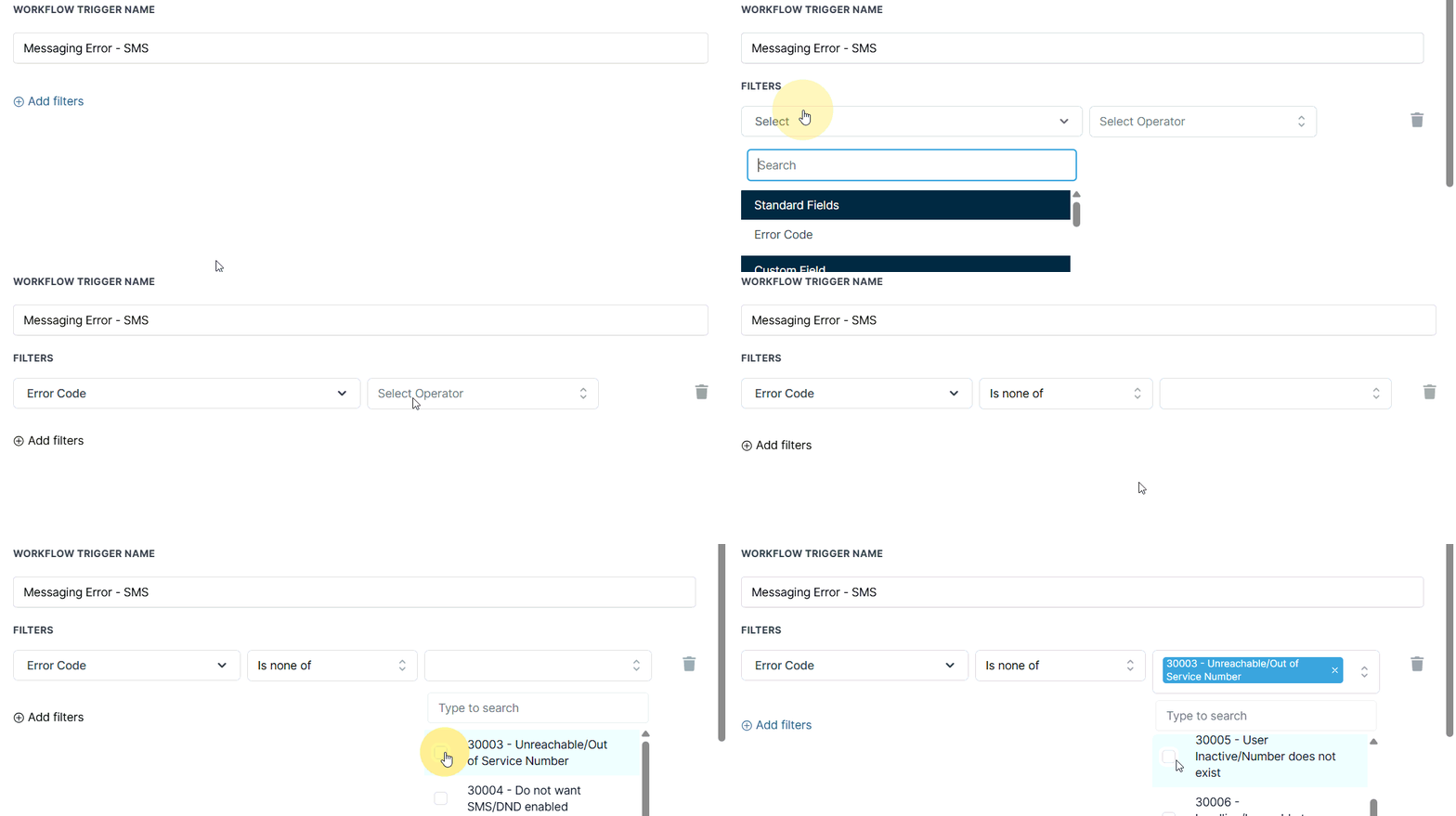
This feature supports the following error codes and can be selectively included or excluded based on your specific requirements:
- 21211: The “To” number is invalid or improperly formatted.
- 21408: Messaging not permitted to the specified region.
- 21606: The “From” number is invalid or improperly formatted.
- 21610: The recipient has opted out by replying STOP.
- 21614: The “To” number is not a valid mobile number.
- 21635: The “To” number is a landline and cannot receive SMS.
- 21661: The “From” number is not capable of sending SMS.
- 30002: The sub-account has been suspended and cannot send messages.
- 30003: Unreachable/Out of Service Number
- 30004: Do not want SMS/DND enabled
- 30005: User Inactive/Number does not exist
- 30006: Landline/Incapable of receiving SMS
- 30007: Carrier Violation
- 30008: An unknown error occurred during message delivery.
- 30011: MMS is not supported by the recipient’s device or region.
- 30023: Daily A2P messaging limit reached in the U.S.
- 30032: Toll-Free Number not verified
- 30033: The A2P campaign has been suspended or deleted.
- 30034: A2P Registration Pending on Number
- 30037: Outbound messaging has been disabled for this account.
Once you are satisfied with your configurations, go ahead and save the trigger to your workflow.
This provides improved message deliverability and contact quality, minimizes wasted sends to unreachable or non-compliant numbers, enhances control over how your system handles delivery failures, and reduces reliance on support teams for error resolution.
By leveraging this trigger, you can automatically respond to these undelivered messages with tailored workflows, such as notifying internal teams, retrying the message, or escalating the issue for further review. This not only improves communication reliability but also enhances your ability to proactively manage messaging errors and maintain a seamless customer experience.
Not a Funnelbud customer yet?
Try our all-in-one CRM for sales and marketing — free for 7 days, no commitment.