Typeform Actions & Triggers in Workflows
The Typeform integration allows workflows to respond immediately when a Typeform is submitted and perform tasks directly from your automation. Using the New Entry trigger, workflows can begin the moment a submission is received. You can also execute actions such as creating new forms, duplicating existing forms, or searching past responses—helping teams automate onboarding, feedback collection, and data enrichment without manual intervention.
Key Benefits
- Form operations at scale: Create or duplicate forms automatically, allowing each client or project to have its own copy.
- Response utilization: Search historic form responses to personalize follow-ups and enrich contact records.
Triggers and Actions

Setup Instructions
Connecting Typeform
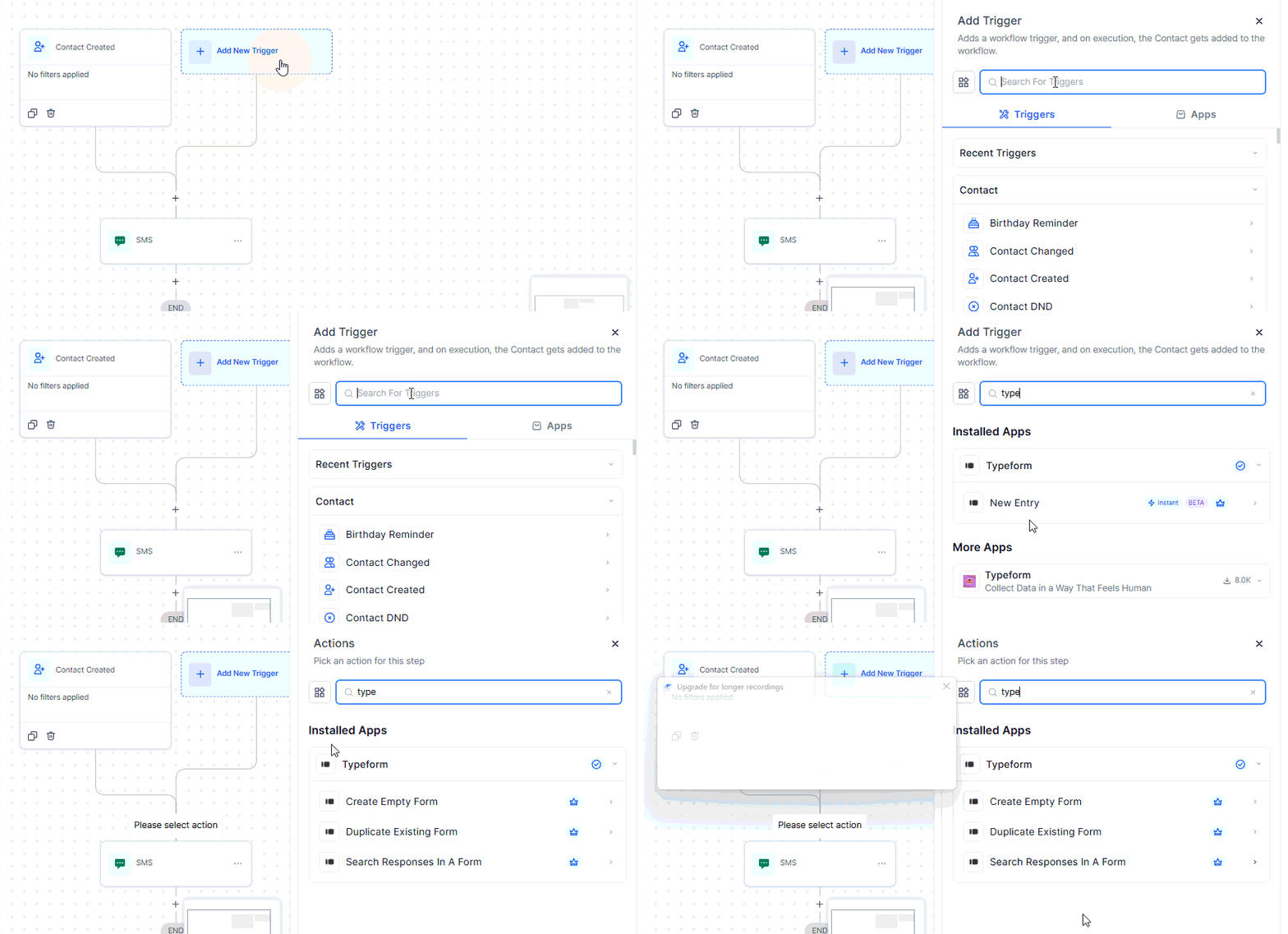
Open your workflow builder and click + Add Trigger or + Add Action, then search for Typeform and select the desired trigger or action.
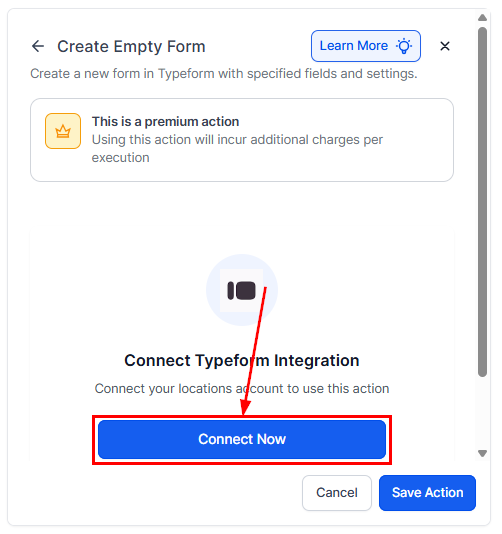
Click Connect Now, sign in to Typeform, and authorize access.
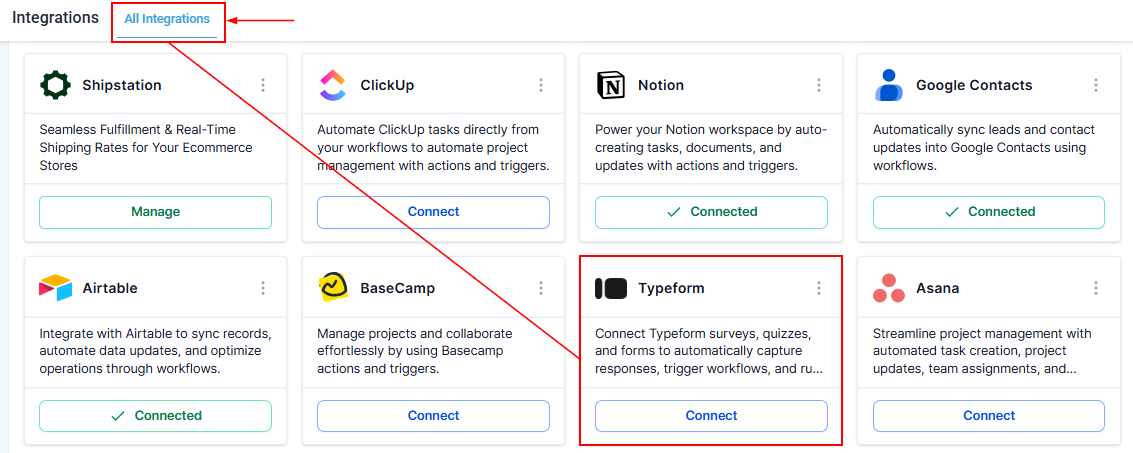
Otherwise, navigate to Settings → Integrations, locate Typeform, and complete the OAuth connection, noting that connections are workspace-specific.
Building Your Workflow
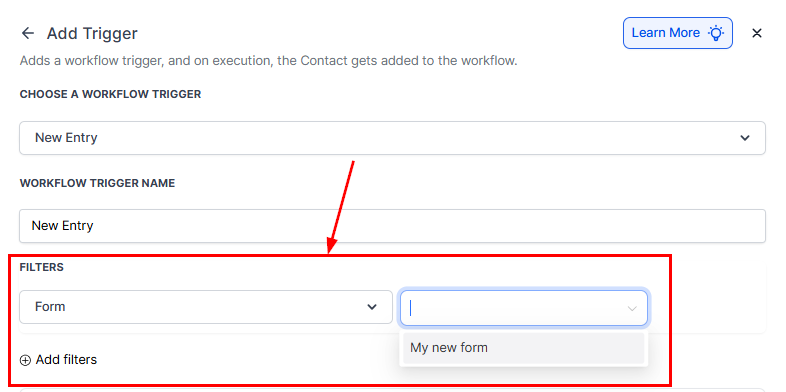
Add the New Entry (Instant) trigger and select the desired form within the Form filter.
Add Typeform actions such as creating or duplicating forms, or searching for responses.
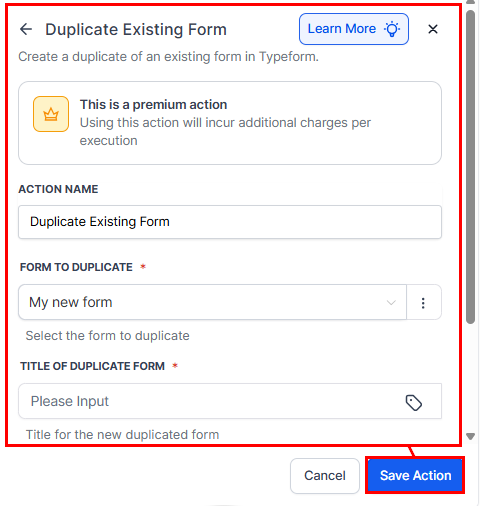
Map form fields to contact or task records as needed, add follow-up actions such as sending emails, notifications, or creating tasks, and then publish the workflow and submit a test entry to verify successful execution.
Use Cases
Use Case 1: Automate Task Creation and Team Notification
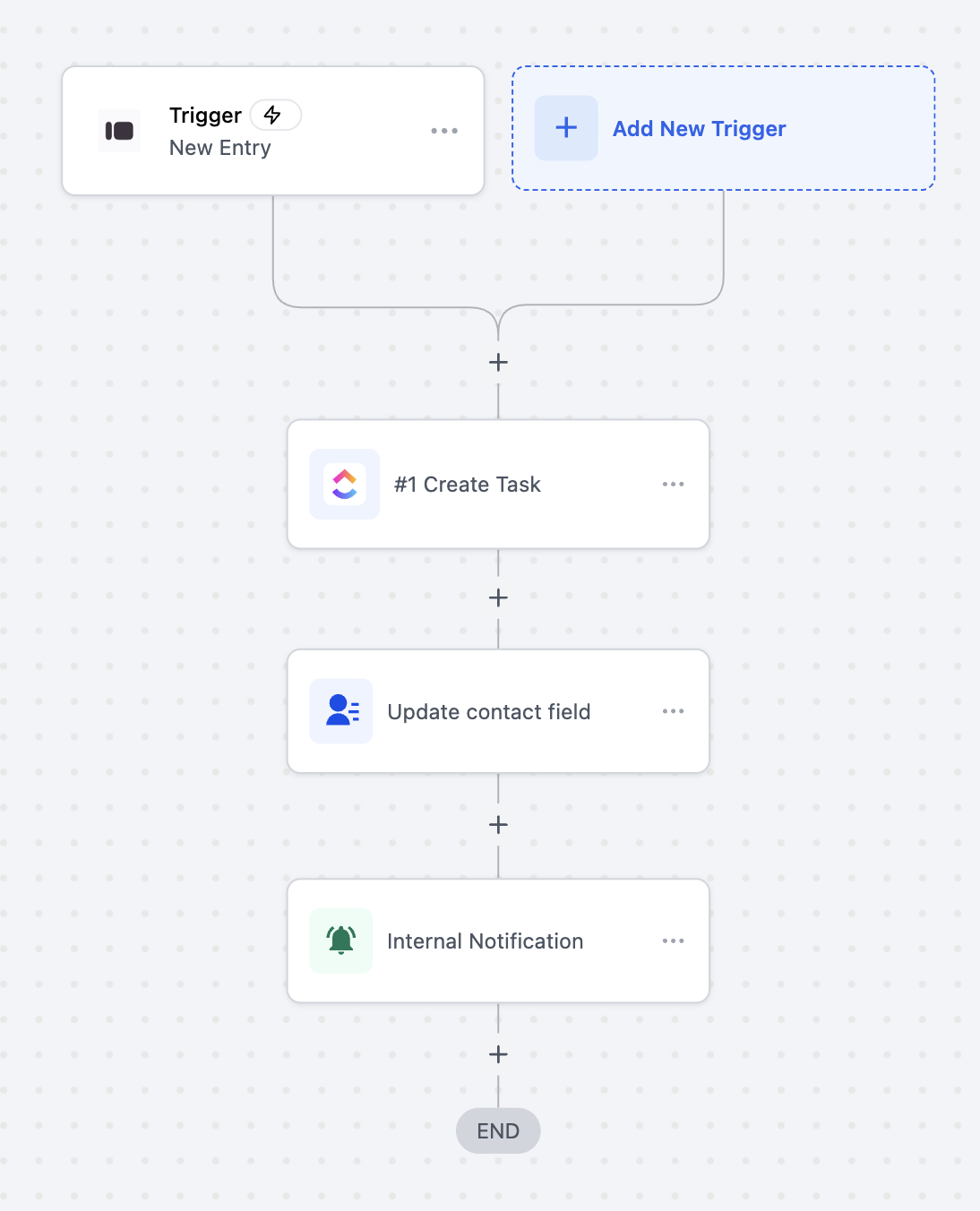
Goal: Automatically create a task, update contact information, and notify the team when a Typeform is submitted.
- Setup: Trigger = New Entry (Instant), Filter = Form Name “Client Onboarding Form,” Actions = Create Task, Update Contact Field, Send Internal Notification.
A new client completes the onboarding form, triggering task creation, contact update, and team notification instantly.
Use Case 2: Conditional Task Creation Based on Form Responses
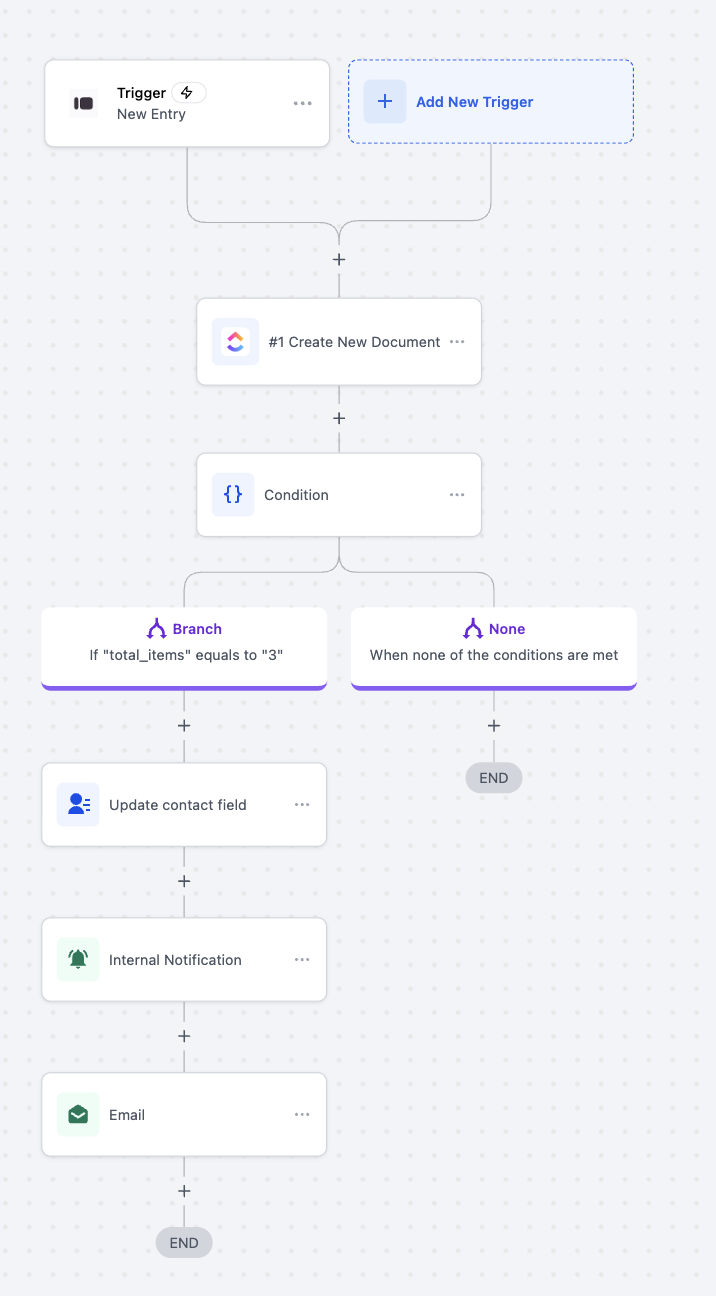
Goal: Automatically create documents, check submission values, and trigger different actions based on response data.
- Setup: Trigger = New Entry (Instant), Filter = Form Name “Order Submission Form,” Actions = Create Document, Conditional Branching, Update Contact Field, Send Notifications.
A customer submits an order; if exactly three items are ordered, contact records are updated, notifications are sent, and confirmation emails are triggered. Otherwise, the workflow ends without additional actions
.Use Case 3: Automate Document Creation and Notifications on Pipeline Changes
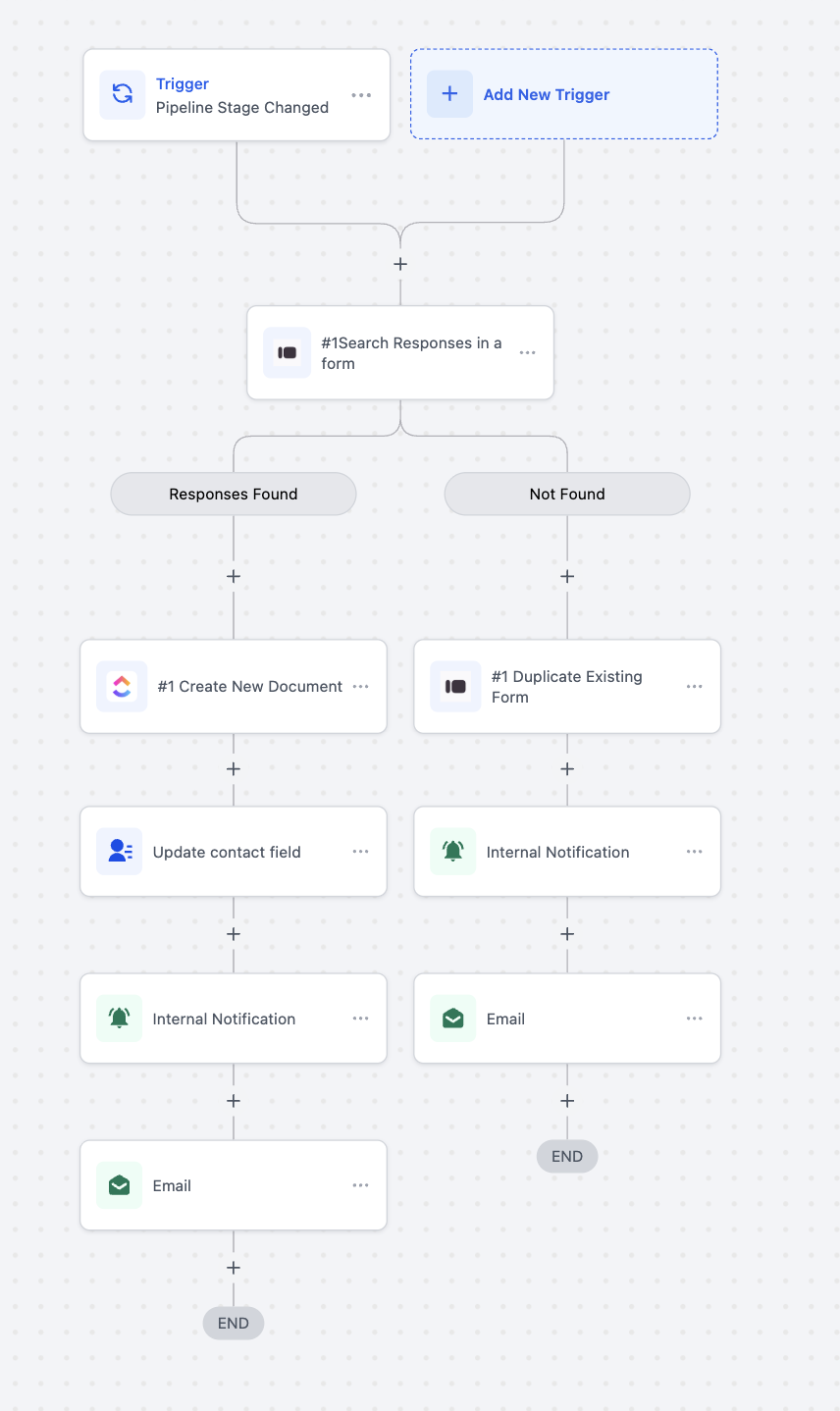
Goal: Check for existing Typeform responses when a deal stage changes, create or duplicate documents, and notify the team or client.
- Setup: Trigger = Pipeline Stage Changed, Filter = Pipeline “Client Onboarding Pipeline,” Actions = Search Responses, Create or Duplicate Document, Update Contact Field, Send Notifications.
When a deal moves to “Onboarding,” the system searches for prior responses. If found, a new document is created, contact records updated, and notifications sent. If none exist, a new form is duplicated, and notifications are triggered.
Integrating Typeform with your automation system empowers teams to respond instantly to submissions, automate task creation, and streamline client onboarding or feedback collection. By reducing manual effort and centralizing operations, this integration ensures a faster, more efficient process while maintaining accuracy and consistency across all workflows.
Frequently Asked Questions
Do I need a paid Typeform account?
- No. Free and paid accounts are supported, though Typeform plan limits (e.g., responses, branding) still apply.
Are Typeform steps premium-billed?
- Yes, each trigger and action counts toward standard execution billing.
Where do new or duplicated forms appear?
- Forms are created in the connected Typeform workspace linked to the authorized account.
How to troubleshoot failures?
- Check execution logs for errors such as invalid form ID or expired authorization. Reconnect Typeform and test again if needed.
Not a Funnelbud customer yet?
Try our all-in-one CRM for sales and marketing — free for 7 days, no commitment.