How to Add Expiry Date for Documents & Contracts
In today’s fast-paced business environment, timely execution of documents is not just a best practice - it’s a necessity. The Document Expiry feature allows senders to assign an expiration date to their documents, so recipients can no longer sign or fill out the document once the expiry date is reached. This ensures that outdated or stale contracts are not processed beyond relevance, helping teams enforce deadlines and maintain operational control. Read on to learn how you can configure this valuable tool for your documents.
How It Works
You can enable Document Expiry for all documents or configure it on a per-document basis. This flexibility allows you to control where and when the expiry settings apply, depending on your organizational needs. By default, expiry is turned off until you choose to activate it.
Applying Global Expiration
To enable Document Expiry for all documents, first navigate to the Documents & Contracts settings within the Payments tab.
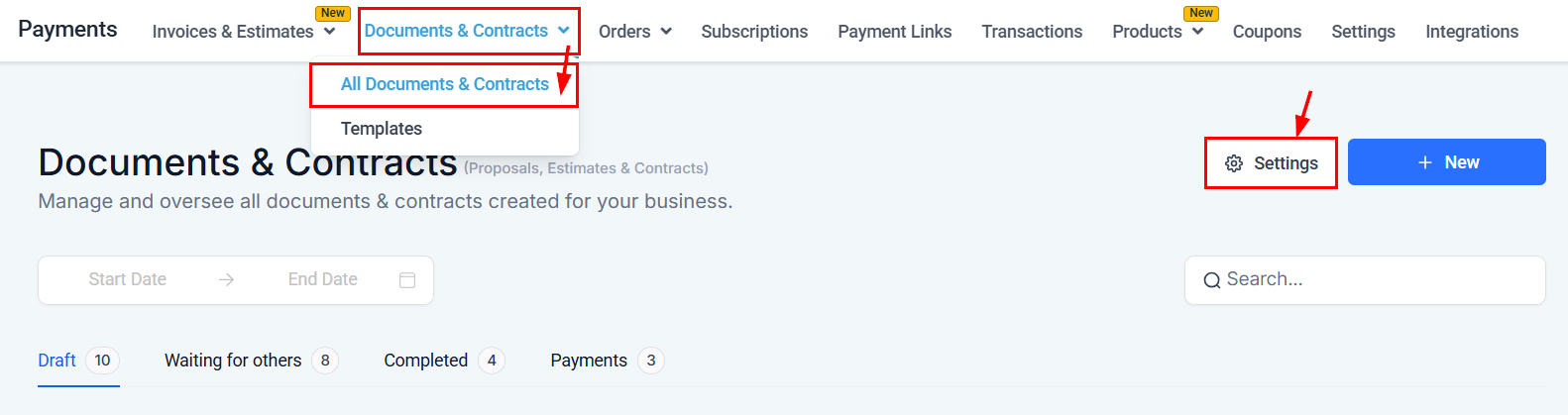
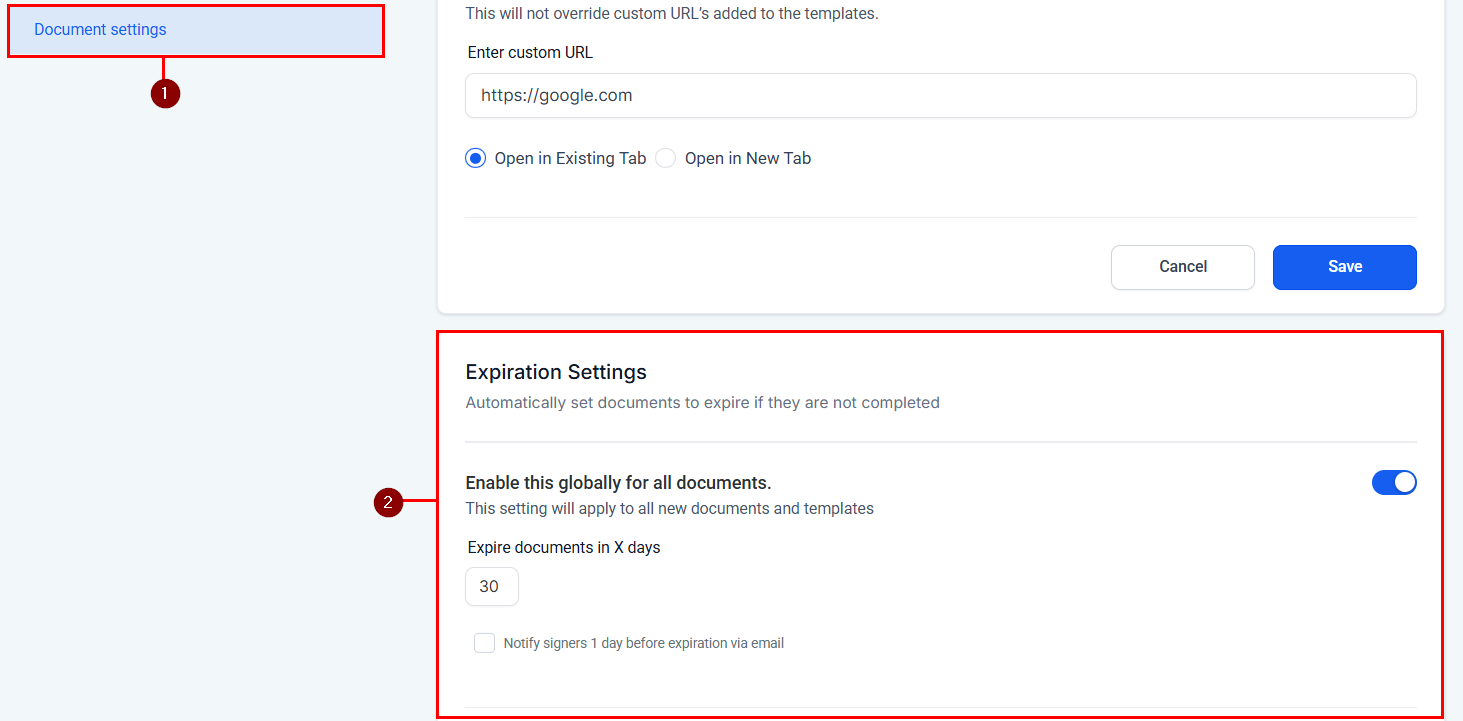
Next, open the Document Settings window, and scroll to the Expiration Settings screen.
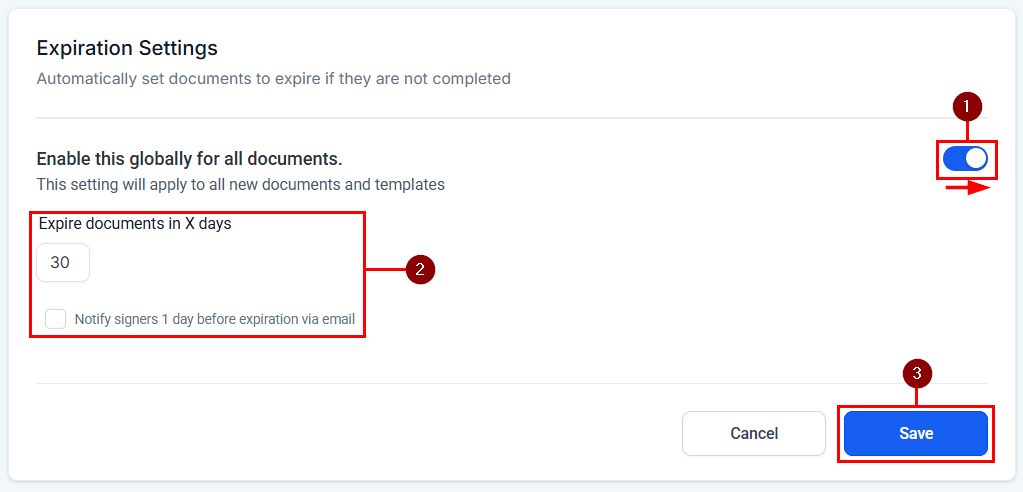
Begin by enabling the feature by toggling the switch to the ON position (1). Then, enter the number of days the system should wait before a document is considered stale and choose whether to send an email notification to signers one day before expiration (2). Once you are satisfied with your settings, be sure to click save to apply your changes to all new documents (3).
Setting Expiration for Individual Documents
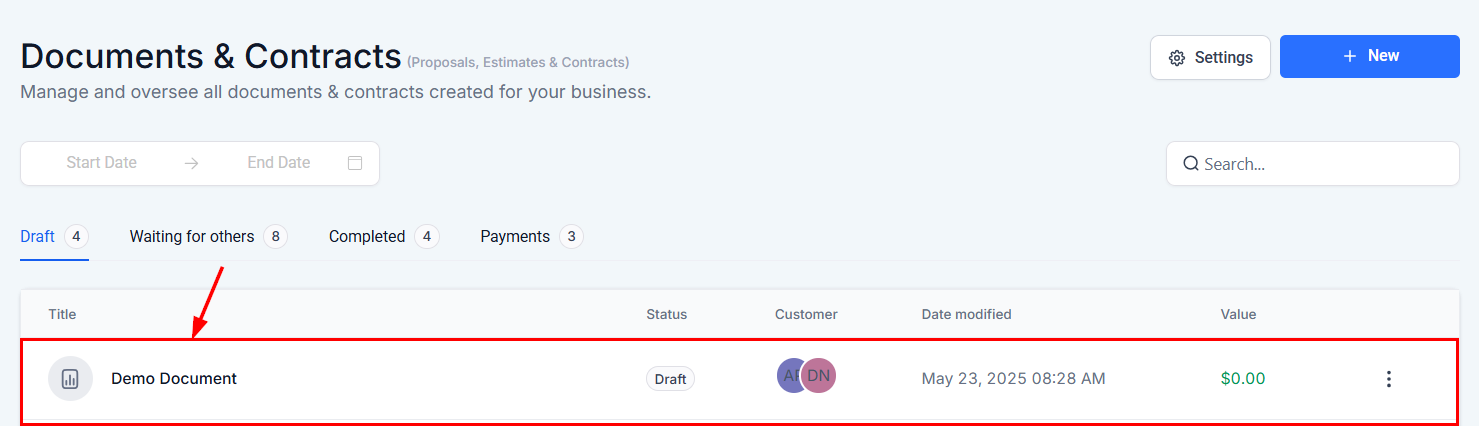
Setting an expiration date for an individual document is straightforward. First, locate the document in the list, then click its name to open the document editor.
Within the editor, you must now click the three-dot actions menu located on the upper right-hand section and select the “Add Expiry” option from the dropdown.
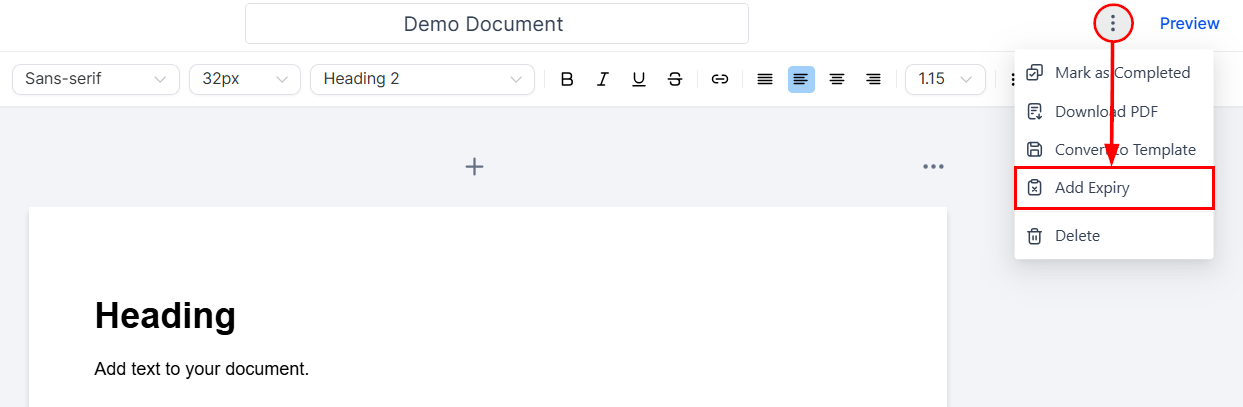
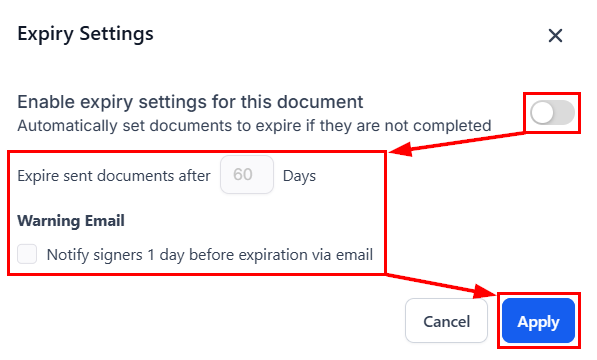
Similar to the global expiration settings, be sure to enable the feature and enter the number of days after which the document should expire, then click Apply to retain your changes.
By incorporating expiration settings into your document processes, you empower your team to stay ahead of deadlines and maintain greater control over critical agreements. Start using Document Expiry today to streamline your operations and reduce the risk of outdated documentation.
✍️Important Notes
- Once a document reaches its expiration date, it is automatically marked as Expired. Recipients are prevented from taking further action and are shown an informative message prompting them to contact the sender for next steps. This helps eliminate confusion and ensures accountability.
- You can customize the subject line and content of reminder emails in the Documents and Contracts Settings to align with your brand’s voice and tone, ensuring a seamless and professional experience for recipients.
- The countdown begins as soon as the document is sent, and it respects your location’s time zone for precision.
Not a Funnelbud customer yet?
Try our all-in-one CRM for sales and marketing — free for 7 days, no commitment.