Create/Update Opportunity Action
The Create/Update Opportunity workflow action allows you to create a new opportunity or update an existing one in the pipeline you select. This workflow action allows you to automate opportunity status changes based on a workflow trigger, getting rid of manually moving contacts to new opportunities.
In the workflow builder choose a suitable Trigger. Click on the “+” icon to search and add the “Create/Update Opportunity” Action.
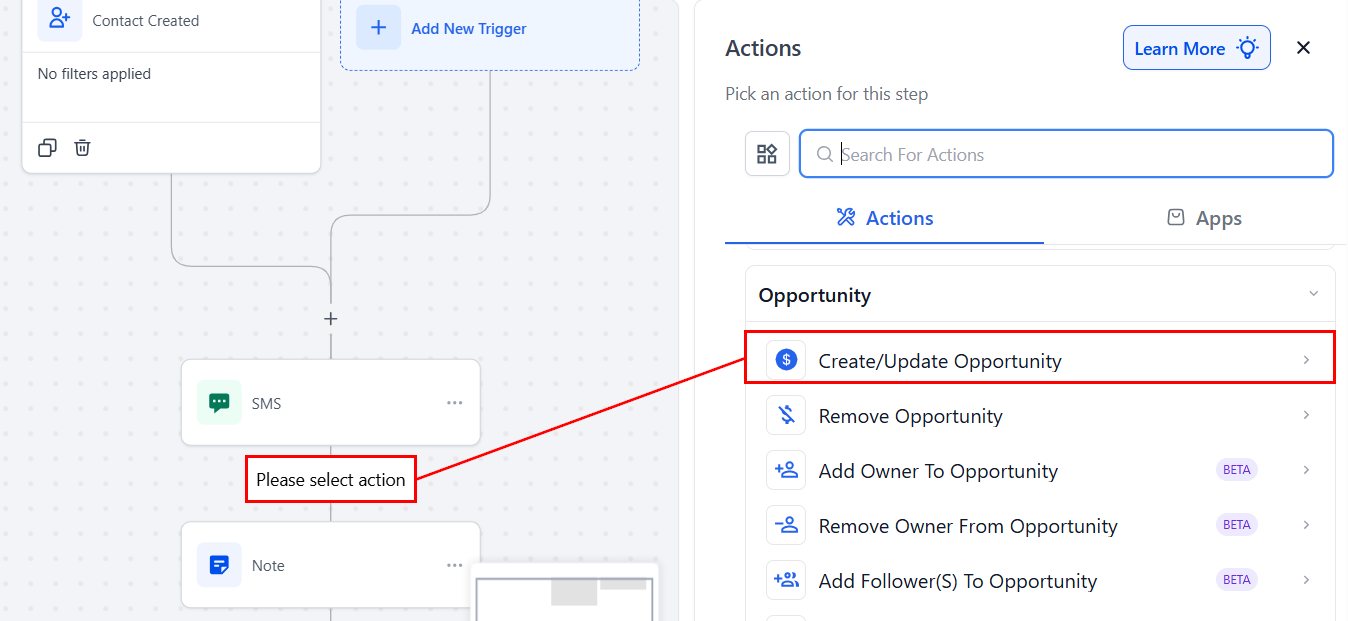
Configure Action
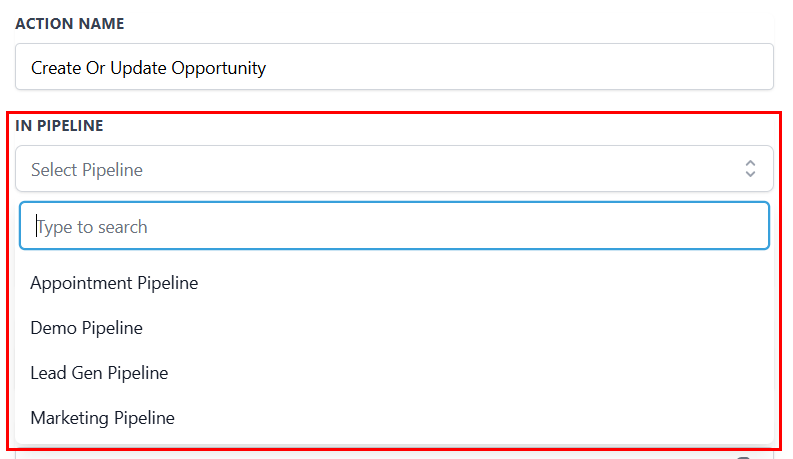
In Pipeline
To use this workflow action, begin by selecting the pipeline where you want to create or update the contact’s opportunity.
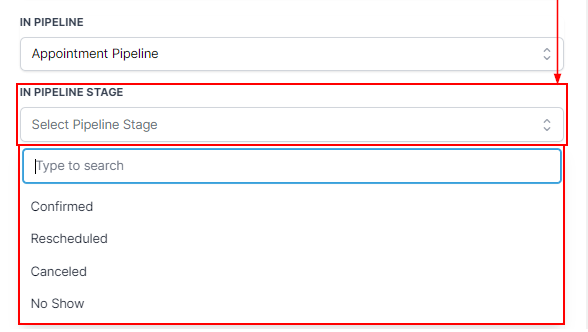
In Pipeline Stage
Next, choose the appropriate stage in the pipeline where the contact’s opportunity should be placed. Use the dropdown menu to select the correct stage.
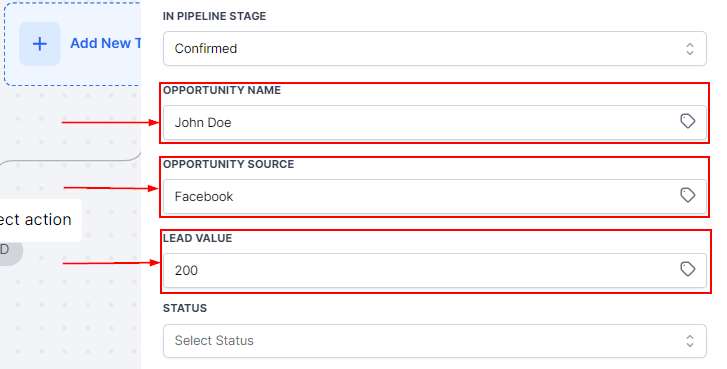
Opportunity & Lead Value
- Opportunity Name: Provide a name for the opportunity. This could be the contact’s name, their company name, or another identifier that best suits your workflow.
- Opportunity Source: Fill in the opportunity’s source, such as “Call,” “Organic Lead,” “Facebook,” or “Google.” This helps you track how the contact entered your workflow.
- Lead Value: Type in the lead value here. This value should reflect the dollar amount of the product or service your client is interested in.
Opportunity Status, Stages & Duplication
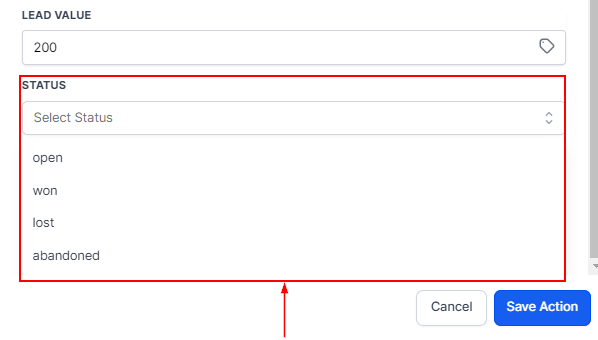
Choose the status you want to add the contact to, either; Open, won, lost, or abandoned.
- Allow Opportunity to Move to Any Previous Stage: By enabling the Allow Opportunity to Move to Any Previous Stage in Pipeline option, you can give flexibility to move the contact back to earlier stages as needed.
- Allow Duplicate Opportunities: If your workflow involves a single contact needing multiple opportunities in the same pipeline, enable Allow Duplicate Opportunities. This ensures you can create or update multiple opportunities for the same contact without conflict.
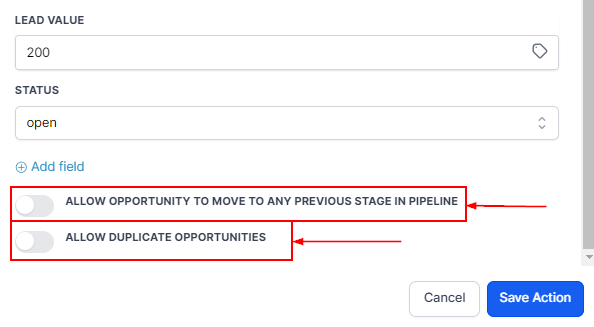
📌NOTE: Both options cannot work at the same time. You can either create a new Opportunity for the same contact using Allow Duplicate or allow an existing Opportunity to move backward in the Pipeline.
Save Action
Remember to save configuring the action.
Once configured and saved, this action helps ensure your opportunities stay accurate and organized, reducing manual effort and improving efficiency across your sales process.
Not a Funnelbud customer yet?
Try our all-in-one CRM for sales and marketing — free for 7 days, no commitment.