MM Lite for WhatsApp
Marketing Messages (MM) Lite is an advanced messaging system that improves how your WhatsApp campaigns are delivered. It uses intelligent targeting to prioritize users who are more likely to open, read, and respond. This is especially important because messaging platforms have introduced stricter rules to reduce spam. Message delivery depends more on quality and engagement—and MM Lite helps you adapt.
Why It Matters
- Better Delivery: More messages reach real users with higher chances of engagement and conversions.
- Smarter Sending: Avoids messaging everyone at once, reduces spam and over-messaging, and improves user experience.
- Easy to Set Up: Quick setup with no disruption. Your workflows will continue working.
📌Note: Before you start, ensure you have access to your Facebook Business Manager and your business account connected to WhatsApp.
How to Enable MM Lite
Go to Settings
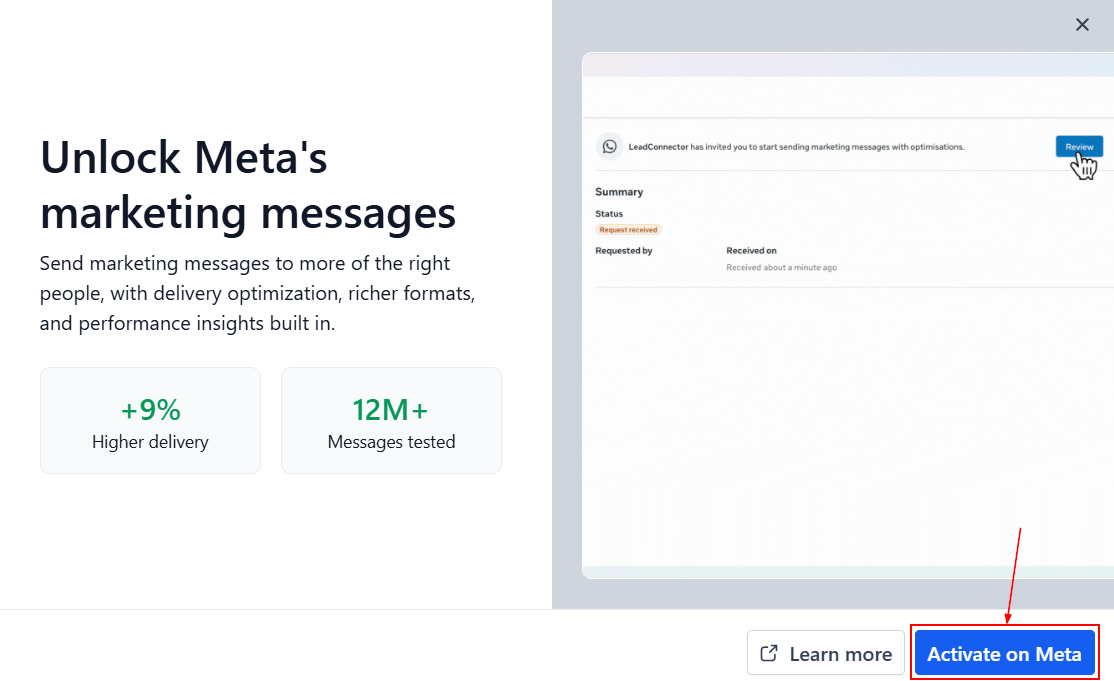
Log in to your account, then go to Settings → WhatsApp. Next, click Activate on the lower right-hand section of the MM Lite banner.
Open the Request Page
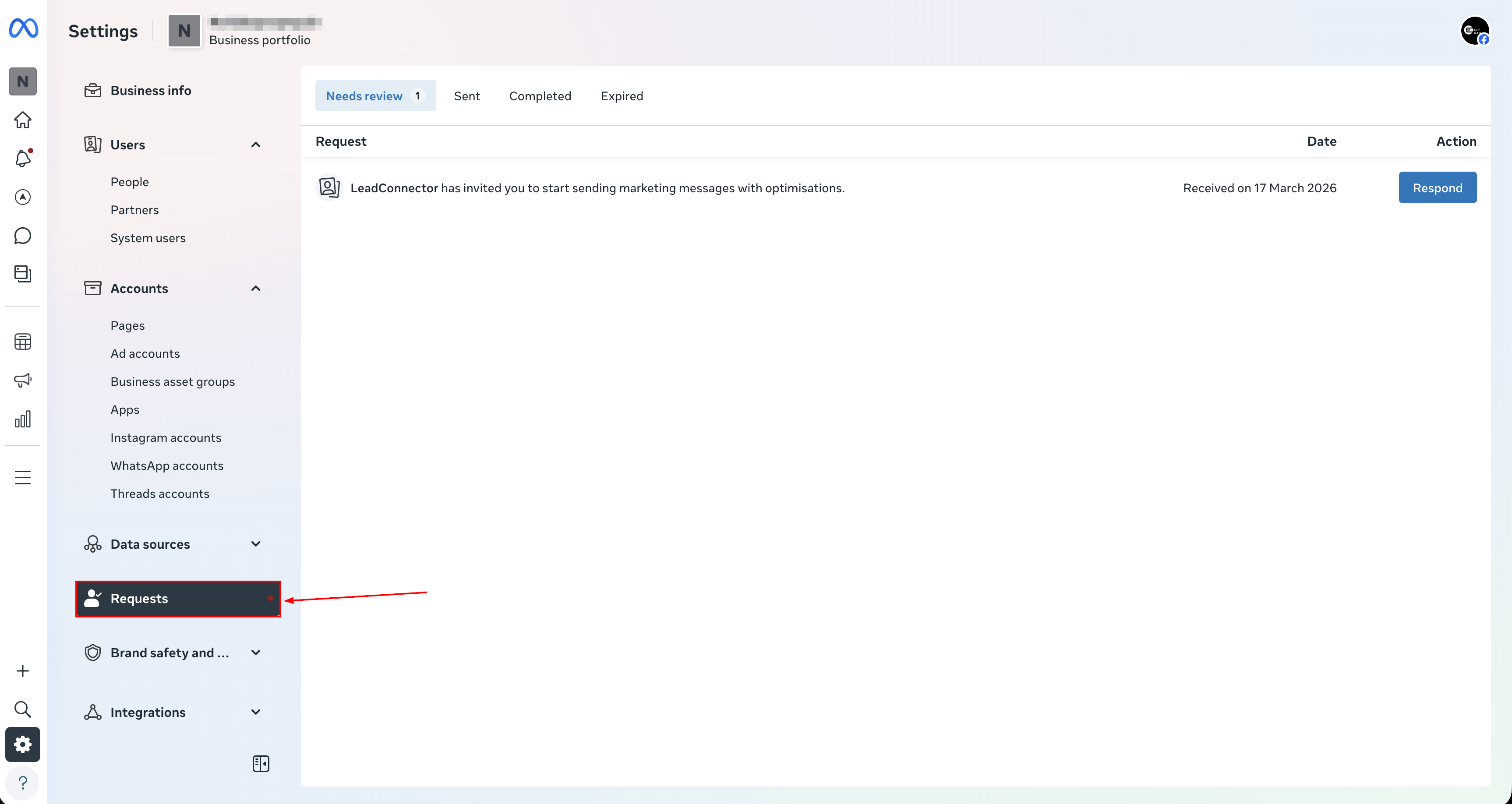
You’ll be redirected to your WhatsApp account, where you can head to the Request tab.
Review the Request
Click the button to review or respond to the request.

Approve Access
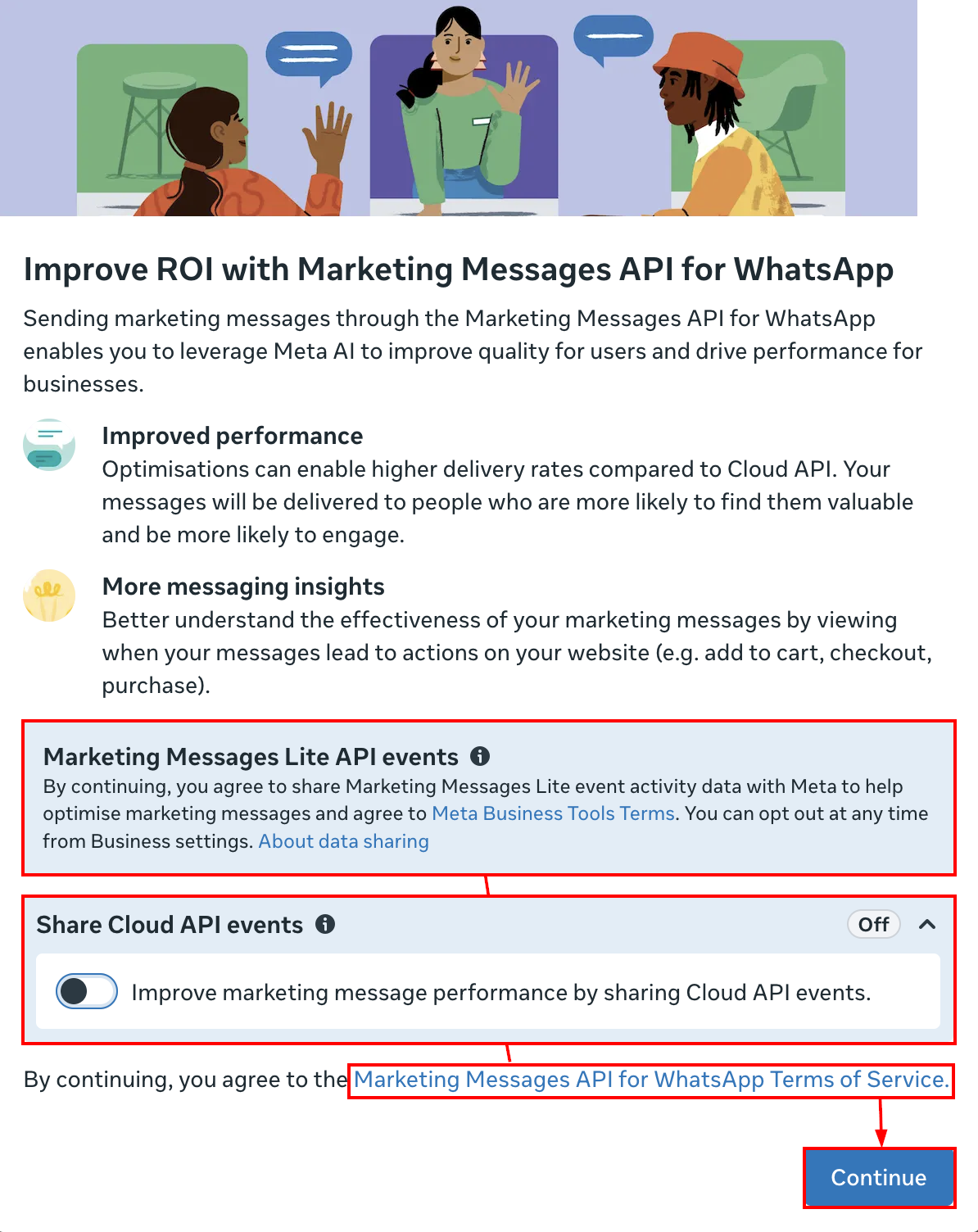
Review the applicable permissions and click Continue.
That’s it! MM Lite is now active.
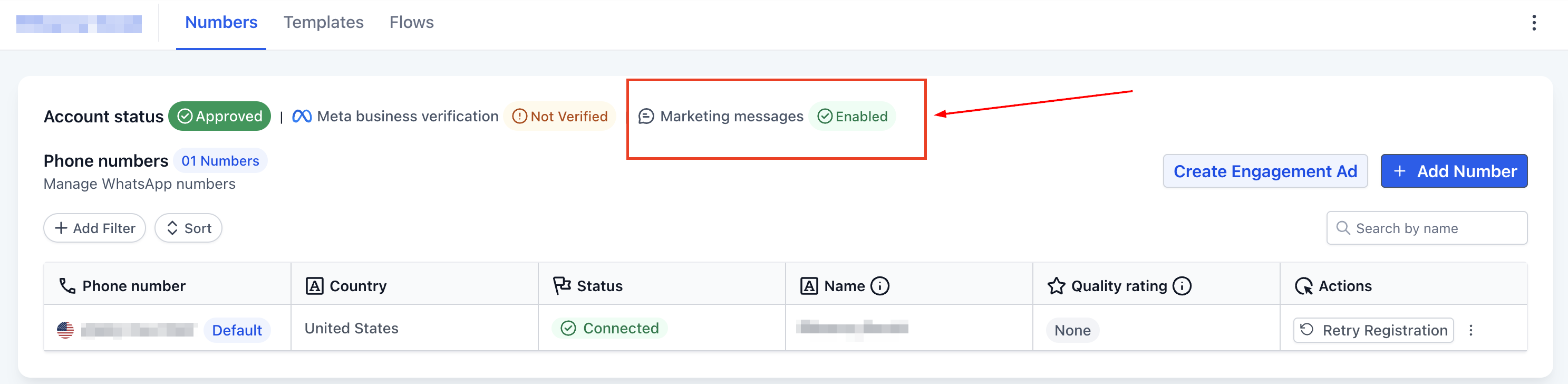
Your existing campaigns, templates, and automations will continue running as usual.
What Happens After Activation?
Once enabled:
- Your messages will be sent using smarter delivery logic
- Performance may improve over time
- The system learns and optimizes with each campaign
If you’re serious about improving your WhatsApp marketing, using MM Lite is a simple but powerful step. Instead of sending more messages, you’ll send better messages—to the people who are most likely to respond.
Frequently Asked Questions
Will this affect my current campaigns?
- No. Everything continues working as before—just with improved delivery.
Can I still use WhatsApp for support?
- Yes. Use your regular messaging system for support and conversations, and MM Lite for marketing.
What is TTL?
- TTL (Time-to-Live) ensures messages are only delivered while they’re still relevant.
Not a Funnelbud customer yet?
Try our all-in-one CRM for sales and marketing — free for 7 days, no commitment.