User Login Trigger
This User Login workflow will be activated each time a user logs in to your membership platform, ensuring efficient management and monitoring of user activity, ultimately leading to an enhanced user experience and improved membership administration. The User Login trigger initiates the specified workflow when a user signs in to their membership account.
Adding the User Login Trigger
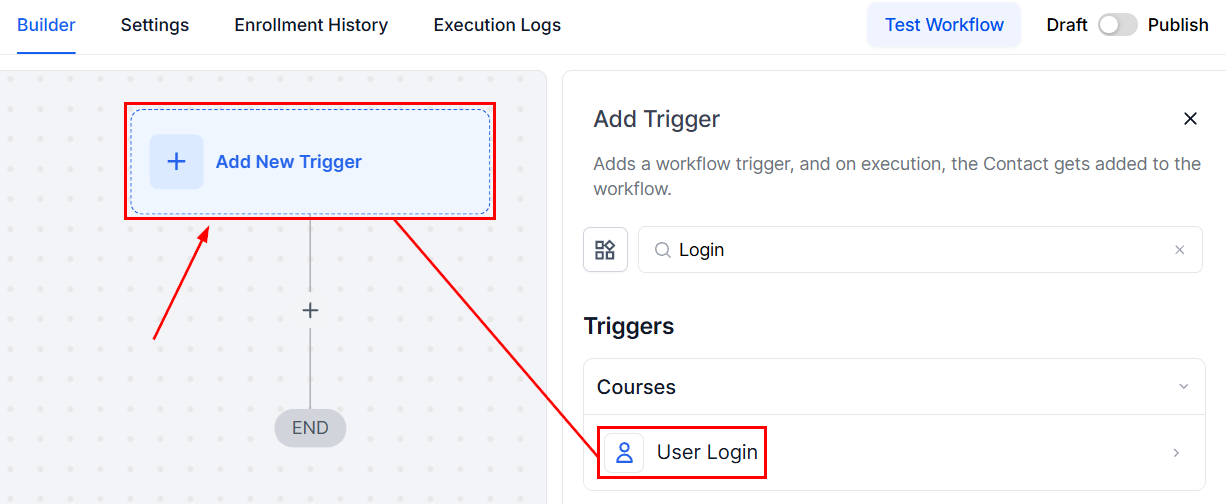
To set up this trigger, click the “Add New Trigger” button and select the User Login option from the list of available triggers.
Filters
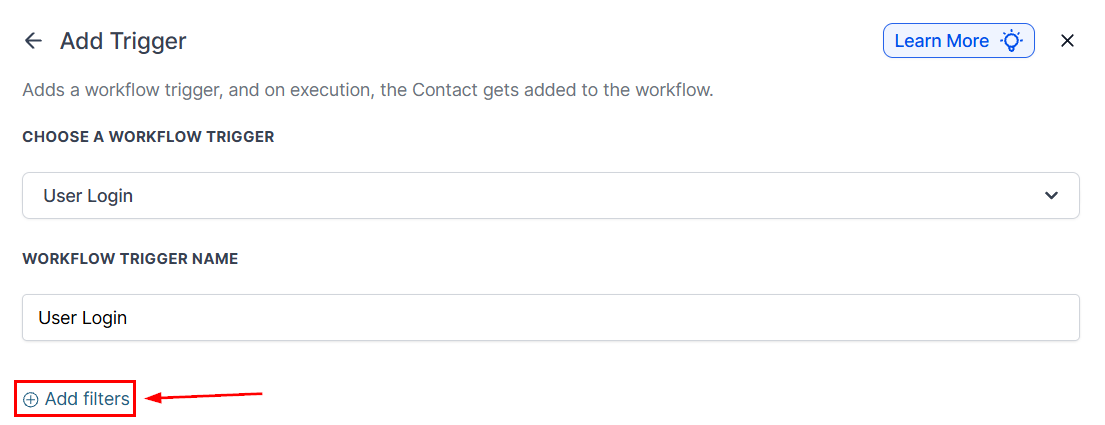
You have the option to add additional filters using the “Add Filter” button.
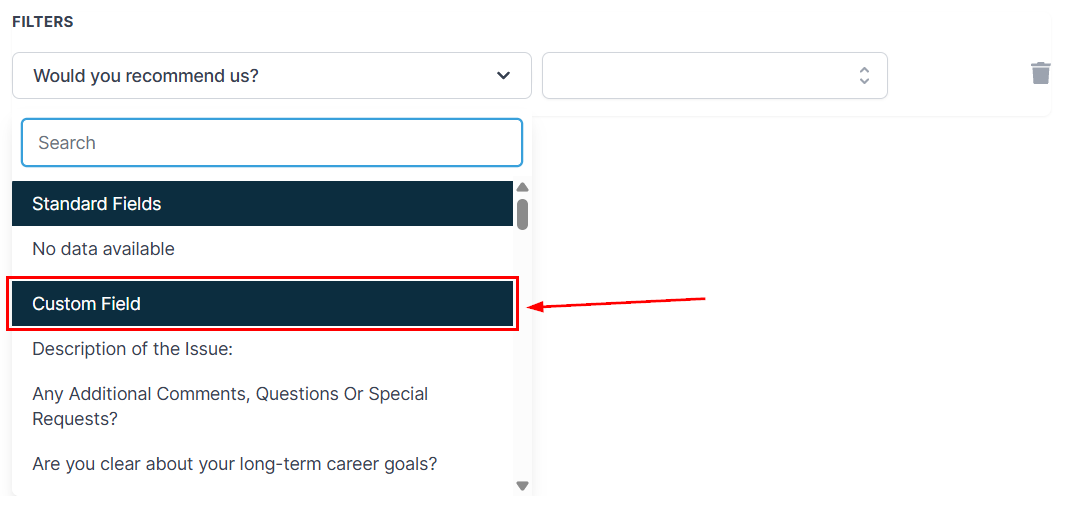
📌NOTE: Here, you will not see any standard fields, but you can choose a Custom Field from your list to trigger the workflow.
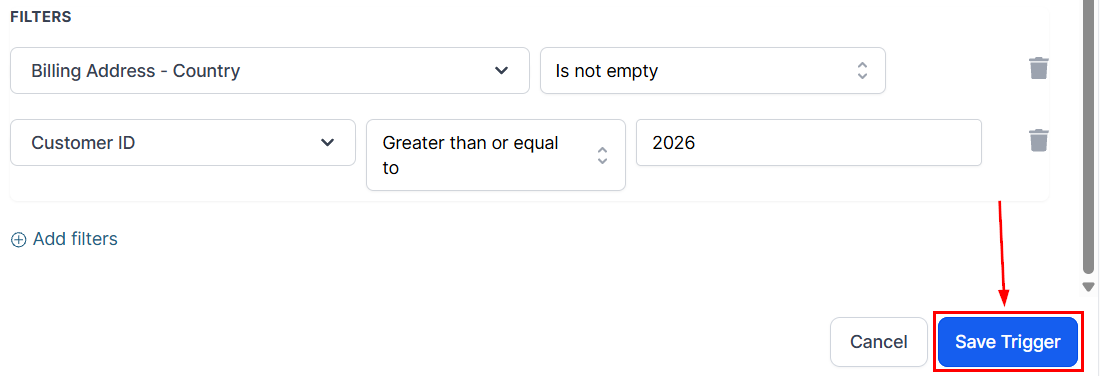
Once all filters have been selected, click the Save Trigger button in the bottom right corner to save the trigger.
The User Login Trigger helps you stay on top of user activity, creating a more organized and personalized experience for your members. Set it up to simplify your workflow and make membership management easier.
Not a Funnelbud customer yet?
Try our all-in-one CRM for sales and marketing — free for 7 days, no commitment.