Set up a Customized 404 Error Page
A custom 404 error page is more than just a placeholder for missing content; it plays a vital role in maintaining your brand identity and enhancing user experience. By offering a branded, user-friendly page when visitors encounter a broken link or missing page, you can keep them engaged and guide them back to valuable content on your site.
Understanding Its Importance
Before setting up a custom 404 error page, it’s essential to understand its benefits:
- Maintains Branding: Ensures your website’s visual style remains consistent, even on error pages.
- Improves User Experience: Provides users with helpful navigation options instead of a dead-end, reducing frustration.
- Navigation Options: Offers links to popular or relevant content, encouraging visitors to stay on your site.
Best Practices for Your 404 Error Page
To maximize the effectiveness of your custom 404 error page, consider these best practices:
- Keep Branding Consistent: Use logos, color schemes, and fonts that align with the rest of your website.
- Provide Helpful Links: Include links to your homepage, popular products, or recent articles to guide users back to relevant content.
- Use Friendly Language: A light-hearted or apologetic tone can help ease any user frustration and enhance the experience.
Setting Up Your Custom 404 Error Page
Creating a custom 404 error page is a simple process. Follow these steps to ensure users encounter a helpful and branded page instead of a generic error message:
Navigate to Domain Settings
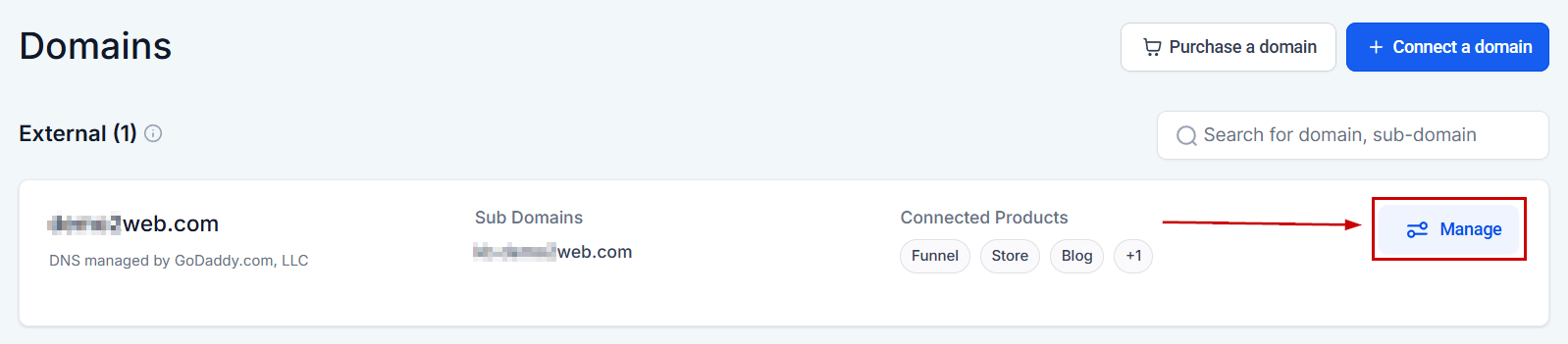
Navigate to the Domain tab inside your settings and click Manage next.
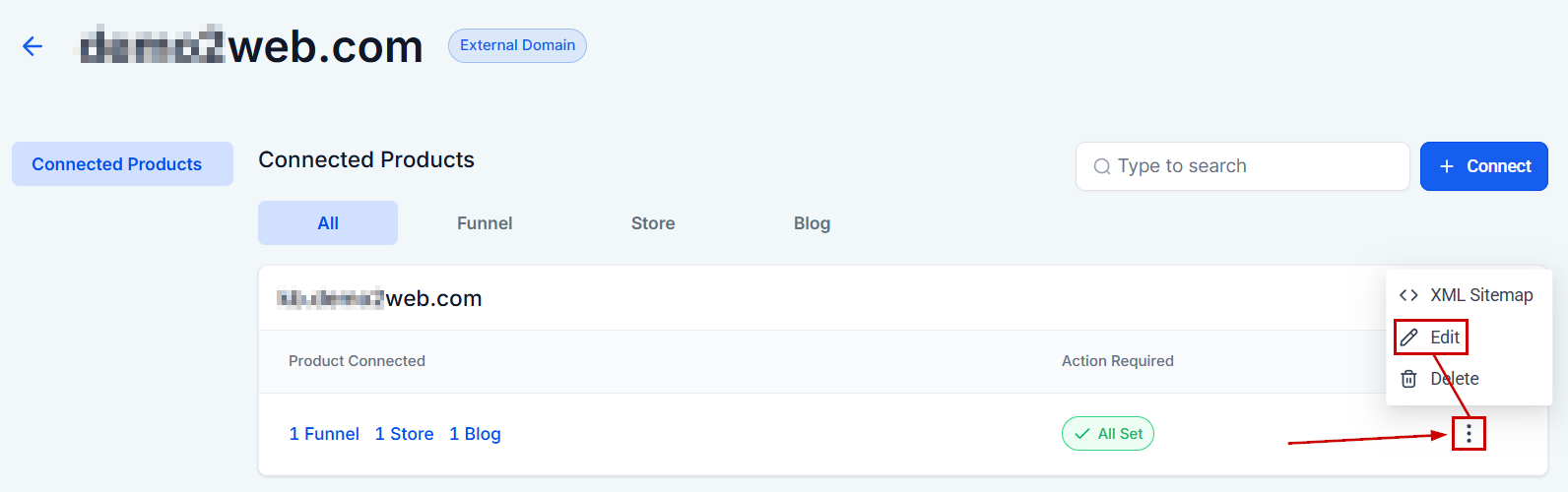
Click the three-dot icon and select Edit.
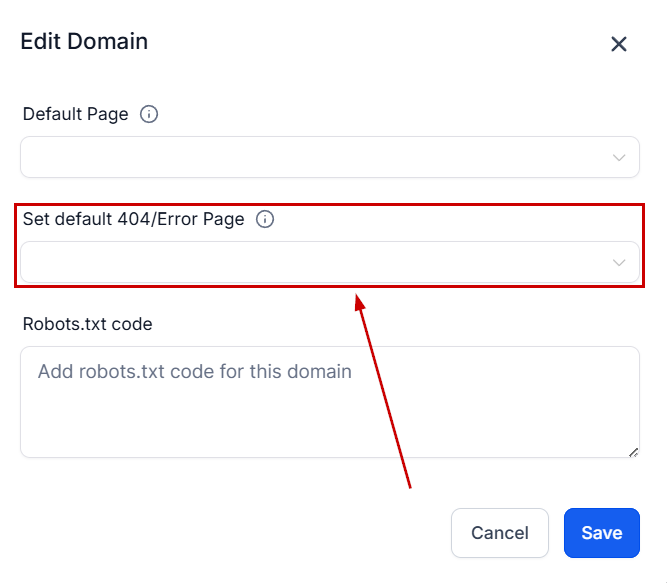
Select the page you want to designate as your 404 error page. It’s advisable to have a unique 404 error page for each domain to maintain consistency and relevance.
A custom 404 error page is a strategic tool for maintaining brand integrity and ensuring a positive user experience, even when things go wrong. By setting up a well-designed 404 page, you can keep visitors engaged and guide them back to your valuable content, minimizing the impact of broken links or missing pages.
Frequently Asked Questions
Q: What if my custom 404 page doesn’t show up?
- Double-check your domain settings and ensure you’ve selected the correct page. If issues persist, contact support for assistance.
Q: Can I use different 404 pages for different domains?
- Yes, it’s possible and recommended to customize 404 pages for each domain to keep the experience relevant and engaging.
Not a Funnelbud customer yet?
Try our all-in-one CRM for sales and marketing — free for 7 days, no commitment.