Managing Custom Dashboards
The Multiple Dashboards feature significantly enhances the flexibility and functionality of your dashboard experience. This advanced capability allows users to create, manage, and customize multiple dashboards, tailored to their specific data visualization needs. By leveraging this feature, users can substantially improve their analytical capabilities, ensuring a more intuitive and personalized experience.
Key Benefits
- Increased Flexibility: Efficiently manage and visualize data across multiple dashboards, moving beyond the constraints of a single view.
- Time Efficiency: Save time and effort by cloning dashboards for quick setup and modifications.
- Precise Control: Utilize custom permissions to share data selectively and securely.
- Streamlined Insights: Keep your workspace organized by deleting unnecessary dashboards and pinning essential ones for easy access.
Key Features
Creating Dashboards
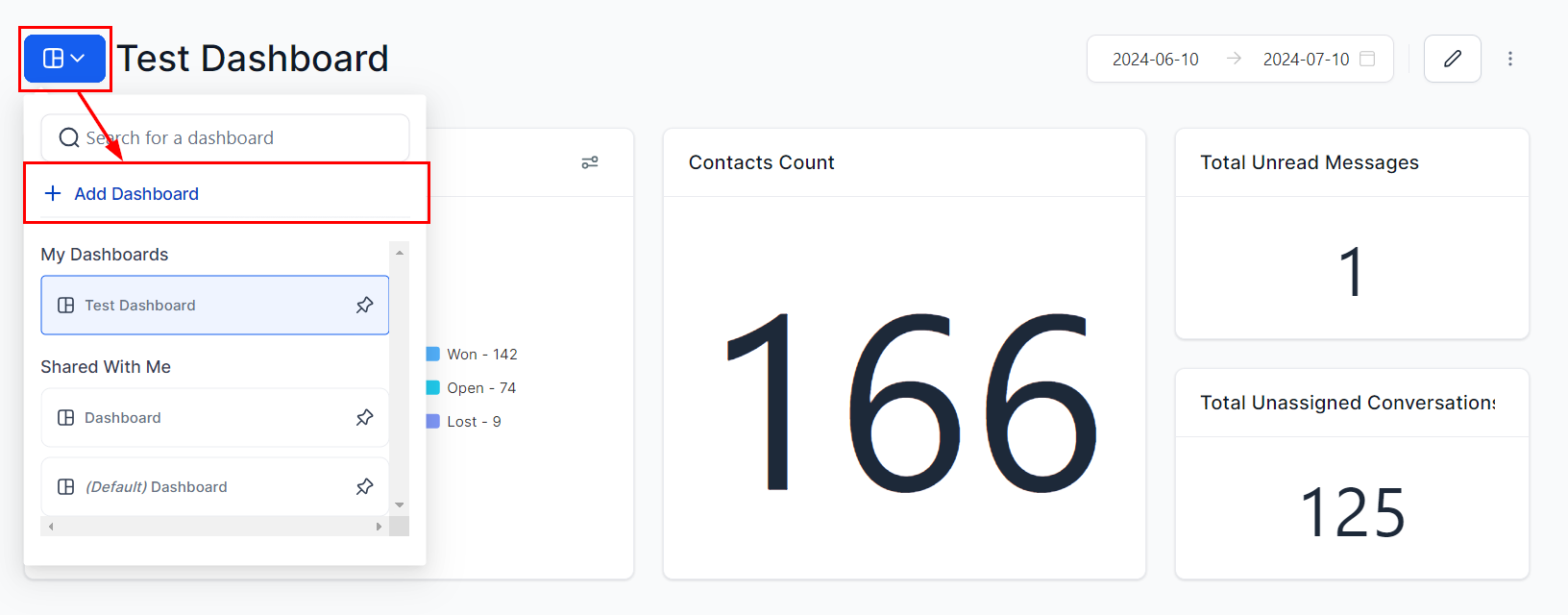
- Compile data and insights as needed by creating a new dashboard.
Pinning Dashboards
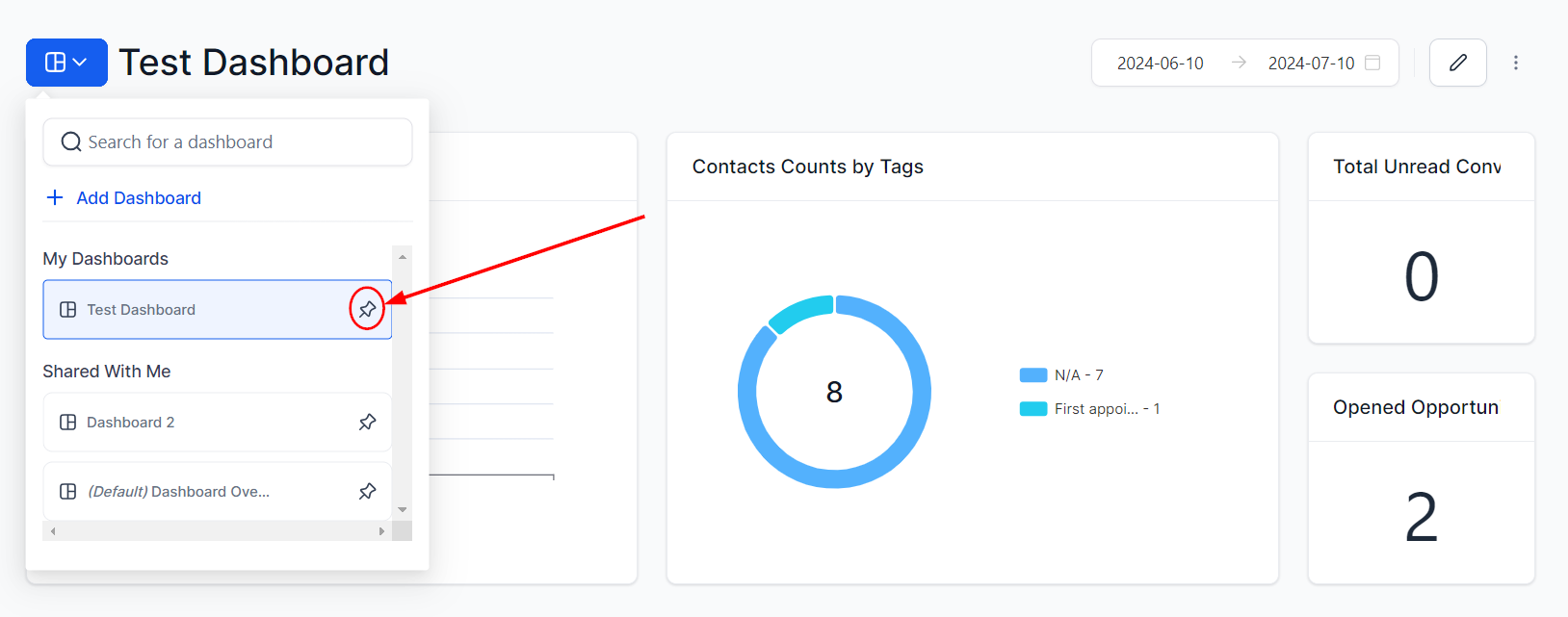
- Pin important dashboards for quick access.
Cloning Dashboards
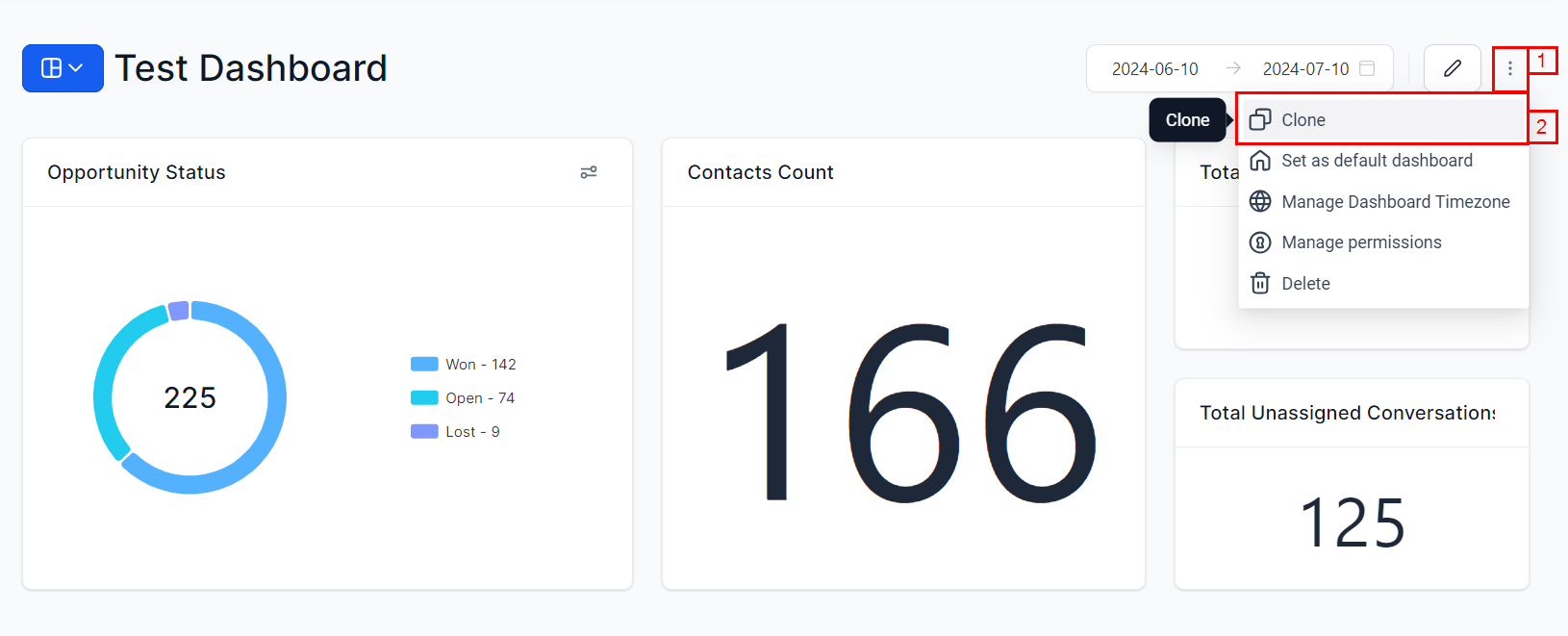
- Duplicate existing dashboards to facilitate efficient modifications and reduce redundant setup tasks. This feature is available to users with Full and View-only access.
Default Dashboard
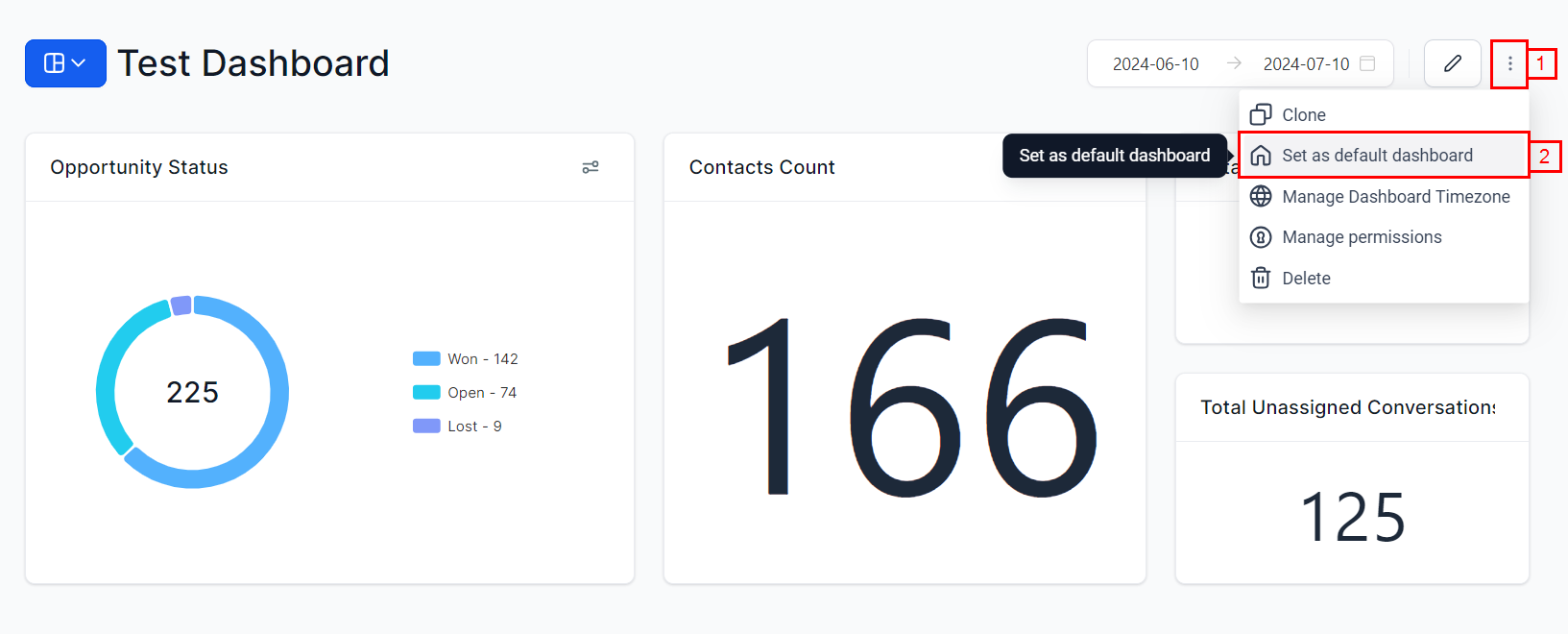
- Set a default dashboard for all users to start with critical information. Default dashboards function as the main landing page for all users, whereas pinned dashboards represent personalized favorites that individual users can swiftly access.
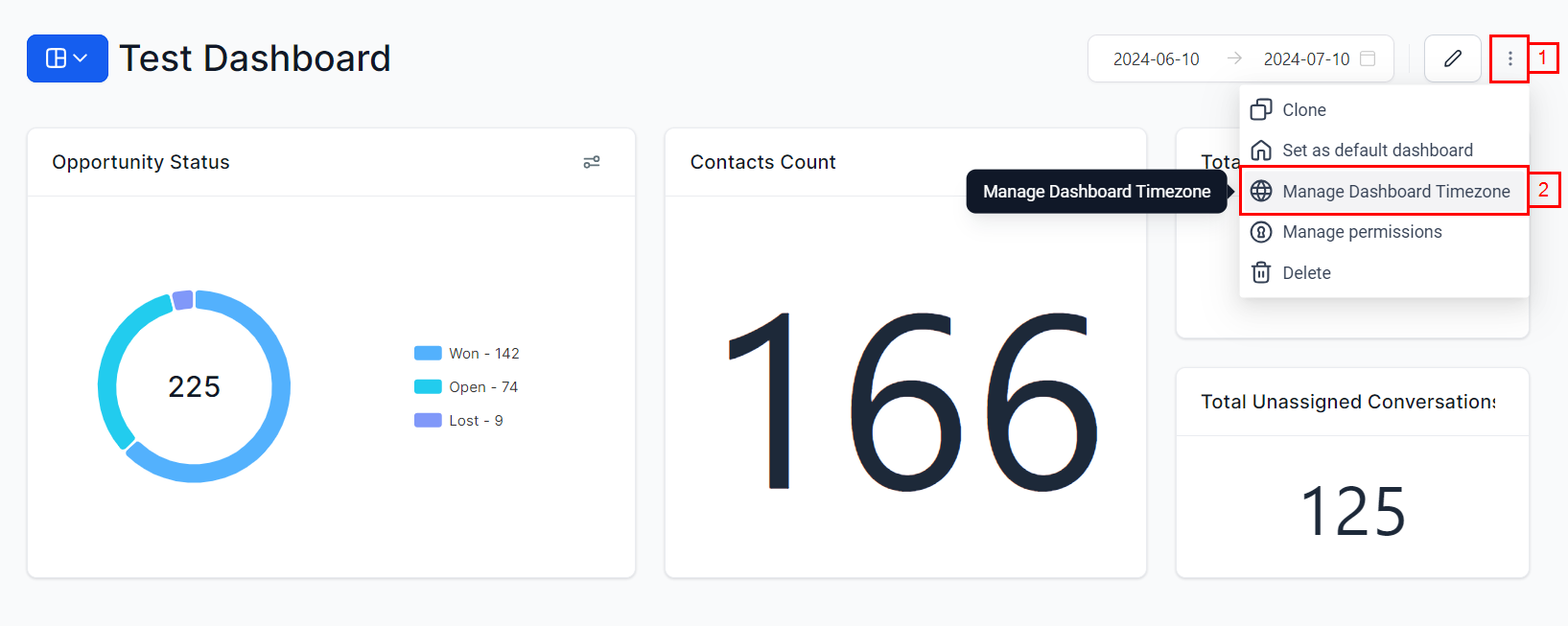
Time Zone Synchronization
- Synchronize dashboard data with local time to enhance efficiency and accuracy.
Managing Permissions
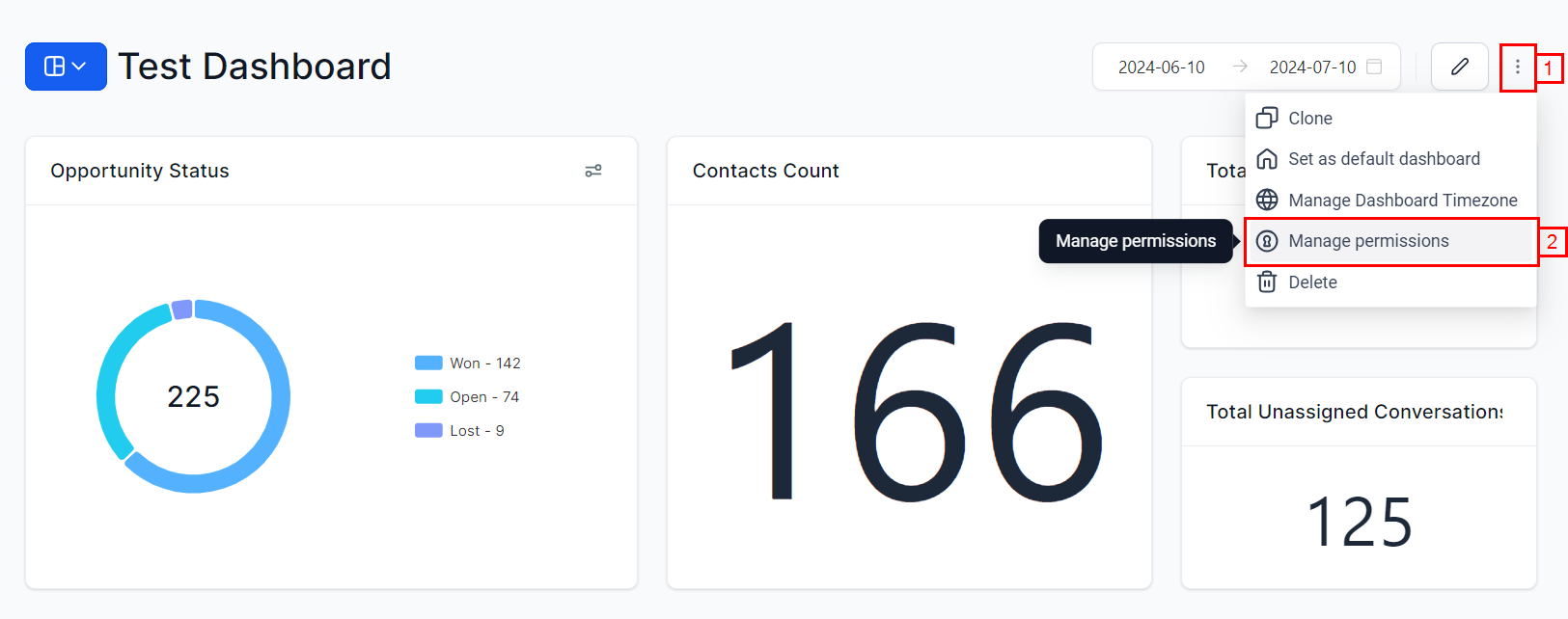
- Owners and users with full access can manage permissions.
- Set dashboards as Private to restrict visibility.
Deleting Dashboards
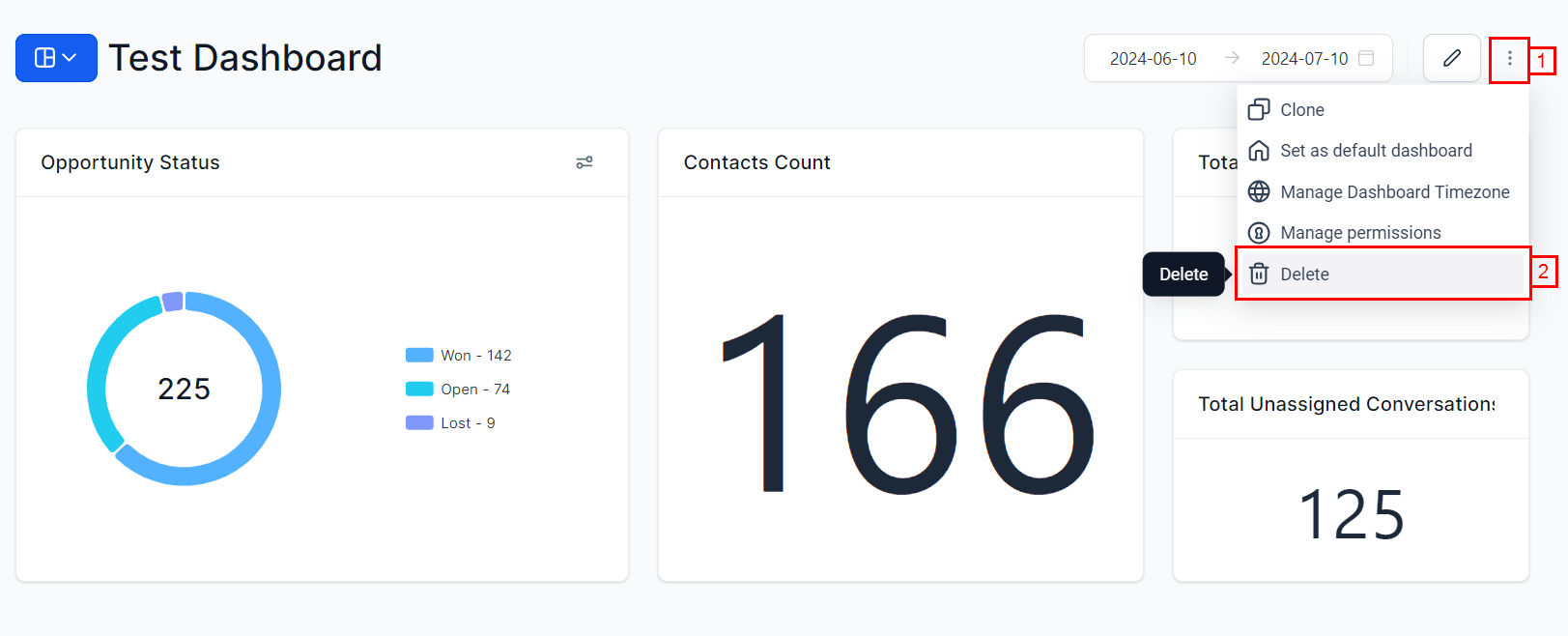
- Owners have the capability to delete unnecessary dashboards to organize their workspace.
Granular Insights and Exporting Data
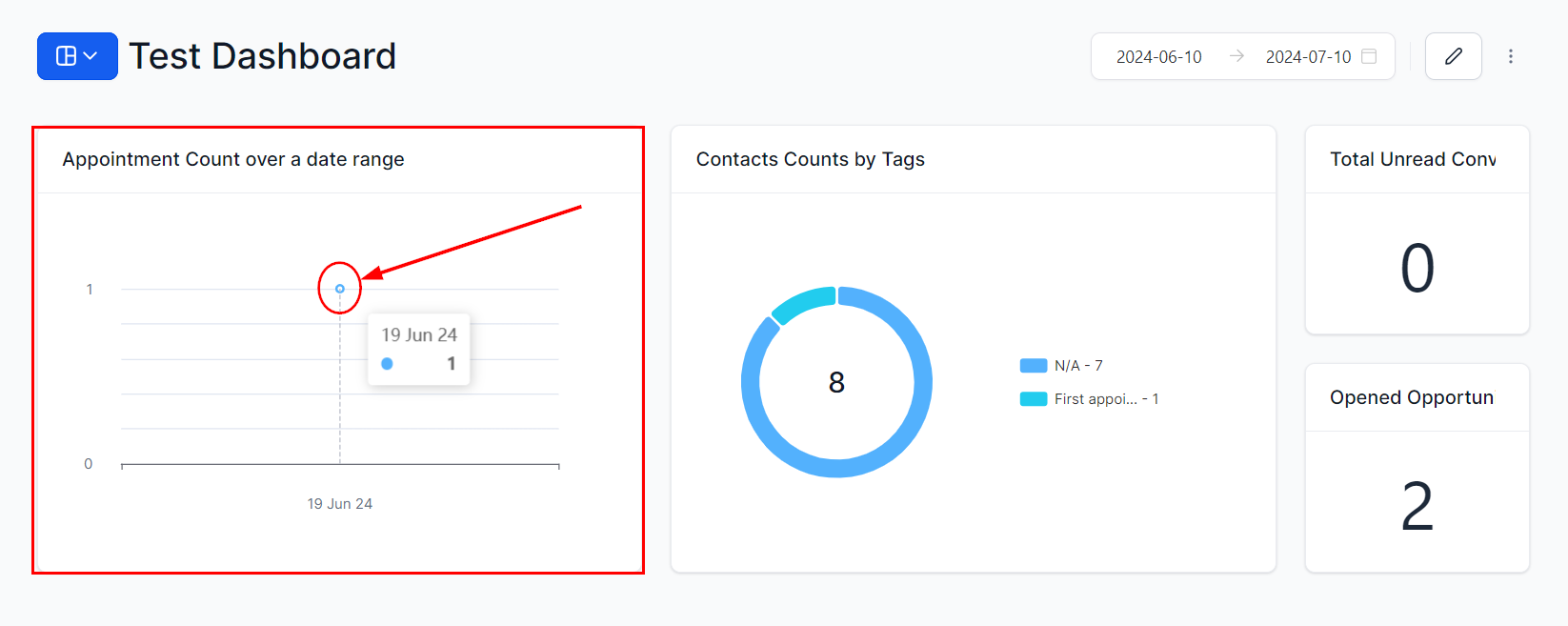
- Click on a data point within any chart or widget component to view detailed records.
- Export records as a CSV file using the export icon.
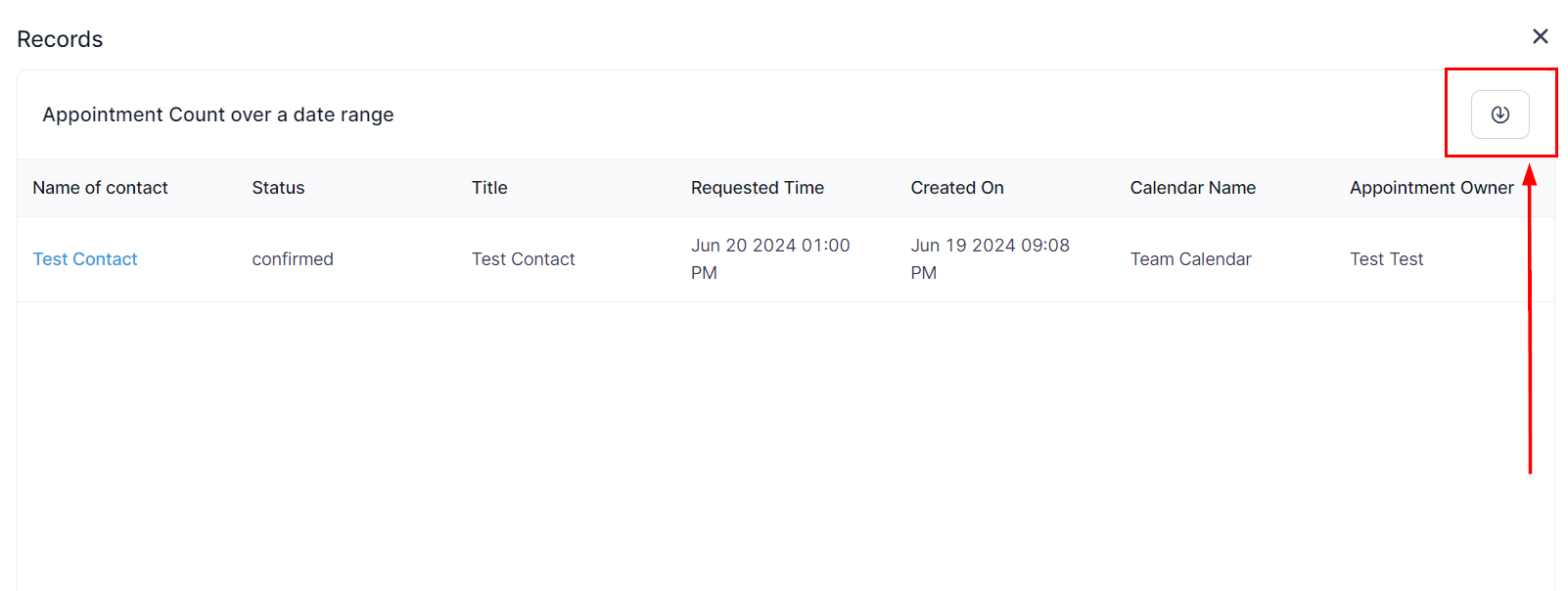
📌Note: Please refrain from switching or closing the tab during an ongoing export process. Granular Insights does not currently support widgets dependent on third-party platforms such as Facebook and Google.
Frequently Asked Questions
Q: Can I clone an existing dashboard?
- A: Yes, users with Full and View-only access can duplicate dashboards for easy modification.
Q: How do I manage dashboard permissions?
- A: Click on the three dots at the top right of the dashboard and select “Manage Permissions” to update settings.
Q: What happens to deleted dashboards?
- A: Deleted dashboards are permanently removed, helping users maintain a clutter-free workspace.
Q: How do I pin a dashboard?
- A: Use the pin option to mark important dashboards for quick access.
Q: How do I set a default dashboard?
- A: In the dashboard settings, choose the option to set the default dashboard for all users.
Q: Can I export data from widgets?
- A: Yes, use the export icon on the widget or record view popup to download data.
Q: How is time zone synchronization managed?
- A: Dashboard data can be synchronized with your local time zone to ensure accuracy and efficiency.
Troubleshooting Tips
Issue: Cloning dashboard fails
- Solution: Check your access level. Only users with Full and View-only access can clone dashboards.
Issue: Permission changes not saving
- Solution: Confirm that you have the necessary permissions to manage the dashboard. Refresh the page and try again.
Issue: Data mismatch due to time zones
- Solution: Use the time zone synchronization feature to align dashboard data with your local time.
By incorporating these features, users can greatly improve their dashboard management, ensuring a more efficient and organized approach to data visualization and analysis
Not a Funnelbud customer yet?
Try our all-in-one CRM for sales and marketing — free for 7 days, no commitment.