Product Completed Trigger
The Product Completed trigger is activated when a customer fully completes their access to a specific product, initiating a designated workflow. This automation enables businesses to efficiently monitor and manage product completions, ensuring no milestone goes unnoticed.
Adding the Product Completed Trigger
To configure the Product Completed trigger, click the “Add New Trigger” button and select the Product Completed option.
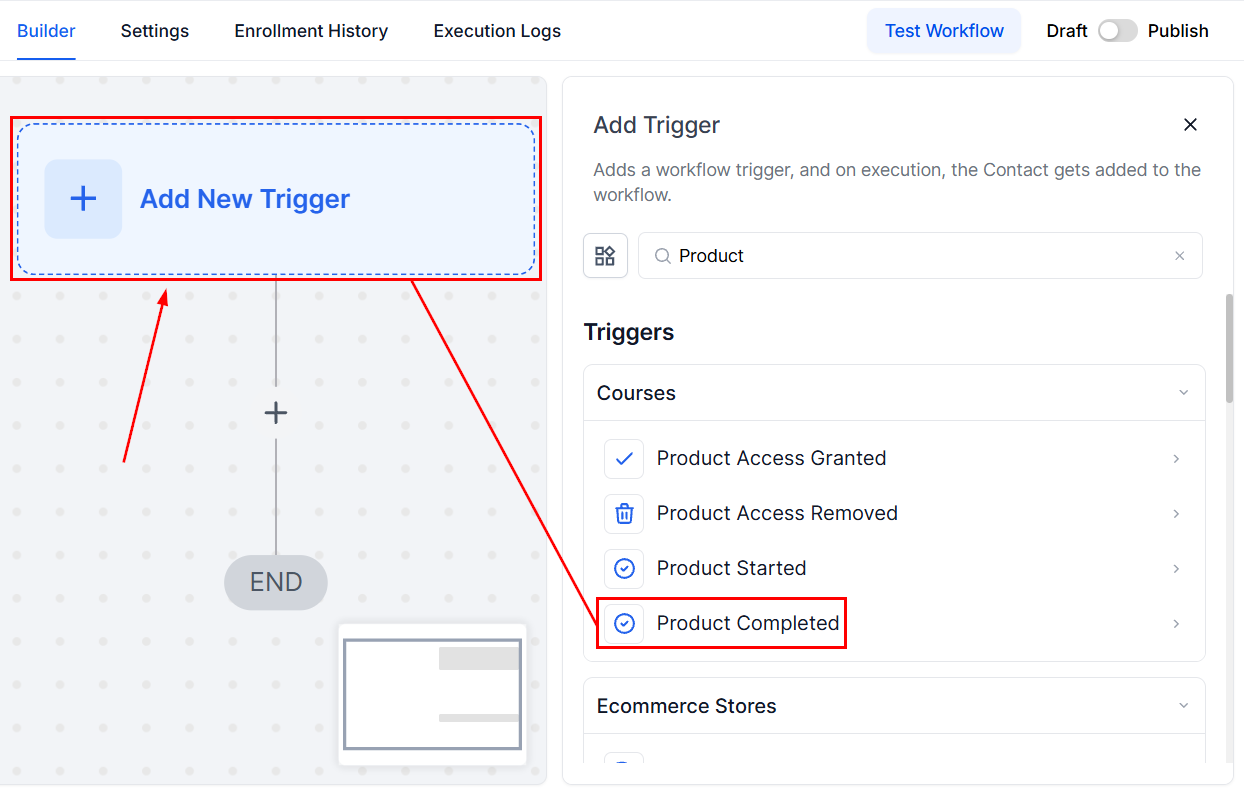
📌NOTE: This runs when access to a product is completed.
Filters
Within the Trigger, you can configure the filters by selecting Add Filters.
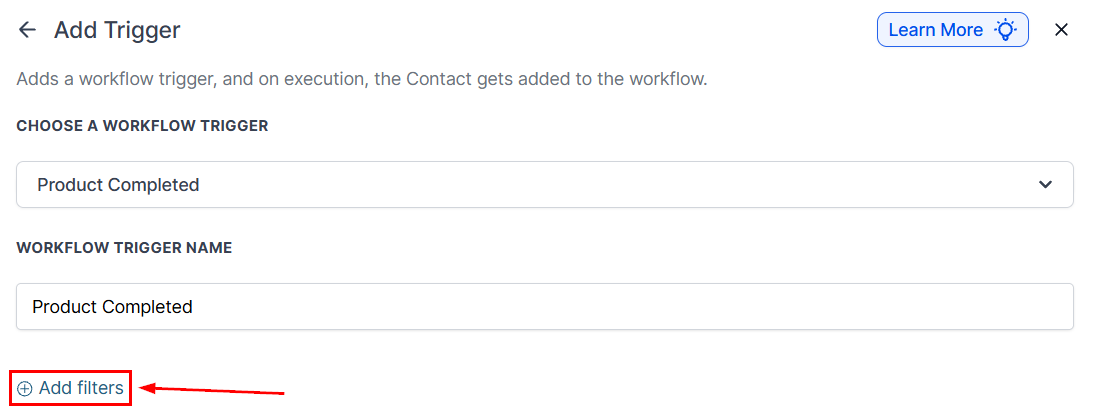
Product
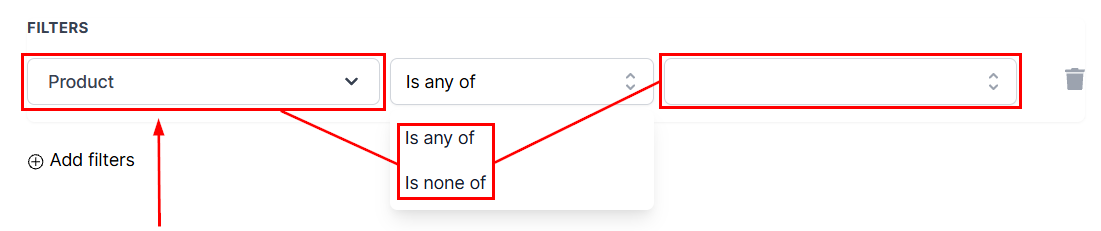
Further customization can be made by adding filters and selecting Product from the dropdown menu, followed by selecting the Operator from the second dropdown menu and then the specific product from the third dropdown menu.
Once all filters have been selected, save the trigger by clicking the Save Trigger button in the bottom-right corner.
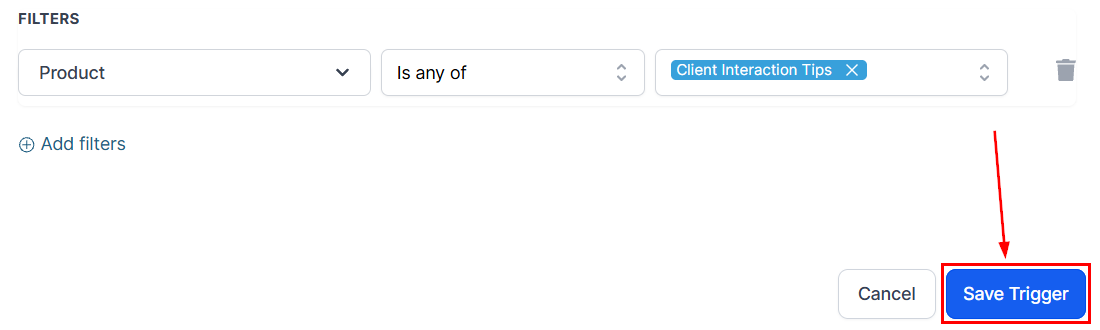
📌 NOTE: Add workflow actions to automate tasks such as notifications, follow-ups, or account updates.
By using this feature, you can improve customer engagement, boost operational efficiency, and create a seamless, positive experience for your clients as they reach the end of their journey with your product.
Not a Funnelbud customer yet?
Try our all-in-one CRM for sales and marketing — free for 7 days, no commitment.