Securing Email Links with SSL Certificates
Before diving into the process, it’s important to understand what an SSL certificate is and why it’s essential for your email links. SSL (Secure Sockets Layer) certificates encrypt the data transmitted between a web server and a web browser, ensuring that all data passed remains private and integral. This is especially important for email links, as it prevents third parties from tampering with or intercepting the link.
To successfully send secure email links, follow these steps diligently:
Verify Your Domain
Before an SSL certificate can be issued, your domain must be verified within the CRM. This is a critical first step that ensures you own or control the domain you’re using.
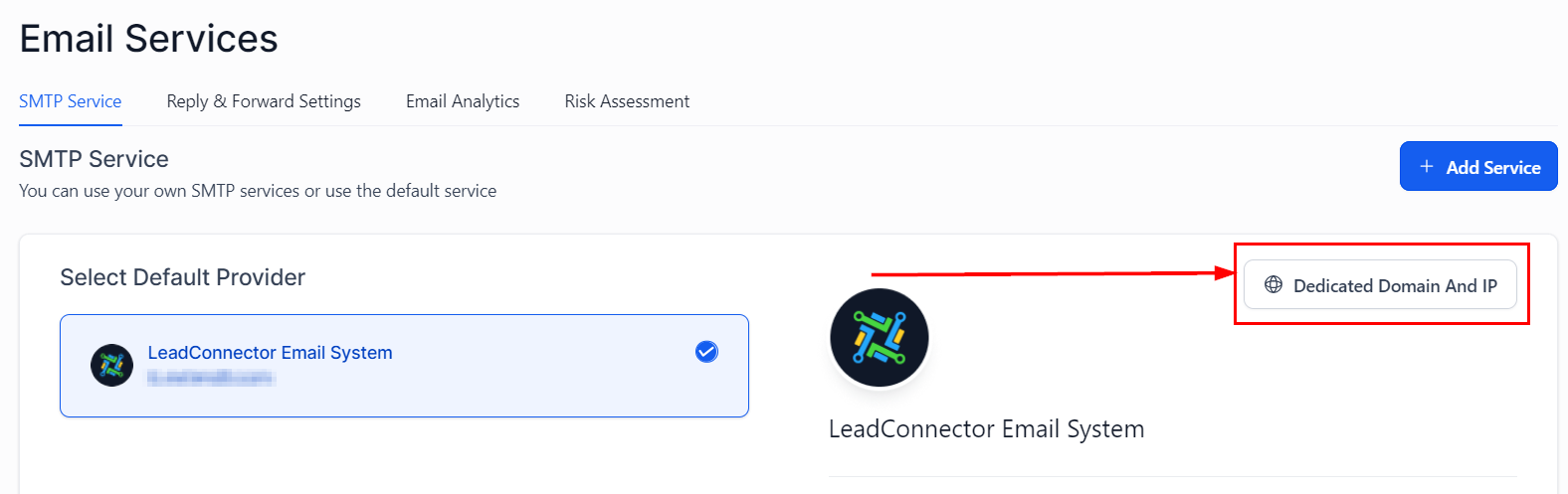
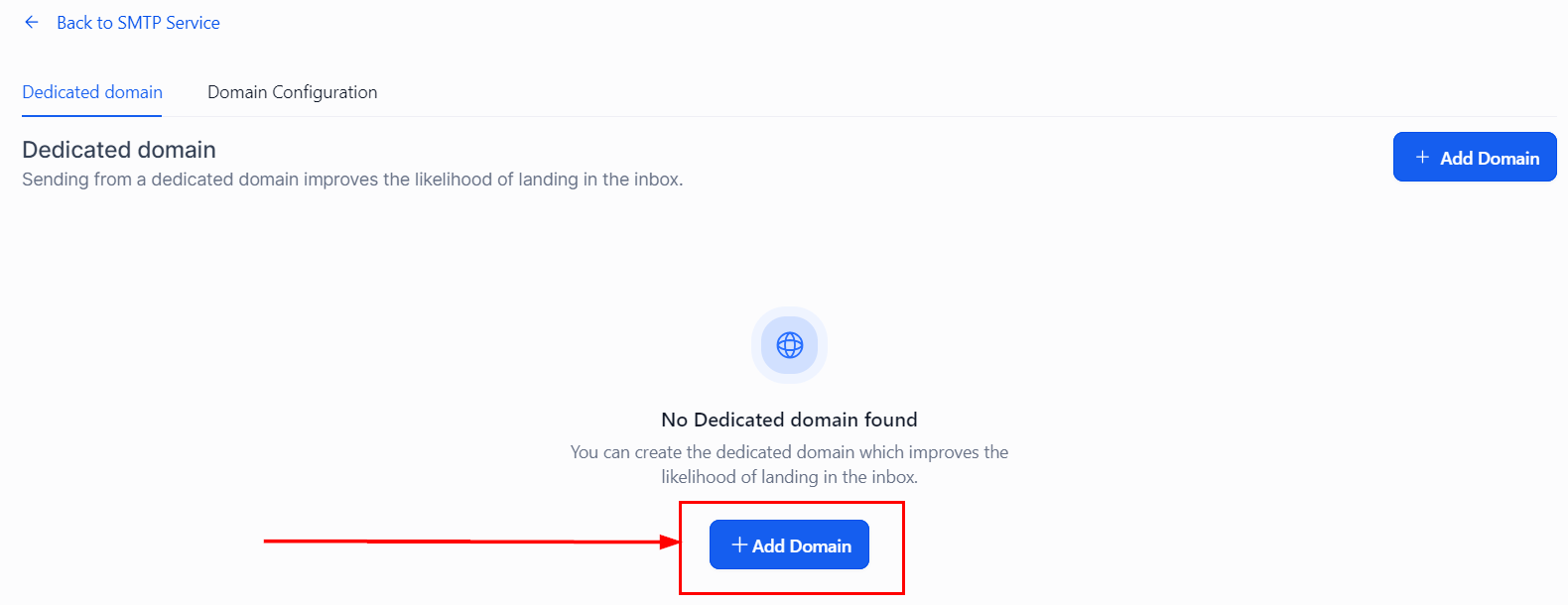
Check SSL Status
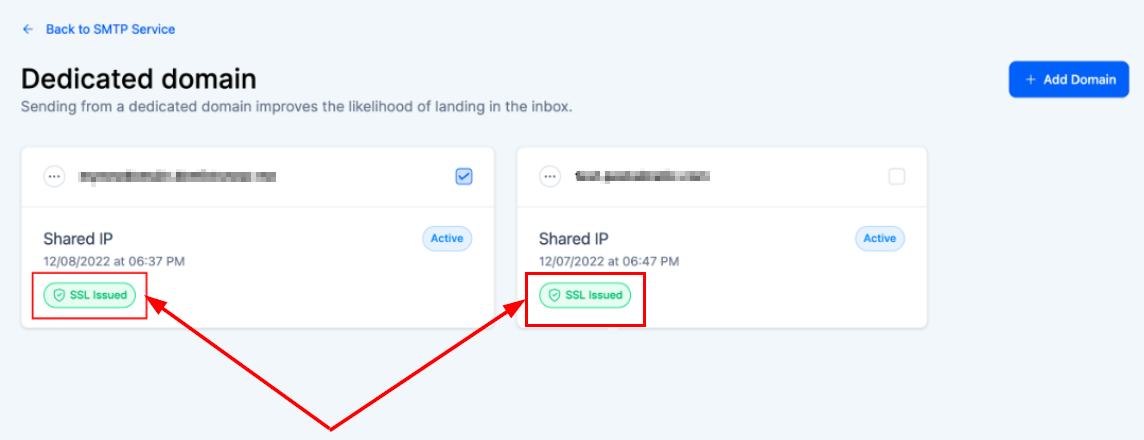
Once your domain is verified, the CRM will automatically attempt to issue an SSL certificate. There are three possible statuses for this process:
- SSL Issued: This status indicates that the SSL certificate was successfully issued to your domain. No further action is required.
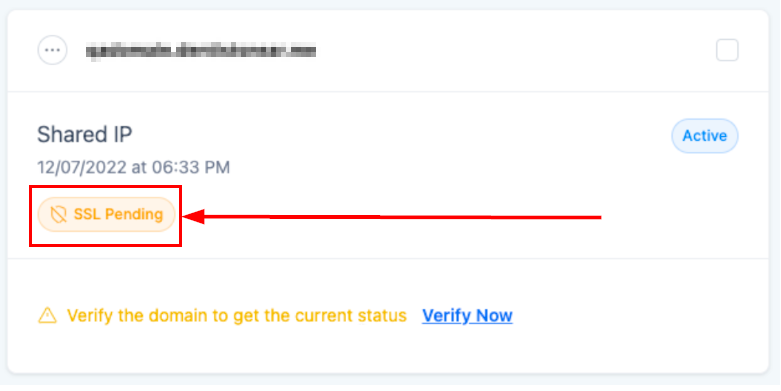
- SSL Pending: The process of generating the SSL certificate is underway but not yet completed. In this case, patience is required as the process can take a short period to complete.
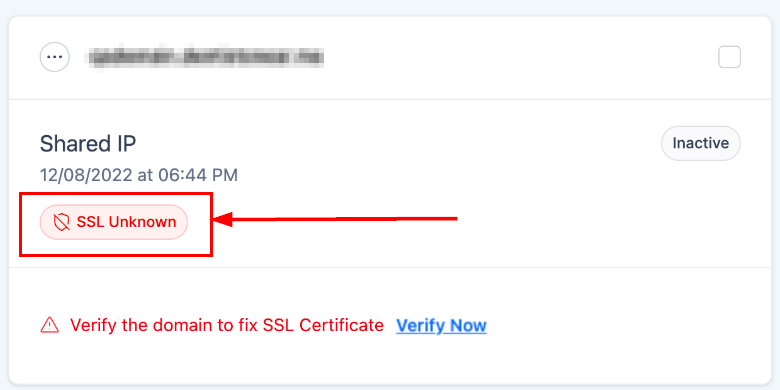
- SSL Unknown: This status means that the SSL certificate was not generated and issued. Further action is required.
Taking Action Based on SSL Status
If your SSL status is Pending or Unknown, follow these steps:
- Click “Verify Now” within the CRM to be redirected to the domain DNS page.
- Ensure all your DNS records are correctly verified. This step is crucial for the SSL certificate issuance.
- Hit the “Verify domain” button to initiate the SSL certificate issuance process. If the initiation does not occur, please attempt the process.
Troubleshooting Tips
Broken Links in Emails
- If recipients report broken links in emails, check the SSL status of your domain. An unissued SSL certificate is a common cause.
SSL Status Stuck on Pending
- If your SSL status doesn’t change from pending after a reasonable time, double-check your DNS settings. Incorrect DNS records can hinder the SSL issuance process.
Frequently Asked Questions
Q: How long does it take to issue an SSL certificate?
- Typically, the process is quick, but it can take up to 24 hours in some cases. If the domain verification does not occur, please attempt the process.
Q: What if I change my DNS settings after the SSL certificate is issued?
- If DNS settings are altered significantly (e.g., changing CNAME records), you may need to re-verify your domain and re-issue the SSL certificate.
Not a Funnelbud customer yet?
Try our all-in-one CRM for sales and marketing — free for 7 days, no commitment.