Create Opportunity Action
The Create Opportunity action allows you to generate a new opportunity within a specified pipeline and stage, ensuring that new leads are properly categorized without affecting any existing opportunities. This action is great for onboarding new leads, as it automatically populates all details and values. Additionally, the duplicate opportunity setting follows a unified global setting, simplifying opportunity management.
To use this workflow action, navigate to Automation > Workflows in your CRM and open an existing workflow or create a new one.
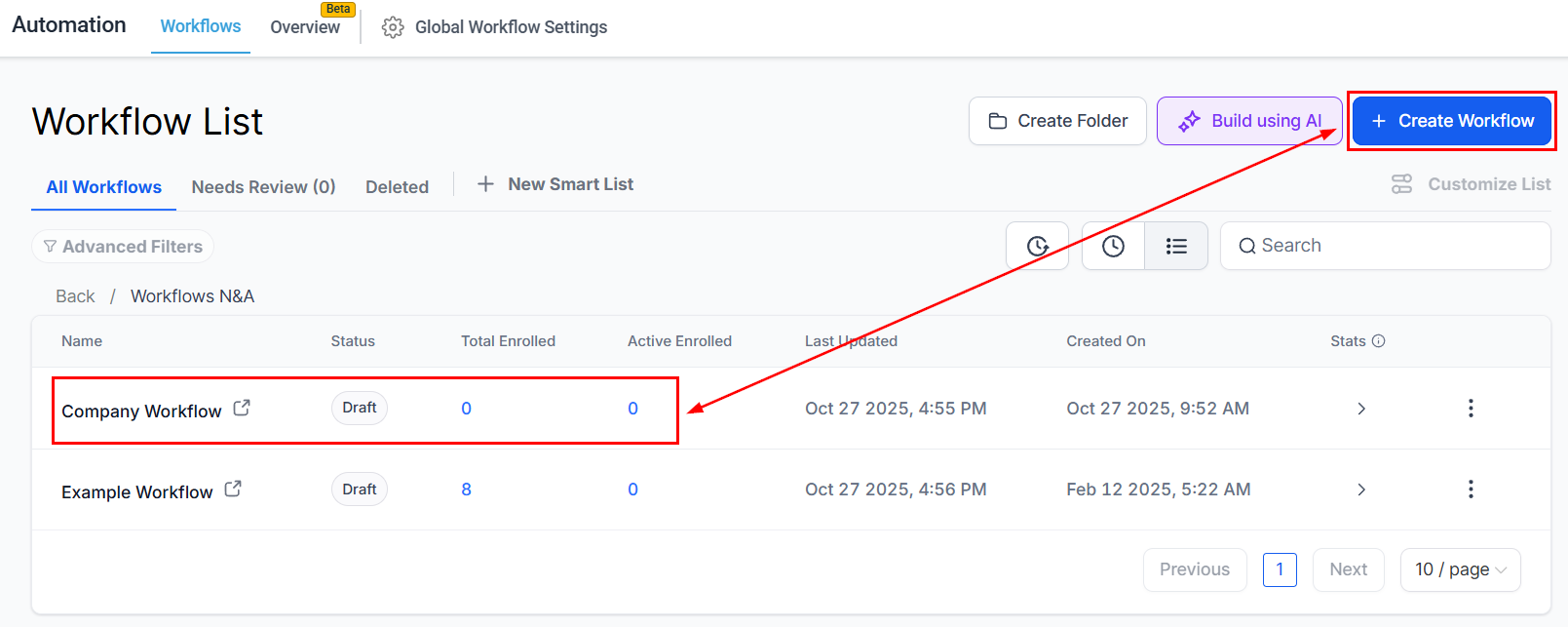
First, choose a Trigger to determine when this action should run. Click on the “+” icon to add an action, then search for and select Create Opportunity from the list.
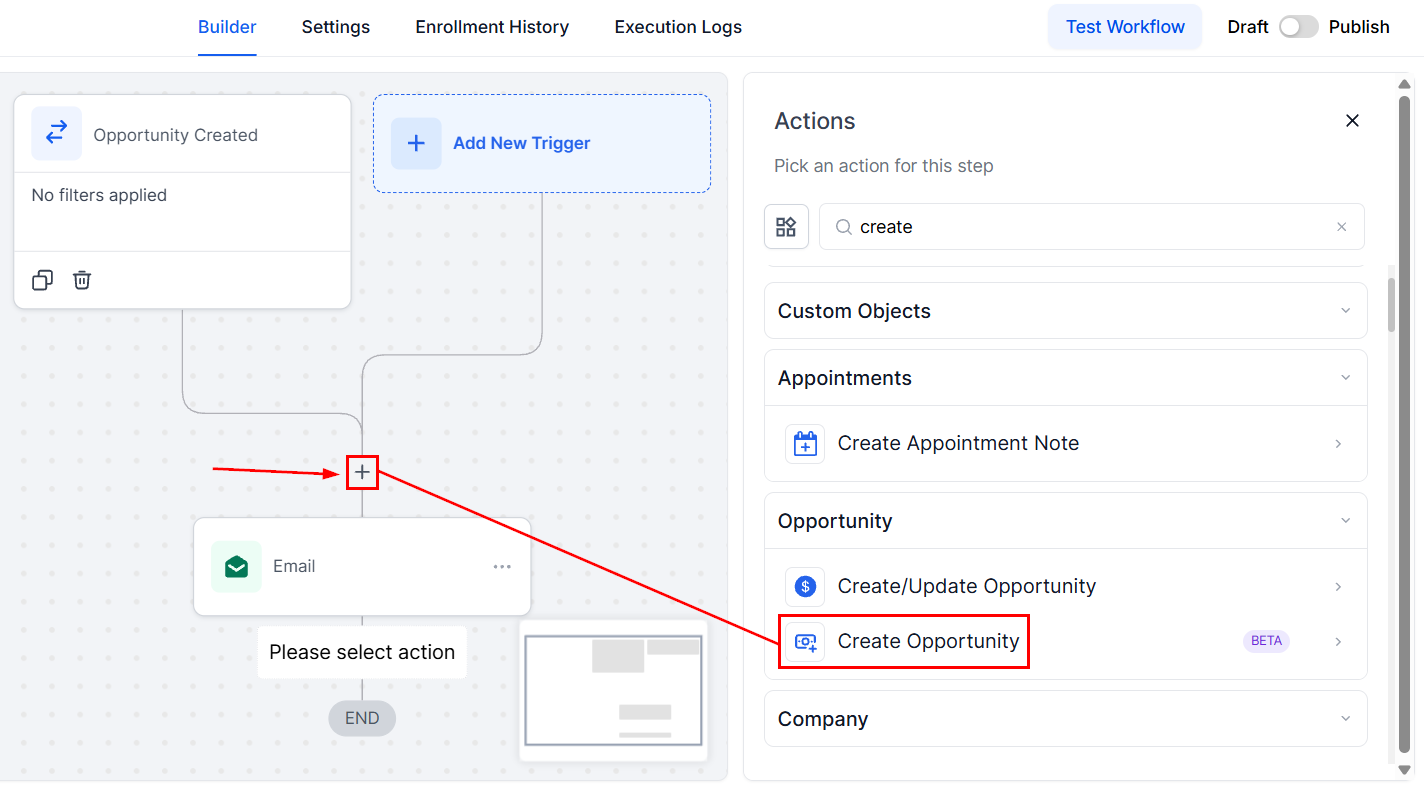
Configure the Action
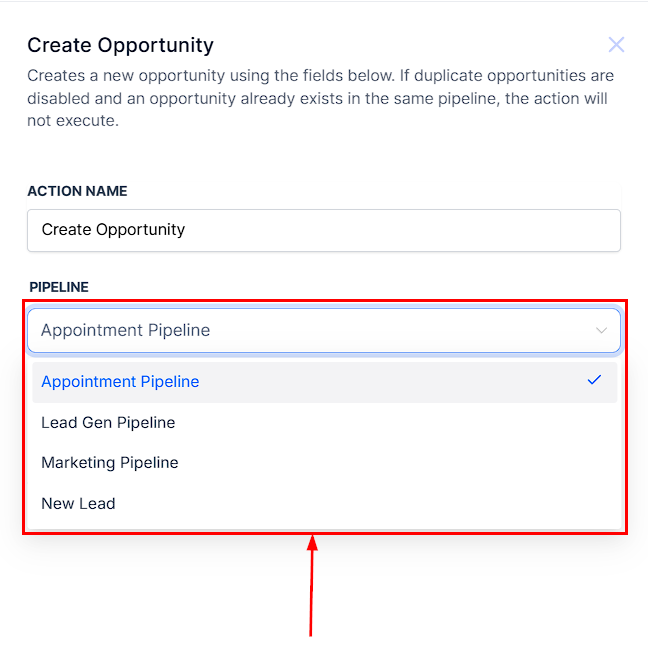
Pipeline
Click the dropdown to select the pipeline where the new opportunity should be created.
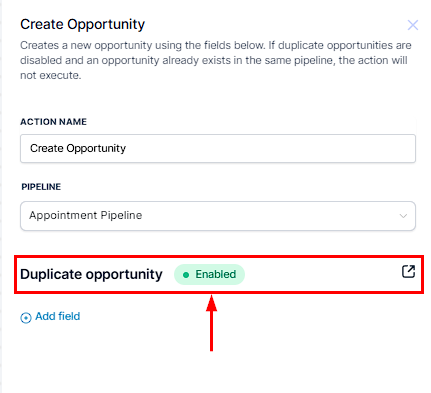
Duplicate Opportunity
This option follows a unified global setting for handling duplicate opportunities. If you click on the Duplicate Opportunity option, you will be redirected to Settings > Business Profile. From there, scroll down to the General section, locate the Allow Duplicate Opportunity setting, and toggle it on or off based on your preference.
This ensures consistency in how duplicate opportunities are managed across workflows.
Add Field
Select the Add Field option to specify additional criteria to refine your search, such as filtering by opportunity name, value, source, pipeline stage, and much more.
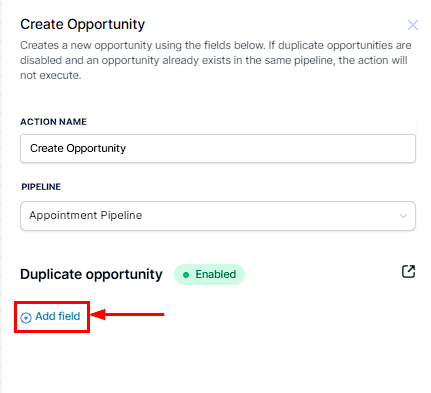
Fields
This section displays the opportunity details that can be configured, allowing for further automation steps.
- Opportunity Name: Enter a name for the new opportunity to help identify it within the pipeline.
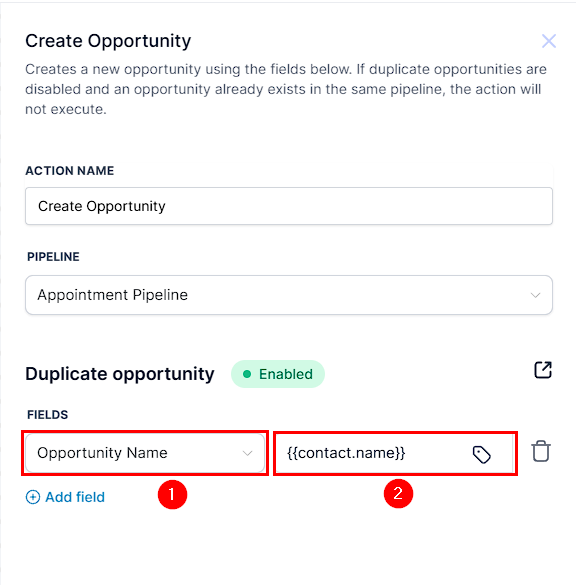
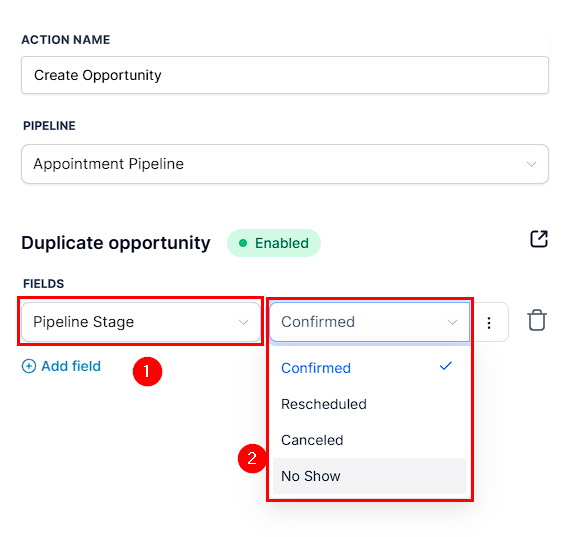
- Pipeline Stage: Select the stage where the opportunity will be placed within the pipeline.
- Opportunity Value: Here, you can define the monetary value of the opportunity.
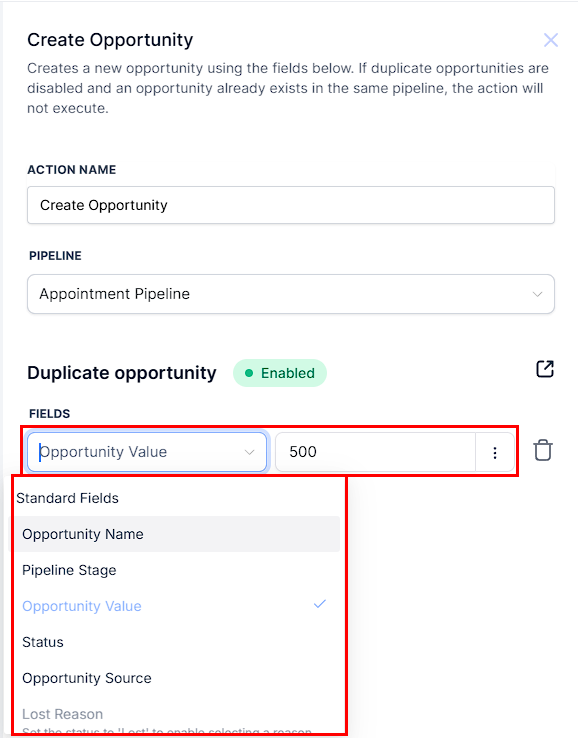
- Status: Choose the current status of the opportunity (e.g., Open, Closed, Won, Lost). Remember, the Status field must be added before you can mark an opportunity as Lost.
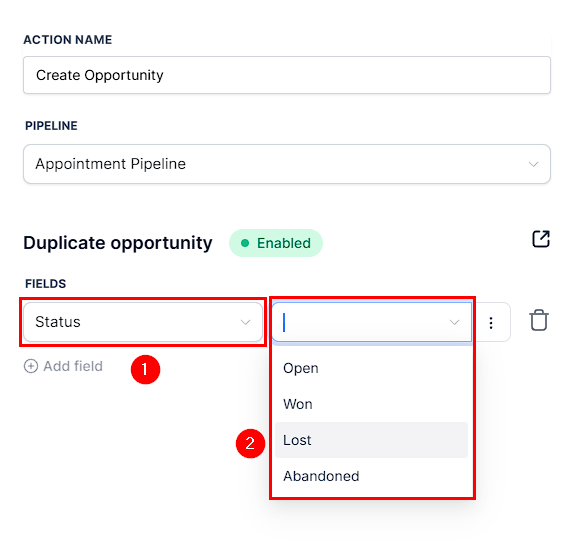
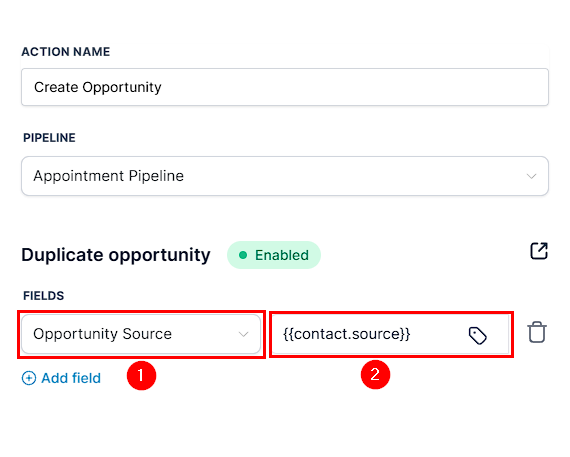
- Opportunity Source: Use this option to identify where the opportunity originated from.
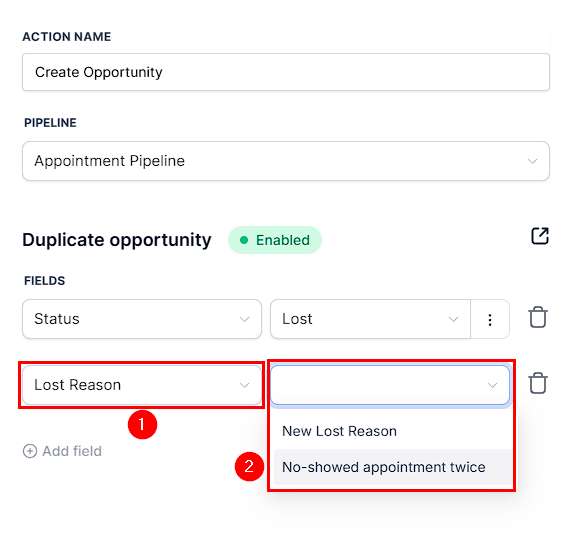
- Lost Reason: If the opportunity is marked as lost, provide a reason. You must add both the Status and Lost fields before specifying a Lost Reason.
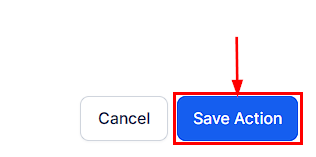
Once configured, save the action and publish the workflow to activate it.
Using the Create Opportunity action helps you add leads, manage your pipeline, and stay organized. Adding opportunities effectively ensures that no lead falls through the cracks and that the right steps can be taken toward conversion.
Not a Funnelbud customer yet?
Try our all-in-one CRM for sales and marketing — free for 7 days, no commitment.