Connect Call IVR Action
The Connect Call (IVR) action enables real-time call transfers from the IVR system to selected users or phone numbers. You can connect calls to up to 10 users simultaneously and configure advanced options like voicemail detection and call duration limits. This ensures seamless redirection of calls while maintaining high service quality and operational control.
How It Works
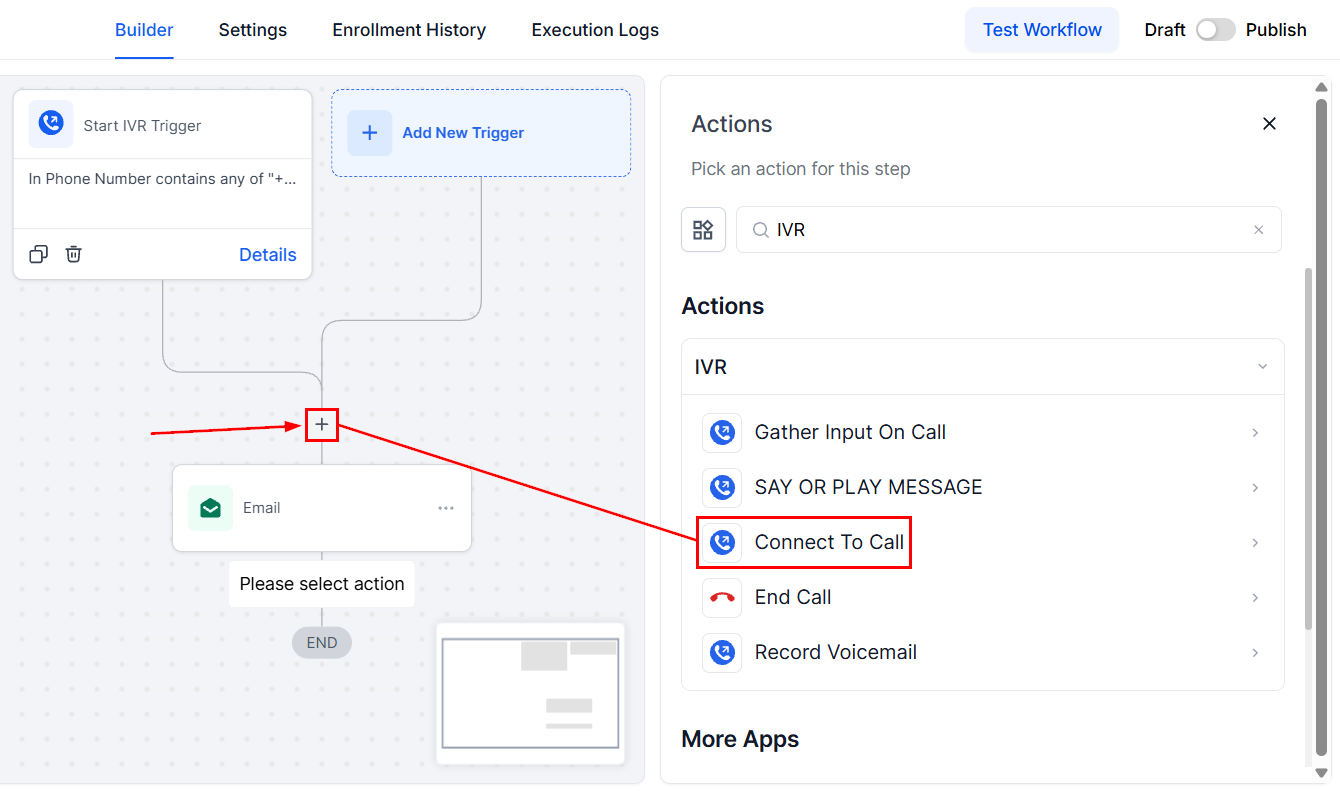
Navigate to a workflow with the Start IVR Trigger added, then click the “+” icon to select the Connect Call action from the actions list.
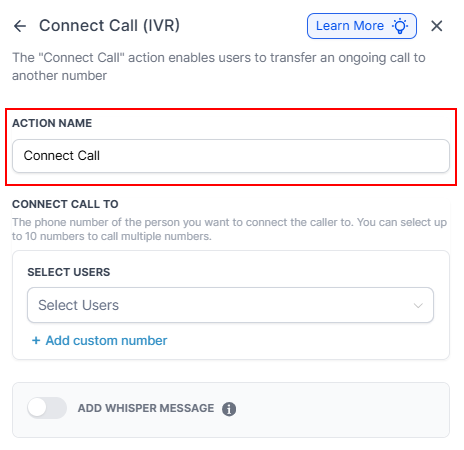
Action Name
Enter a descriptive name for the action.
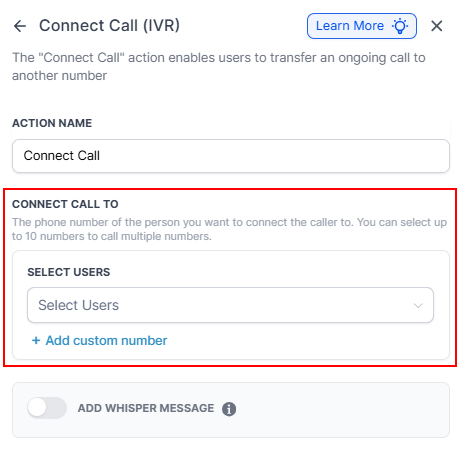
Connect Call To
Define the users or custom phone numbers to transfer the call to. Choose from existing users or manually input custom numbers by selecting the user from the dropdown or clicking the “Add Custom Number” button.
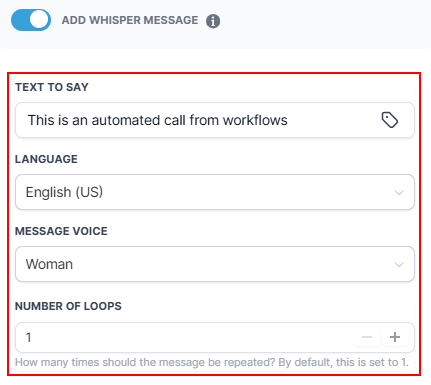
Add Whisper Message
Toggle this switch to play a message to the user who answers the call prior to the call being connected.
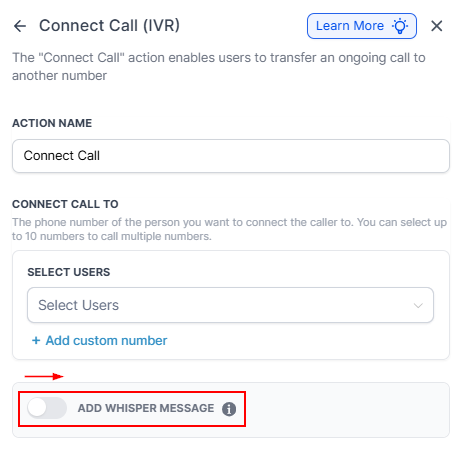
Once activated, you can enter the message by typing it manually or using custom fields, set the language and voice for the message, and specify how many times it should be repeated.
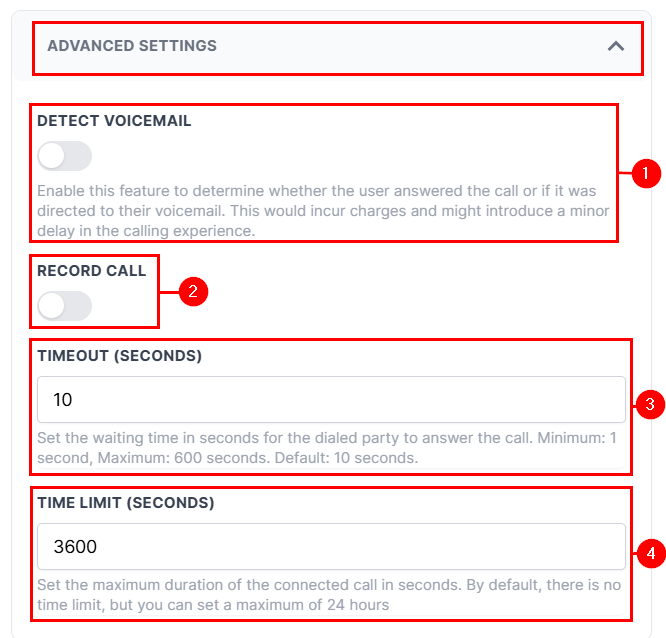
Advanced Settings
Expand the Advanced Settings to detect if the call is answered by voicemail, which may introduce a delay (1), record the call for quality assurance or compliance (2), set the wait time before the call transfer attempt times out (3), or define the maximum duration of the connected call (4).
📌Note: The Timeout and Time Limit fields require you to input the value in seconds and have a maximum limit of 600 seconds and 24 hours, respectively.
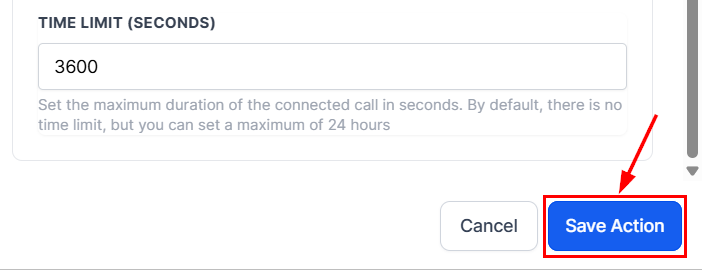
Save
After verifying your selections, click the Save Action button to load the action to your builder.
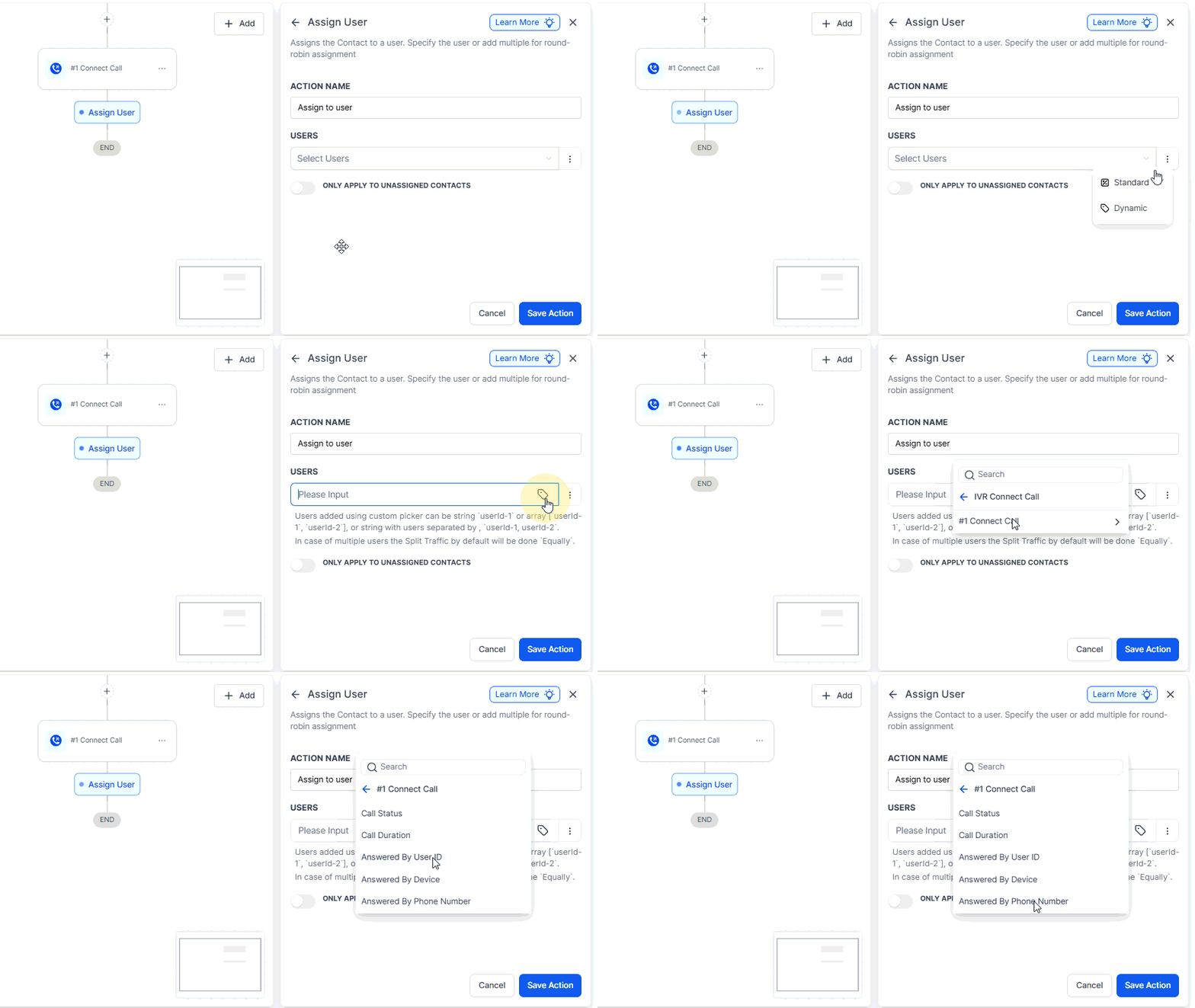
Once your action is set up, you can use Connect Call custom values in the Assign User action to automatically assign the contact to the person who answered the call.
Note that this feature will not work if the Connect Call routes to a Custom Phone Number since there is no associated user ID.
By leveraging the configuration options, you can ensure that customers are efficiently connected to the right individuals while maintaining control over call quality, duration, and compliance. This makes it an essential tool for any business seeking to improve call handling and customer service through automated call routing.
Example Scenario
A customer contacts your IVR system and selects the option to speak with a sales agent. The system then transfers the call to one or more available sales representatives.
- Action Name: Transfer Call to Sales Agent
- Connect Call To: Select one or more sales agents or provide custom numbers.
- Advanced Settings: Enable Record Call, Set Timeout to 30 seconds, and Set Time Limit to 3600 seconds (1 hour).
Not a Funnelbud customer yet?
Try our all-in-one CRM for sales and marketing — free for 7 days, no commitment.