Multi-Location Incoming Calls on the Mobile App
Managing inbound calls across multiple business locations can be challenging, particularly when teams operate within complex, multi-account environments. The Multi-Location Incoming Calls feature simplifies this experience by ensuring teams never miss a lead, regardless of which sub-account they are currently working in. This facilitates seamless call handling, greater operational awareness, and faster response times.
Key Details
- This feature is exclusively available in the mobile app for versions v4.0.0 and above.
- Users must belong to all selected locations to receive calls from them.
- A maximum of ten locations are supported at a time.
How to Enable Multi-Location Incoming Calls
Open the mobile app and navigate to Settings.
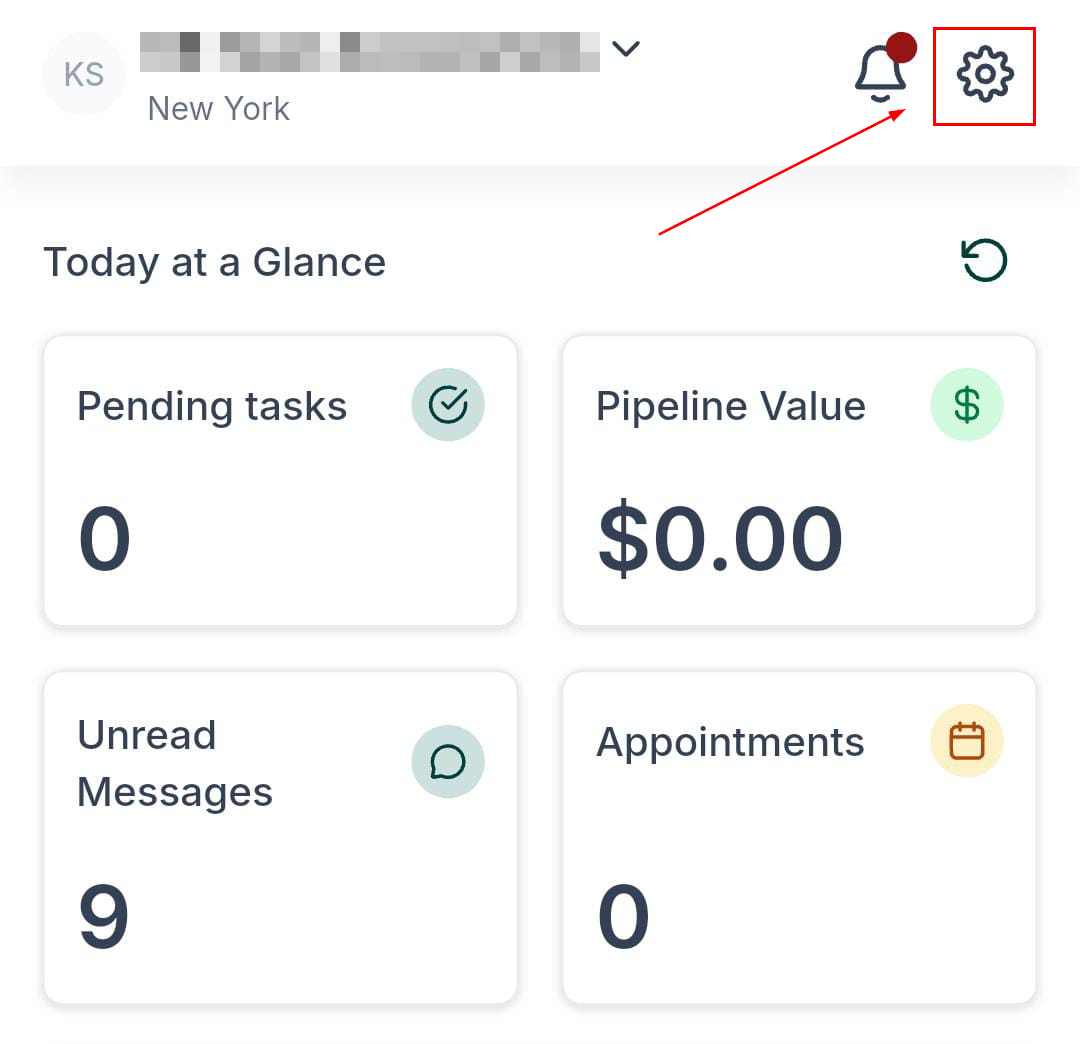
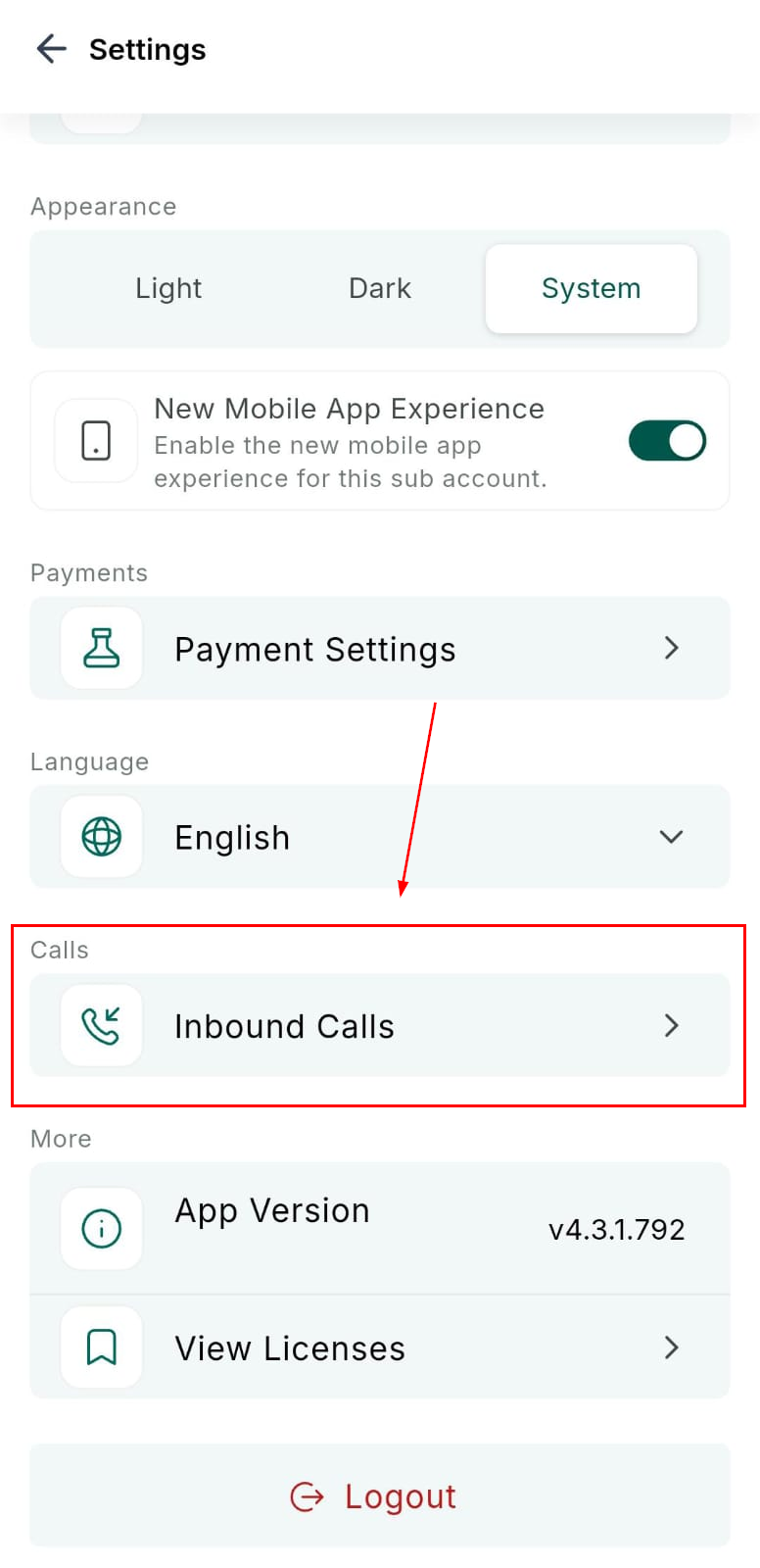
Access the Inbound Calls menu.
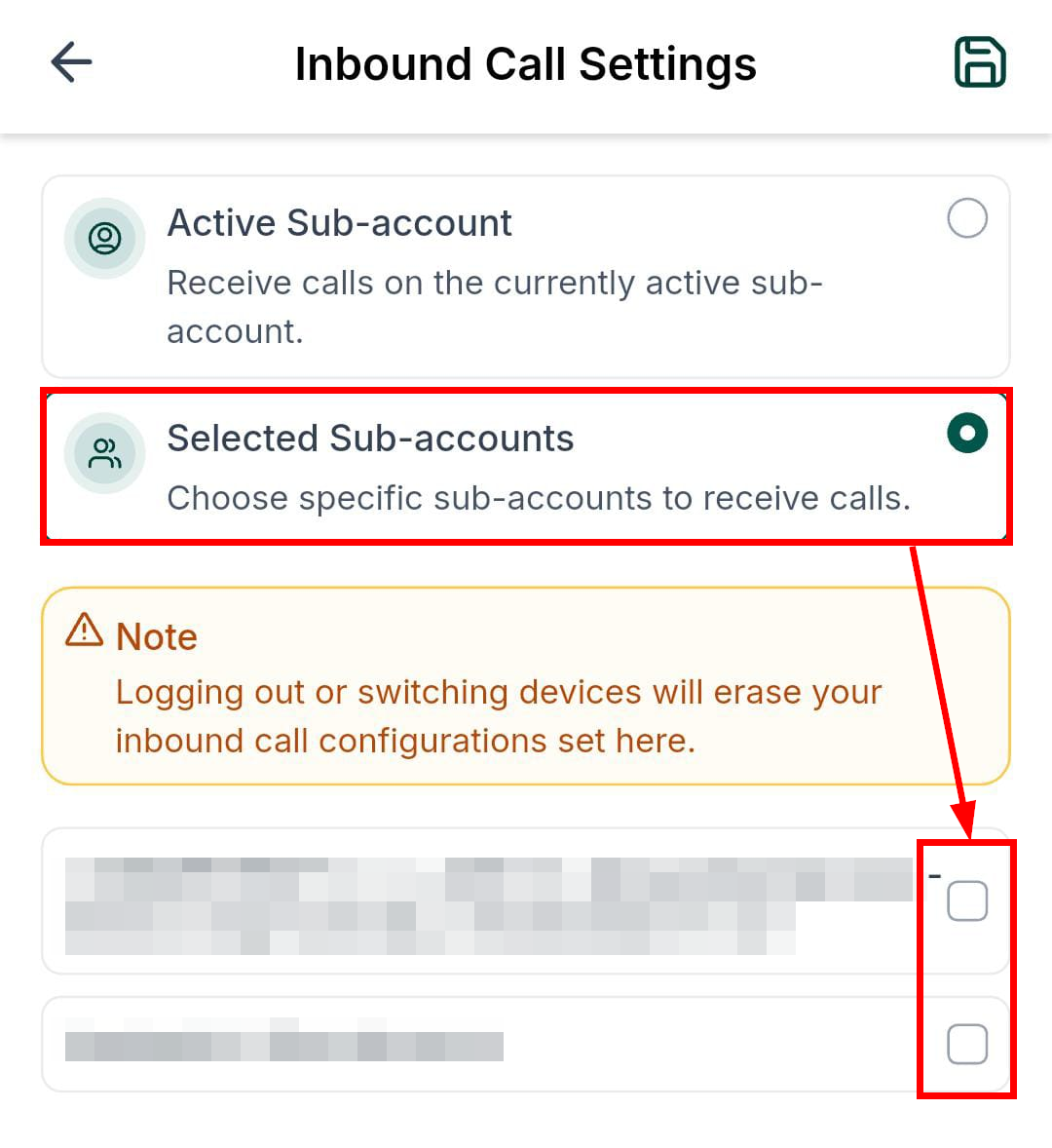
Enable Multi-Location Incoming Calls, then select up to ten locations you want to receive calls from.
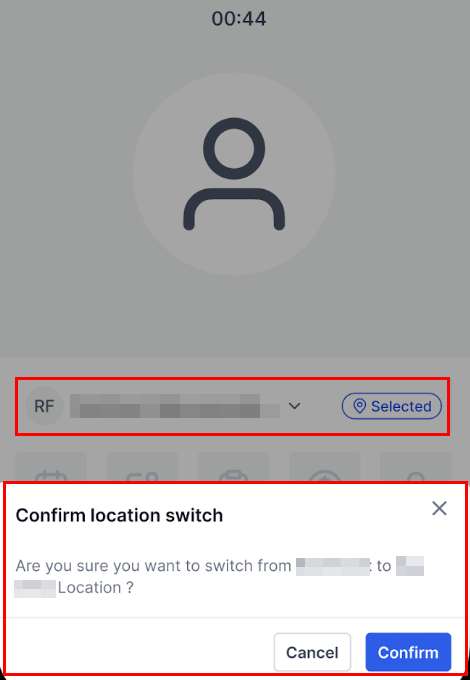
Once enabled, your device will ring for calls coming from any of your selected locations—regardless of which sub-account you are currently active in. Each call includes a Location Badge on the call screen, allowing you to immediately identify where the lead originated.
During the call, selecting Switch Location moves you directly into the correct sub-account, enabling full CRM functionality without disconnecting the caller. This ensures all notes, updates, and automations attach to the appropriate location every time.
By centralizing call handling within the mobile app and offering clear contextual cues, it reduces missed leads, accelerates response times, and enhances the overall call management experience.
Frequently Asked Questions
Q: Do I need admin permissions to use this?
- No. Any user who belongs to the selected locations can enable this feature.
Q: Can I log call notes during the call?
- Yes. Switching to the correct location during the call provides full access to CRM tools.
Q: What happens if I am already on another call?
- The incoming call will follow your existing call-handling rules, such as call waiting or voicemail.
Q: Do workflows run in the correct location?
- Yes. Because you switch into the correct sub-account during the call, all associated workflows and logs remain properly aligned.
Q: Does this increase call minute usage?
- No. Calls are billed at the same rate as standard inbound calls.
Not a Funnelbud customer yet?
Try our all-in-one CRM for sales and marketing — free for 7 days, no commitment.