Email Verification in Forms & Surveys
The email verification feature allows form and survey participants to verify their email addresses directly within the form or survey, enhancing the integrity of the data collected and providing a more seamless user experience. By ensuring email addresses are verified, you can significantly reduce the chances of receiving inaccurate data. This feature enhances data integrity and provides a smoother experience for participants, ultimately benefiting both data collectors and participants.
Enabling Email Verification
Add the Email Address Field
Start by dragging and dropping the email address field into your form or survey.
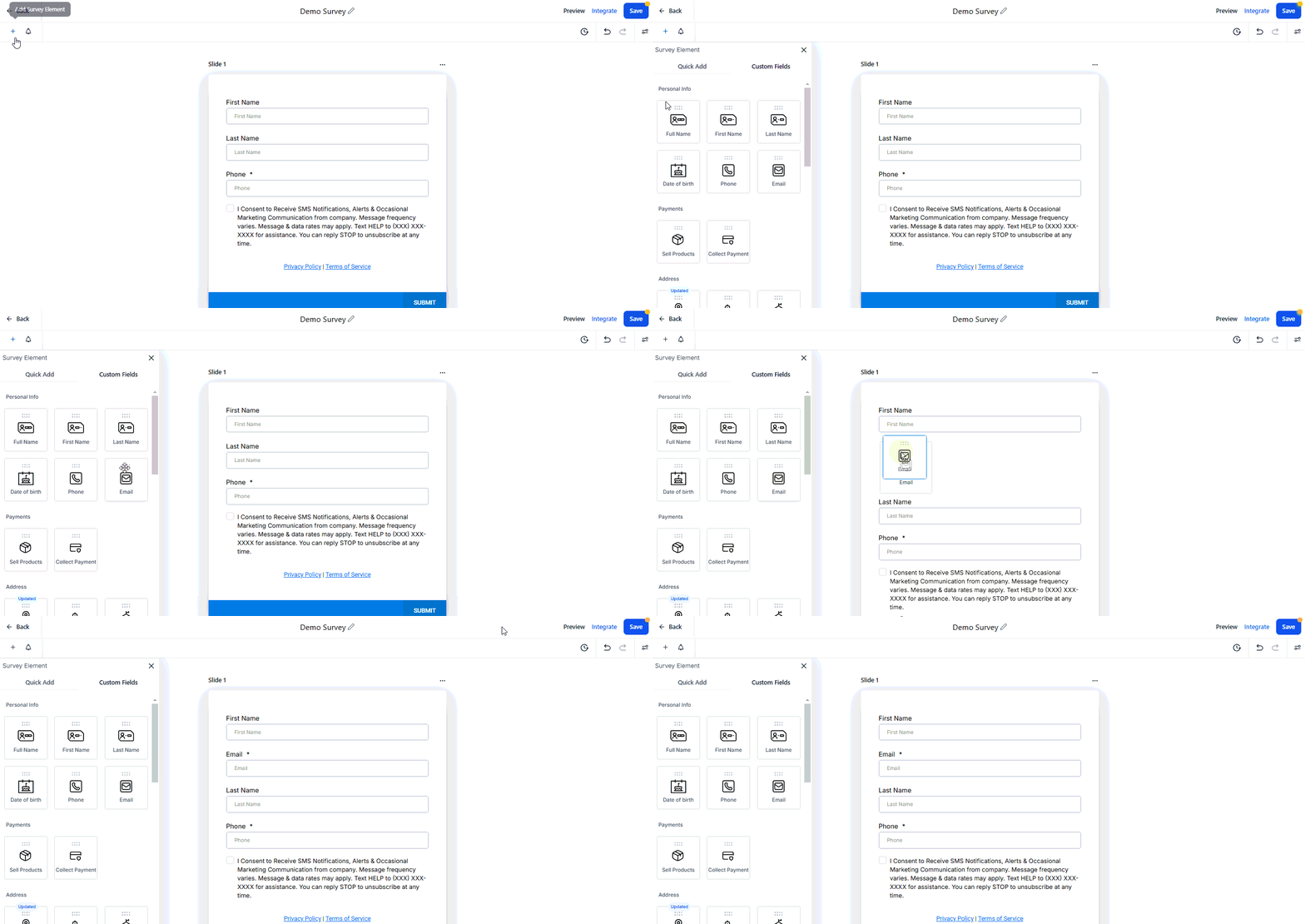
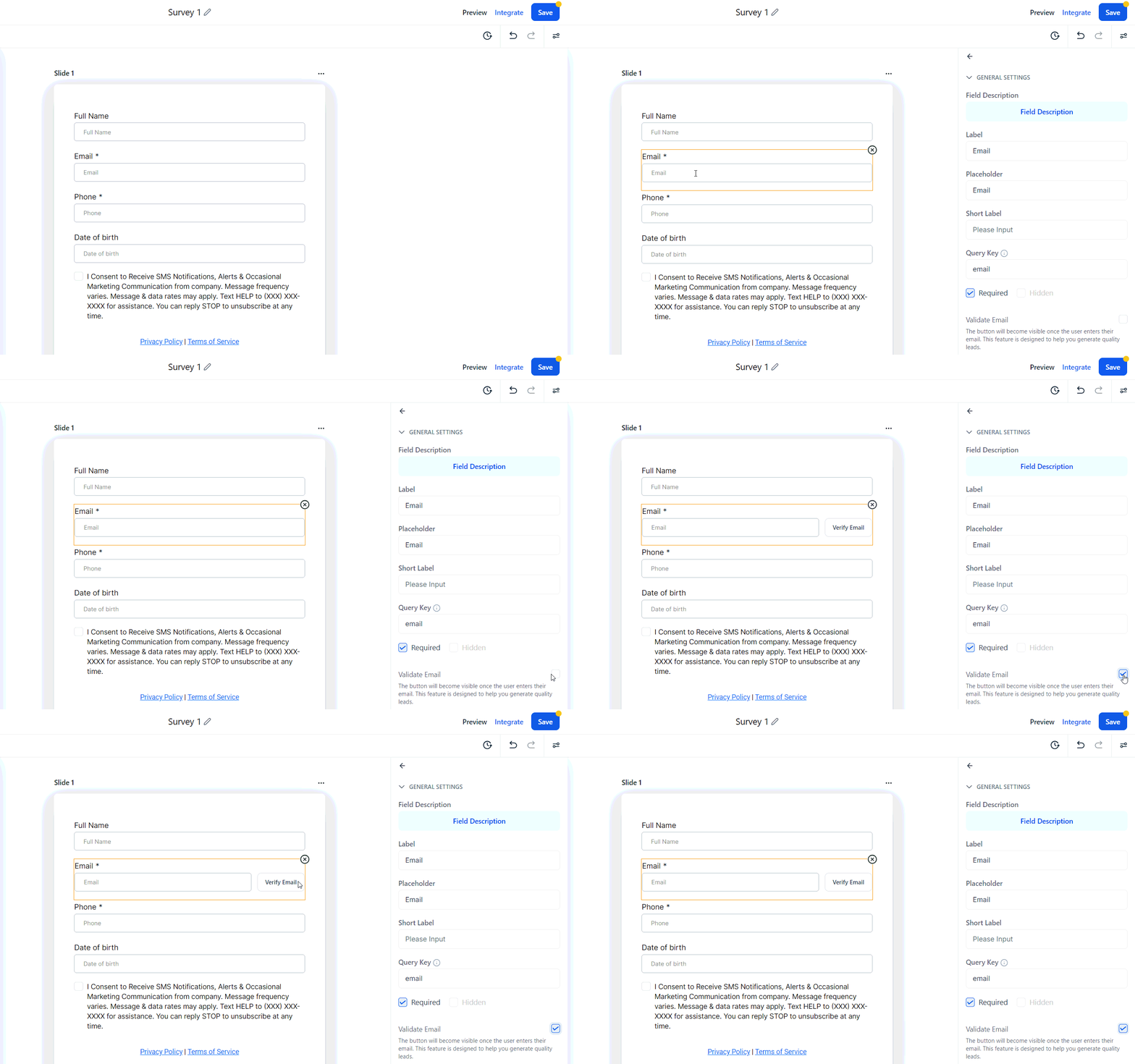
Validate Email
Click on the email address field to open the settings menu, then enable the “Validate Email” feature.
How It Works
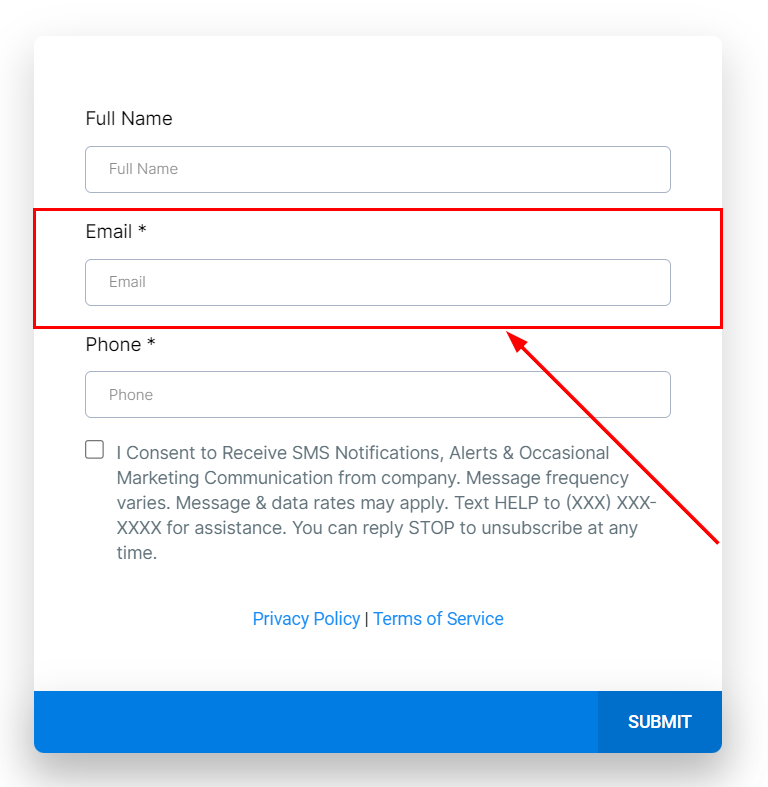
Email Entry
Users will enter their email addresses in the designated field of a form or survey.
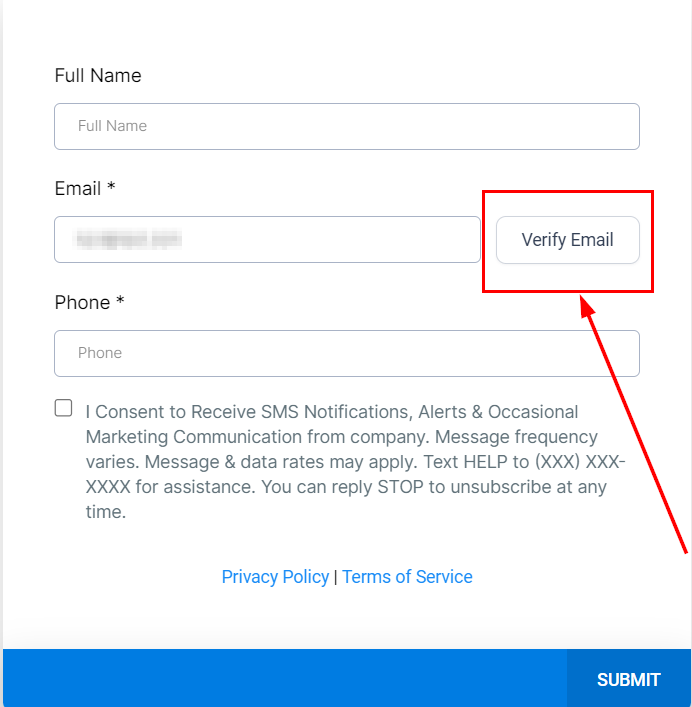
Visibility of Verify Email Button
Upon entering a valid email, the “Verify Email” button will become visible to the user. And also clicking this button sends a verification code to the user’s email.
Verification Code Entry
Users must enter this code back into the form or survey to verify their email address.
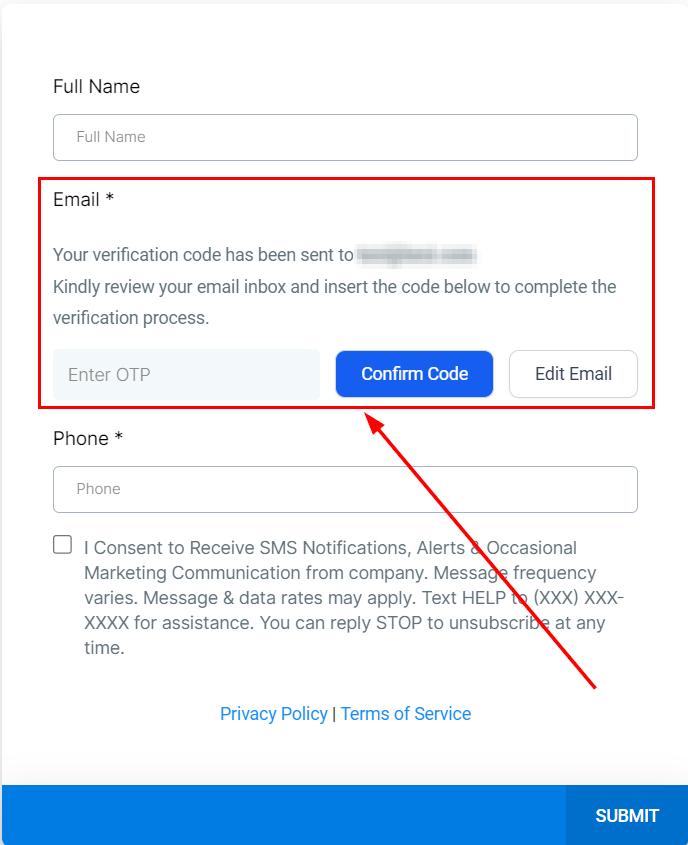
By implementing the Email Verification feature, you can enhance the quality of the data collected through your forms and surveys, ensuring greater accuracy and reliability. This feature not only improves data integrity but also provides a more seamless and professional experience for participants.
FAQs
Q: Can the email verification process be bypassed?
- A: No, the email verification process is mandatory for ensuring the integrity of the data collected through the forms and surveys.
Q: Will forms and surveys automatically include email verification?
- A: No, email verification must be added to each form or survey individually by including the email field with the verification feature enabled.
Troubleshooting Tips
- Verification Code Not Received: Check the spam or junk folder for the verification email. Ensure the email address entered is correct. If necessary, request to resend the verification code.
- Verification Code Incorrect: Verify that the code entered matches the code sent to the email. If the code has expired, request a new verification code.
- Verify Email Button Not Appearing: Ensure that a valid email address is entered. Refresh the form or survey and try again.
- Email Verification Not Working: Check the internet connection and ensure the browser is up to date. Clear the browser cache and cookies if issues persist.
Not a Funnelbud customer yet?
Try our all-in-one CRM for sales and marketing — free for 7 days, no commitment.