Universal Elements in Funnels & Websites
Maintaining a cohesive design across multiple digital assets can be challenging and time-consuming. With Universal Elements, you can save and sync design and configuration settings across multiple builds to keep your entire team aligned with consistent branding and settings. If this feature is for you, read on to learn how to incorporate it into your tools.
Key Benefits
- Save Time: Make one update and apply it everywhere.
- Ensure Consistency: Avoid discrepancies between pages or assets.
- Boost Team Productivity: Eliminate redundant work and streamline collaboration.
How to Use It
Saving An Element
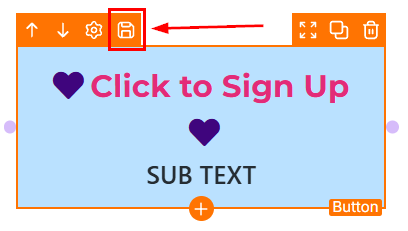
In the Funnels or Websites builder, hover over an element and click the floppy disk icon to save it.
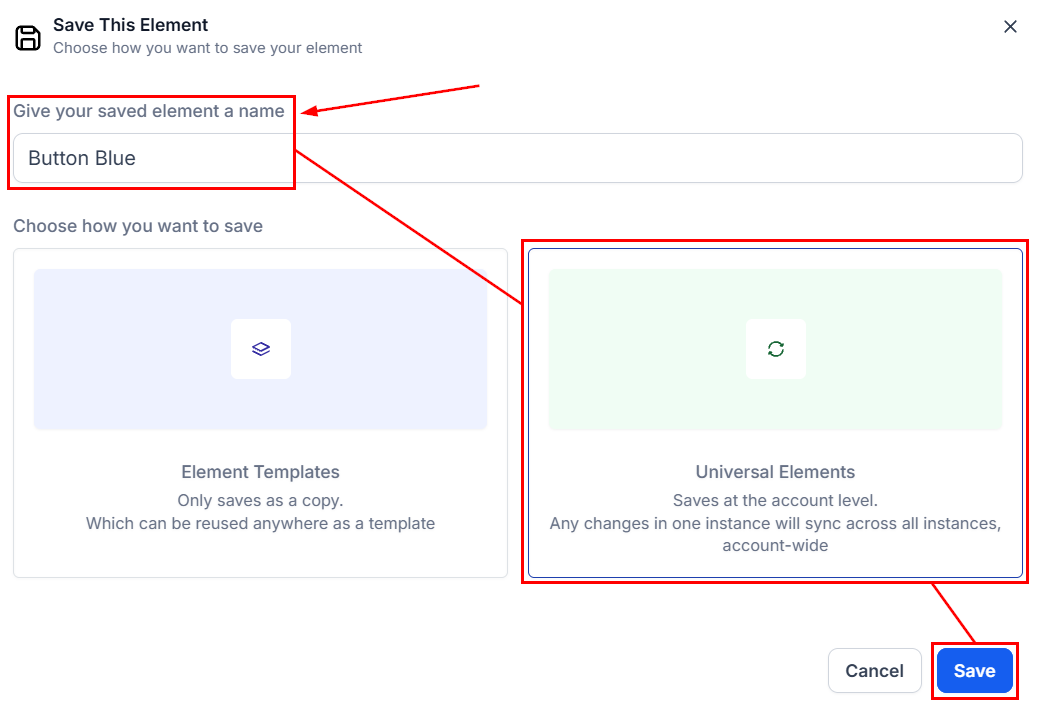
In the Save pop-up, provide a name, choose the Universal Element option, and click Save.
Using A Saved Element
Once an element is saved universally, it becomes accessible to all users within the account. To apply it while building a funnel, website, blog, or store, open the element menu, click Saved Assets, and select the “Saved Elements” option.
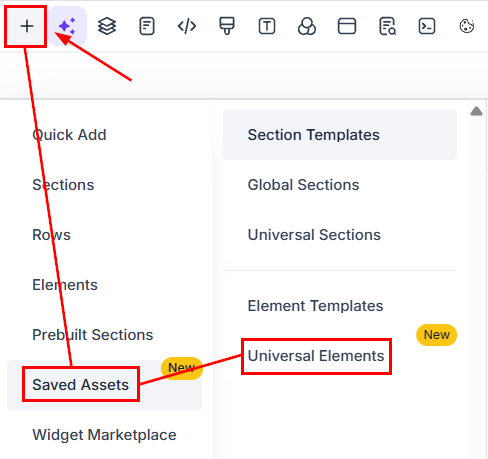
Next, drag and drop your desired element from the Universal Elements window into the builder.
Any changes made to a Universal Element will be automatically reflected across all instances, eliminating the need for manual updates.
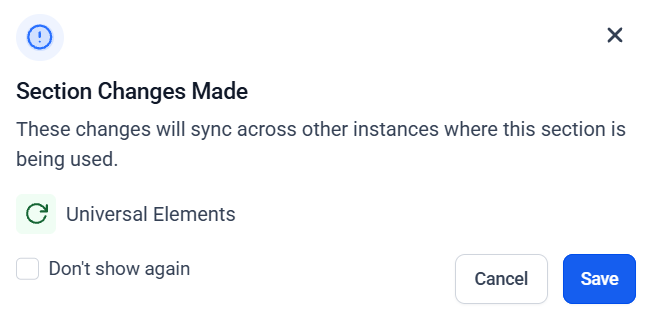
Universal Elements provides a scalable, brand-consistent design system. You create an element once and reuse it everywhere, saving editing time, reducing mistakes, and keeping your pages perfectly aligned. Start using Universal Elements today and experience the power of scalable, consistent design, just seamless updates across your entire brand ecosystem.
✍Important Notes
- Cloning a funnel/page generates snapshot IDs (_snapshot) to prevent cross-sync.
- Cloning a Universal Element on the same page converts it to a normal element.
- Duplicate Universal Elements on the same page are blocked.
Not a Funnelbud customer yet?
Try our all-in-one CRM for sales and marketing — free for 7 days, no commitment.