How to Invite Members to Your Group via Invite Link
This guide will walk you through the process of creating and sharing unique invitation links for online groups or communities. This method is frequently used to invite new members to join a group efficiently and securely.
Step 1: Access the ‘Members’ Tab
- Log into your account as an Admin or Owner.
- Navigate to the ‘Members’ tab within your Group.
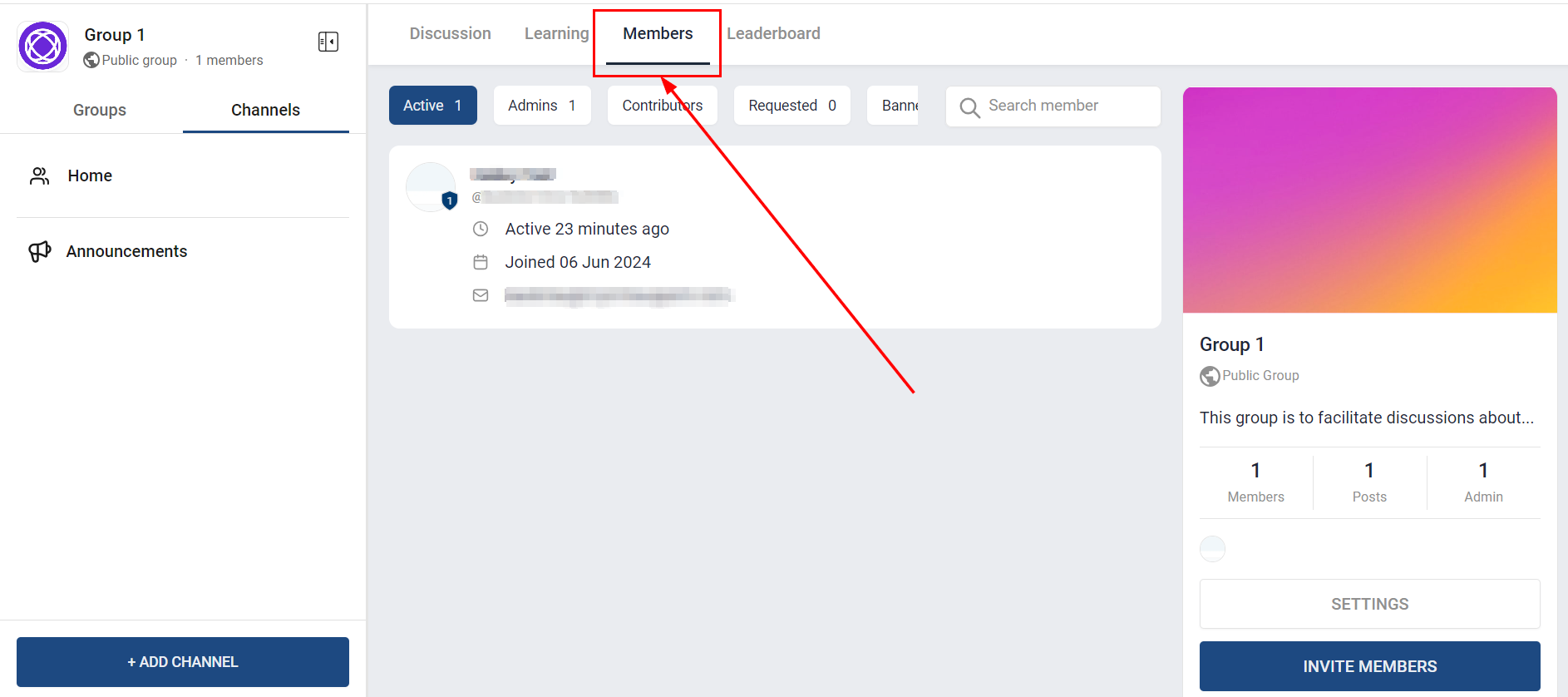
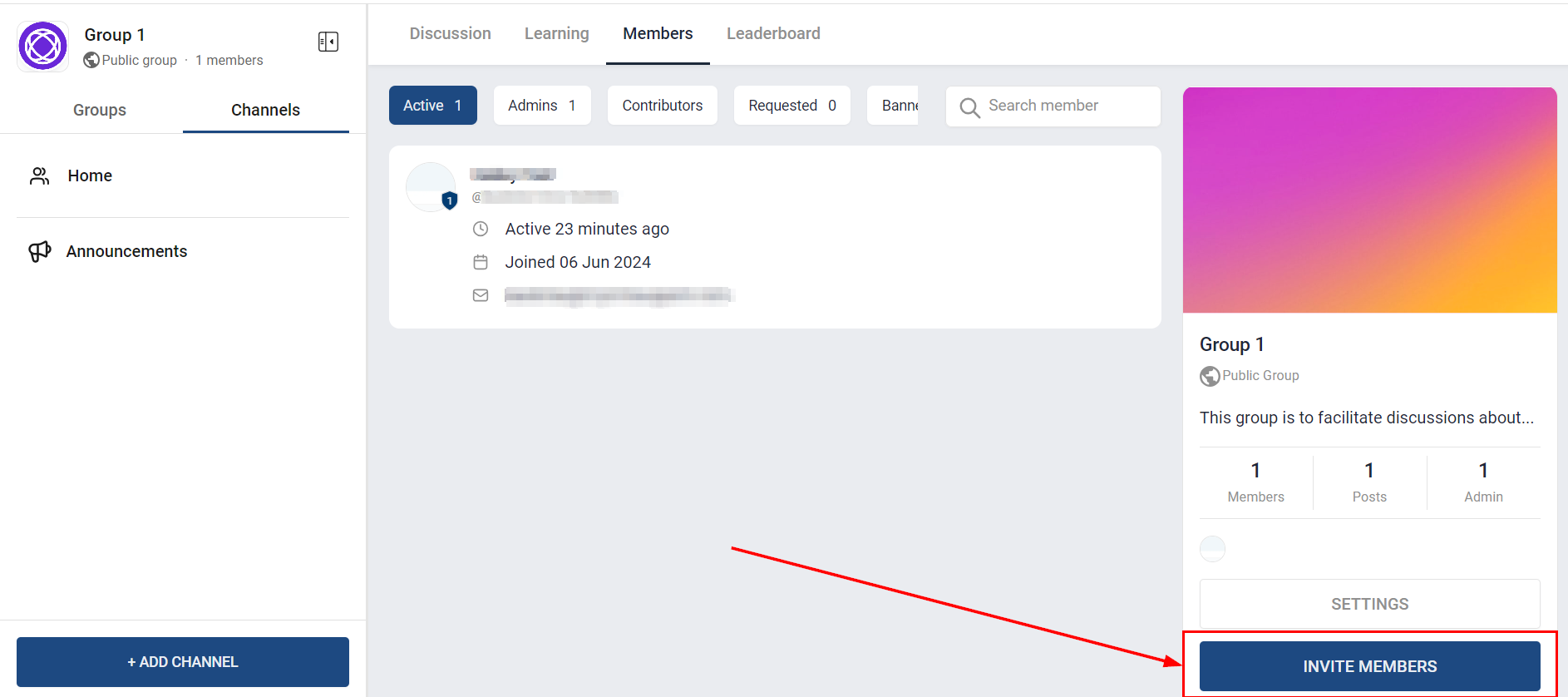
Step 2: Begin the Invitation Process
Within the ‘Members’ tab, locate and click the ‘Invite Members’ button.
Step 3: Provide Invitation Details
After clicking the ‘Invite Members’ button, use the option provided to copy it to your clipboard.
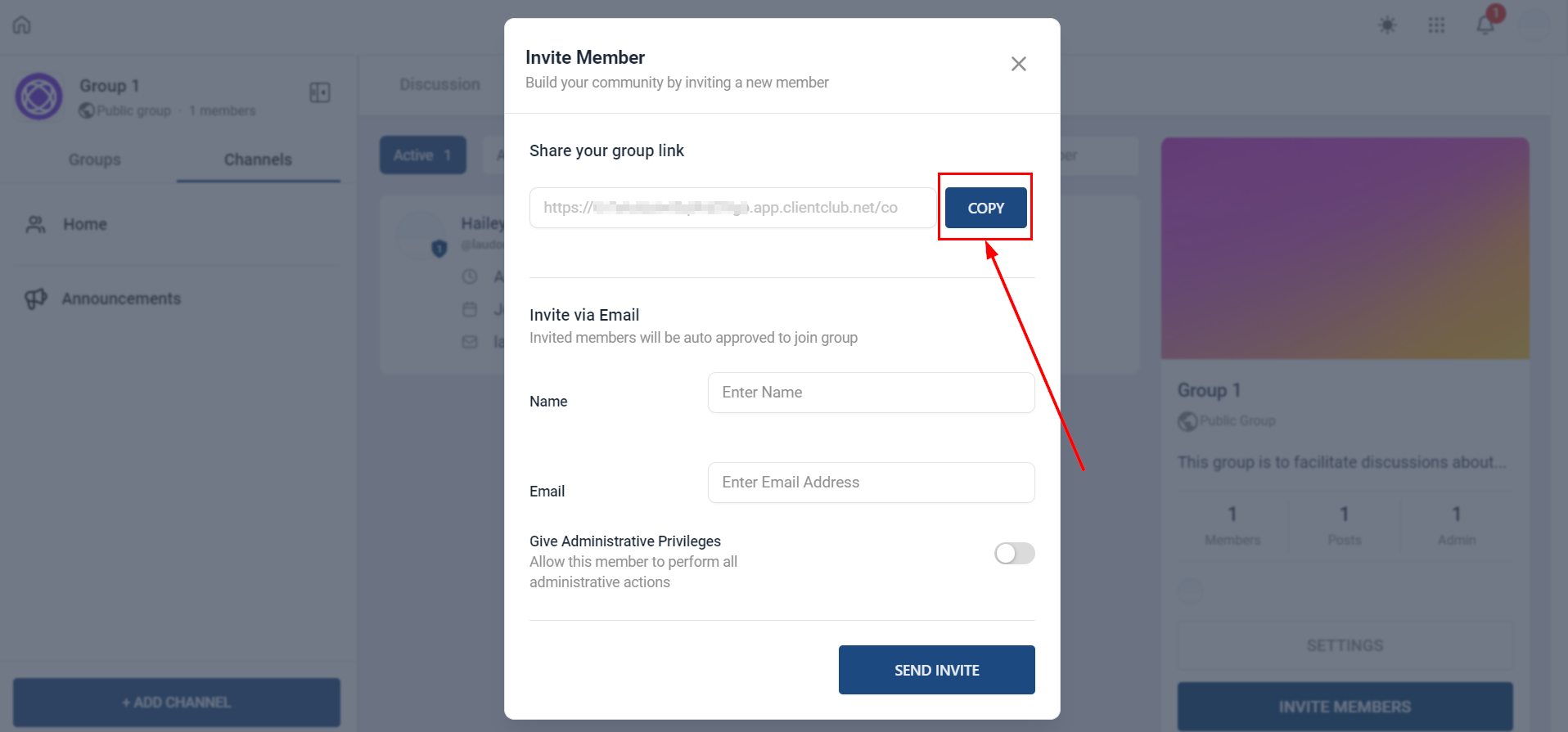
You can then share the copied invitation link through one or more of the following methods:
- Email: Send the link via email to potential members.
- Messaging Apps: Share it through platforms such as WhatsApp, Telegram, or Slack.
- Social Media: Post the link on your social media profiles or within relevant groups.
- Direct Messages: Send the link directly to individuals or groups through private messaging channels.
Experience for Invited Members
Recipients of the invitation link can expect the following:
Access the Invite Link: To initiate the joining process, recipients should click on the invite link provided.
Personalized Pop-up Modal: Upon clicking the link, a personalized pop-up window will appear, presenting the invitee with two options:
- Option 1: Create a New Account: If the recipient is not yet a member, they can sign up by providing the necessary details.
- Option 2: Log In with Existing Credentials: If the recipient is already registered, they can log in using their existing credentials.
For some private groups, there may be an approval process in place. This process allows administrators to review and approve membership requests, thereby ensuring that only authorized individuals gain access to the group, maintaining its security and integrity.
By following these steps, you can effectively manage the process of inviting new members to your group or community. The use of unique invitation links not only streamlines onboarding but also enhances security by ensuring that only selected individuals gain access. Whether you’re growing your community or selectively inviting new members, this method offers a simple yet powerful way to maintain control over group membership.
Not a Funnelbud customer yet?
Try our all-in-one CRM for sales and marketing — free for 7 days, no commitment.